Vscode-gitlens: Disable click action on recent change
I like seeing the recent change / author annotations on blocks:
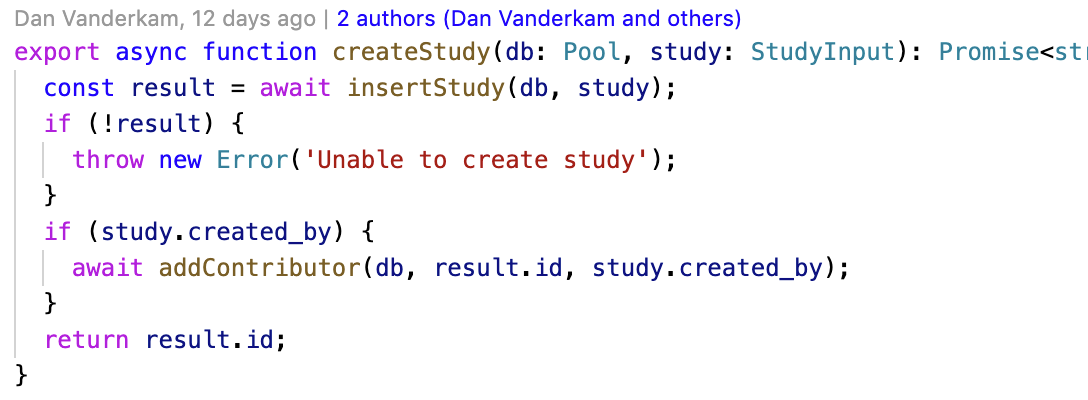
However, I keep finding myself accidentally clicking them, which shifts the entire editor to the right. I'd like to keep the annotations, but disable the click action (or make it harder to accidentally trigger). Is there an option for this?
 danvk
danvk
All 10 comments
While you can control what happens when you click on it, you can't currently have it do nothing. That is a good idea.
 eamodio
on 30 Mar 2020
eamodio
on 30 Mar 2020
I've an early stage working prototype 🙂
This is how it looks when both Authors and Recent Changes commands are disabled

This is how it looks when only the Authors command is enabled
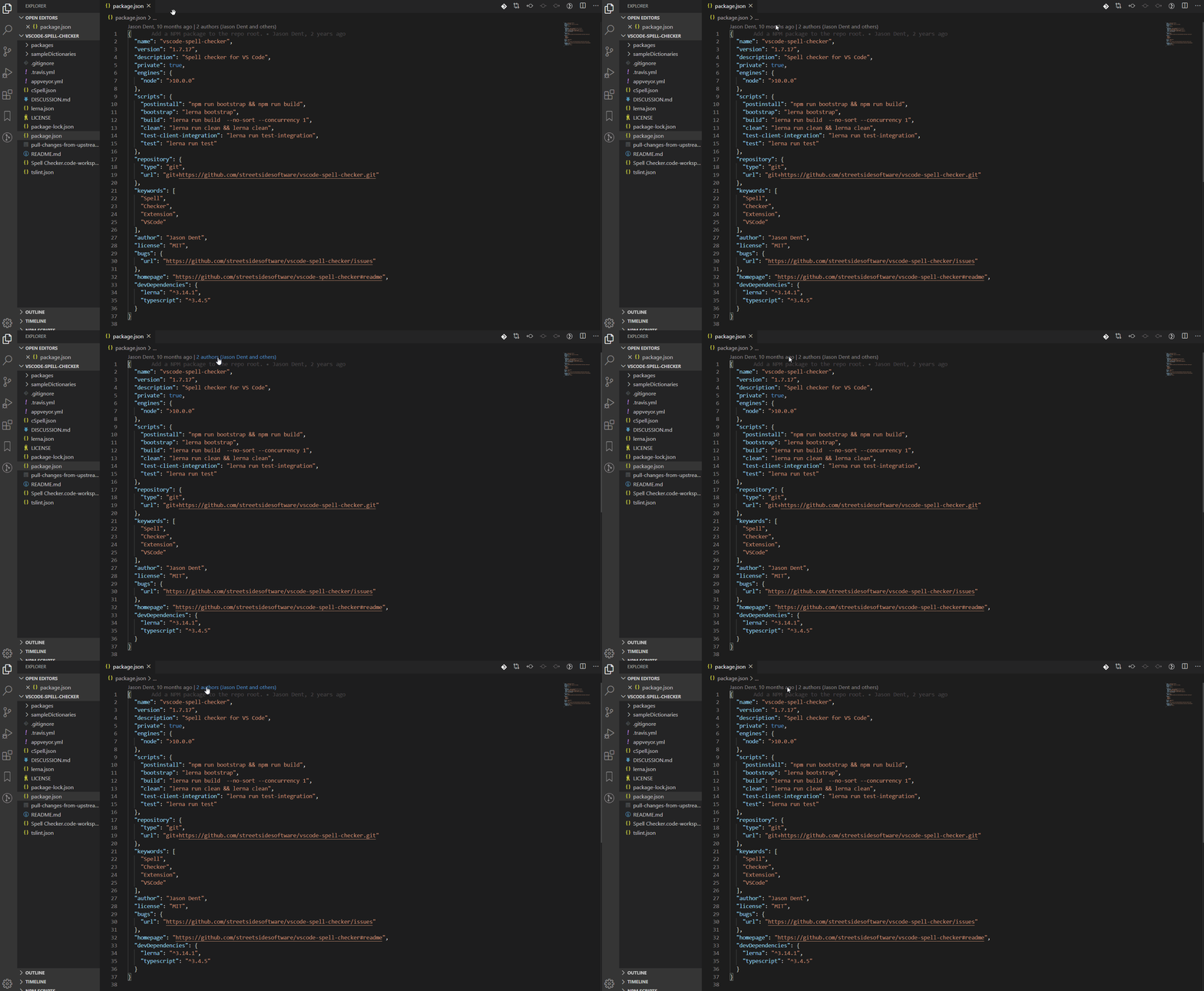
This is how it looks when only the Recent Changes command is enabled

The approach I'm thinking about would involve adding 2 config entries as shown below, and would make them both enabled by default
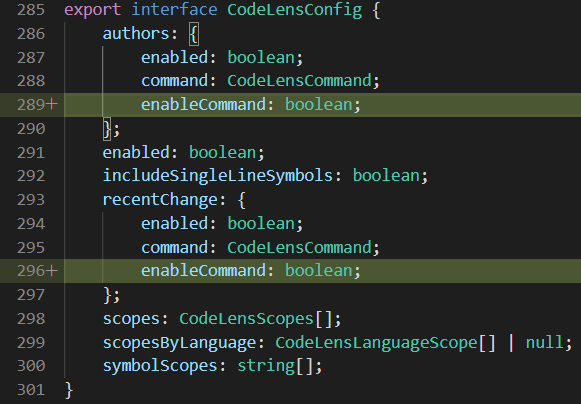
Would that be a good approach to implement this feature?
 abdusabri
on 24 Apr 2020
abdusabri
on 24 Apr 2020
Awesome! Thanks so much for tackling this! Instead of adding a new enableCommand flag, I would suggest just adding false to the command, so it would be command: CodeLensCommand | false. That would make the changes required (especially in the GitLens Settings UI) less.
eamodio
on 24 Apr 2020
Thanks @eamodio for the feedback! Will proceed accordingly.
Based on that, the Settings UI should be like this, correct?

abdusabri
on 25 Apr 2020
Yeah, I like that UI (I honestly was thinking about just a _When clicked_ does nothing type action in the dropdown -- but I like yours much better). The might be a challenge with it being a combine setting with that UI - since unchecking it would set it to false which will affect the dropdown. I'm not in front of a machine atm but it might be fine 😄
eamodio
on 25 Apr 2020
Awesome! Thanks for the feedback!
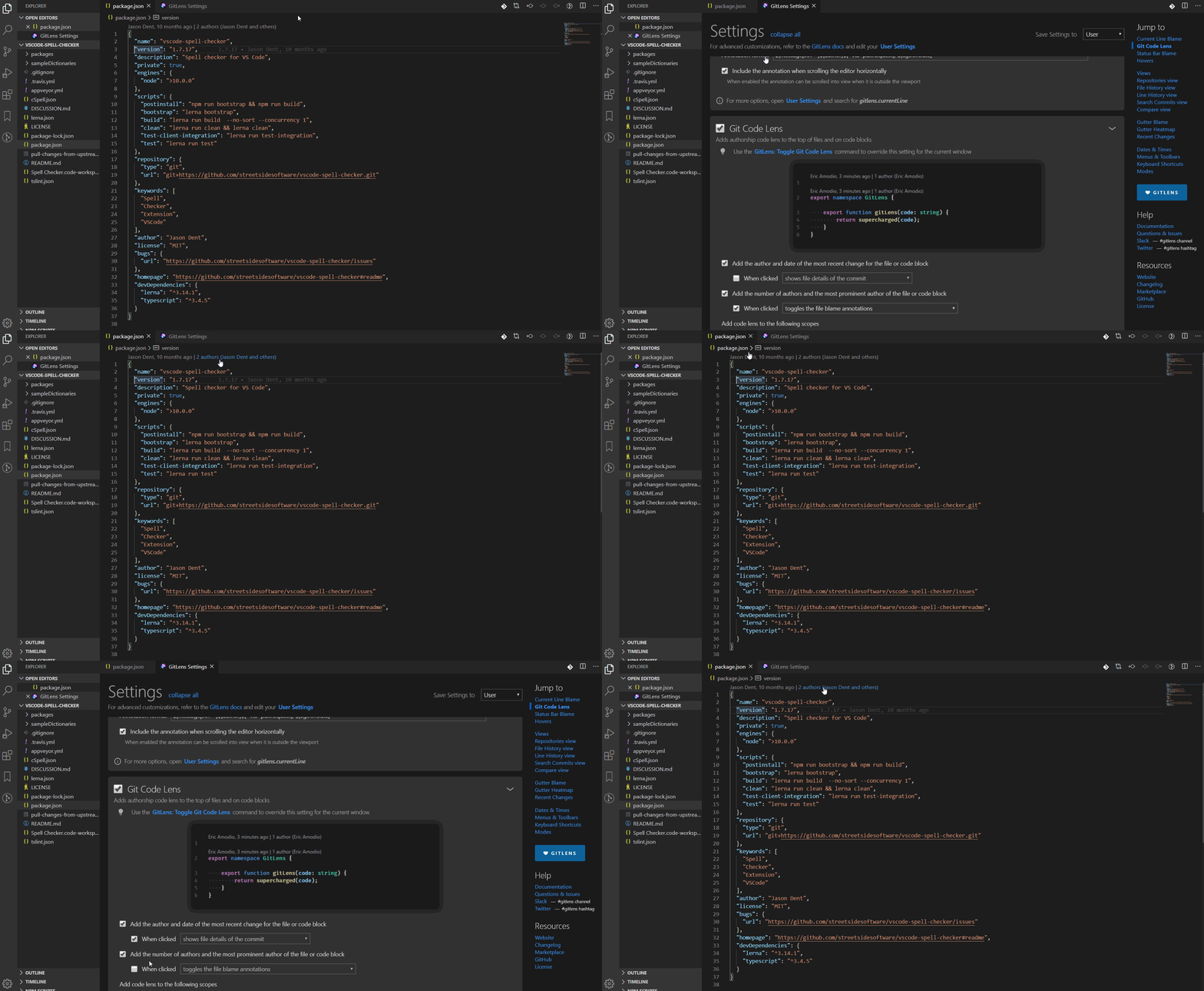
I got inspiration from the existing views.repositories.showBranchComparison setting. Based on my testing, it seems to be working as expected 😄
Here is a screen capture for a fully functional implementation 🙂
abdusabri
on 25 Apr 2020
Here is how it responds to parent settings being disabled or enabled

abdusabri
on 25 Apr 2020
@abdusabri Looks great! Awesome work!
eamodio
on 25 Apr 2020
I'm very sorry about the wrong references to this issue 😔, was testing some changes on my fork while working on another issue and didn't realize I had used the wrong issue number 🤦♂️. Please ignore
abdusabri
on 19 Jul 2020
Added in GitLens 11
eamodio
on 2 Dec 2020
Related issues
 mindpivot
·
4Comments
eamodio
·
3Comments
mindpivot
·
4Comments
eamodio
·
3Comments
 susiwen8
·
3Comments
susiwen8
·
3Comments
 JP-Ellis
·
3Comments
JP-Ellis
·
3Comments
 robertzauner
·
3Comments
robertzauner
·
3Comments
Most helpful comment
@abdusabri Looks great! Awesome work!