Vscode-gitlens: Add option to hide editor title buttons
It would be nice to have an option to hide the buttons in the editor title bar -- the ones in the split pane field.
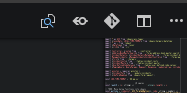
it should be as simple as adding an option and then adding the option to the "when" option in the clause in the package.json @ https://github.com/eamodio/vscode-gitlens/blob/4ddb871/package.json#L2701
for example, another plugin has exactly this kind of option: https://github.com/DonJayamanne/gitHistoryVSCode/blob/016e927/package.json#L187
 forivall
All 13 comments
You can customize them using the gitlens.menus setting -- or you can also use the GitLens interactive settings editor from the command palette; run GitLens: Open Settings. See the Menus & Toolbars section of the General group
Hope that helps!
 eamodio
on 3 Nov 2018
eamodio
on 3 Nov 2018
What option in particular is to be selected? I cannot seem to find the way.
 gennaro-tedesco
on 24 Oct 2019
gennaro-tedesco
on 24 Oct 2019
    "gitlens.menus": {
        "editorGroup": {
            "blame": false,
            "compare": false
        },
 evgeniyp
on 20 Nov 2019
evgeniyp
on 20 Nov 2019
    "gitlens.menus": {
        "editorGroup": {
            "blame": false,
            "compare": false
        },
awesome, thank you.
gennaro-tedesco
on 20 Nov 2019
Adding this doesnt seem to work..... :sob:
 rodrigograca31
on 1 Mar 2020
rodrigograca31
on 1 Mar 2020
Any alternatives?
rodrigograca31
on 1 Mar 2020
@rodrigograca31
Have you tried restarting vscode? It worked partially for me, I'm still stuck with the "Open changes" button. Why is it so hard to define which options we can setup somewhere?
 Rkokie
on 12 Mar 2020
Rkokie
on 12 Mar 2020
@Rkokie Restarting did the trick! Thanks!
Also the JSON object above has a missing closing curly bracket...
And seems this is all you neeed:
"gitlens.menus": false,
And yes it seems that "Open Changes" button can't be removed:
https://github.com/eamodio/vscode-gitlens/blob/0b80f3ba7b38083a3727c7751ce6247474db6f13/package.json#L814-L833
rodrigograca31
on 12 Mar 2020
@rodrigograca31 @Rkokie The "Open Changes" button is from VS Code itself, not GitLens.
eamodio
on 12 Mar 2020
As mentioned above: https://github.com/eamodio/vscode-gitlens/issues/540#issuecomment-435561266
You can use the GitLens settings UI to easy toggle all of these settings:

eamodio
on 12 Mar 2020
@eamodio I couldn't find that at first, but now I see it's accessed via Gitlens nav, sorry for the inconvenience!
(I couldn't find it through the command palette either! maybe my vscode bugged out a bit)
Rkokie
on 12 Mar 2020
This is almost impossible to figure out without reading the tips inside this issue. Is there no plan to make the settings (gitlens.menus) more user-friendly, so that they make sense to the user even if they try to search for it by proper keywords? (And I didn't find any "GitLens settings UI".)
 scscgit
on 24 Jun 2020
scscgit
on 24 Jun 2020
This issue has been automatically locked since there has not been any recent activity after it was closed. Please open a new issue for related bugs.
![github-actions[bot] picture](https://avatars2.githubusercontent.com/in/15368?v=4&s=40) github-actions[bot]
on 25 Nov 2020
github-actions[bot]
on 25 Nov 2020
Related issues
 minj
·
24Comments
minj
·
24Comments
 rotwurstesser
·
23Comments
rotwurstesser
·
23Comments
 rajesh996
·
29Comments
rajesh996
·
29Comments
 rjbruin
·
22Comments
rjbruin
·
22Comments
 sandy081
·
25Comments
sandy081
·
25Comments
Most helpful comment
You can customize them using the
gitlens.menussetting -- or you can also use the GitLens interactive settings editor from the command palette; run GitLens: Open Settings. See the Menus & Toolbars section of the General groupHope that helps!