Vscode-gitlens: Activity Bar: GitLens resets it's Hide state
- Codelens Version: 8.5.0
- VSCode Version: 1.25.1
- OS Version: Windows 10
Steps to Reproduce:
- Choose GitLens in activity bar, Right click -> Hide
- Close and re-open VSCode
- Wait about 5 seconds, all icons will flash and GitLens re-adds itself to activity bar.
This does not appear to affect any of the default activity bar icons.
 BookOfGreg
All 5 comments
Opened https://github.com/Microsoft/vscode/issues/54495
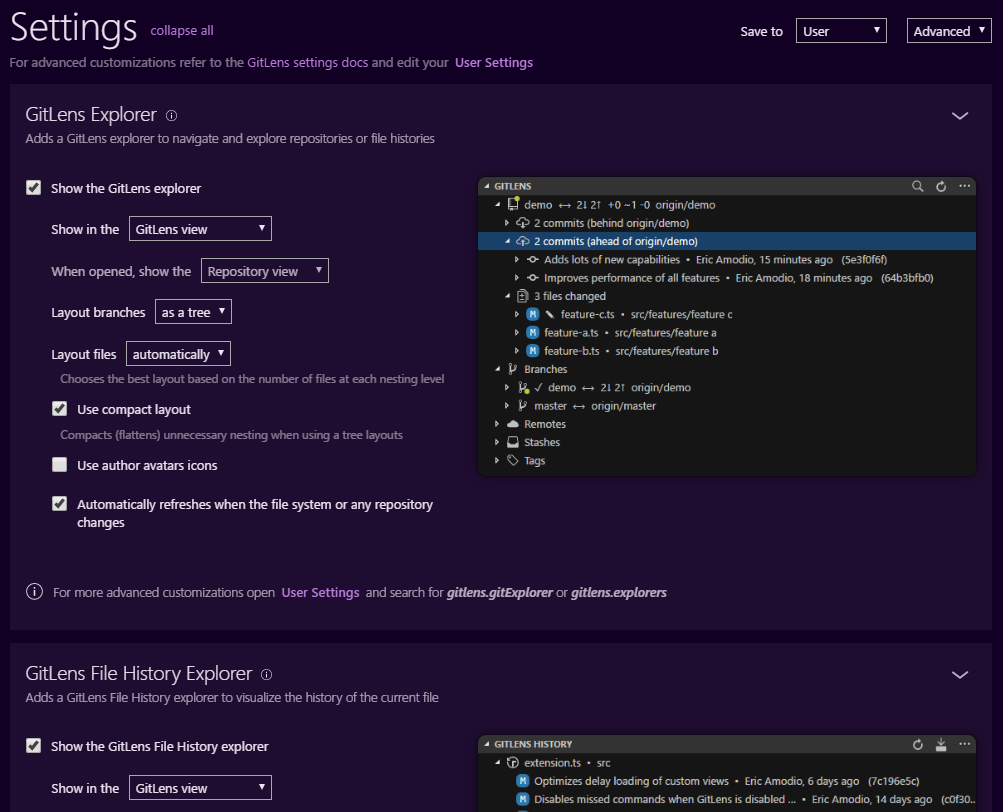
Although if you want to completely turn off the activity bar icon, you can either move the explorers into another location (explorer, source control, etc), or disable them completely.
See here, via the GitLens interactive settings editor
 eamodio
on 17 Jul 2018
eamodio
on 17 Jul 2018
Closing this as this will be fixed in the August 2018 release of vscode (you can see it today with the insiders build of vscode).
eamodio
on 5 Sep 2018
Opened microsoft/vscode#54495
Although if you want to completely turn off the activity bar icon, you can either move the explorers into another location (explorer, source control, etc), or disable them completely.
See here, via the GitLens interactive settings editor
Where is that screenshot from? How do you get to that settings page in VSCode?
 scottsealanddesign
on 4 Sep 2019
scottsealanddesign
on 4 Sep 2019
From the command palette, type _GitLens: Open Settings_
eamodio
on 4 Sep 2019
This issue has been automatically locked since there has not been any recent activity after it was closed. Please open a new issue for related bugs.
![github-actions[bot] picture](https://avatars2.githubusercontent.com/in/15368?v=4&s=40) github-actions[bot]
on 28 Nov 2020
github-actions[bot]
on 28 Nov 2020
Related issues
 derrickstolee
·
3Comments
derrickstolee
·
3Comments
 ridhwaans
·
3Comments
ridhwaans
·
3Comments
 rfgamaral
·
3Comments
rfgamaral
·
3Comments
 dwlsalmeida
·
3Comments
dwlsalmeida
·
3Comments
 mindpivot
·
4Comments
mindpivot
·
4Comments
Most helpful comment
Opened https://github.com/Microsoft/vscode/issues/54495
Although if you want to completely turn off the activity bar icon, you can either move the explorers into another location (explorer, source control, etc), or disable them completely.
See here, via the GitLens interactive settings editor
