Vscode-extension-for-zowe: The ebcdic x'CA 'character (IBM-1147) is missing after transfer with ZOWE Explorer (with encoding 1147) / soft hyphen x'AD' not rendered by Chromium
Describe the bug
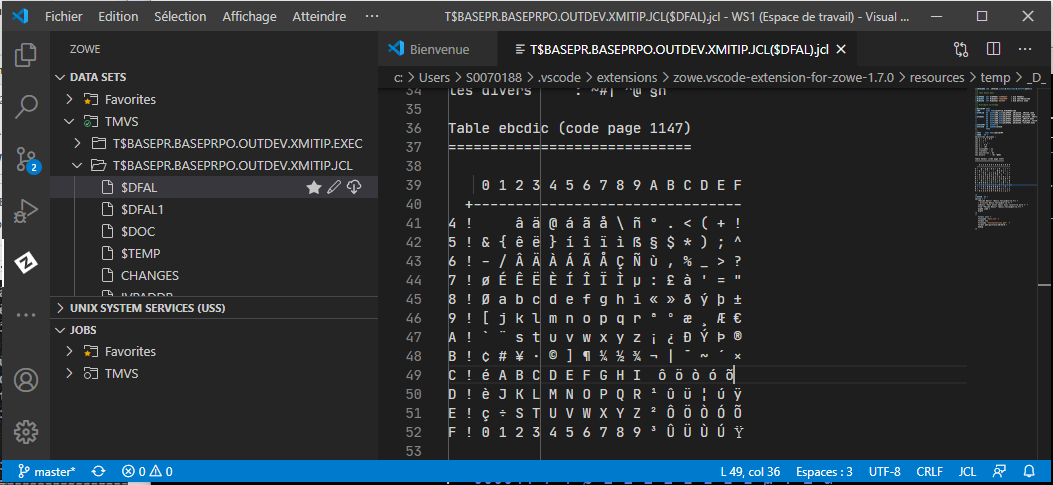
The ebcdic x'CA 'character (IBM-1147) is not displayed in VS Code editor, but present in transfered file.
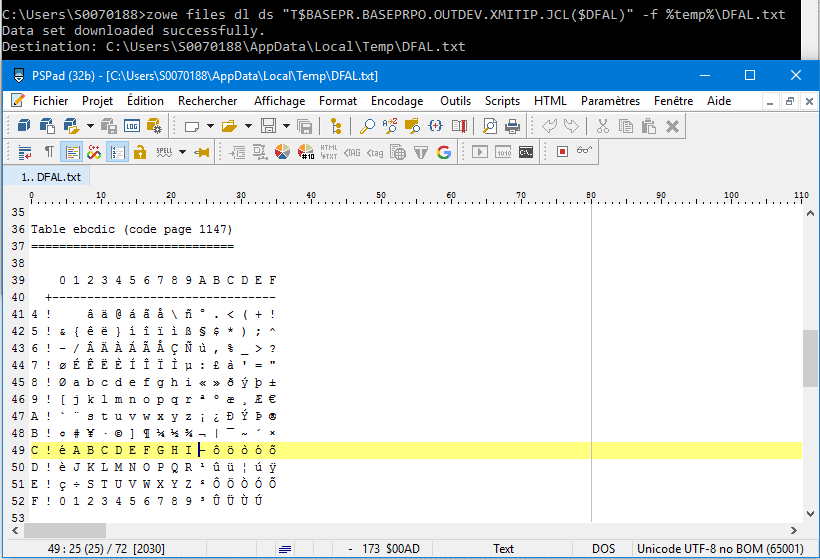
On the other hand the character x'FF 'is displayed whereas in other software it is not.
In transfered file, UTF8 encoding, character is x’AD’.
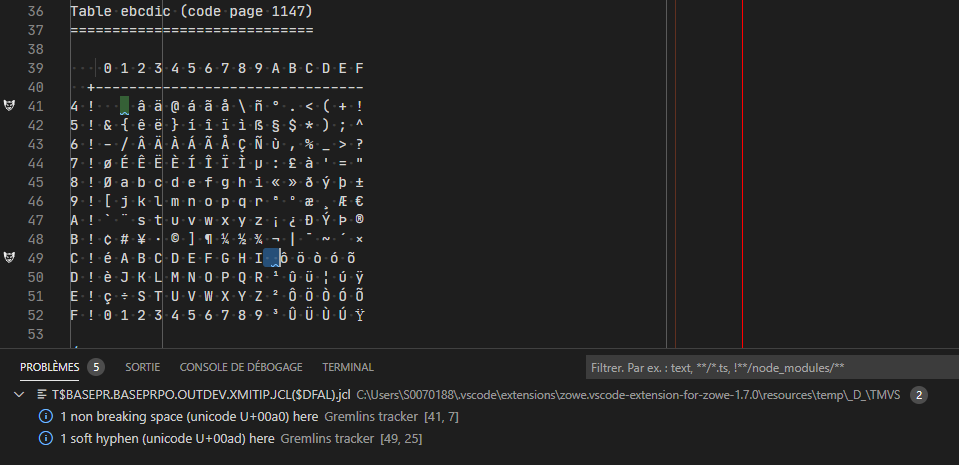
In VS Code x’AD’ character seem to be a zero width character.
VS Code encoding is forced to UTF8, ( no autoGuessEnciding).
To Reproduce
z/OSMF profile with --encoding 1147.
A member of PDS containing all the characters authorized in IBM-1147 EBCDIC is opened in ZOWE Explorer.
All the characters are well displayed in VS Code except the character coded x'CA' in EBCDIC which is eliminated.
Note: VS Code editor is IBM Z Open Editor, JCL type.
Expected behavior
Restitution of all characters.
Screenshots
File on mvs host:

File opened in VS Code:
File tranfered by ZOWE CLI and opened in an other editor:
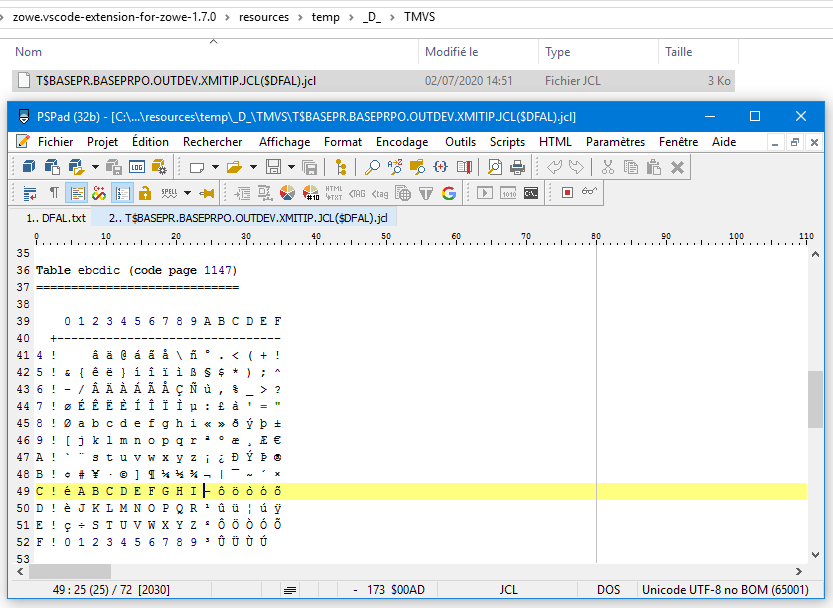
Temp folder of ZOWE Explorer extension:
VS Code editor with "Greemlins tracker" and "editor.renderWhitespace": "all" setting:
Desktop (please complete the following information):
- OS: Windows 10 PRO 64 "1607"
- Zowe Explorer Version: 1.7.0 (VS Code 1.46.1)
- Zowe CLI Version: 6.17.3
- Are you using Secure Credential Store? Yes
 FALLAI-Denis
All 2 comments
This is a Chromium issue...
https://github.com/microsoft/vscode/issues/34176
https://bugs.chromium.org/p/chromium/issues/detail?id=767950
FALLAI-Denis
on 5 Jul 2020
Good find!
 dkelosky
on 6 Jul 2020
dkelosky
on 6 Jul 2020
Related issues
 travatine
·
4Comments
travatine
·
4Comments
 phaumer
·
5Comments
phaumer
·
5Comments
 zdmullen
·
3Comments
zdmullen
·
3Comments
 jelaplan
·
3Comments
jelaplan
·
4Comments
jelaplan
·
3Comments
jelaplan
·
4Comments
Most helpful comment
This is a Chromium issue...
https://github.com/microsoft/vscode/issues/34176
https://bugs.chromium.org/p/chromium/issues/detail?id=767950