Vscode-extension-for-zowe: Secured Profile by Zowe Explorer
I have the following issues for profiles created under Zowe Explorer Secure Credential Manager:
- The profiles are not useable in Zowe CLI
C:\Users\jp669971
λ zowe files list ds "PUNje01.public.memb*"
[2020/03/04 12:03:74] [ERROR] [CredentialManagerFactory.js:147] Failed to override the credential manager with one provided by "Zowe Explorer"
[2020/03/04 12:03:75] [ERROR] [CredentialManagerFactory.js:149] You attempted to override the "CredentialManager" setting with a plugin named "Zowe Explorer" that is not installed and loadable.
We will use a "CredentialManager" that purposely fails until you reconfigure.
Command Preparation Failed:
Unable to load the secure field "user" associated with the profile "ca32" of type "zosmf".
Error Details:
An invalid credential manager was passed in to the factory function!
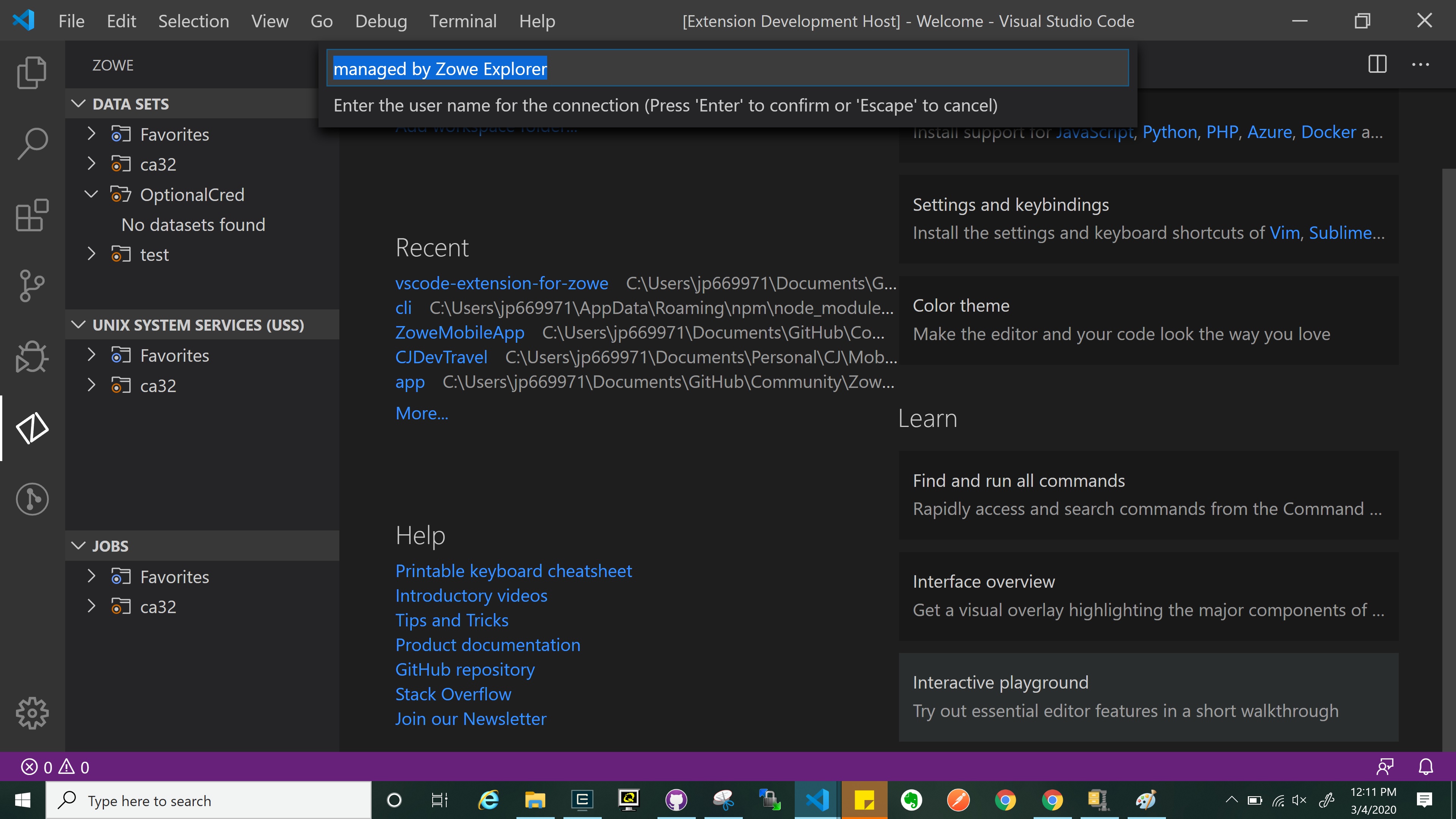
- If you have an optionalCredentials (meaning Username and Password = spaces), and you hit refresh, the value of your credentials are changed to Managed by Zowe Explorer and ends up unuseable since I cant edit my profiles. 😕
 jellypuno
All 6 comments
Can you clarify the scenario for 1 please?. Managed by Zowe Explorer sounds like the keytar Zowe Explorer "standalone" based solution is being employed for Zowe Explorer and nothing for CLI. The valid combination would be SCS plugin installed for CLI in which case the Zowe Explorer would use that too.
In 2. I think this behavior would be expected. Once credential management is handed on to integrate with the OS key store I would expect it to manage passwords etc even when they are spaces. It may be necessary to add an alternative indicator to the profile for optional implementation but it does feel as if they are mutually exclusive functions
 Colin-Stone
on 4 Mar 2020
Colin-Stone
on 4 Mar 2020
Can you clarify the scenario for 1 please?. Managed by Zowe Explorer sounds like the keytar Zowe Explorer "standalone" based solution is being employed for Zowe Explorer and nothing for CLI. The valid combination would be SCS plugin installed for CLI in which case the Zowe Explorer would use that too.
Is this documented that there is a valid combination if I use Zowe Explorer SCS? and also I will not be able to use the profile in CLI unless I install a different one? Can I use 2 SCS? There is only one CredentialManager field in imperative.json.
In 2. I think this behavior would be expected. Once credential management is handed on to integrate with the OS key store I would expect it to manage passwords etc even when they are spaces. It may be necessary to add an alternative indicator to the profile for optional implementation but it does feel as if they are mutually exclusive functions
Yah. I guess so. I do need to have an indicator. I can open a new issue for that. thanks.
jellypuno
on 4 Mar 2020
So the SCS is a CLI plugin and Zowe Explorer has to be compatible with it and for that matter any back versions.
The keytar only Zowe Explorer solution is for the scenario where CLI isn't installed at all but secure credentials are required for a standalone Zowe Explorer. I did say Fernando and I would blog on this at some point but we haven't got around to it yet.
The recommendation will always be that customers prioritise SCS over the keytar only solution
Colin-Stone
on 4 Mar 2020
I did say Fernando and I would blog on this at some point but we haven't got around to it yet.
A blog sounds good. because for me, who is not familiar with all of this, it is kinda confused.
jellypuno
on 4 Mar 2020
@jellypuno - being able to protect password in VSC / Zowe is vital for us.
We're using VSC on Windows and as far as I can see, the Secured Profile is Linux only ?
Do you know who to contact with this issue ?
I see the https://github.com/zowe/vscode-extension-for-zowe/issues/574 - is this addressing the above mentionned ?
 bearou
on 12 Mar 2020
bearou
on 12 Mar 2020
@bearou I am using VSC on Windows as well and I can create protected profiles. Do you need assistance for this? I could guide you through it. We can communicate through slack if you want.
jellypuno
on 12 Mar 2020
Related issues
 phaumer
·
5Comments
phaumer
·
5Comments
 t1m0thyj
·
3Comments
jellypuno
·
4Comments
t1m0thyj
·
3Comments
jellypuno
·
4Comments
 fritzc1
·
3Comments
fritzc1
·
3Comments
 travatine
·
4Comments
travatine
·
4Comments