Vscode-extension-for-zowe: Cannot create a new profile with the "plus" button
- Install Zowe Extension in VSC on clean Mac (no Zowe CLI installed)
- Click on the '+' button to create a new profile
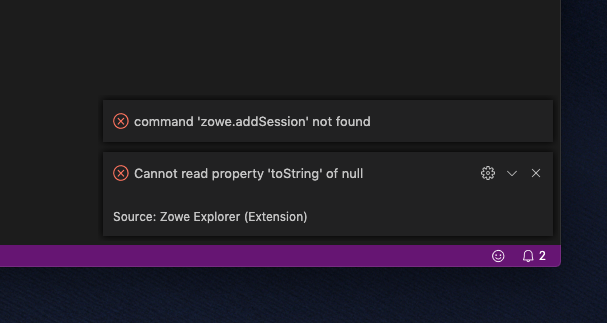
- error message "command 'zowe.addSession' not found"
- the profile cannot be created using the UI
 zimlu02
All 11 comments
zimlu02
on 19 Dec 2019
I am not experiencing the exact error but hopefully fix from #432 will solve this.
 jellypuno
on 6 Jan 2020
jellypuno
on 6 Jan 2020
@zimlu02 could you let us know if this is still an issue on v1.1
 jalel01
on 7 Jan 2020
jalel01
on 7 Jan 2020
I can still reproduce it with v1.1
zimlu02
on 8 Jan 2020
I can still reproduce it with v1.1
@zimlu02 Please install NodeJS then try again.
jellypuno
on 13 Jan 2020
I am working with Susie Robson on usability testing of the Zowe Extension. Trying to get her up to speed and she has the same problem as @zimlu02. I looked in her Finder and there is no .zowe folder. I went ahead and renamed my .zowe folder and tried to restart VS Code. I get different errors but I'm not able to create a connection / profile.
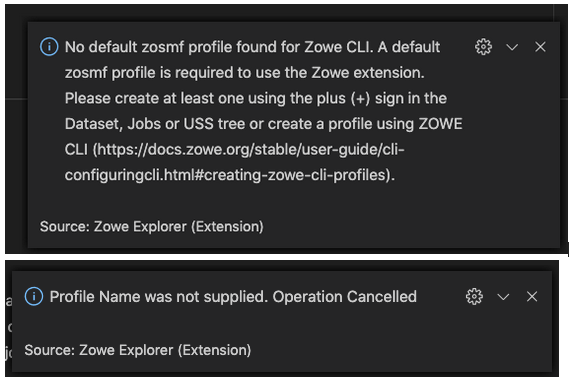
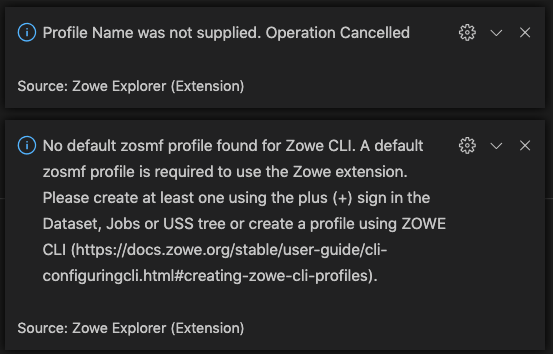
Here is the error messages I get when trying to click the + icons.
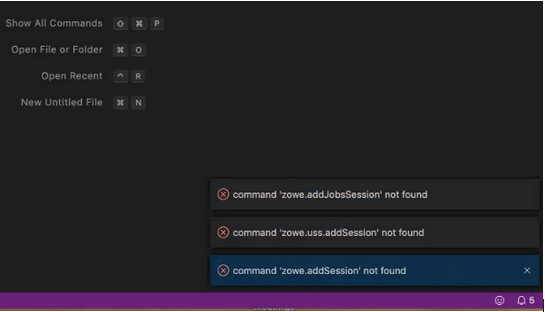
Here is what happens to me when I try to start VS Code without a .zowe folder. I also went into the Zowe Configuration settings file and removed history of searches, profiles, etc. I get the same kind of errors.
 jelaplan
on 13 Jan 2020
jelaplan
on 13 Jan 2020
@jelaplan ok. this is a different issue. This is what i would suggest.
- Make sure that you have NodeJS Installed. To verify, open the terminal and type
node -vandnpm -v - Delete the .zowe folder you manually created.
- Close VSCode
- Open VSCode. If Zowe Explorer is installed the _.zowe folder will be created automatically._
- Wait until the _No Default zosmf profile_ message appears or the word Favorites appears in the panels before clicking anything. Please note that VSCode is initializing and if you start clicking the error message _command zowe.something not found_ will appear. If this happens then you will experience errors because the extension did not initialize correctly.
jellypuno
on 13 Jan 2020
Nodejs fixed the problem! Thanks
zimlu02
on 13 Jan 2020
I can have Susie install NodeJS. I was under the impression that new users would need only install VS Code and the Zowe Explorer extension. That that would bring Node with it. So, I'll work with Susie this afternoon to install Node and I'll report back.
jelaplan
on 13 Jan 2020
@jellypuno that worked. We installed Node on Susie's machine and all is well.
jelaplan
on 13 Jan 2020
FYI,
https://github.com/zowe/vscode-extension-for-zowe#software-requirements
 zFernand0
on 15 Jan 2020
zFernand0
on 15 Jan 2020
Related issues
zFernand0
·
3Comments
 ghost
·
4Comments
jelaplan
·
4Comments
ghost
·
4Comments
jelaplan
·
4Comments
 travatine
·
4Comments
travatine
·
4Comments
 fritzc1
·
3Comments
fritzc1
·
3Comments
Most helpful comment
Nodejs fixed the problem! Thanks