Voyager: Issue with Voyager Font Awesome icons not displaying properly [BUG]
Version information
- Laravel: v5.8
- Voyager: v1.2.3
- PHP: 7.3
Description
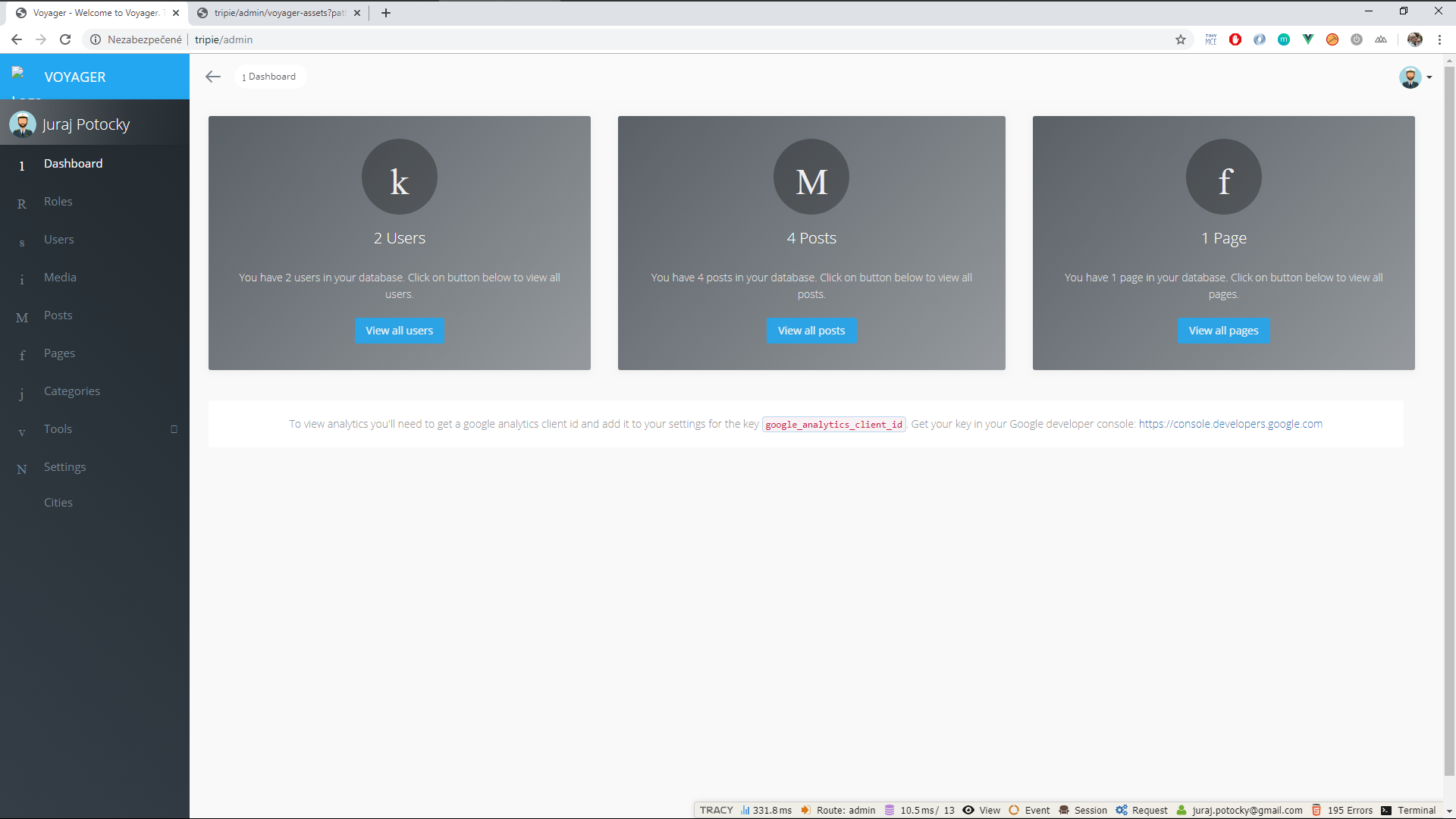
I have a problem with displaying icons.
And I have another problem and its about alerts the main page like Users count and Pages count and Posts count.
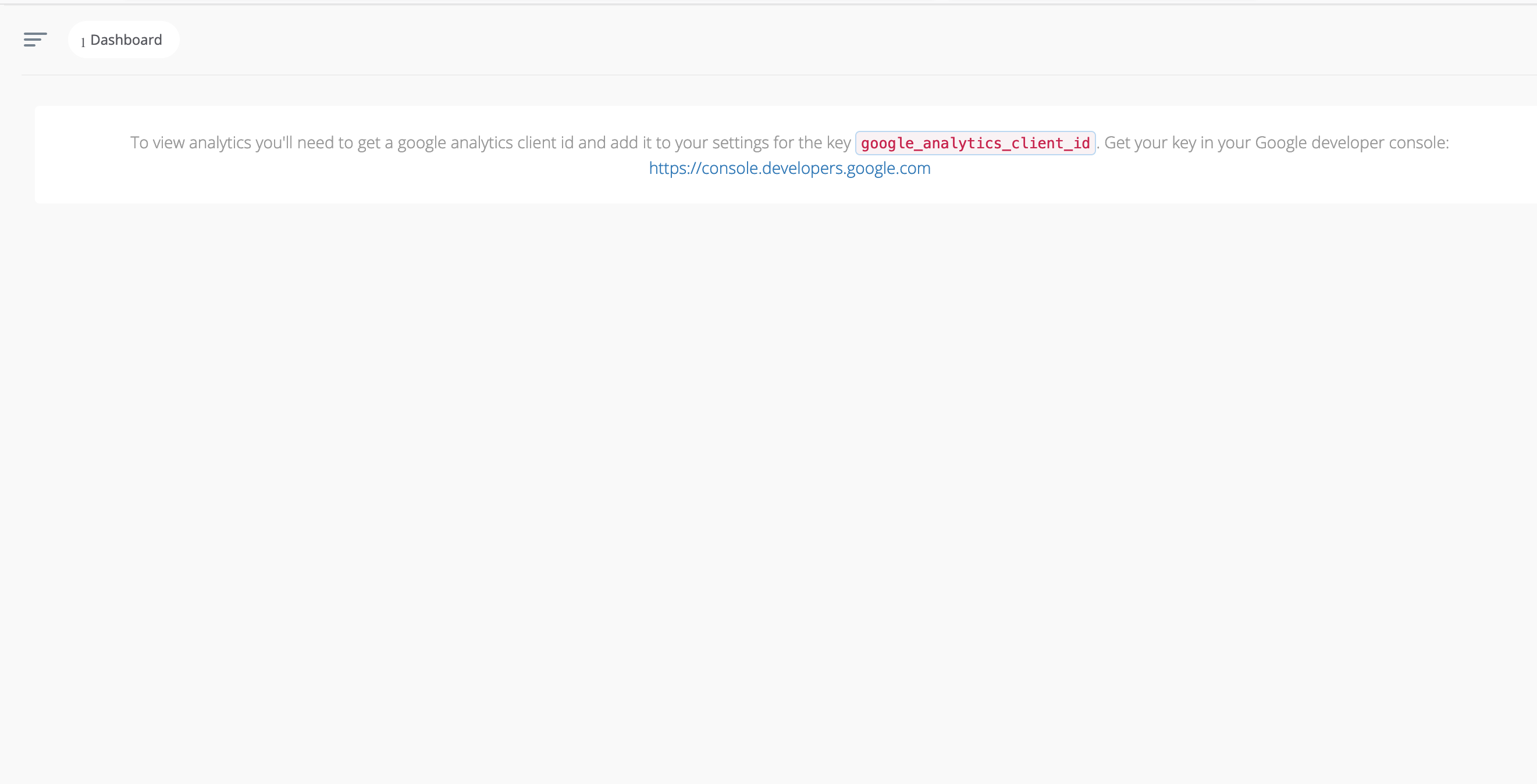
My Panel!
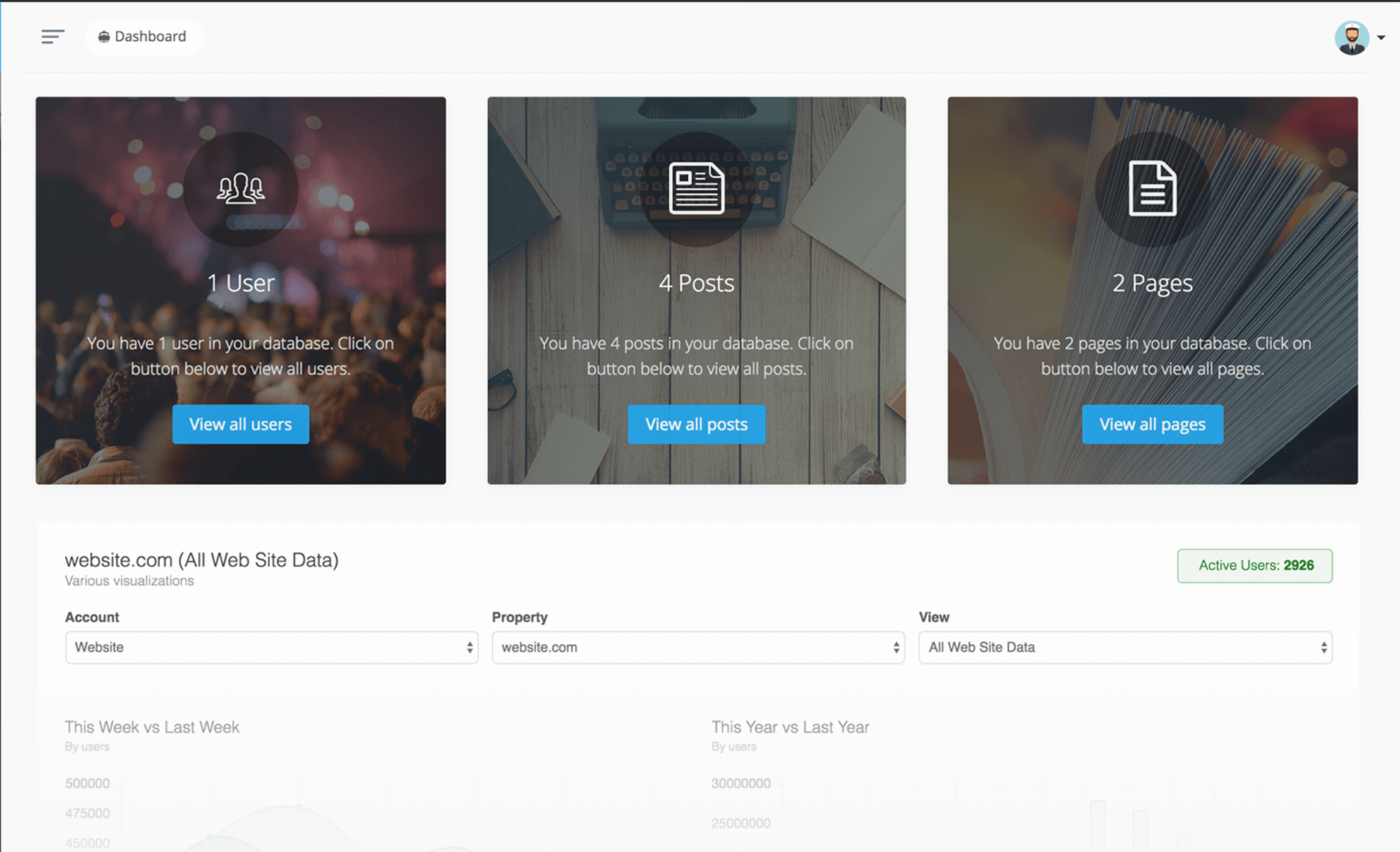
I want informations tabs like this.
Screenshots
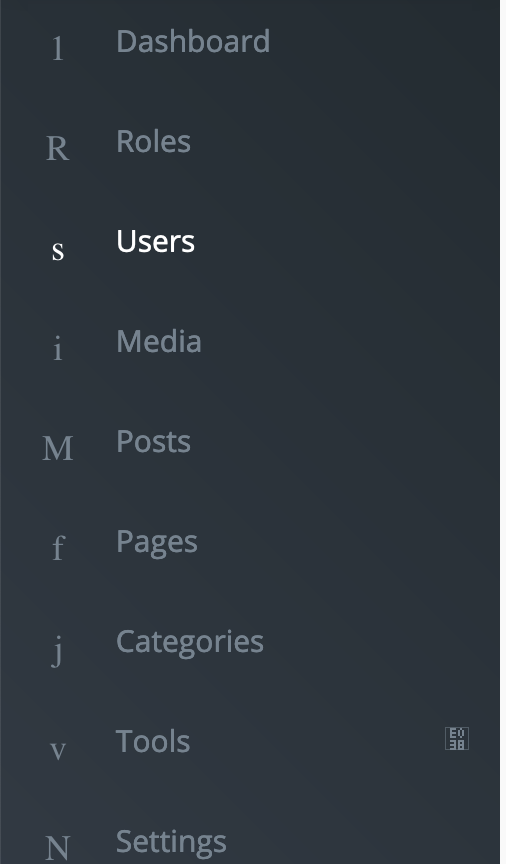


 smhboc
All 30 comments
Change your vendor\tcg\voyager directory to a new directory from and properly voyager project.
 orodrigue12
on 19 May 2019
orodrigue12
on 19 May 2019
You need to provide more information.... Any errors in the logs? browser console?
 fletch3555
on 22 May 2019
fletch3555
on 22 May 2019
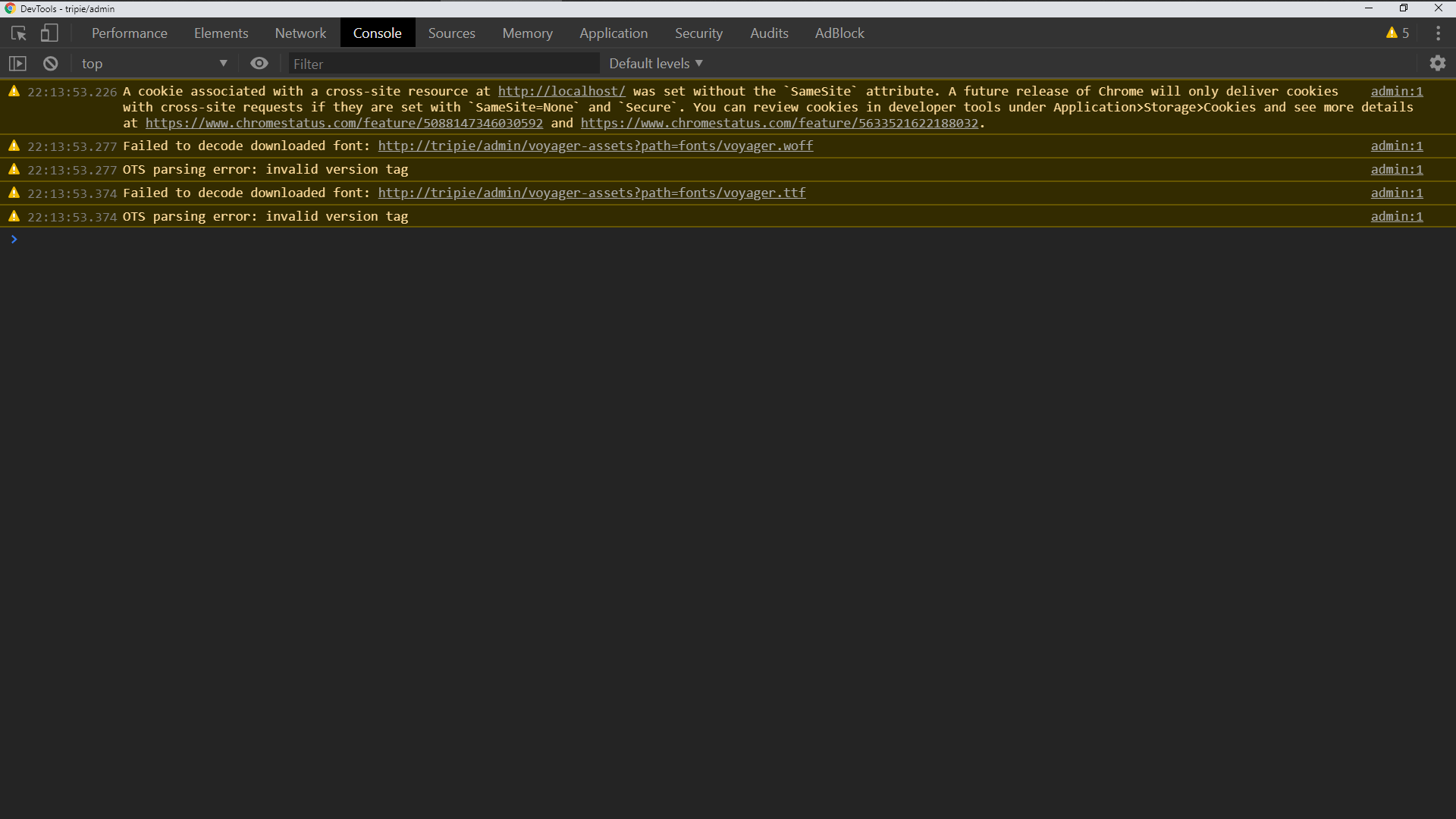
Sorry for interrupt but I'm facing with same issue, the functionality is properly working while the fonts are not showing.. the console error is below,

 Uzi99
on 24 May 2019
Uzi99
on 24 May 2019
I confirm it too. The fonts are not loaded correctly.
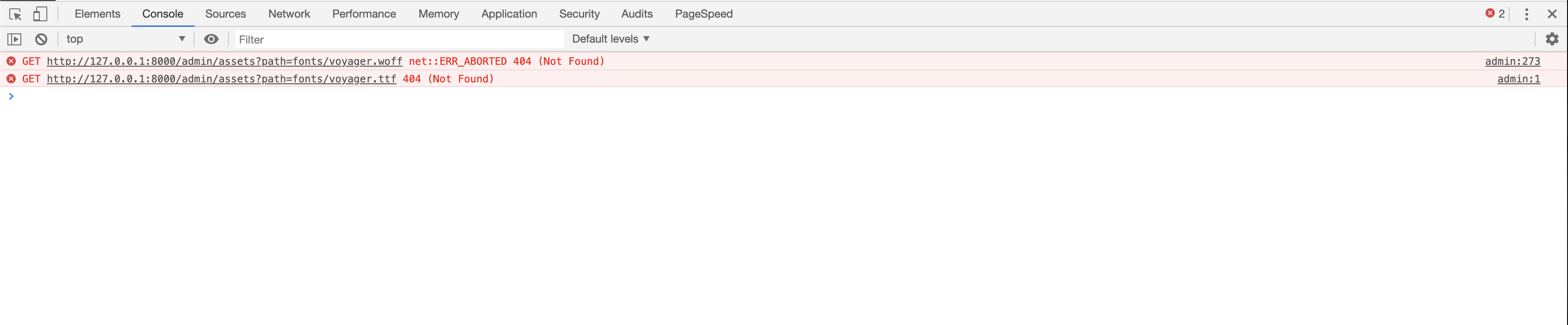
 likedo
on 6 Jun 2019
likedo
on 6 Jun 2019


maybe here...
edit: the css file is resources/app.css from vendor/tcg/voyager folder
 FlickTheManual
on 6 Jun 2019
FlickTheManual
on 6 Jun 2019
+1

 Leondejoode
on 6 Jun 2019
Leondejoode
on 6 Jun 2019
I have also faced the same issue

 kurianbenny
on 6 Jun 2019
kurianbenny
on 6 Jun 2019
I have similar problems, but on the latest version after installation
Laravel: v5.8
Voyager: v1.2.5
PHP: 7.3
 magyar
on 6 Jun 2019
magyar
on 6 Jun 2019
I have similar problems, but on the latest version after installation
Laravel: v5.8
Voyager: v1.2.5
PHP: 7.3
Same here
kurianbenny
on 6 Jun 2019
I have similar problems, but on the latest version after installation
Laravel: v5.8
Voyager: v1.2.5
PHP: 7.3
Same!
likedo
on 6 Jun 2019
@all
Guys just forgot to change fonts path in vendor/tcg/voyager/resources/assets/sass/fonts.css
temporary solution:
copy vendor/tcg/voyager/resources/assets/sass/fonts.css
to
public/css
open it and change font path from
assets?path=fonts/voyager...
to
/admin/voyager-assets?path=fonts/voyager...
and include it in the voyager config
...
    'additional_css' => [
       'css/fonts.css',
    ],
...
 ArroWsGM
on 6 Jun 2019
ArroWsGM
on 6 Jun 2019
Update to 1.2.6 and clear your browser-cache
@ArroWsGM that cant work. This file wont be included from Voyager.
 emptynick
on 6 Jun 2019
emptynick
on 6 Jun 2019
@emptynick
Fantastic!
Thanks now works by upgrading to version 1.2.6
likedo
on 6 Jun 2019
@emptynick Good job, Thankyou!
Leondejoode
on 6 Jun 2019
@emptynick
Obviously, it needs to be included in voyager config:
...
    'additional_css' => [
       'css/fonts.css',
    ],
...
I'm forgot to mention about it, sorry
ArroWsGM
on 6 Jun 2019
No bug with version 1.2.6
 Hermit503
on 6 Jun 2019
Hermit503
on 6 Jun 2019
Update to 1.2.6 and clear your browser-cache
@ArroWsGM that cant work. This file wont be included from Voyager.
Its working now with 1.2.6
kurianbenny
on 6 Jun 2019
Resolved, closing
fletch3555
on 8 Jun 2019
I use "tcg/voyager": "^1.3"
but still have this bug
 OtiZ2
on 17 Nov 2019
OtiZ2
on 17 Nov 2019
I got this bug on version 1.3 too.
 kanokith
on 28 Nov 2019
kanokith
on 28 Nov 2019
@OtiZ2 I just solved this by enable php extension file_info
kanokith
on 28 Nov 2019
@OtiZ2 I just solved this by enable php extension file_info
hi, i got extension file_info enabled.
But still not worked
OtiZ2
on 28 Nov 2019
@ALL
Guys just forgot to change fonts path invendor/tcg/voyager/resources/assets/sass/fonts.css
temporary solution:
copyvendor/tcg/voyager/resources/assets/sass/fonts.css
to
public/css
open it and change font path from
assets?path=fonts/voyager...
to
/admin/voyager-assets?path=fonts/voyager...and include it in the voyager config
...
    'additional_css' => [
       'css/fonts.css',
    ],
...
please can you give more details? which public folder ? the one in my main App?
 abdelkadergelany
on 14 Dec 2019
abdelkadergelany
on 14 Dec 2019
@ALL
Guys just forgot to change fonts path invendor/tcg/voyager/resources/assets/sass/fonts.css
temporary solution:
copyvendor/tcg/voyager/resources/assets/sass/fonts.css
to
public/css
open it and change font path from
assets?path=fonts/voyager...
to
/admin/voyager-assets?path=fonts/voyager...
and include it in the voyager config... 'additional_css' => [ 'css/fonts.css', ], ...please can you give more details? which public folder ? the one in my main App?
In the laravel root, I don't know other public folder in laravel)) But, I think this bug is already fixed.
ArroWsGM
on 14 Dec 2019
My problem is solve with
php artisan config:cache
:D
OtiZ2
on 14 Dec 2019
I just solved this by enable php extension file_info
 faisalahamed
on 10 Mar 2020
faisalahamed
on 10 Mar 2020
I enabled php extension file_info but still not working. Still no fix for this?
 reiisrei
on 3 Apr 2020
reiisrei
on 3 Apr 2020
I enabled php extension file_info but still not working. Still no fix for this?
I still have this problem
 Payetus
on 14 Apr 2020
Payetus
on 14 Apr 2020
I solved this by enable php extension file_info
 ahmedbakri
on 7 Jul 2020
ahmedbakri
on 7 Jul 2020
I am using v1.4 and docker. It is working at local, but when i deploy to server, can not load fonts and images (js and css can load).
Laravel 8.x
Voyager: 1.4
I just debug in VoyagerController:
- I put content to a file, it is okay.
- But when i return as a response, an error display: The image “http://abc.local/admin/voyager-assets?path=images%2Flogo-icon-light.png” cannot be displayed because it contains errors. (Firefox and request return a status code 200).
No errors in log file.
 dzung1nguyen
on 19 Sep 2020
dzung1nguyen
on 19 Sep 2020
Related issues
 zzpwestlife
·
3Comments
zzpwestlife
·
3Comments
 TPRAsh
·
3Comments
TPRAsh
·
3Comments
 vaggelis2018
·
3Comments
vaggelis2018
·
3Comments
 wp-src
·
3Comments
wp-src
·
3Comments
 iwasherefirst2
·
3Comments
iwasherefirst2
·
3Comments
Most helpful comment
+1
