Voyager: "Has one" relatinship displays no results
Version information
- Laravel: v 7.28.0
- Voyager: v 1.4.x-dev
- PHP: v 7.4.8
- Database: MySQL v 5.7.24
Description:
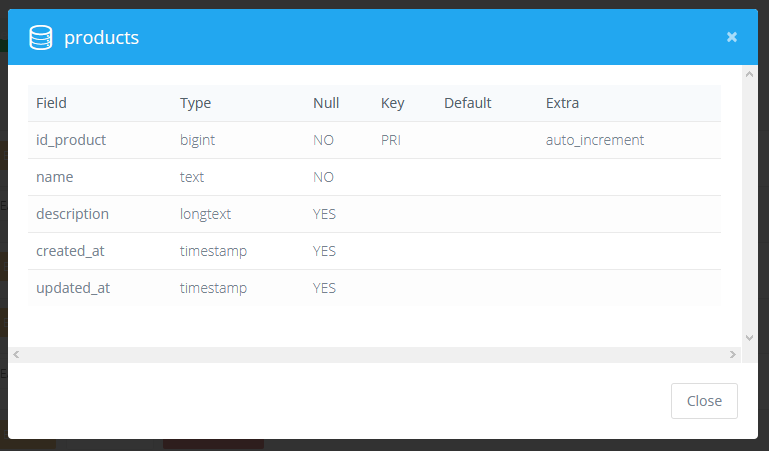
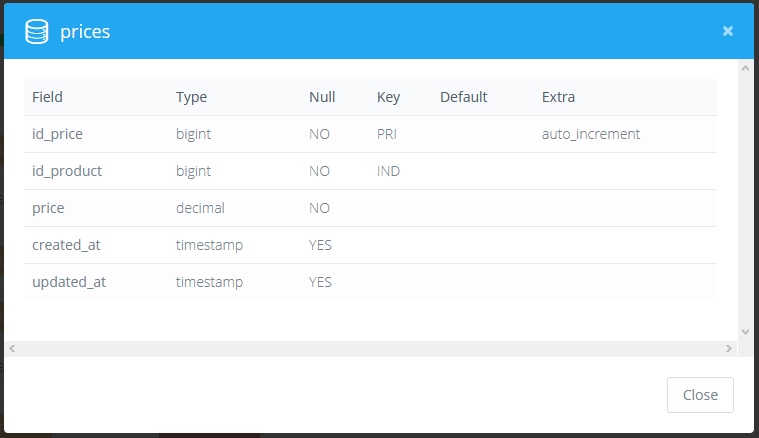
I have two tables products and prices related with a one to one relationship,
products is the parent table and is referenced in the prices table with the column named id_product.
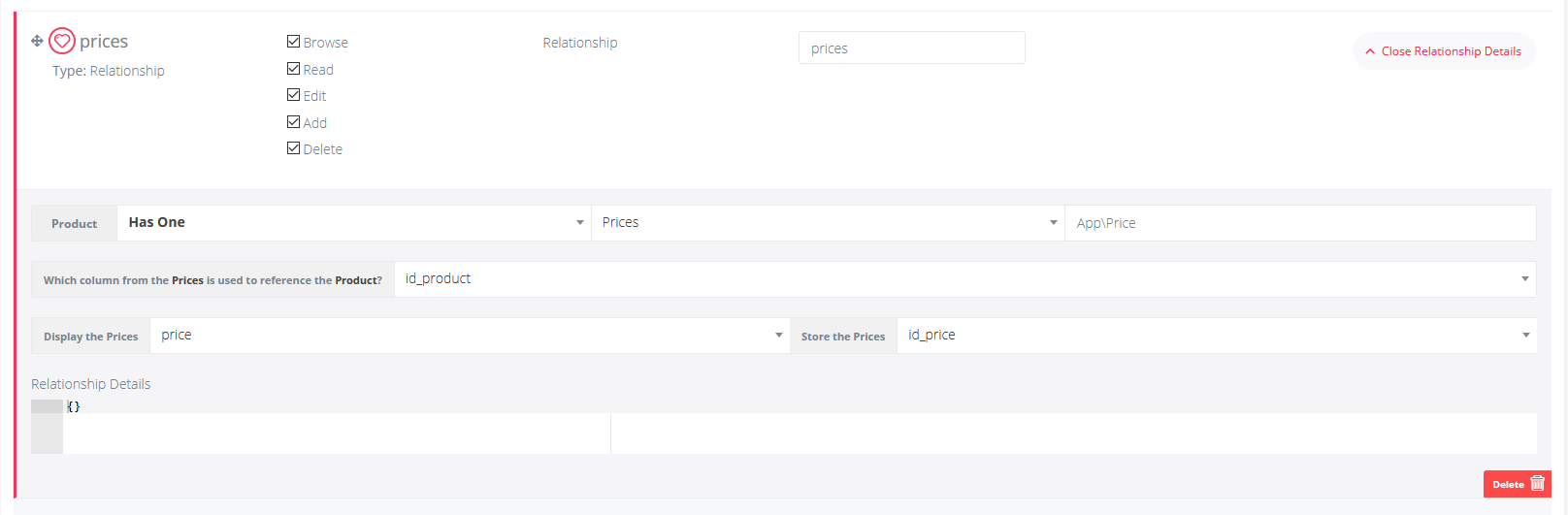
I made a has one relationship using the admin panel in the products table, and a belongs to many relationship in the prices table.
In the product BREAD I want to display the price if available, and in the prices table I want to display an choose the product name (in the future the sku).
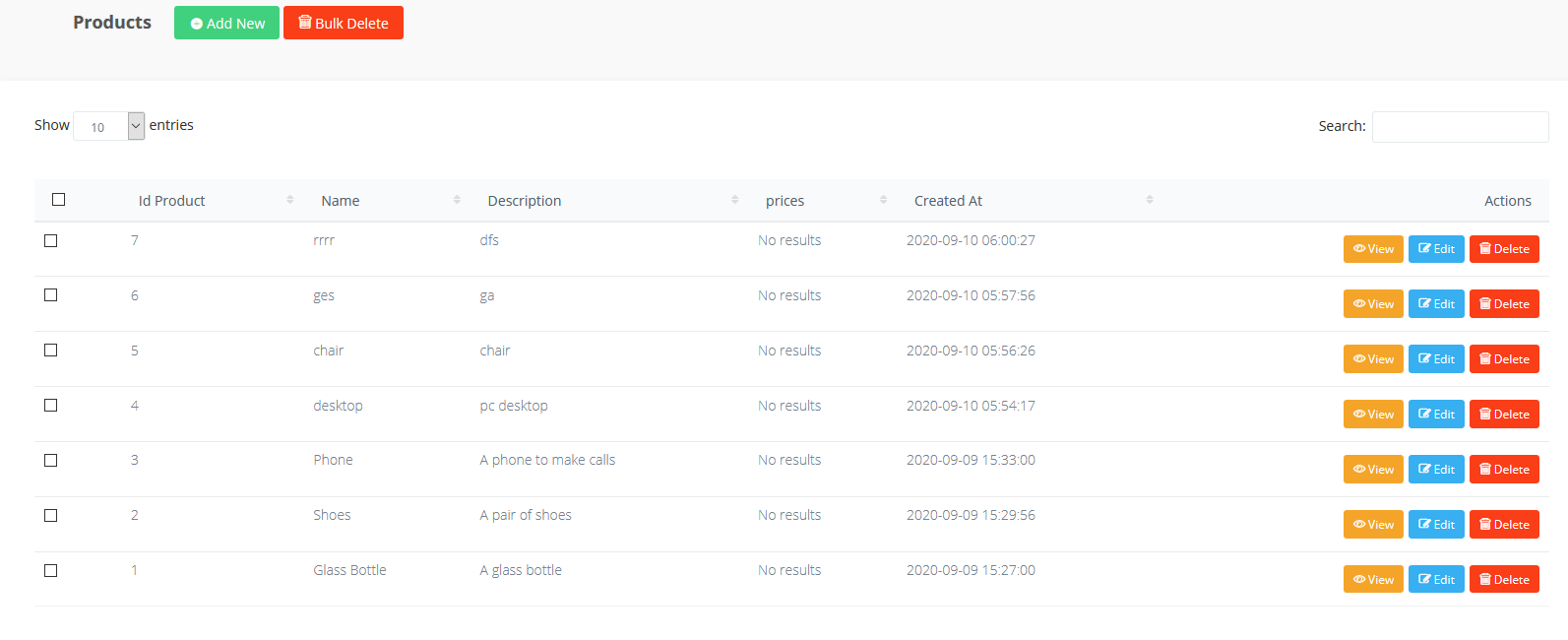
The prices BREAD with the belongs to many relationship works as intened but the products table always displays no results.
Screenshots:
products table:
products relationship has one related to prices:
products BREAD displays no results for prices price column:
prices table:
prices relationship belongs to products:
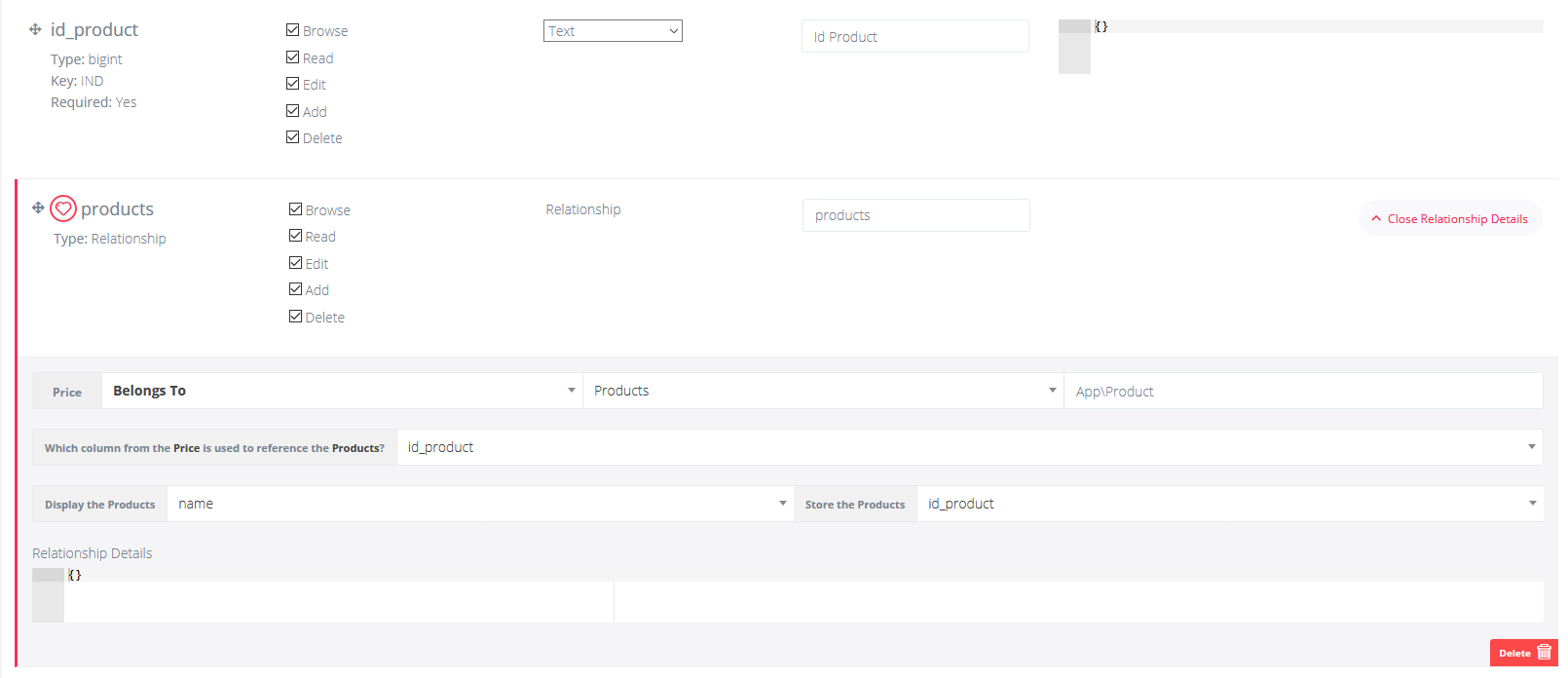
prices BREAD displays products name column like i wanted:
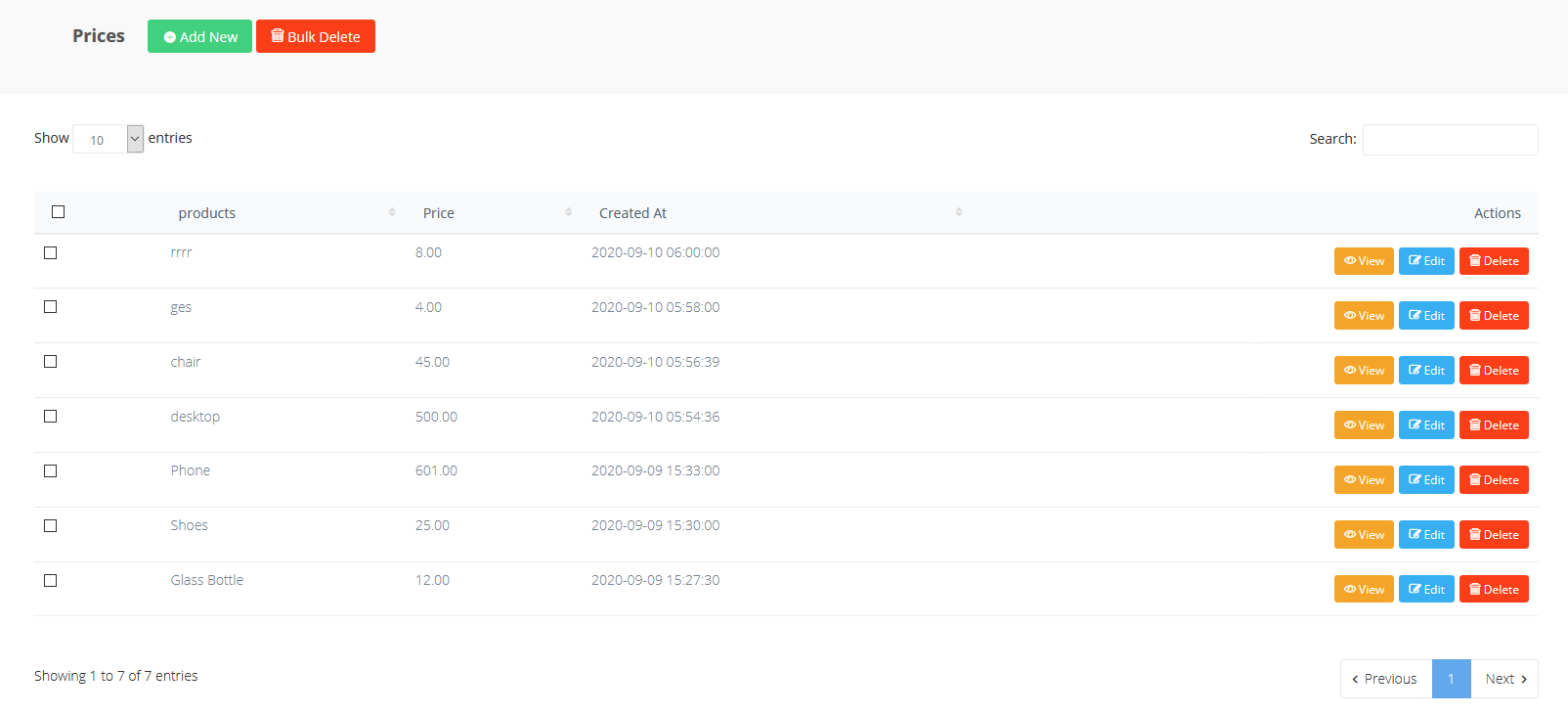
In phpmyadmin the data is stored correctly when i edit the BREAD.
 MikadoInfo
All 3 comments
The problem is that when you select HasOne relationship the Store as should be the key of the parent Model to store in related Model.
In your case it should be Product hasOne Price, Display the Prices price, Store the Product (not Prices) id_product, but since that list is made up with related model table (prices) columns it works only while using standard primary key names like id and you cannot currently choose the right one.
Quickest workaround is to create a custom view for your field, set in Relationship Details
{
    "view": "my_view"
}
Then create your custom view, this is the original one:
@php
    $relationshipData = (isset($data)) ? $data : $dataTypeContent;

    $model = app($options->model);

    $query = $model::where($options->column, '=', $relationshipData->{$options->key})->first();

@endphp

@if(isset($query))
    <p>{{ $query->{$options->label} }}</p>
@else
    <p>{{ __('voyager::generic.no_results') }}</p>
@endif
You need to change {$options->key} in id_product or {$options->column}
 MrCrayon
on 10 Sep 2020
MrCrayon
on 10 Sep 2020
It works thank you
MikadoInfo
on 10 Sep 2020
I'll keep it open since the workaround it's not a real fix.
MrCrayon
on 10 Sep 2020
Related issues
 ferrywae
·
4Comments
ferrywae
·
4Comments
 wp-src
·
3Comments
wp-src
·
3Comments
 IvanBohonosiuk
·
4Comments
IvanBohonosiuk
·
4Comments
 raoasifraza1
·
3Comments
raoasifraza1
·
3Comments
 popica80
·
3Comments
popica80
·
3Comments
Most helpful comment
I'll keep it open since the workaround it's not a real fix.