Voyager: Images not loading in admin panel in laravel voyager
Version information
- Laravel: v5.6
- Voyager: latest
- PHP: 5.6
- Database Driver & Version:
Description
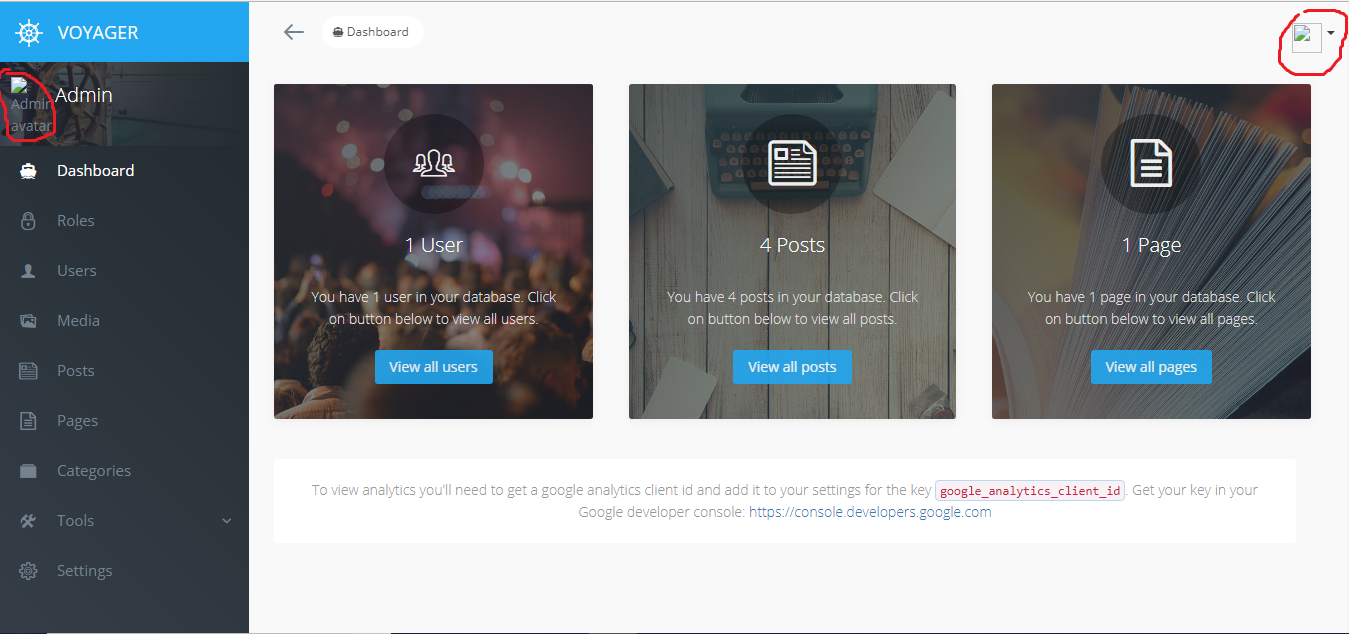
I have an issue in uploading and viewing images on admin panel. The admin panel avatar is not shown. Also when i upload an image it is not uploaded.
Steps To Reproduce
 abdessamadjadid
All 13 comments
5.6 is not a full Laravel version, and "latest" is not a valid Voyager version. Also, you provide no information about your issue other than "it doesn't work". Please update the version numbers, and in the future, put some effort into providing a detailed description of your issue, including things you've already tried in order to fix it.
Now, for your issue, we obviously need more information.... What is the URL you use to access Voyager? Also, what's the URL of one of the broken images?
 fletch3555
on 12 Aug 2018
fletch3555
on 12 Aug 2018
thank you for your response ,
i'm working on the localhost ,
the images don't appear in all project

abdessamadjadid
on 12 Aug 2018
Again, please provide the URLs I asked for, including port and path if applicable
fletch3555
on 12 Aug 2018
sorry because i'm new in laravel voyager hh.please is that enough !
env
abdessamadjadid
on 12 Aug 2018
I understand you're new to Laravel, but what I asked for has nothing to do with Laravel.
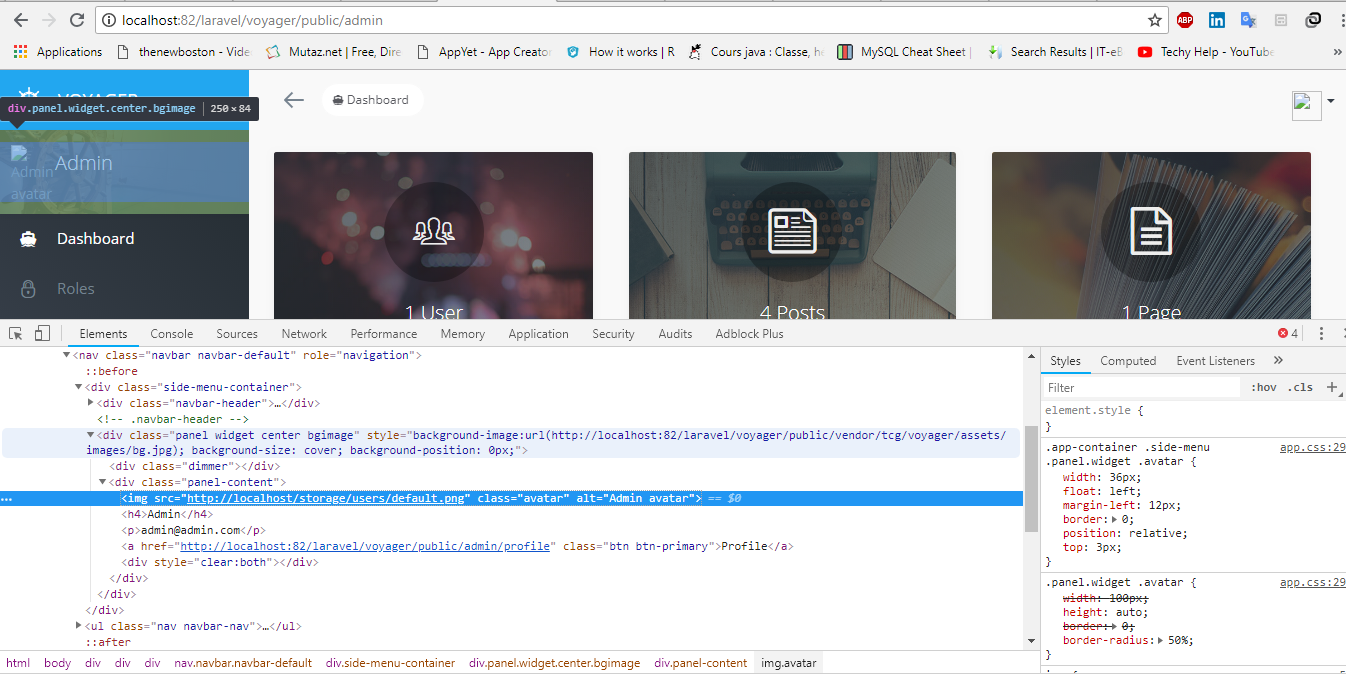
What I need is the address in your browser's address bar when you see the images not loading (might be something like http://localhost:8000/admin).
I also need the src attribute of the image (img tag) that's not loading. You can get this with your browser's developer tools (right-click on the broken image then "Inspect" in most browsers)
fletch3555
on 12 Aug 2018

 abdessamadjadid
on 12 Aug 2018
abdessamadjadid
on 12 Aug 2018
Port 82...? That's a very non-standard web port.
Either way, that's your problem. You have to include the port number in APP_URL. If you're accessing your site at http://localhost:82/, then that's what you set APP_URL to.
fletch3555
on 12 Aug 2018
if the problem was from the url i will not be able to go into the app from the beginning , the issue is the images as this screenshot.
abdessamadjadid
on 12 Aug 2018
You asked for help, I'm telling you the solution. Telling me I'm wrong is not an appropriate response.
APP_URL plays no part in deciding whether the site will load. Its primary purpose is for generating absolute URLs (links, CSS/JS assets, and images), which is exactly the issue you're experiencing.
Instead of saying I'm wrong, why don't you just try it and see for yourself?
fletch3555
on 12 Aug 2018
thank you soooo much you are right it works
abdessamadjadid
on 13 Aug 2018
Thank you very much. Helped me here!! <3
 CeruttiMaicon
on 24 Nov 2018
CeruttiMaicon
on 24 Nov 2018
When using Laragon, your URL is redirected in something like : http://projectname.test/ so don't forget to change it in env. at APP_URL=http://projectname.test
 Cedcomps
on 27 Jan 2019
Cedcomps
on 27 Jan 2019
Thats pretty much exactly what @fletch3555 wrote above already.
 emptynick
on 27 Jan 2019
emptynick
on 27 Jan 2019
Related issues
 winex01
·
3Comments
winex01
·
3Comments
 TPRAsh
·
3Comments
TPRAsh
·
3Comments
 iwasherefirst2
·
3Comments
iwasherefirst2
·
3Comments
 Nagendra1421
·
3Comments
Nagendra1421
·
3Comments
 abacram
·
3Comments
abacram
·
3Comments
Most helpful comment
You asked for help, I'm telling you the solution. Telling me I'm wrong is not an appropriate response.
APP_URL plays no part in deciding whether the site will load. Its primary purpose is for generating absolute URLs (links, CSS/JS assets, and images), which is exactly the issue you're experiencing.
Instead of saying I'm wrong, why don't you just try it and see for yourself?