- Laravel Version: 5.5
- Voyager Version: 1.0
- PHP Version:7.1
- Database Driver & Version:
Description:
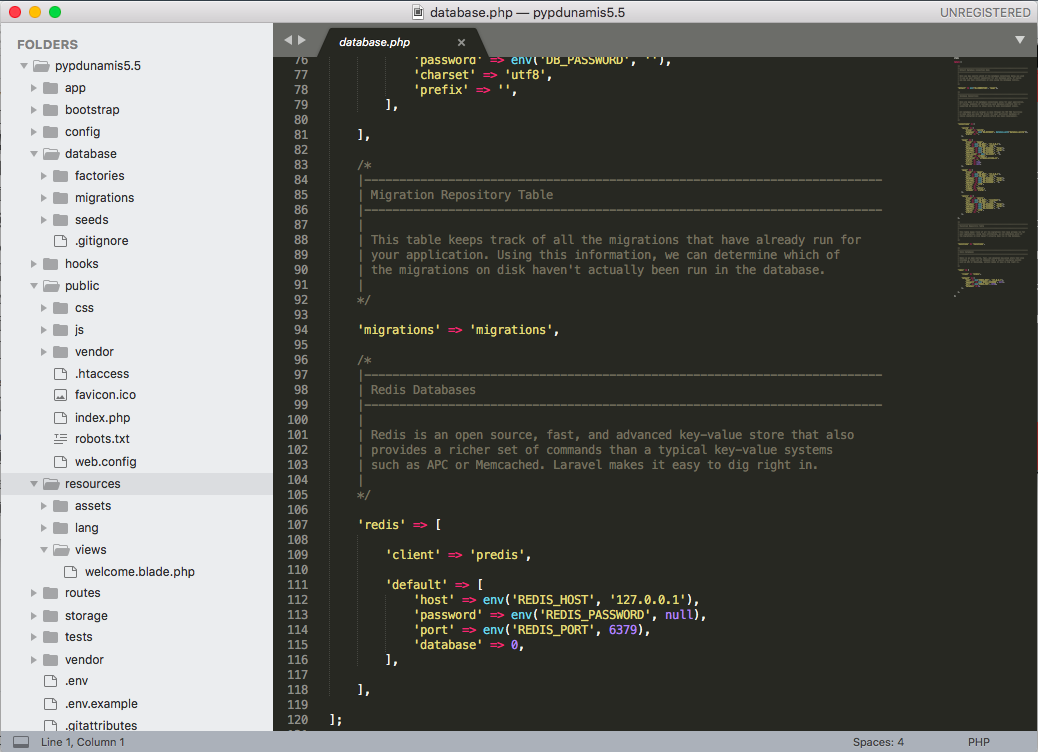
trabajo en mac os x mamp, envio los comandos para crear el proyecto se crea solamente los archivos y la base de datos pero nada mas
Steps To Reproduce:
 rictnt
All 7 comments
Has lanzado composer install imagino al ver la carpeta vendor en tu proyecto.
¿Revisaste las configuraciones globales en app.php y voyager.php dentro la carpeta config?
¿Has ejecutado php artisan serve?
Creo que deberías aportar más información, no queda claro cuál es exactamente tu problema, por ejemplo: abro localhost:8000/admin y me sale XXXX. Sería de agradecer para poder ayudarte ;)
Un saludo!
 abacram
on 15 Nov 2017
abacram
on 15 Nov 2017
Gracias Anthony he seguido las instrucciones del manual para instalar es
decir
1.- creo el proyecto
composer create-project laravel/laravel dunamis53voyager "5.3.*"
2.- instalo voyager
$ composer require tcg/voyager
3.-creo la base de datos y configuro .env:
DB_CONNECTION=mysql
DB_HOST=127.0.0.1
DB_PORT=3306
DB_DATABASE=dunamis53voyager
DB_USERNAME=dunamis53
DB_PASSWORD=a1b2c3d4
4.- sigo con el comando de instaalcion
php artisan voyager:install --with-dummy
5.- y obtengo una carpeta asi anexo de imagen adjunta
6.- deberia ingresar pero no ingreso adjunto imagen del navegador
El 15 de noviembre de 2017, 5:18, Anthony Beckett notifications@github.com
escribió:
Has lanzado composer install imagino al ver la carpeta vendor en tu
proyecto.
¿Revisaste las configuraciones globales en app.php y voyager.php dentro la
carpeta config?
¿Has ejecutado php artisan serve?Creo que deberías aportar más información, no queda claro cuál es
exactamente tu problema, por ejemplo: abro localhost:8000/admin y me sale
XXXX. Sería de agradecer para poder ayudarte ;)Un saludo!
—
You are receiving this because you authored the thread.
Reply to this email directly, view it on GitHub
https://github.com/the-control-group/voyager/issues/2227#issuecomment-344548351,
or mute the thread
https://github.com/notifications/unsubscribe-auth/Ac9Dbi4Z12l13X7mnGK4TNyd00YBV0x5ks5s2rqIgaJpZM4QeYF6
.
rictnt
on 15 Nov 2017
En inglés por favor
 fletch3555
on 15 Nov 2017
fletch3555
on 15 Nov 2017
Also, Voyager 1.0 dropped support for Laravel 5.3, so you're likely getting v0.11.14, which is not supported anymore. Why not use Laravel 5.4 or 5.5?
fletch3555
on 15 Nov 2017
use la version 5.3 ya que en el tutorial que estaba sigueindo usaba esa
version voy a usar en la version 5.5
gracias por tu atencion
2017-11-15 9:33 GMT-05:00 Eric Fletcher notifications@github.com:
Also, Voyager 1.0 dropped support for Laravel 5.3, so you're likely
getting v0.11.14, which is not supported anymore. Why not use Laravel 5.4
or 5.5?—
You are receiving this because you authored the thread.
Reply to this email directly, view it on GitHub
https://github.com/the-control-group/voyager/issues/2227#issuecomment-344610151,
or mute the thread
https://github.com/notifications/unsubscribe-auth/Ac9Dbs0eS7M1iilC3CD24hNFjGEdhzfqks5s2vY5gaJpZM4QeYF6
.
rictnt
on 15 Nov 2017
De nada.
I'm going to close this for now. If you have further issues or specific questions, please feel free to open a new issue or ask for help on our Slack group.
fletch3555
on 15 Nov 2017
This issue has been automatically locked since there has not been any recent activity after it was closed. If you have further questions please ask in our Slack group.
![github-actions[bot] picture](https://avatars.githubusercontent.com/in/15368?v=4&s=40) github-actions[bot]
on 18 May 2020
github-actions[bot]
on 18 May 2020
Related issues
 wp-src
·
3Comments
wp-src
·
3Comments
 MikadoInfo
·
3Comments
MikadoInfo
·
3Comments
 jeulun
·
3Comments
jeulun
·
3Comments
 craigb88
·
3Comments
craigb88
·
3Comments
 zzpwestlife
·
3Comments
zzpwestlife
·
3Comments
Most helpful comment
En inglés por favor