Voyager: BREAD and belongsTo relationship not working on Save
- Laravel Version: 5.5.*
- Voyager Version: ^1.0
- PHP Version: 7.1.9
- Database Driver & Version: MySQL
Description:
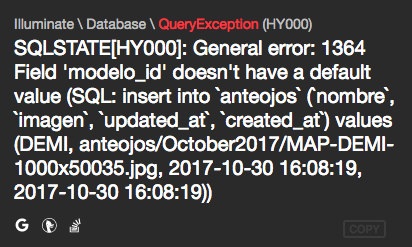
When I create a belongsTo relationship in BREAD and I try to create a new record and hit SAVE, i get this error
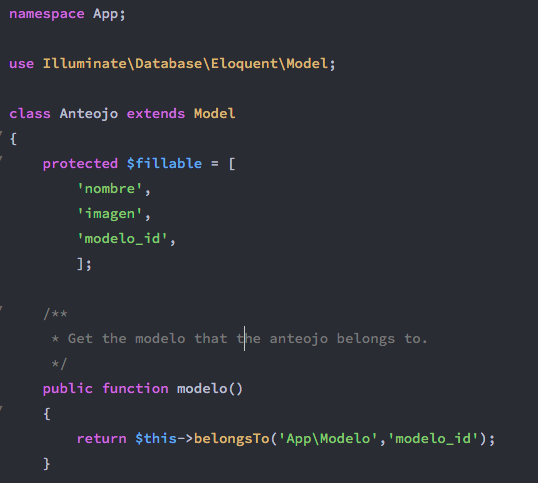
This my Anteojo Model
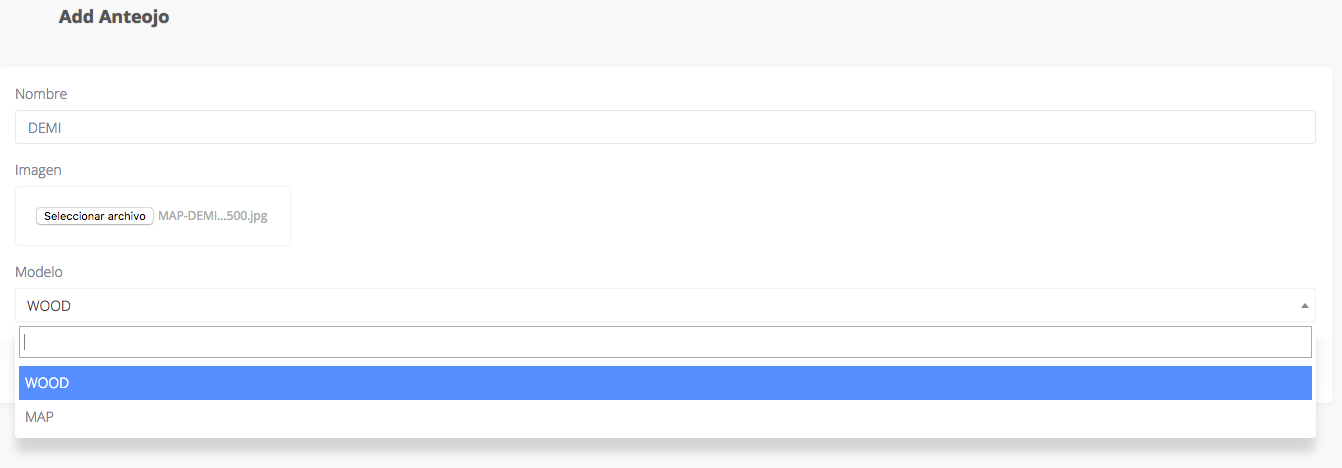
Steps To Reproduce:
Create a belongsTo relationship like _B > belongsTo > A_

Try to add a new B record
Get the error!
 jperazzo
All 18 comments
That issue is in your database. Your modelo_id field needs to either be nullable or have a default value set.
 fletch3555
on 30 Oct 2017
fletch3555
on 30 Oct 2017
no the problem is not in the database it's in voyager
 quantumass
on 31 Oct 2017
quantumass
on 31 Oct 2017
modelo_id is not included in the query
quantumass
on 31 Oct 2017
it was working OK in a previous version of voyager @fletch3555 @quantumass
jperazzo
on 31 Oct 2017
I re-installed the whole package and the problem now not only in the foreign keys it is also in the image fields
if I change the type of the column to text or number ... it will work @jperazzo
quantumass
on 31 Oct 2017
So I should change the type of the "modelo_id" column or something else?
jperazzo
on 31 Oct 2017
@quantumass if I edit one created from tinker, it's working OK. The thing is when I create a new one.
jperazzo
on 31 Oct 2017
I just had the same issue.
My Models were still blank, i just used voyager to make the tables, models and BREAD. Nothing else.
When saving a belongsTo relationship i got the same error as @jperazzo
The foreign key value was not part of the sql insert.
Then i changed my models, added the relationships and added the fillable array. The fillable array has any fields used in the create form.
Now it's working.
Edit:
Well, it saves.
But value is always 0. I does not save the value selected from select field.
 aleex1848
on 1 Nov 2017
aleex1848
on 1 Nov 2017
I just had the same issue, and can confirm it is introduced in 1.0.6.
There was an update to the controller.php, to skip fields not in the request.
Relationship fields are not in the request, making the controller skip this fields.
 dennis-fransen
on 1 Nov 2017
dennis-fransen
on 1 Nov 2017
@aleex1848 @watushi my changes in the issue (#2119).
it saves the value from select field after the changes are applied.
 sylmz
on 1 Nov 2017
sylmz
on 1 Nov 2017
Guys please how can I solve the problem now ? I have to give the project to my teacher
quantumass
on 1 Nov 2017
@quantumass, lock version to 1.0.5, that seems to be working for me
dennis-fransen
on 1 Nov 2017
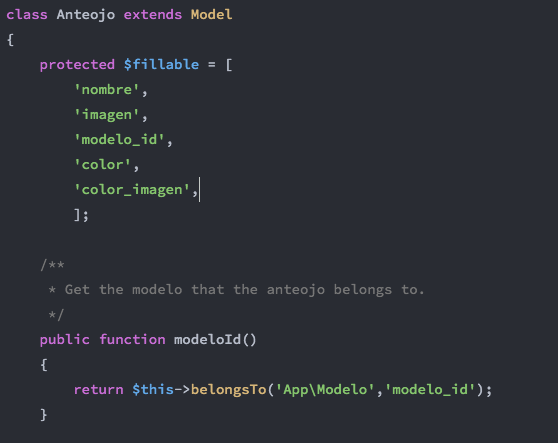
@quantumass there is another workaround, by using the option details when you edit de BREAD.

You must change the name of the field in the model to match camelcase the name of that field.
In my case the field I'm using to save the id of the other model is _modelo_id_ so the function should be modeloId.
jperazzo
on 1 Nov 2017
This is a major bug! Spend a couple of hours debugging, and finally found it's a bug as described here...
Looks like this change in relationship.blade.php makes the problem:
https://github.com/the-control-group/voyager/pull/2033/files#diff-c154b0a3fe00aa82b0eef7312625cecd
It changes the relationship field in my app from:
<select class="form-control select2" name="text_group_id">
to
<select class="form-control select2" name="text_belongsto_text_group_relationship">
And this goes totally wrong, and get stripped out of the code.
@marktopper Could this be the origin of the problem?
 bbredewold
on 3 Nov 2017
bbredewold
on 3 Nov 2017
2141
 DrudgeRajen
on 3 Nov 2017
DrudgeRajen
on 3 Nov 2017
2141 has been merged. Closing
fletch3555
on 4 Nov 2017
As was written before, the problem is database in my opinion. After db update you can meet this issue, the only thing you have to do is allow nullable to all table columns that potencialy could receive null values - yes, Voyager doesn't fill empty select option values any more if they are not set by user. So it's actually not the Voyager issue, but just a property of new versions of db.
 AlterwebStudio
on 11 Feb 2019
AlterwebStudio
on 11 Feb 2019
This issue has been automatically locked since there has not been any recent activity after it was closed. If you have further questions please ask in our Slack group.
![github-actions[bot] picture](https://avatars.githubusercontent.com/in/15368?v=4&s=40) github-actions[bot]
on 14 Oct 2020
github-actions[bot]
on 14 Oct 2020
Related issues
 ferrywae
·
4Comments
ferrywae
·
4Comments
 craigb88
·
3Comments
craigb88
·
3Comments
 abacram
·
3Comments
abacram
·
3Comments
 jeulun
·
3Comments
jeulun
·
3Comments
 duongsieu
·
3Comments
duongsieu
·
3Comments
Most helpful comment
@quantumass, lock version to 1.0.5, that seems to be working for me