Voyager: Dashboard Widget Problem
- Laravel Version: 5.4.24
- Voyager Version: 0.11.14
- PHP Version:5.6.8
- Database Driver & Version:
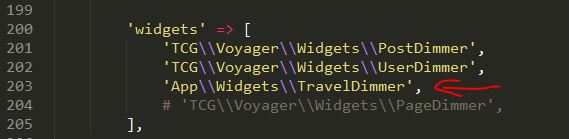
I tried to add a widget on dashboard. It says in config\voyager.php
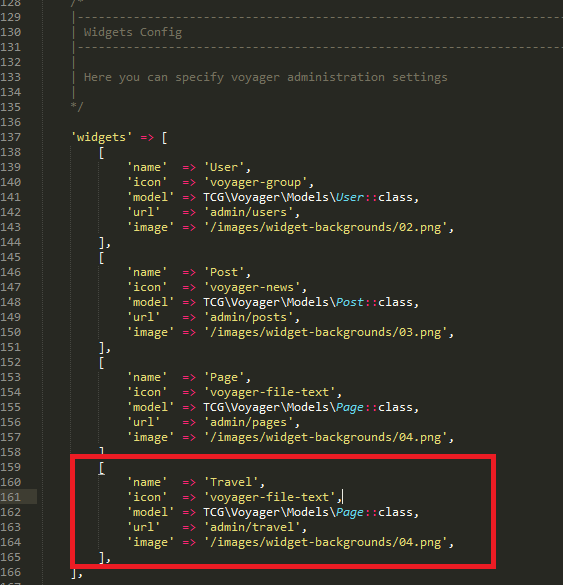
I paste it in just to add new widget. However, nothing appears neither error message.
I'll appreciate your help. Thank you!
 rttolipas
All 11 comments
Did you add in the dashboard settings too?
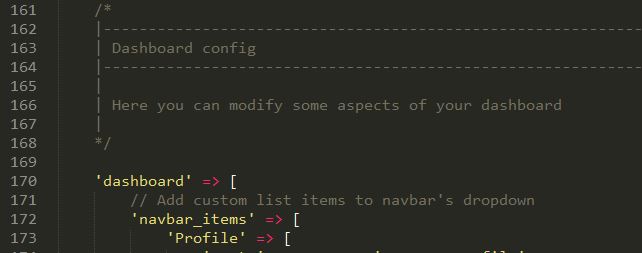

 fernandonicacio
on 26 Jun 2017
fernandonicacio
on 26 Jun 2017
Hi fernandonicacio, yes I added it. But I got this error.
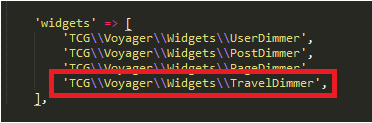
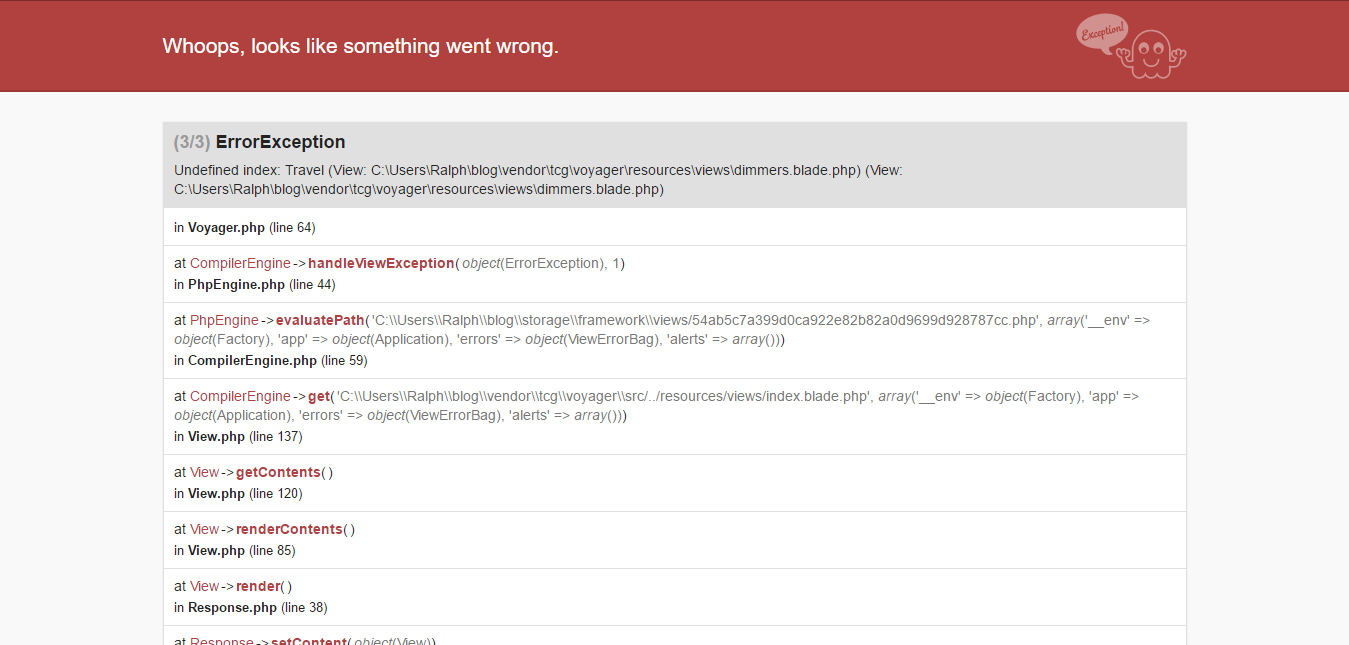
I don't know if I still need to do some complicated things to make my new widget appears.
rttolipas
on 26 Jun 2017
You need to create a custom widgets, example: (I created a copy of PageDimmer and it worked correctly)
fernandonicacio
on 26 Jun 2017
Thank you bro! I'll try this first!
rttolipas
on 26 Jun 2017
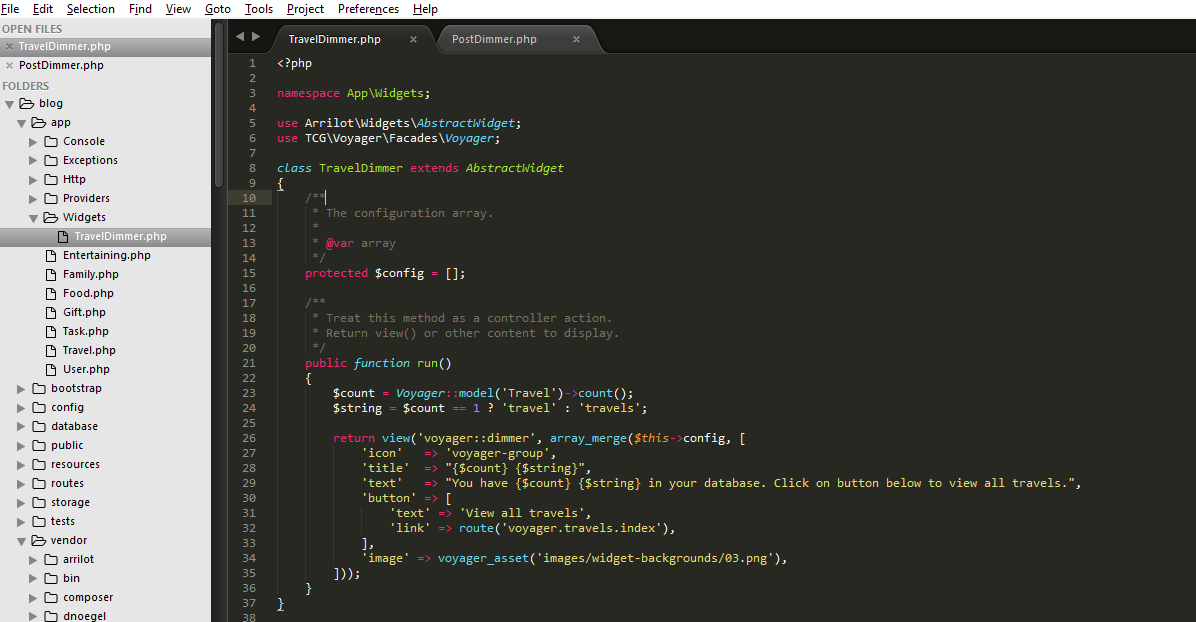
Sorry bro still not working... tried to copy PostDimmer.php to app\Widgets\ then alter it to TravelDimmer.php, then I also changed the Post names.
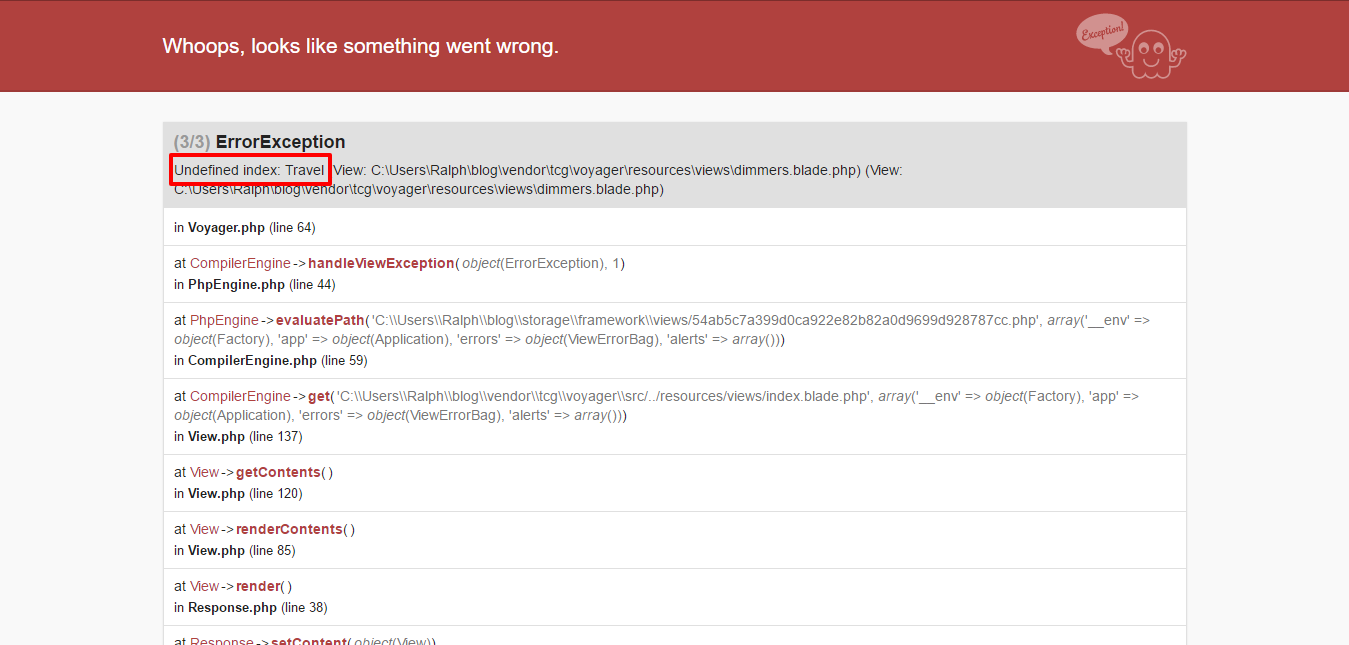
Unfortunately, still got this error.
I'm a positive thinker. I believe I'm almost there, maybe I just miss some parts. lol
rttolipas
on 26 Jun 2017
Use the 'eloquent way' to do the counting for your model:
Instead of:
$count = Voyager::model('Travel')->count();
You probably need to do:
$count = Travel::count();
 mhuijser
on 8 Jul 2017
mhuijser
on 8 Jul 2017
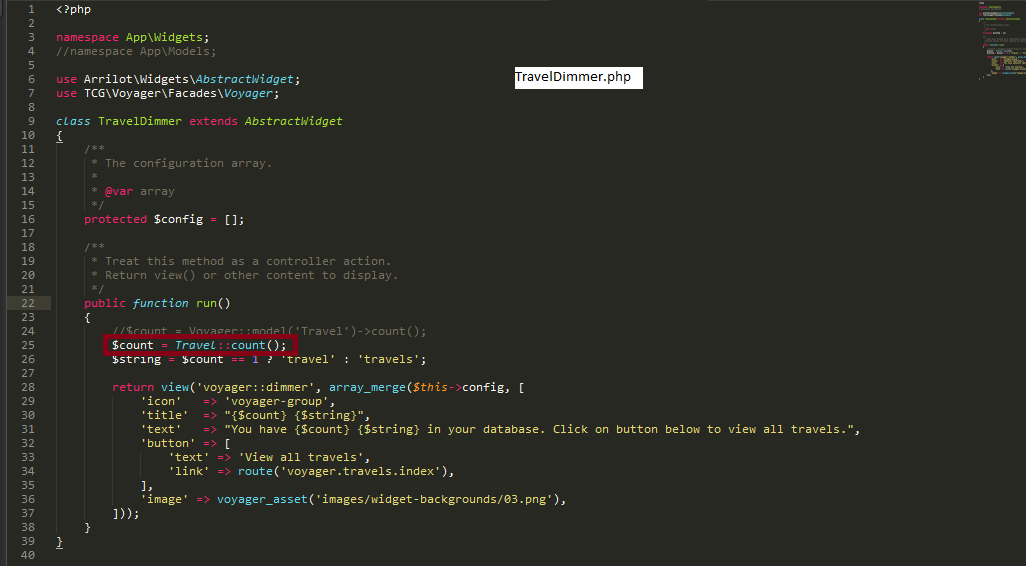
@mhuijser just want to know, should I place the Travel.php inside the widget folder?
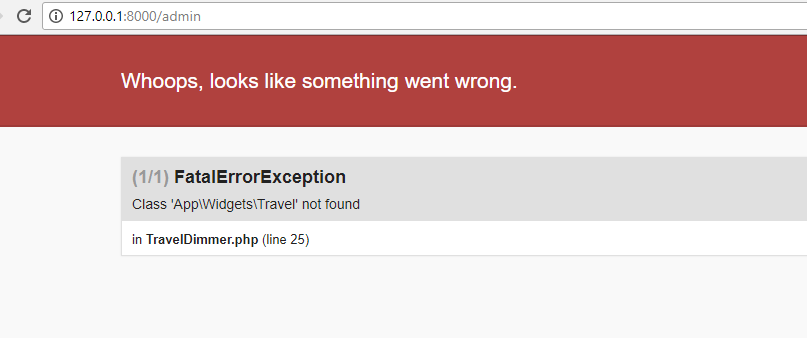
Still have an error here..
rttolipas
on 12 Jul 2017
No, Your "Travel" class (Travel.php) should exists in the App-folder. I think it's enough to add use App\Travel; at the top of your TravelWidget.php, just below the namespace-declaration.
mhuijser
on 12 Jul 2017
As i think Voyager may be something that is missing is to go into Voyager\src\widget and then create the layout of that TraverDimmer.php where the dimmers from layout will count the number of widget into that directory (src\widget) then create its widget on dashboard
 niyobobo
on 12 Jul 2017
niyobobo
on 12 Jul 2017
Labels: help wanted, invalid
 lancepioch
on 20 Sep 2017
lancepioch
on 20 Sep 2017
This issue has been automatically locked since there has not been any recent activity after it was closed. If you have further questions please ask in our Slack group.
![github-actions[bot] picture](https://avatars.githubusercontent.com/in/15368?v=4&s=40) github-actions[bot]
on 18 May 2020
github-actions[bot]
on 18 May 2020
Related issues
 popica80
·
3Comments
popica80
·
3Comments
 wislem
·
3Comments
wislem
·
3Comments
 MikadoInfo
·
3Comments
MikadoInfo
·
3Comments
 winex01
·
3Comments
winex01
·
3Comments
 TXRRNT
·
3Comments
TXRRNT
·
3Comments
Most helpful comment
You need to create a custom widgets, example: (I created a copy of PageDimmer and it worked correctly)