Voodooi2c: ELAN1200 Multitouch Working But Double Tap and Right Click (Two Finger) Not Work
Hello I am a Voodooi2c user, thanks in advance for having made it easy for me.
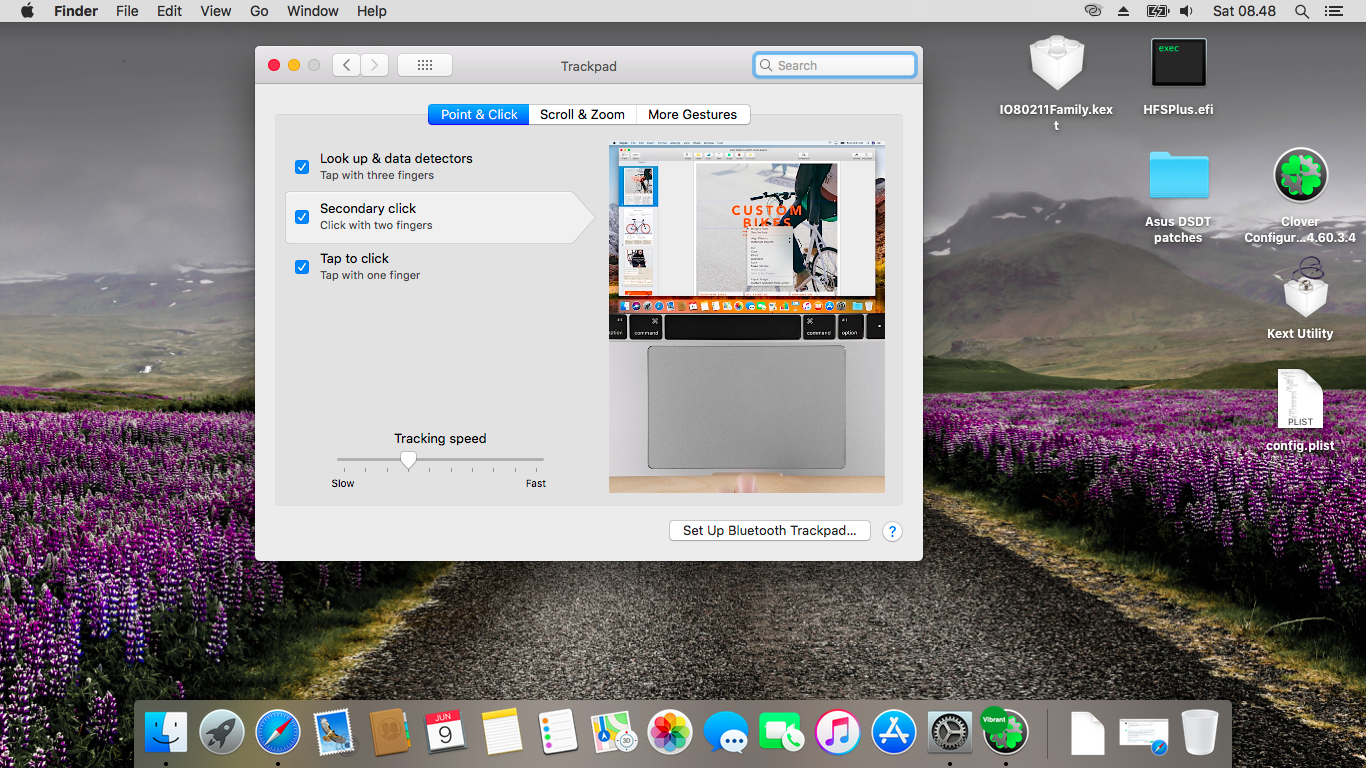
My problem is when my double tap touchpad left click does not work, also when I right click using two fingers right click also does not work. Whether that includes the limitations for my touchpad ELAN1200 or I lack in applying the steps that have been extruded by you.
I have applied patch:
OS CHECK (WINDOWS10)
GPIO CONTROLLER ENABLE
Kext :
Voodooi2c.kext (2.0.2)
Voodooi2cHID.kext
Thank You :)
 alfinauzikri
All 7 comments
I'm having the same problem.
EDIT: Ok, adding change _OSI to XOSI patch in clover configurator fixed the double tap & two fingers tap for right click. Only thing not working properly is the right button click (it's detected as left click too?)
 ice-j
on 8 Jun 2018
ice-j
on 8 Jun 2018
| Device Model | Generation | I2C Input Device Model | Interface | Special Instructions |
|---|---|---|---|---|
| Dell Venue 11 Pro | Haswell | SYNA7500 | i2c-hid | Must be on latest BIOS. Windows 7 DSDT Patch required. |
| Acer C720 Chromebook | Haswell | CYAP0000
ELAN0000
ATML0000 | Cypress/Elan Touchpad
Atmel Touch Screen | Must flash custom coreboot + Tianocore UEFI Firmware. |
| Acer C740 Chromebook | Broadwell | ELAN0000 | Elan Touchpad | Must flash custom coreboot + Tianocore UEFI Firmware. |
| Acer CB5-571/C910 Chromebook | Broadwell | ELAN0000 | Elan Touchpad | Must flash custom coreboot + Tianocore UEFI Firmware. |
| Toshiba Chromebook 2 [2015] | Broadwell | ELAN0000 | Elan Touchpad | Must flash custom coreboot + Tianocore UEFI Firmware. |
| Dell Chromebook 13 [2015] | Broadwell | SYNA0000 | Synaptics Touchpad | Must flash custom coreboot + Tianocore UEFI Firmware. |
| ASUS X456UR | Skylake | ELAN1000 | Elan Touchpad | Use INT3442 & INT3443 DSDT patches |
| ASUS X556UA | Skylake | ELAN1000 | Elan Touchpad | Use Windows 10 + INT3443 DSDT patches and delete Lpss kexts |
| ASUS ZenBook UX305CA | Skylake | ELAN1000 | Elan Touchpad | N/A |
| Asus Zenbook UX305UA | Skylake | ELAN0100 | Elan Touchpad | INT3443 + Windows 10 DSDT patches |
| Asus ZenBook Pro UX501VW | Skylake | ELAN1000 | Elan Touchpad | Windows 8/10 patch might be needed |
| ASUS Asus K401UB | Skylake | ELAN1000 | Elan Touchpad | Use Windows 8/10 + INT3443 DSDT patches and delete Lpss kexts |
| ASUS GL552VW | Skylake | ELAN1000 | Elan Touchpad | N/A |
| ASUS G752VS | Skylake | ELAN1200 | Elan Touchpad | DSDT Patch for ELAN1200 + change _OSI to XOSI patch in Clover Configurator |
| Lenovo Yoga 720 (15") | Kaby Lake | ELAN0651 | Precision Touchpad | Windows 10 DSDT patch |
The following trackpads have basic multitouch: CYAP0000, ELAN0000, ELAN0100, ELAN0600, ELAN1000, SYNA0000, ELAN0651.
ice-j
on 8 Jun 2018
@alexandred my previous comment is an update on the wiki (duh, PR?) and I've added the ASUS G752VS entry.
Also let me know if I can provide you with debug logs or something if needed.
Thank you!
PS: I've got no idea what I'm doing 😕 Just following guides 👨🚀
ice-j
on 8 Jun 2018
Those are old DSDT patches and shouldn't be used. You should be following the installation guide which is guaranteed to work for ELAN1200.
 alexandred
on 8 Jun 2018
alexandred
on 8 Jun 2018
@ice-j wow after i apply patch change _OSI to XOSI my trackpad preference then appears and i can arrange it. Double tap for left click and two finger tap for right click so work.
But, for left click using two fingers is slow respon and for the second problem when I double tap for left click can't move folder or something else.
I hope @alexandred to improve it next time. :)
Thank you :)
alfinauzikri
on 9 Jun 2018
My hardware is as follows :
ASUS X441UVK BIOS.320
Intel Core i3-7100U (Kabylake) // ELAN1200 Touchpad
alfinauzikri
on 9 Jun 2018
There is no left click with two fingers. Instructions for tap to drag are found on the following page: https://voodooi2c.github.io/#Supported Gestures/Supported Gestures
In other words, all your issues are solved by properly reading the documentation.
alexandred
on 9 Jun 2018
Related issues
 williambj1
·
11Comments
williambj1
·
11Comments
 hrytskivr
·
8Comments
hrytskivr
·
8Comments
 Lorys89
·
11Comments
Lorys89
·
11Comments
 onejay09
·
6Comments
onejay09
·
6Comments
 nikhil19rathore99
·
5Comments
nikhil19rathore99
·
5Comments
Most helpful comment
There is no left click with two fingers. Instructions for tap to drag are found on the following page: https://voodooi2c.github.io/#Supported Gestures/Supported Gestures
In other words, all your issues are solved by properly reading the documentation.