Visualstudio: Repository creation failed with control characters in description
- GitHub Extension for Visual Studio version: 2.5.4
- Visual Studio version: 2017
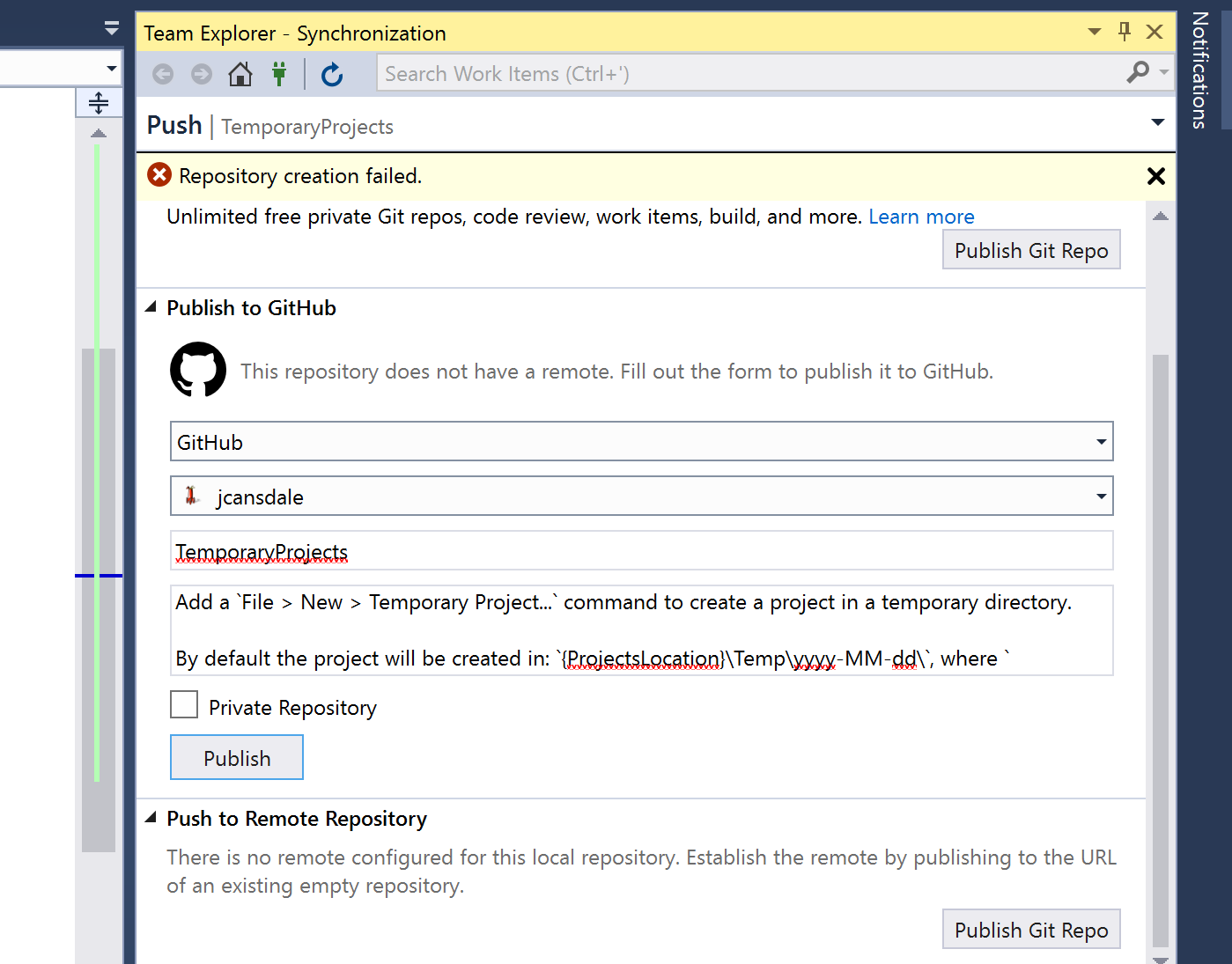
Looking at fiddler, it appears there are some restrictions in what chars are allowed in the description:

What I expected to happen
Maybe it should show the error message?
message=description control characters are not allowed
 jcansdale
All 16 comments
Nice find @jcansdale. The message description control characters are not allowed is still a bit vague because it's not clear which character isn't allowed but I think it's better than a general repository creation failure.
Also, I tried the same description when creating a repository on dotcom and it was able to be created just fine. I'm wondering why the control characters are allowed there but not in Visual Studio.
 meaghanlewis
on 12 Jul 2018
meaghanlewis
on 12 Jul 2018
@jcansdale any idea what the control characters were in the description? I can't see any in the fiddler screenshot that you posted.
 grokys
on 8 Aug 2018
grokys
on 8 Aug 2018
Also, I tried the same description when creating a repository on dotcom and it was able to be created just fine. I'm wondering why the control characters are allowed there but not in Visual Studio.
I suspect .com may just be stripping control characters? Assuming that's the case, it would make sense for us to do the same.
grokys
on 8 Aug 2018
I think the control char in question might be \r. 😆
jcansdale
on 8 Aug 2018
You should try adding a description without any line break ie. Type your whole description in just a single line.
Type all of it without pressing [ENTER KEY.]
--Hope it helps.
 Kartik210798
on 12 Jul 2019
Kartik210798
on 12 Jul 2019
422 Unprocessable Entity - Repository creation failed. [Repository; description]custom: description control characters are not allowed
This characters might be lets say Including Uppercases in your description.
 kamau-mbugua
on 20 Jul 2019
kamau-mbugua
on 20 Jul 2019
You need to type all the description in one line,
no line breaks
 rafaelramonalves
on 27 Feb 2020
rafaelramonalves
on 27 Feb 2020
I think the control char in question might be
\r. 😆
yes it is , make no sense , we are in 2020 and still having this issue
 abdessamadjadid
on 4 Jul 2020
abdessamadjadid
on 4 Jul 2020
This came up when attempting to edit the description for a repo. Awful error message. Sort it out.
 damien-roche
on 13 Aug 2020
damien-roche
on 13 Aug 2020
Type whole description without pressing ENTER key. It helped for me.
 OMIII1997
on 17 Aug 2020
OMIII1997
on 17 Aug 2020
Why are we still having this problem in 2020? A simple line break lol
 nquayson
on 15 Oct 2020
nquayson
on 15 Oct 2020
@nquayson this should have been fixed in https://github.com/github/VisualStudio/pull/1845
Is this not the case? 🤔
jcansdale
on 15 Oct 2020
Probably @jcansdale. Anyway, Im doing this directly on github. I'm just unhappy it doesn't accept my linebreak with an error message that is so not clear.
nquayson
on 15 Oct 2020
this isn't just a visualstudio issue. It also happens in the github webapp. thanks for the don't press enter solution, it works.
 lestgabo
on 2 Nov 2020
lestgabo
on 2 Nov 2020
You should try adding a description without any line break ie. Type your whole description in just a single line.
Type all of it without pressing [ENTER KEY.]--Hope it helps.
It worked for me. Thanks!
 flaviocr2012
on 4 Nov 2020
flaviocr2012
on 4 Nov 2020
In my case it happened because of intentional returns(enters).
 Abhishek12345679
on 8 Dec 2020
Abhishek12345679
on 8 Dec 2020
Related issues
grokys
·
7Comments
 diryboy
·
9Comments
diryboy
·
9Comments
 GreenhazelStudio
·
5Comments
jcansdale
·
10Comments
GreenhazelStudio
·
5Comments
jcansdale
·
10Comments
 tierninho
·
7Comments
tierninho
·
7Comments
Most helpful comment
You should try adding a description without any line break ie. Type your whole description in just a single line.
Type all of it without pressing [ENTER KEY.]
--Hope it helps.