Visualstudio-docs: System.Exception: Running the docker.exe tag command failed
2018-07-30 16:56:46
System.Exception: Running the docker.exe tag command failed.
at Microsoft.VisualStudio.Web.Azure.Publish.ContainerRegistryProfileVisual.DockerTag(ProcessStartInfo startInfo, String serverUrlString)
at Microsoft.VisualStudio.Web.Azure.Publish.ContainerRegistryProfileVisual.<PostPublishAsync>d__24.MoveNext()
--- End of stack trace from previous location where exception was thrown ---
at System.Runtime.CompilerServices.TaskAwaiter.ThrowForNonSuccess(Task task)
at System.Runtime.CompilerServices.TaskAwaiter.HandleNonSuccessAndDebuggerNotification(Task task)
at Microsoft.VisualStudio.ApplicationCapabilities.Publish.ViewModel.ProfileSelectorViewModel.<RunPublishTaskAsync>d__116.MoveNext()
Got this error while running "Publish" image to ACR. Any ideas?
Document Details
⚠ Do not edit this section. It is required for docs.microsoft.com ➟ GitHub issue linking.
- ID: 25b96907-35cf-ff1f-d7ad-a231aa78418b
- Version Independent ID: 620e59a0-5658-9a05-c177-8d0687656e2a
- Content: Kubernetes tools tutorial - Visual Studio
- Content Source: docs/deployment/tutorial-kubernetes-tools.md
- Product: visual-studio-dev15
- GitHub Login: @ghogen
- Microsoft Alias: ghogen
 spacecat
All 9 comments
Additional info:
I tested:
- run Visual Studio as Administrator
- Create a new ACR
- Use existing ACR
- Docker Hub
None of these work for me. Not really sure what I could be doing wrong?
spacecat
on 30 Jul 2018
More info:
Tested:
- both Visual Studio Tools for Kubernetes versions 0.20.20180703.11 and 0.20.20180725.1
(I only tested Create a new ACR)
(Using Visual Studio Community edition)
spacecat
on 30 Jul 2018
I'm getting the same exception when publishing to Azure Container Registry or Web App for Containers using both VS 15.7.6 Community Edition or 15.8.0 Preview-5 Enterprise Edition:

File tmpDF4C.tmp:
8/12/2018 8:27:44 PM
System.Exception: Running the docker.exe tag command failed.
   at Microsoft.VisualStudio.Web.Azure.Publish.ContainerRegistryProfileVisual.DockerTag(ProcessStartInfo startInfo, String serverUrlString)
   at Microsoft.VisualStudio.Web.Azure.Publish.ContainerRegistryProfileVisual.<PostPublishAsync>d__24.MoveNext()
--- End of stack trace from previous location where exception was thrown ---
   at System.Runtime.CompilerServices.TaskAwaiter.ThrowForNonSuccess(Task task)
   at System.Runtime.CompilerServices.TaskAwaiter.HandleNonSuccessAndDebuggerNotification(Task task)
   at Microsoft.VisualStudio.ApplicationCapabilities.Publish.ViewModel.ProfileSelectorViewModel.<RunPublishTaskAsync>d__116.MoveNext()
===================

 olegburov
on 13 Aug 2018
olegburov
on 13 Aug 2018
The issue has gone after upgrading VS to 15.8.1 Community Edition and .NET Core SDK to 2.1.401
olegburov
on 23 Aug 2018
@spacecat Are you still experiencing this issue after upgrading to the most recent VS release?
 ghogen
on 11 Sep 2018
ghogen
on 11 Sep 2018
This doesn't seem to be a doc issue. It's a product issue that was fixed recently. I think it's OK to close this doc issue now.
ghogen
on 11 Sep 2018
Just experienced the same issue:
10/1/2018 4:04:36 PM
Microsoft.VisualStudio.Web.Azure.Publish.Docker.DockerCommandException: Running the docker.exe tag command failed.


   at Microsoft.VisualStudio.Web.Azure.Publish.ContainerRegistryProfileVisual.ThrowDockerCommandError(String dockerCommand)
   at Microsoft.VisualStudio.Web.Azure.Publish.ContainerRegistryProfileVisual.<DockerTagAsync>d__28.MoveNext()
--- End of stack trace from previous location where exception was thrown ---
   at System.Runtime.CompilerServices.TaskAwaiter.ThrowForNonSuccess(Task task)
   at System.Runtime.CompilerServices.TaskAwaiter.HandleNonSuccessAndDebuggerNotification(Task task)
   at System.Runtime.CompilerServices.TaskAwaiter.ValidateEnd(Task task)
   at Microsoft.VisualStudio.Web.Azure.Publish.ContainerRegistryProfileVisual.<PostPublishAsync>d__27.MoveNext()
--- End of stack trace from previous location where exception was thrown ---
   at System.Runtime.CompilerServices.TaskAwaiter.ThrowForNonSuccess(Task task)
   at System.Runtime.CompilerServices.TaskAwaiter.HandleNonSuccessAndDebuggerNotification(Task task)
   at Microsoft.VisualStudio.ApplicationCapabilities.Publish.ViewModel.ProfileSelectorViewModel.<RunPublishTaskAsync>d__127.MoveNext()
===================
 cklepeis
on 1 Oct 2018
cklepeis
on 1 Oct 2018
I got the same error when i try to publish my application into an azure container registry from my visual studio professional in windows 10
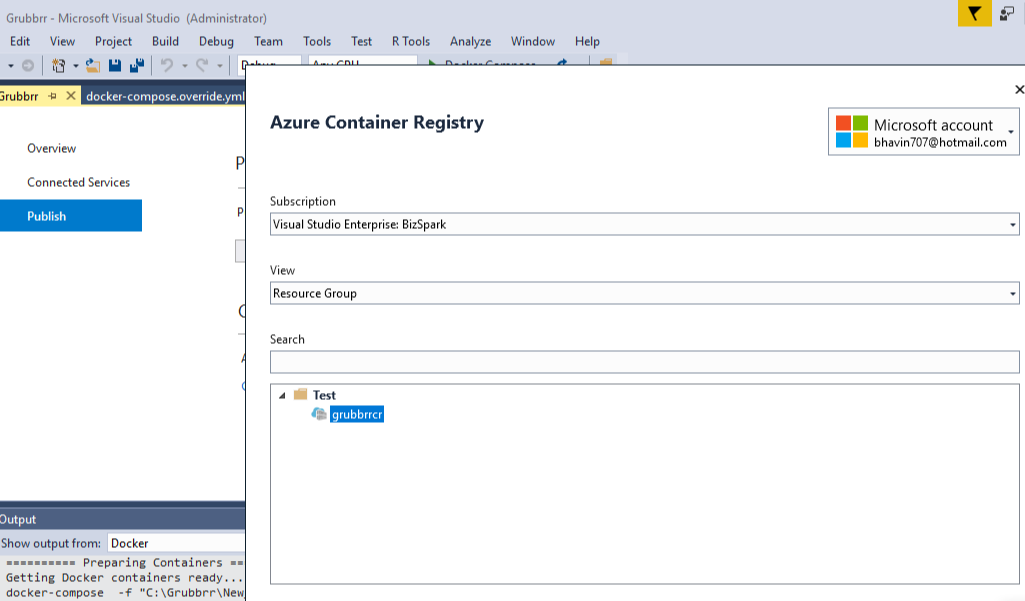

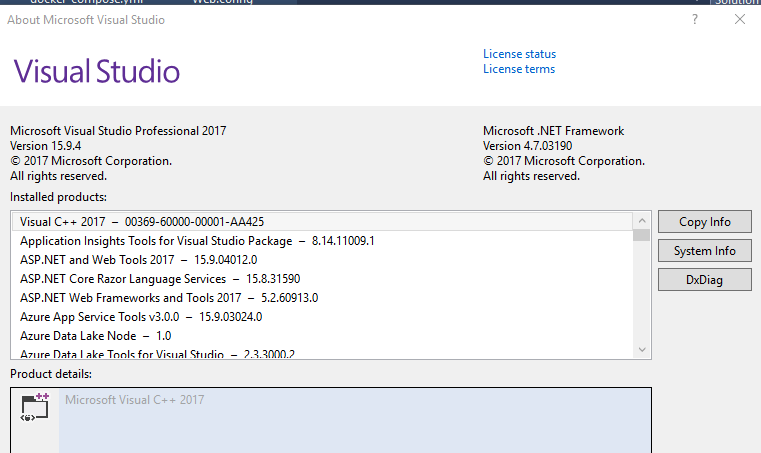
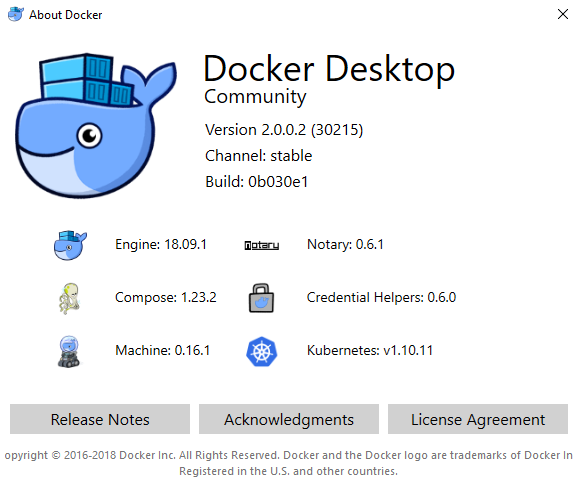
 guflorezm
on 25 Jan 2019
guflorezm
on 25 Jan 2019
I am running into the same issue with Visual Studio 2019 Community. I see this is marked as closed - is there a work around for this?
 jaycdave88
on 26 Nov 2019
jaycdave88
on 26 Nov 2019
Related issues
 patrikhuber
·
4Comments
patrikhuber
·
4Comments
 Crono1981
·
3Comments
Crono1981
·
3Comments
 wittelw
·
3Comments
wittelw
·
3Comments
 realbart
·
3Comments
realbart
·
3Comments
 H35am
·
4Comments
H35am
·
4Comments
Most helpful comment
The issue has gone after upgrading VS to
15.8.1Community Edition and .NET Core SDK to2.1.401