Visidata: Trouble opening files (via command-line only) with spaces in the filename
Small description
On my computer (Mac OS) the edge version of VisiData (5b057274, but also previous develop versions) seems to bug out when I point vd (on the command line) at a file whose name contains a space character. It seems to think I am pointing it to two (or more, depending on the number of spaces) files, typically neither of which exist.
Opening the same filename via o works fine, however.
Expected result
vd should be able to open files with spaces in their names :)
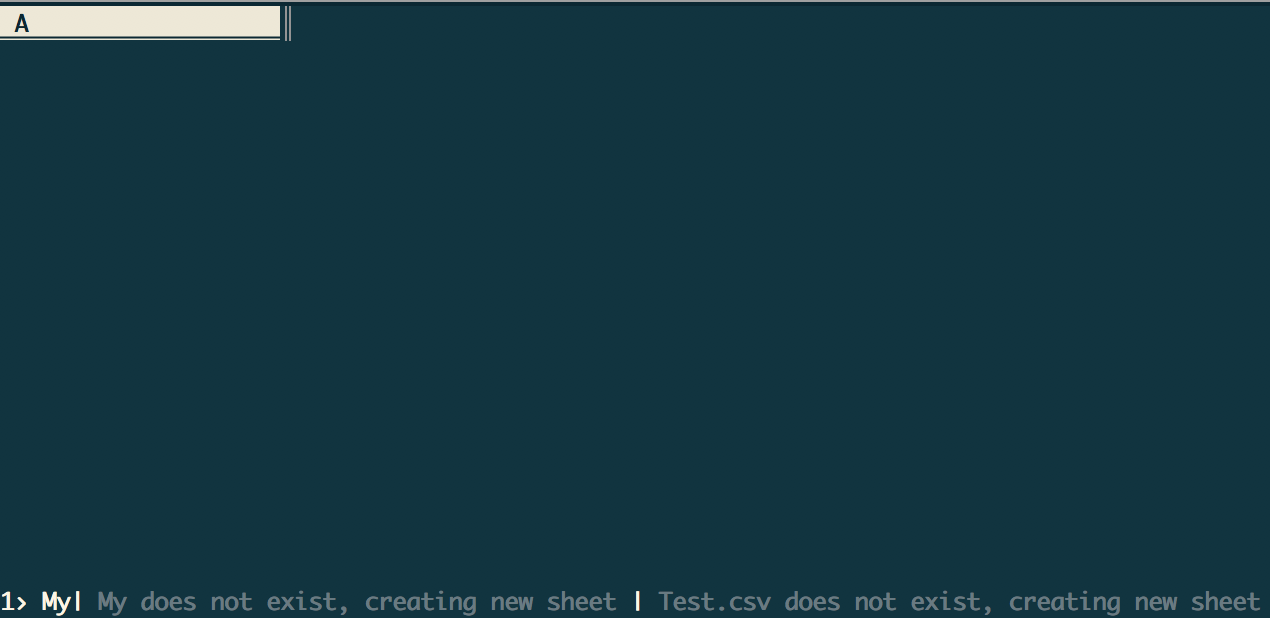
Actual result with screenshot
See below.
Steps to reproduce with sample data and a .vd
echo "z" > "My Test.csv"
vd "My Test.csv"
Result: My does not exist, creating new sheet | Test.csv does not exist, creating new sheet.
Additional context
Mac OS, VisiData 5b057274
 jsvine
All 4 comments
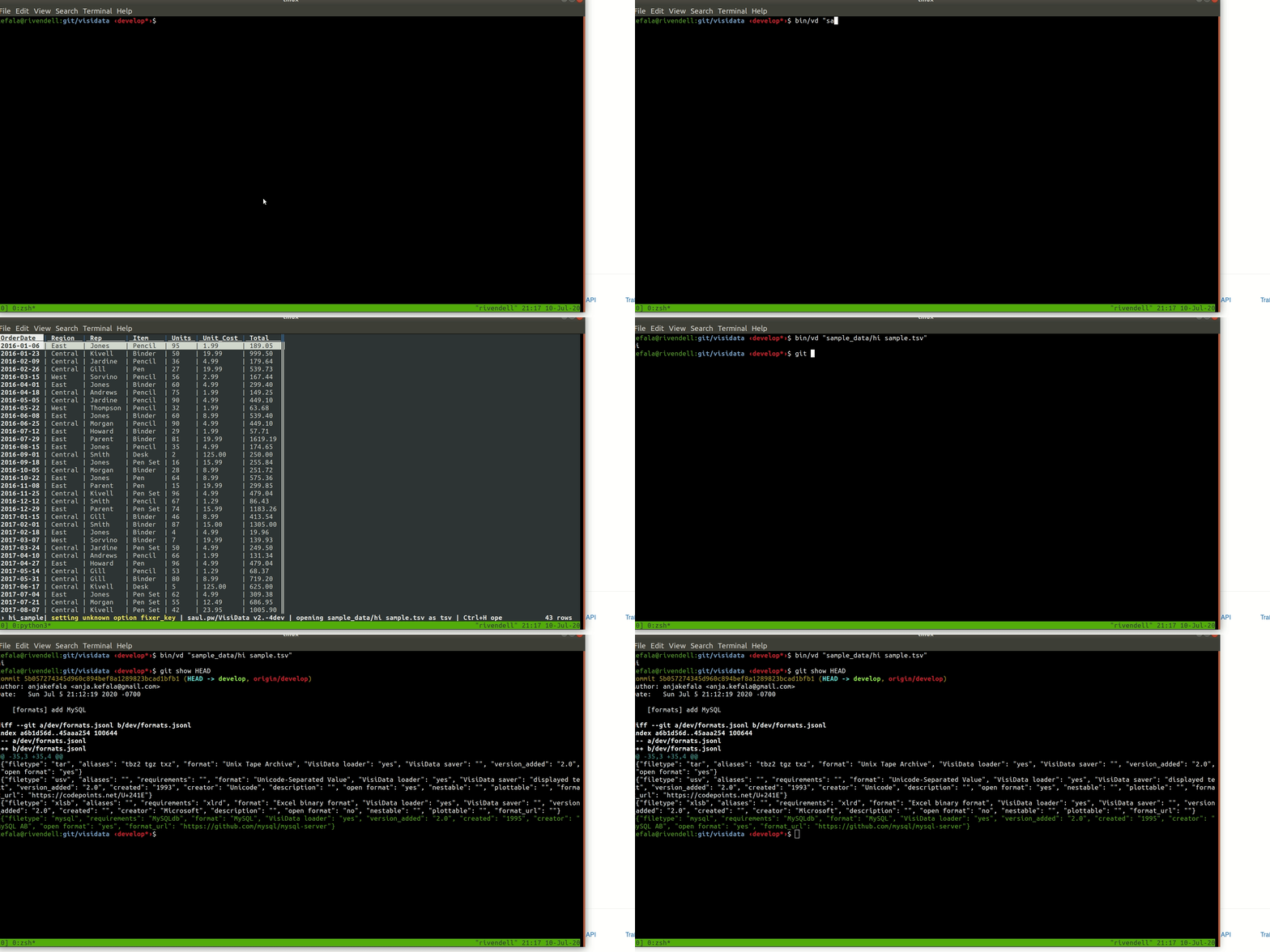
@jsvine Oh dear, I cannot reproduce on Linux...
 anjakefala
on 11 Jul 2020
anjakefala
on 11 Jul 2020
I also tried with the specific example you gave, and was unable to reproduce this. I wonder if this is a terminal or shell issue... Does it work with 1.5.2 with the same terminal?
anjakefala
on 11 Jul 2020
I'm on Mac and I've not come across this issue... What terminal are you using and what shell? (I use gnu bash and iTerm)
 geekscrapy
on 11 Jul 2020
geekscrapy
on 11 Jul 2020
Doh! Was totally my own fault, in how I wired up Bash to use the develop branch. 🤦 for not having double-checked that first. Thank you for the sanity checks 🙏 , and apologies for the distraction!
jsvine
on 11 Jul 2020
Related issues
 aborruso
·
3Comments
aborruso
·
3Comments
 frosencrantz
·
4Comments
frosencrantz
·
4Comments
 paulklemm
·
4Comments
frosencrantz
·
3Comments
aborruso
·
3Comments
paulklemm
·
4Comments
frosencrantz
·
3Comments
aborruso
·
3Comments