Virtualc64: Compiling VICE 3.4 on macOS Catalina
I am trying to compile the latest VICE release on Catalina. Sounds easy, but... 😖
I executed the following commands:
./configure
make x64sc bindist
It hangs here:
Moving app to destination 'VICE-macOS-SDL2-x86_64-3.4/vsid.app'
Registering app with Launch Services
Done
cp: /usr/local/lib/libmp3lame.dylib: No such file or directory
make: *** [bindist] Error 1
Anybody an idea how I get this dylib onto my machine?
 dirkwhoffmann
All 41 comments
hmm you need that external lib ... but how to install it ?
🙋🏻 maybe with homebrew ?
https://formulae.brew.sh/formula/lame
🙋🏿or directly load it from the lame site ?
https://lame.sourceforge.io/download.php
or should we ask Zak McKracken ?💂🏿
 mithrendal
on 7 Sep 2020
mithrendal
on 7 Sep 2020
Strange. It seems to build x64sc (I get compile errors if I add bogus code), but the final executable has a date lying way in the past:
vice-patched % ls -al VICE-macOS-SDL2-x86_64-3.4/x64sc.app/Contents/MacOS/x64sc
-rwxrwxrwx@ 1 hoff  staff  109580 25 Nov  2018 VICE-macOS-SDL2-x86_64-3.4/x64sc.app/Contents/MacOS/x64sc
And the executable doesn't seem to have my debug code in it.
Tracing the Makefile is complicated. The VICE Makefiles alone are as complex as the whole VirtualC64 project (at least it feels that way).
dirkwhoffmann
on 7 Sep 2020
or should we ask Zak McKracken ?💂🏿
Seems like he's the last hope. Any Zak McKracken's out there who want to give it a try? I mean it's just compiling a piece of software 🙄.
dirkwhoffmann
on 9 Sep 2020
what is your intention of compiling it ? I mean if you only want any vice you could download the scene browser 1.3.2 from https://csdb.dk/release/?id=171112 . It uses not the version 3.4 but an older version of vice, but if it is suffient for a debug test or so it will be at least very easy to compile in Xcode and set some debug break point... Because it is a XCode project with a vice emulator inside...
BTW: Zak McKracken can not do this himself ... he is a reporter ... not a cracker ... only his name is Kracken ... sounds very similar .. no ? He can only write stories ... some are only fantasy stories...

mithrendal
on 9 Sep 2020
what is your intention of compiling it ?
I'd like to add some printf statements inside the EasyFlash cartridge implementation to generate a trace which I can compare to the trace created by VirtualC64.
if you only want any vice you could download the scene browser 1.3.2
it will be at least very easy to compile in Xcode
Sounds great! I'll give it a try. I hope "very easy" means to push a button called "Compile" and probably another one named "Run". 🤓 Version 3.4 is not required. I just need some VICE that is capable of emulating the Ultima EasyFlash CRT.
dirkwhoffmann
on 9 Sep 2020
I hope "very easy" means to push a button called "Compile" and probably another one named "Run".
more or less ... yes...
I think because the source is already two years old and a recent XCode evolves in what it likes or not likes anymore ... there are the usual 3 to 4 complaints in some code lines ... which are easy to repair ...
w.r.t. debugging ... you may debug it in a ipad / iphone simulator or remotely on your iPhone...
maybe the simulator is sufficient for your needs ... not sure how to get a easyflash into the simulator though, but hey you can try to browse one ... because it is a scene browser...
I only tried the latter... put that puppy onto iPhone ... in which case you have to change/generate the free provisioning certificate under XCode "projects - general" ... don't panic ... its just a button click and it will generate a free certificate which is valid for 7 days and has to be renewed again with a button click after the 7 days have passed...
also you have to alter the I think is called bundle identifier or dev team id ... change it to something you like for example bundleidentifier = "de.zakmacKraken.SceneBrowser" .... because the original bundle id which you will find in the source code is the one from Mr.Sid the original developer and it is probably already registered at Apple with his dev certificate ...
if something goes wrong ... tell me ... I am just downloading latest XCode so that I can help because I had a running version some weeks ago ... see https://github.com/dirkwhoffmann/virtualc64web/issues/49
mithrendal
on 9 Sep 2020
I tested the scene browser in the simulator and ... it started immediately nice ...
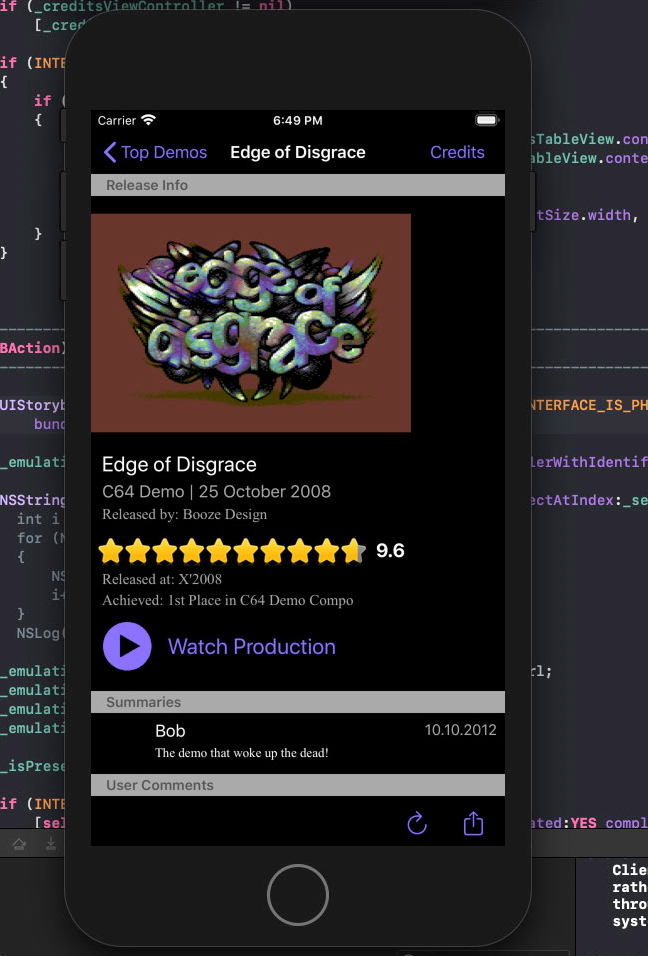
... but only the browser interface ... as soon as I start a title ... that is if I hit the play button ... black screen...
Then I tested XCode remote debugging on real iPhone ... and that works fine
But now the bummer... the scene browser can’t start easyflash crt files
See here
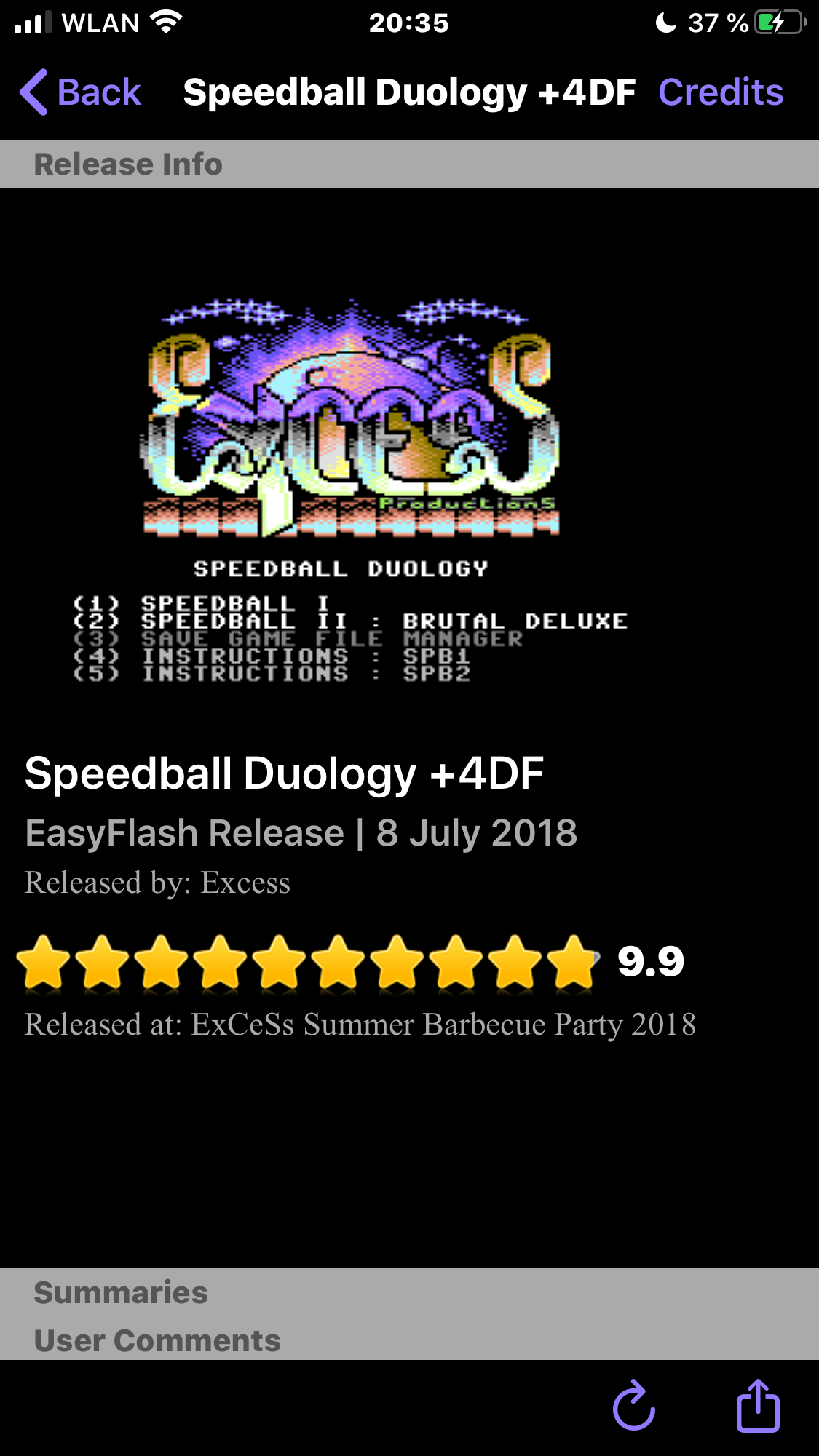
Play button is missing... I was looking for other EF titles ... also no play button. Seems as if EF format is not supported by this software 🤭
mithrendal
on 9 Sep 2020
that is unfair ... look ... when I look inside the scene browser then I find this
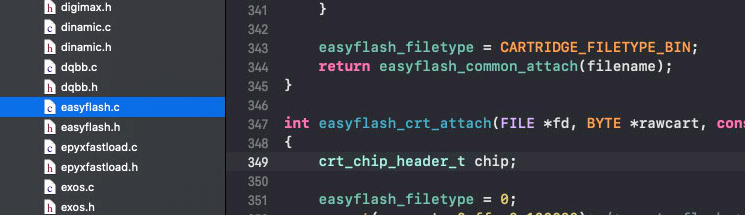
the underlying vice certainly knows how to handle easyflash crts ... but the browser interface maybe does not implemented the interface to it
mithrendal
on 9 Sep 2020
I will look into it maybe I can repair it ... I give it an hour not more ...
in ReleaseViewController.mm checks for supported files ... zip and crt by filename endings should be supported ...
when it is supported play button should be enabled the code says...
hmmm I have to remote debug ...
mithrendal
on 9 Sep 2020
ok I got the play button now ... embarrassing 🙄... I used always the version 1.3.1 which had maybe a bug ... now I downloaded freshly the version 1.3.2 from csdb.dk and that one shows the play button on easy flash ...
Btw: completely compatible with latest Xcode ... no corrections necessary
mithrendal
on 9 Sep 2020
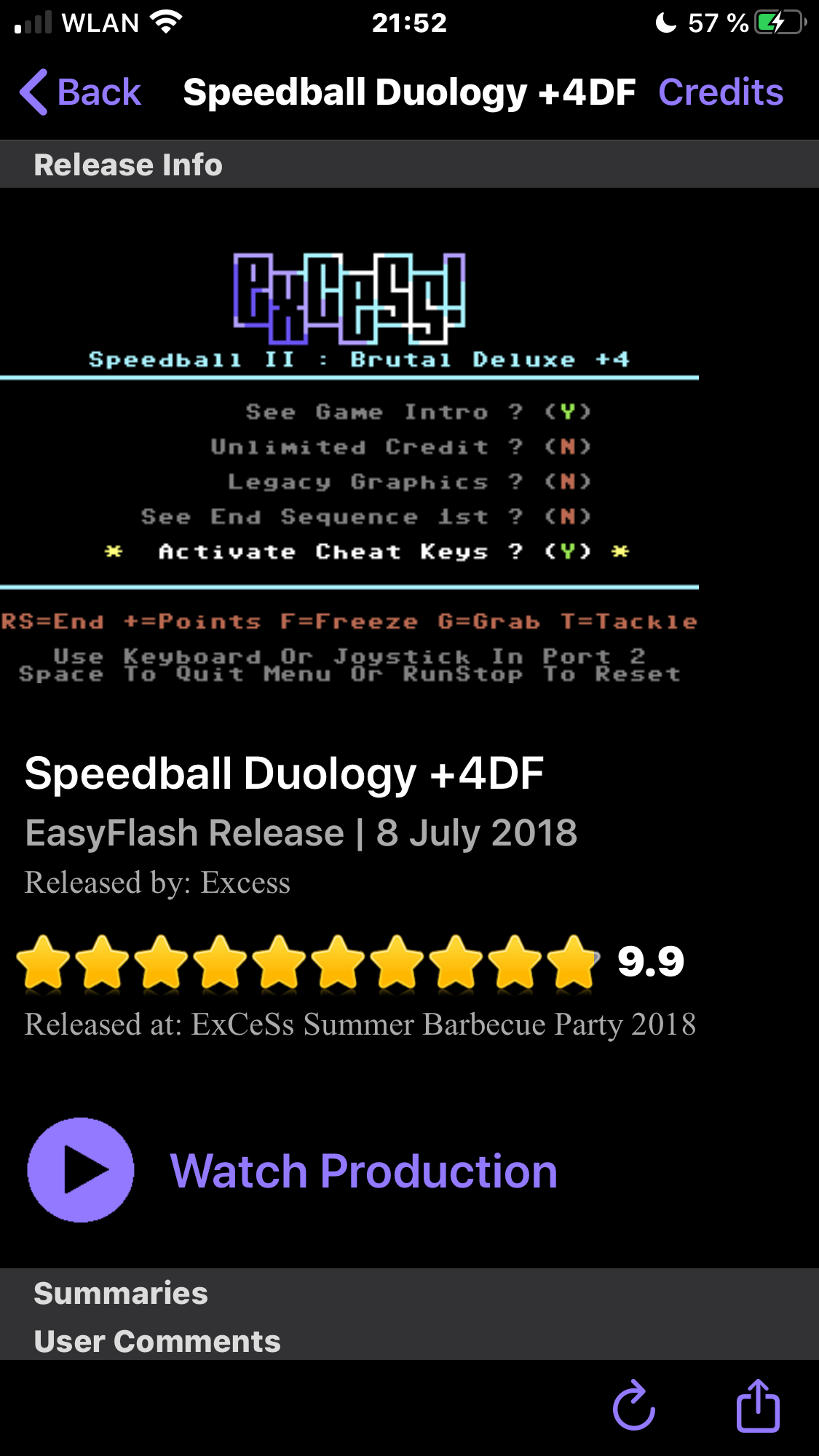
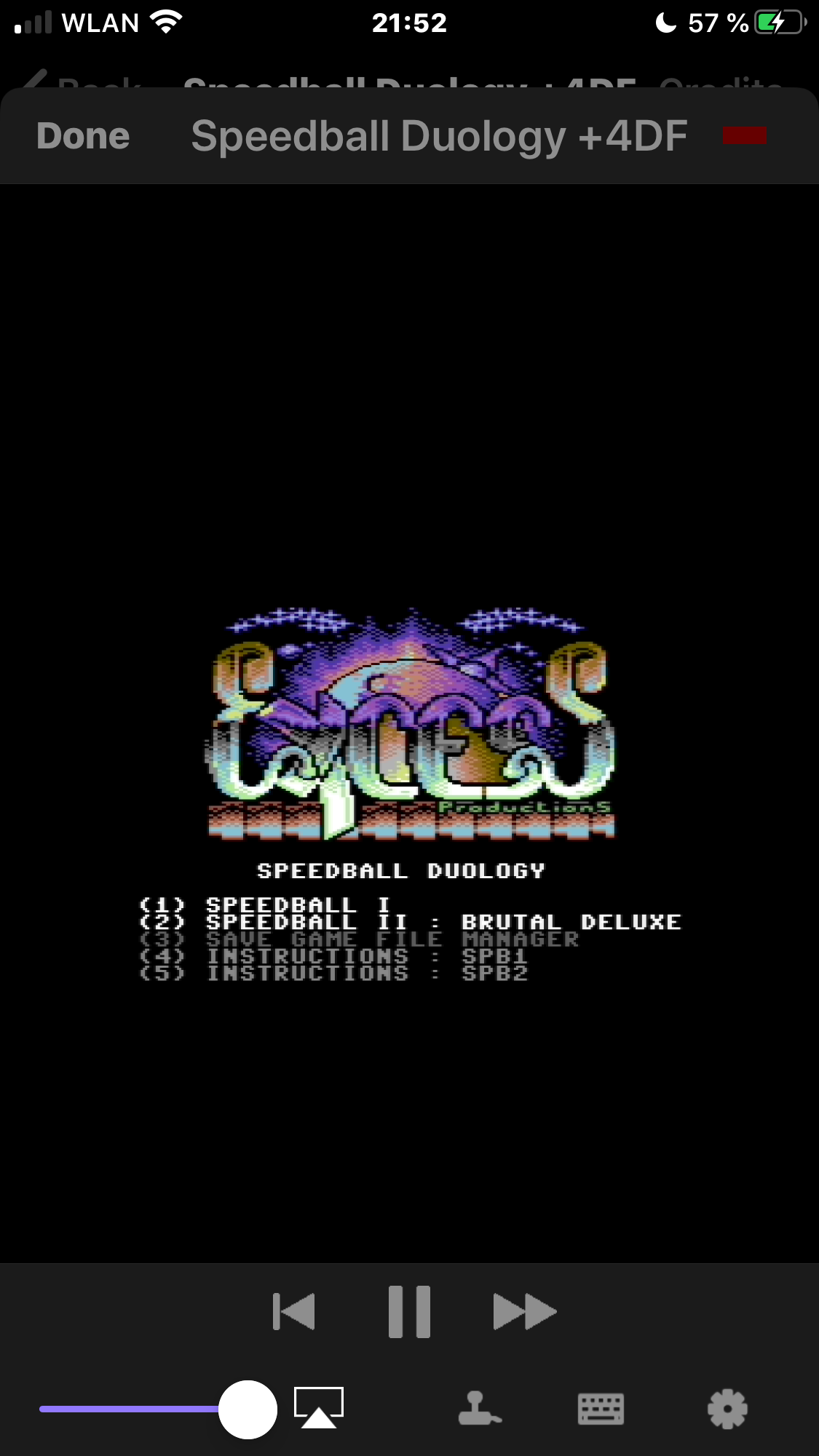
Version 1.3.2 plays nicely easyflash on iPhone and I see debug output in Xcode from it
here some sample debug output in XCode generated from the remote iPhone
Loading system file `/private/var/containers/Bundle/Application/4780105B-5040-4DA5-BB59-AEEB3AC59BD9/C64 Scene.app/ROM/DRIVES/dos2031'.
Loading system file `/private/var/containers/Bundle/Application/4780105B-5040-4DA5-BB59-AEEB3AC59BD9/C64 Scene.app/ROM/DRIVES/dos2040'.
Loading system file `/private/var/containers/Bundle/Application/4780105B-5040-4DA5-BB59-AEEB3AC59BD9/C64 Scene.app/ROM/DRIVES/dos3040'.
Loading system file `/private/var/containers/Bundle/Application/4780105B-5040-4DA5-BB59-AEEB3AC59BD9/C64 Scene.app/ROM/DRIVES/dos4040'.
Loading system file `/private/var/containers/Bundle/Application/4780105B-5040-4DA5-BB59-AEEB3AC59BD9/C64 Scene.app/ROM/DRIVES/dos1001'.
Drive: Finished loading ROM images.
Sound: Available sound devices: audioqueue dummy
Keyboard: Loading keymap `/private/var/containers/Bundle/Application/4780105B-5040-4DA5-BB59-AEEB3AC59BD9/C64 Scene.app/ROM/C64/osx_sym_us.vkm'.
Main CPU: starting at ($FFFC).
Main CPU: RESET.
Sound: Opened device `audioqueue', speed 44100Hz, fragment size 11ms, buffer size 208ms
reSID: MOS8580, filter on, sampling rate 44100Hz - fast
Drive 8: RESET.
FIXME: handle audio queue property change
Sound: Warning - Buffer drained
Sound: Warning - Buffer drained
2020-09-09 21:52:45.586010+0200 C64 Scene[3093:733832] [Snapshotting] Snapshotting a view (0x105067000, UIKeyboardImpl) that is not in a visible window requires afterScreenUpdates:YES.
Sound: Warning - Sound buffer overflow (cycle based)
Sound: Warning - Sound buffer overflow (cycle based)
Sound: Warning - Sound buffer overflow (cycle based)
Sound: Warning - Sound buffer overflow (cycle based)
Sound: Warning - Sound buffer overflow (cycle based)
Sound: Warning - Sound buffer overflow (cycle based)
Sound: Warning - Sound buffer overflow (cycle based)
Sound: Warning - Sound buffer overflow (cycle based)
Sound: Warning - Sound buffer overflow (cycle based)
Sound: Warning - Sound buffer overflow (cycle based)
Sound: Warning - Sound buffer overflow (cycle based)
ready to assist you ... if it is too complicated for you to setup this stuff ... then just tell me where I should enter the
debug printf statements and what easyflash cartridge I should test ...
scene browser supports the iOS open in... feature which means we can throw any zip with an crt file at it from the ios file manager app
mithrendal
on 9 Sep 2020
Maybe you are curious why it is not working in the Xcode simulator but only on iOS hardware ... that is because it is a simulator not an emulator. The source code (that is the vice) is translated to ARM ABI in case of iPhone/iPad and to x86/x64 ABI in case of the simulator. Some devs are a bit lazy w.r.t simulator and only care to the ARM ABI. This is probably only a problem in the project build settings ... maybe the vice code needs x86 but builds x64 or something like that ...
On a AppleSilicon mac it should also work in the simulator...😎 ... Apple I want to have one ... with out fans please 🤩... my old machine from 2007 is so noisy...
mithrendal
on 10 Sep 2020
On a AppleSilicon mac it should also work in the simulator...😎 ... Apple I want to have one ...
Not sure if I want to have an Apple computer at all any more... feels more and more like Microsoft. I am still struggling with the profile stuff, because my Apple ID is still connected with an old dev account of my university. As a result, I don't have permissions to do anything at the moment... 😡 It's all solvable, but it costs tons a time, wasted for nothing.
dirkwhoffmann
on 10 Sep 2020
My Apple ID is still connected with an old dev account of my university.
can you not disconnect it ?
alternatively
you can set up a fresh new user profile without specifying your apple id on your mac and start into it and XCode should not know your old apple id ...
or alternatively
I could also do everything for you if you like ... that means insert printf and post the log output here ... you only have to tell me the printf statements ...
mithrendal
on 10 Sep 2020
set up a fresh new user profile without specifying your apple id
Good idea, I'll try that later... need to do some real work first...
dirkwhoffmann
on 10 Sep 2020
need to do some real work first...

hey dirk, you forgot to turn off our webcam 😳
mithrendal
on 10 Sep 2020
To create a profile, I need a certificate? And to create the certifcate, I need a "Certificate Signing Request" which is a file I need to upload? True?
dirkwhoffmann
on 10 Sep 2020
No with user profile I meant to create a new user account on your mac which is not connected to your apple id. For that account on your macbook you don’t need anything. Just go to settings of your mac and create a new user...
Then on Xcode startup with the scenebrowser all should be clean and empty ... no old appleid which blocks you ...
mithrendal
on 10 Sep 2020
but then at that point maybe it asks you again for an apple id ... when you insert your current apple id maybe it again thinks that one belongs to a certificate which is stored on another computer of your university ... I think it created some sort of private key which is inside the cert file on the other computer... and because you don't have it at home, it blocks you and anyone who don't owns the key from using that signing certificate ...
three possibilities ..
first try to create a new free provisioning dev cert with your current apple id
second create a new apple id ... (uh thats ... not so cool .. no?)
third run at university and get that private key cert from the other computer by exporting it via XCode ...
I would try the first way ... go to XCode -> preferences->Accounts
look at the third paragraph of this help page ... if a developemtn cert is missing a private key ...
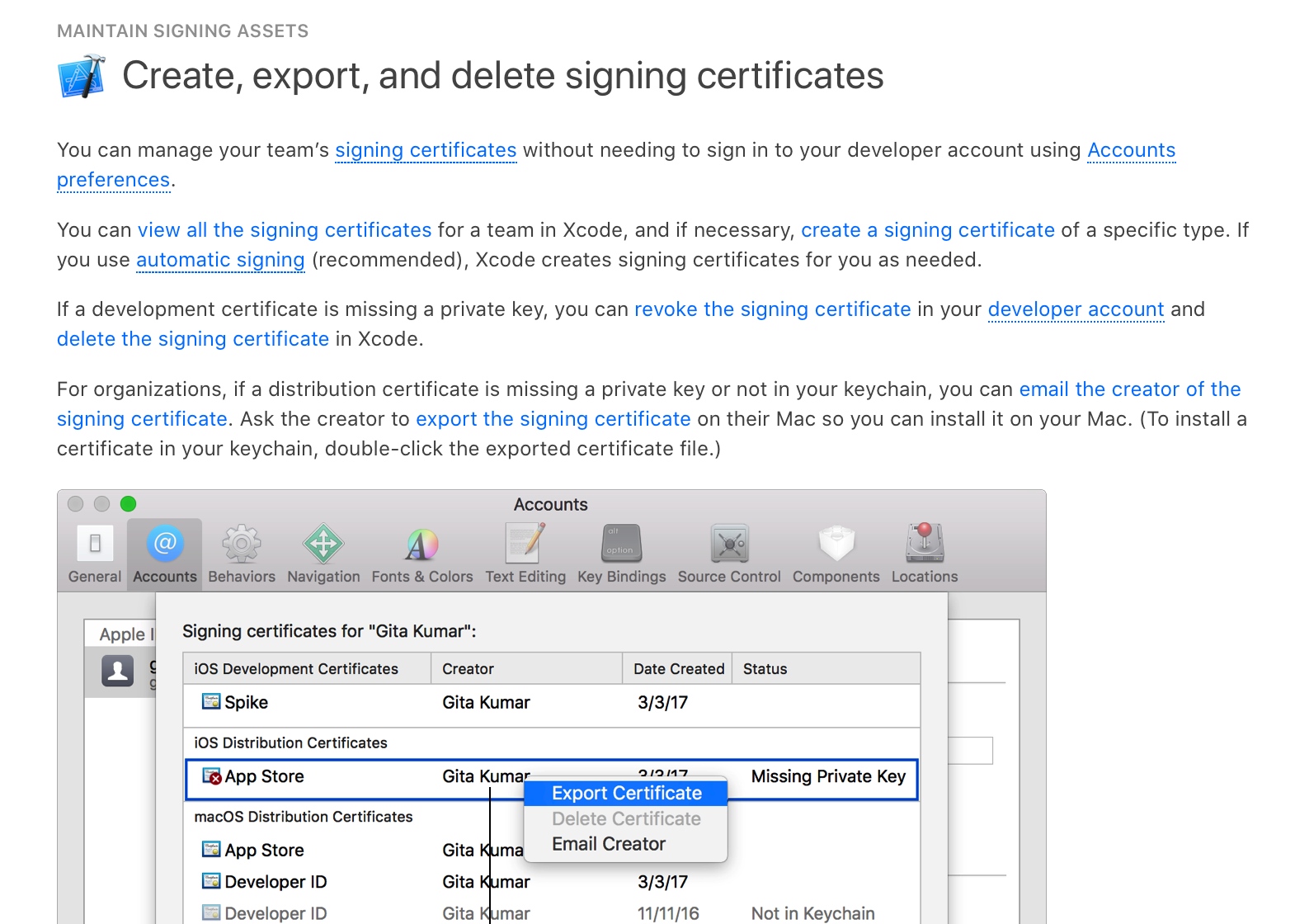
It seems you have to reset everthing by deleting all certs in there ... no ?
mithrendal
on 10 Sep 2020
first try to create a new free provisioning dev cert with your current apple id
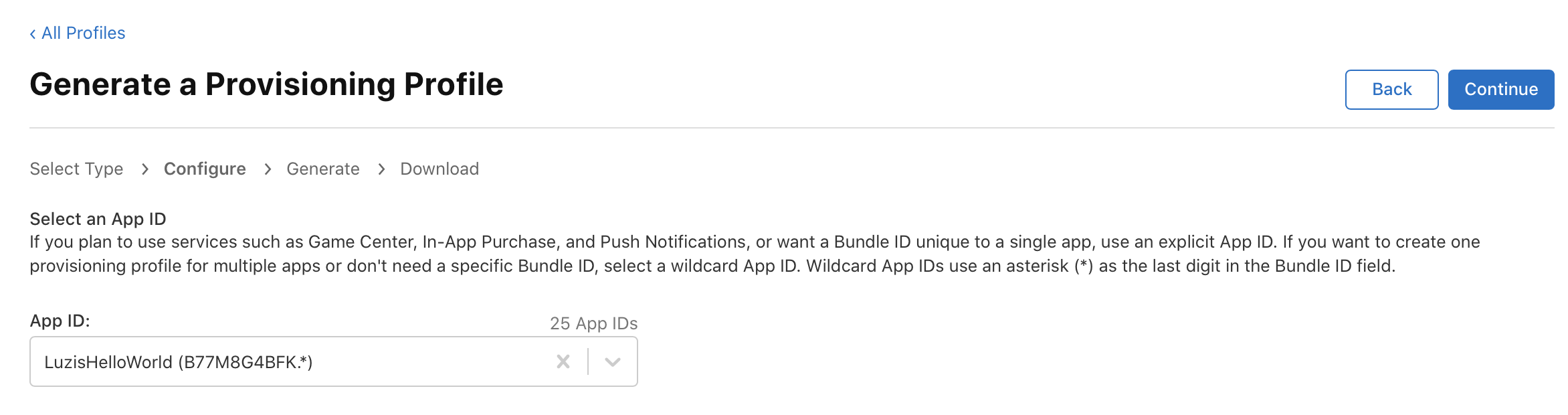
That's what I wanted to do. It first wants me to select an App ID. I've found an old app ID which I created years ago and I selected that:
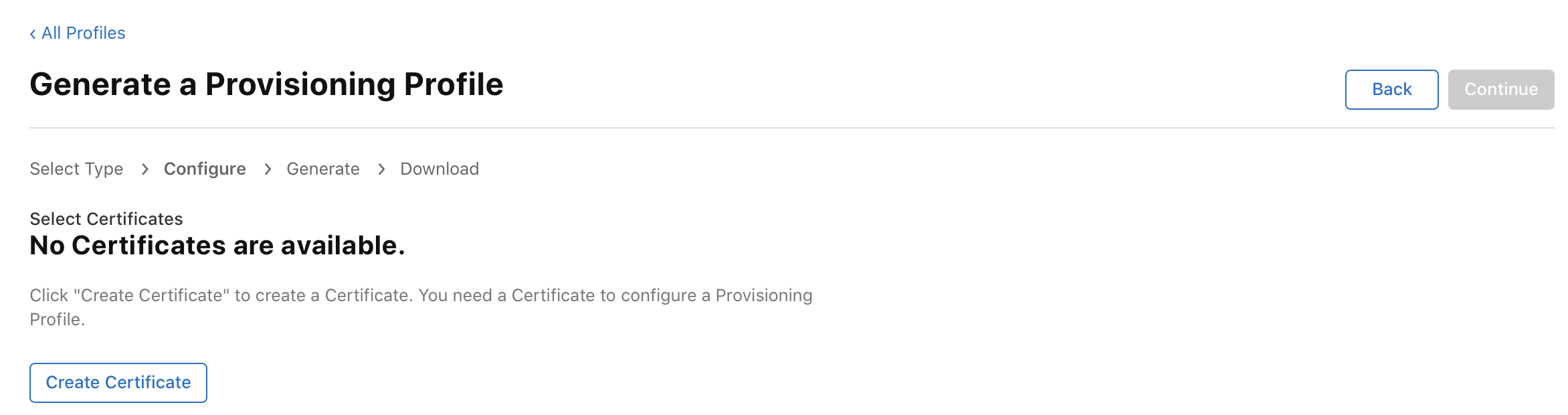
In the next step, they want me to upload something:
dirkwhoffmann
on 10 Sep 2020
Uhh what is an app id ? Can you just instead try this simple way ?
https://osxdaily.com/2016/01/12/howto-sideload-apps-iphone-ipad-xcode/
We want no app id as we don't want to upload to the app store ... we just want to sideload...
mithrendal
on 10 Sep 2020
We want no app id as we don't want to upload to the app store ..
No, we don't. We only want to compile a program. Apple, anybody home? 😖
BTW, this reminds me on a funny day years ago in Silicon Valley when a new Indian coworker got his first culture shock. He went into some Mexican store to eat a burrito. It wasn't so easy though. He was asked the usual two thousand questions (which meat, what sauce, do you have a club cart, do you have a coupon, do you have this, do you want that?). I think he got an internal overflow error, because the only words he was able to say in the end were: "I want to eat". I think he was deeply traumatized.
dirkwhoffmann
on 10 Sep 2020
but thats a bit unfair because for the simulator you don’t need the signing step or do you 😬?
On real iOS hardware every app is signed so if you want to bring an app onto iPhone it has to be signed too ... that’s only possible with a private key (when using asymmetric encryption)
Just compiling and starting it up in simulator works ?
mithrendal
on 10 Sep 2020
Just compiling and starting it up in simulator works ?
No. I get the following error messages now:
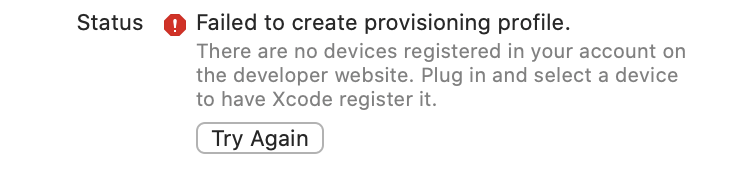
I've plugged in my old iPhone. What exactly does Apple mean with "select"? Select it in Finder, select it in Xcode??? It doesn't do anything with my connected iPhone.
dirkwhoffmann
on 10 Sep 2020
 mithrendal
on 10 Sep 2020
mithrendal
on 10 Sep 2020
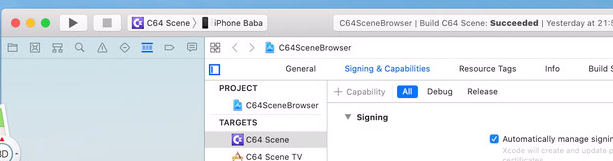
What exactly does Apple mean with "select"?
select means you have to select it in the top left right ... look at mine ... iPhone Baba in the picture above ...
you must always pray to yourself .... "I am an c64 and AmigaEmulator developer ... I am an c64 and AmigaEmulator developer ... I am an c64 and AmigaEmulator developer ... that can't be that hard ..." no ?😂
mithrendal
on 10 Sep 2020
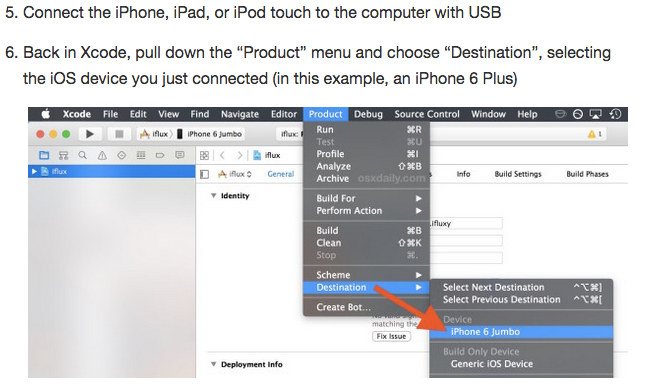
you can also select it via the menu like so
mithrendal
on 10 Sep 2020
I finally managed to get Xcode my real iPhone accepted 🥵. My phone had trust issues which went away after restarting Xcode a couple of times (didn't I say Apple is the new Microsoft? 🤔) Anyway... after having a real iPhone connected, the emulator suddenly works (the real iPhone is needed for nothing, just to get rid of the error messages). Now, it's running in the emulator:
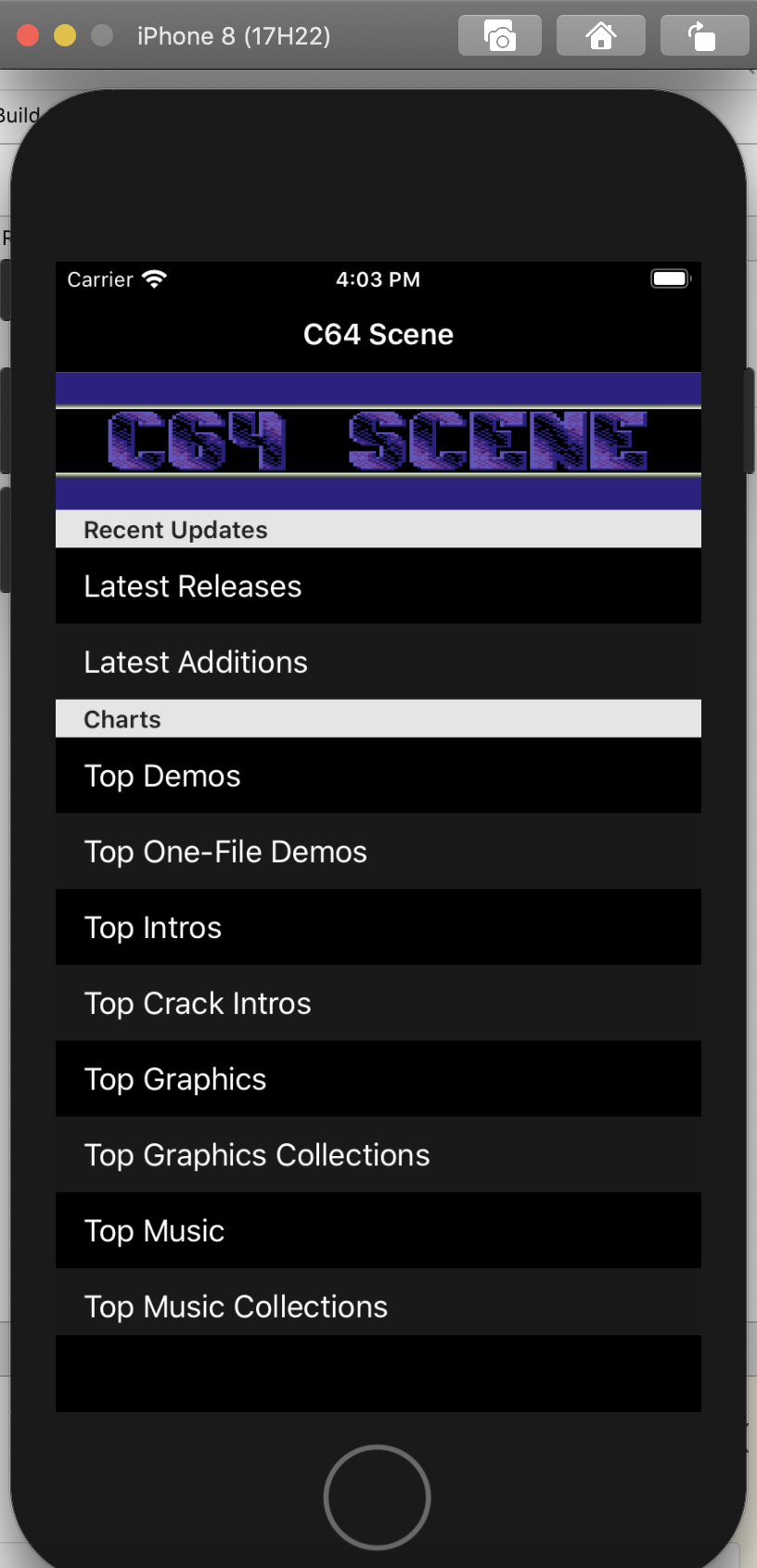
Now, the big question is: How do I get the Ultima cartridge into that thing?
dirkwhoffmann
on 10 Sep 2020
first way is drag that screen down a bit then in the first row a search input field appears ... type in there "Ultima" ... it then searches csdb for ultima ...
mouse click and drag down
My phone had trust issues which went away after restarting Xcode a couple of times (didn't I say Apple is the new Microsoft? 🤔)
you are holding it wrong ...😂
mithrendal
on 10 Sep 2020
it then searches csdb for ultima ...
this means I have to patch the app to use a cartridge that is not on csdb?
dirkwhoffmann
on 10 Sep 2020
no ... the other way is ... deploy on iPhone ... download the cartigde in Safari or airdrop from your mac as you like ... and go to the files app click on the ultima_crt.zip file and choose share then the share sheets opens and you can choose c64SceneBrowser which opens it then ... then you can look at the Xcode console for the debug statements
you can try this in simulatore but as I stated above the vice was not running in simulator on my machine due to x86/x64 ABI problems in the build settings I guess ... only the ARM build worked
see what I wrote ...
Maybe you are curious why it is not working in the Xcode simulator but only on iOS hardware ... that is because it is a simulator not an emulator. The source code (that is the vice) is translated to ARM ABI in case of iPhone/iPad and to x86/x64 ABI in case of the simulator. Some devs are a bit lazy w.r.t simulator and only care to the ARM ABI. This is probably only a problem in the project build settings ... maybe the vice code needs x86 but builds x64 or something like that ...
Try first to run any other demo in simulator ... maybe on your machine it works ...
mithrendal
on 10 Sep 2020
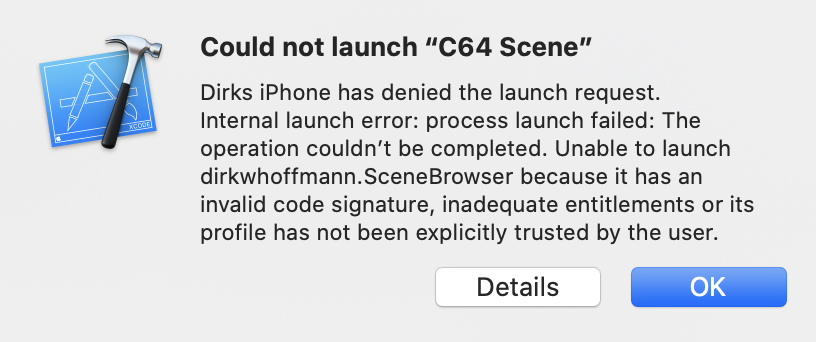
Perfect: "Internal launch error". It only works in the emulator.
dirkwhoffmann
on 10 Sep 2020
dont panic go on your iphone -> settings -> Allgemein -> Geräteverwaltung ->AppleDevelopment ->C64Scene and trust it
your IPhone does not want to execute anything without being explicit trusted by you ... thats what the message says
It only works in the emulator.
🙋🏿it is not a emulator but a simulator ... it does not emulate ARM ABI but the project is compiled to x86/x64 ABI hence simulator ...
mithrendal
on 10 Sep 2020
go to the files app click on the ultima_crt.zip file and choose share then the share sheets opens and you can choose c64SceneBrowser which opens it then
OK, this launches the app on my iPhone and I can see the debug messages in Xcode. This is what I see 🙈:
CART: could not attach '/var/mobile/Containers/Data/Application/461EFD71-EFFC-496A-A67D-C8E564911D94/Documents/45DD9476-C5F9-469F-8BBC-FDA80269E920/__MACOSX/._u5remastered.crt'.
Argument '/var/mobile/Containers/Data/Application/461EFD71-EFFC-496A-A67D-C8E564911D94/Documents/45DD9476-C5F9-469F-8BBC-FDA80269E920/__MACOSX/._u5remastered.crt' not valid for option `-cartcrt'.
Error parsing command-line options, bailing out. For help use '-help'
is it a pure crt file? try to put it in a zip file ...
yesterday I tried to launch the speedbal2EF.zip and it launched fine
inside the zip was the crt file
mithrendal
on 10 Sep 2020
is it this https://csdb.dk/release/?id=187483 ? Then try to filter that thing in the scene browser
mithrendal
on 10 Sep 2020
like this drag down start screen of SceneBrowser enter "ultima v remastered"
click search
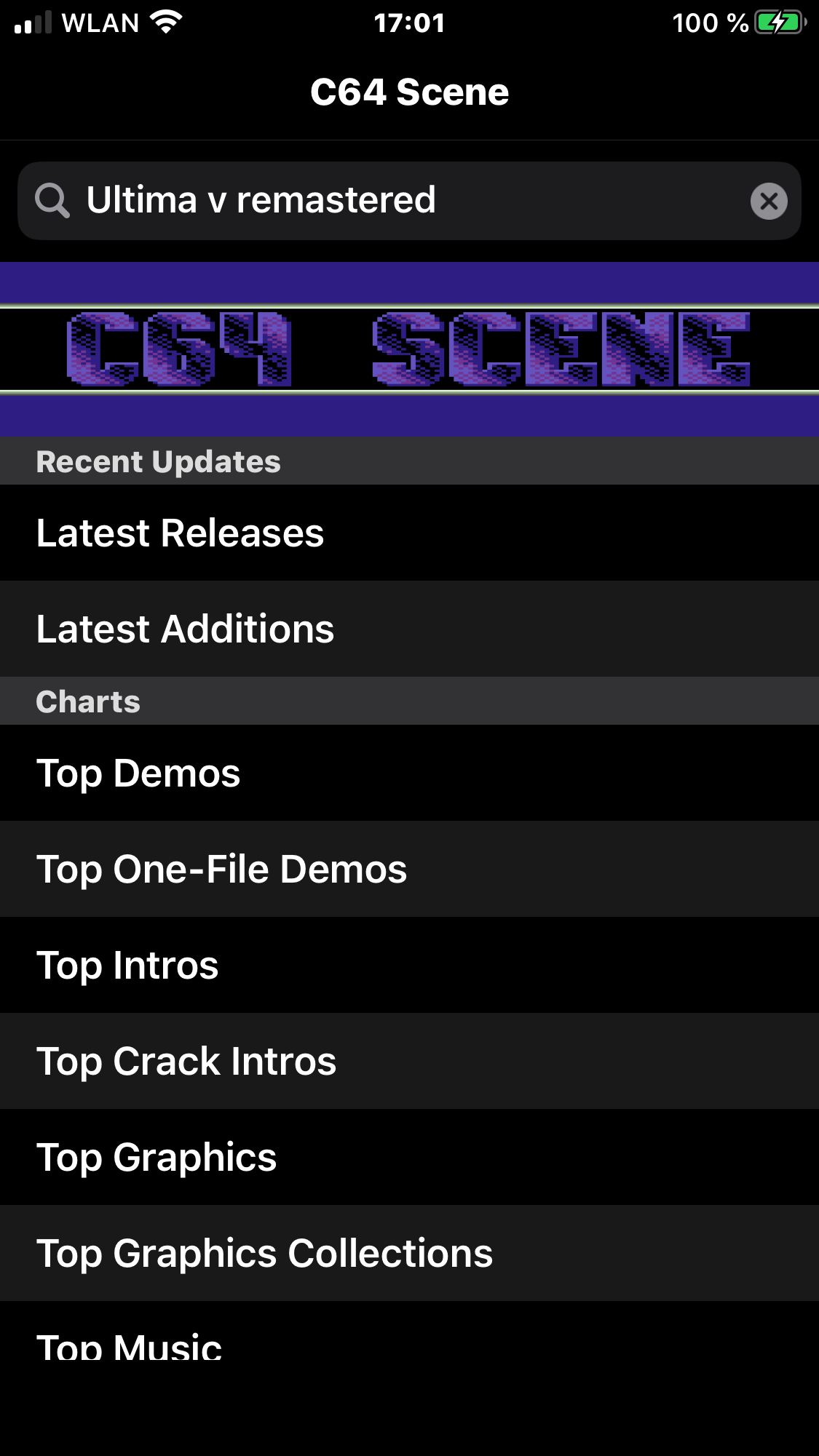
scroll down to the last one
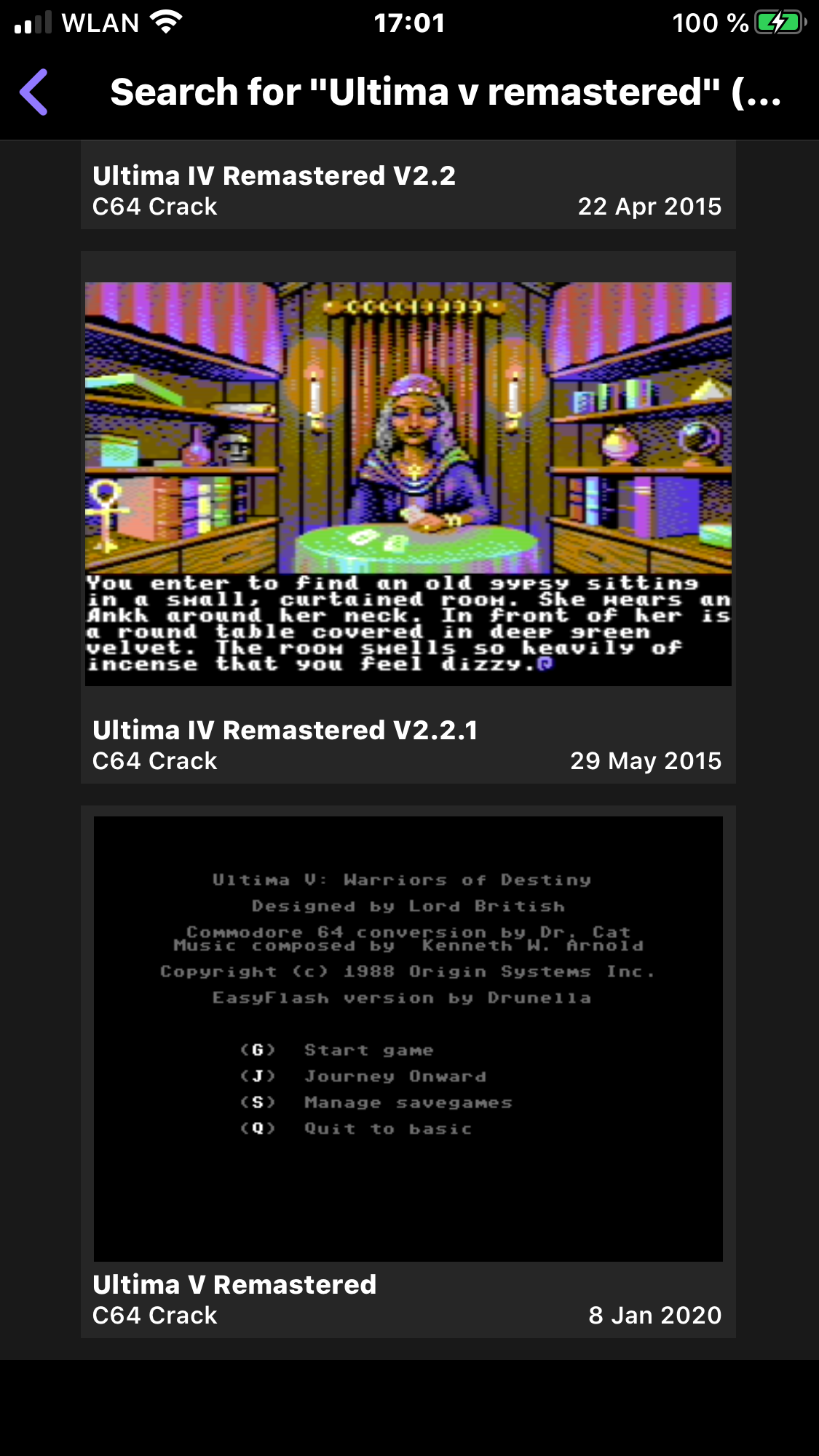
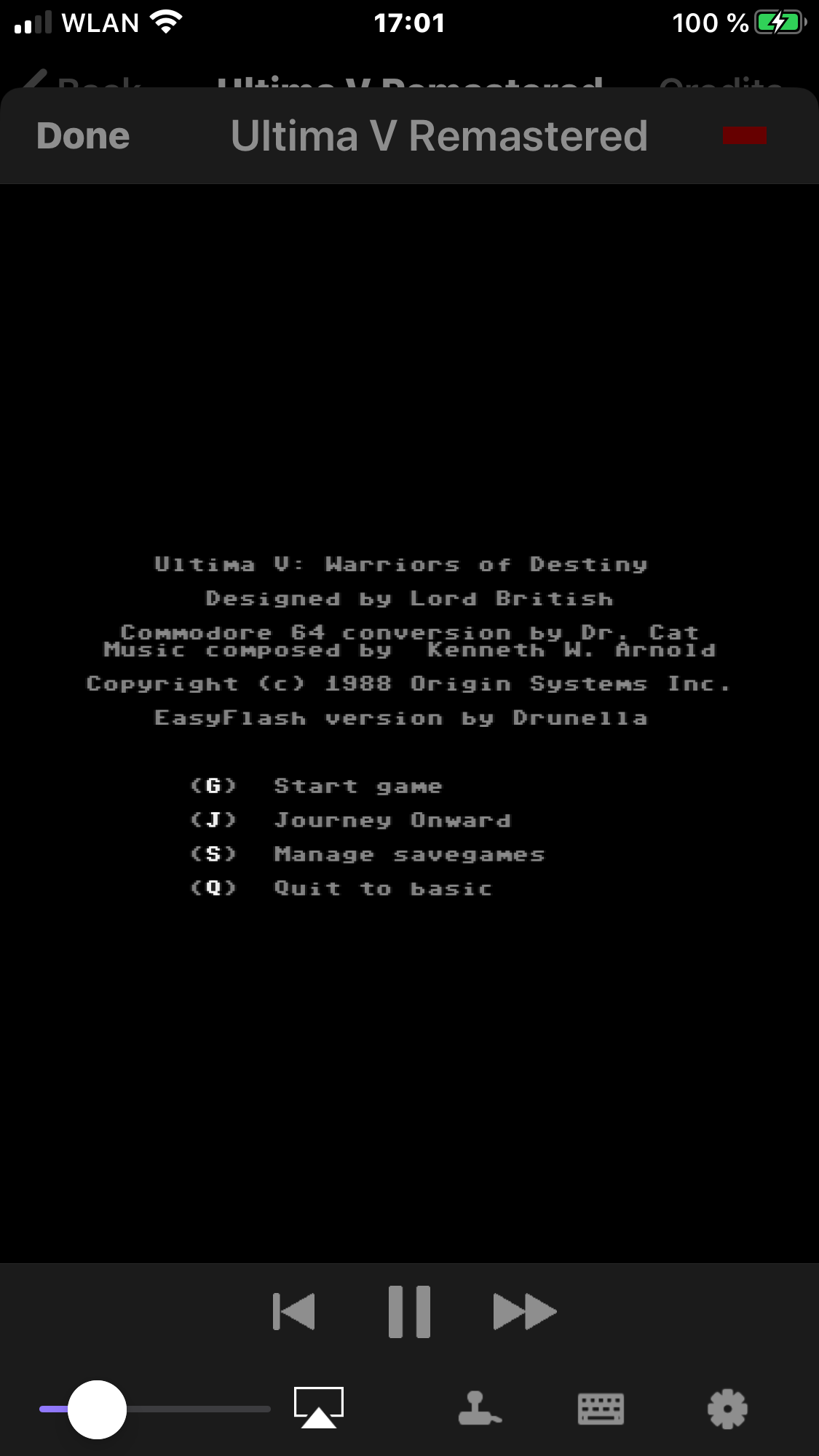
and click on watch production
mithrendal
on 10 Sep 2020
Yes, that's exactly the cartridge I want to debug. But in my emulator, it looks like this: 😮
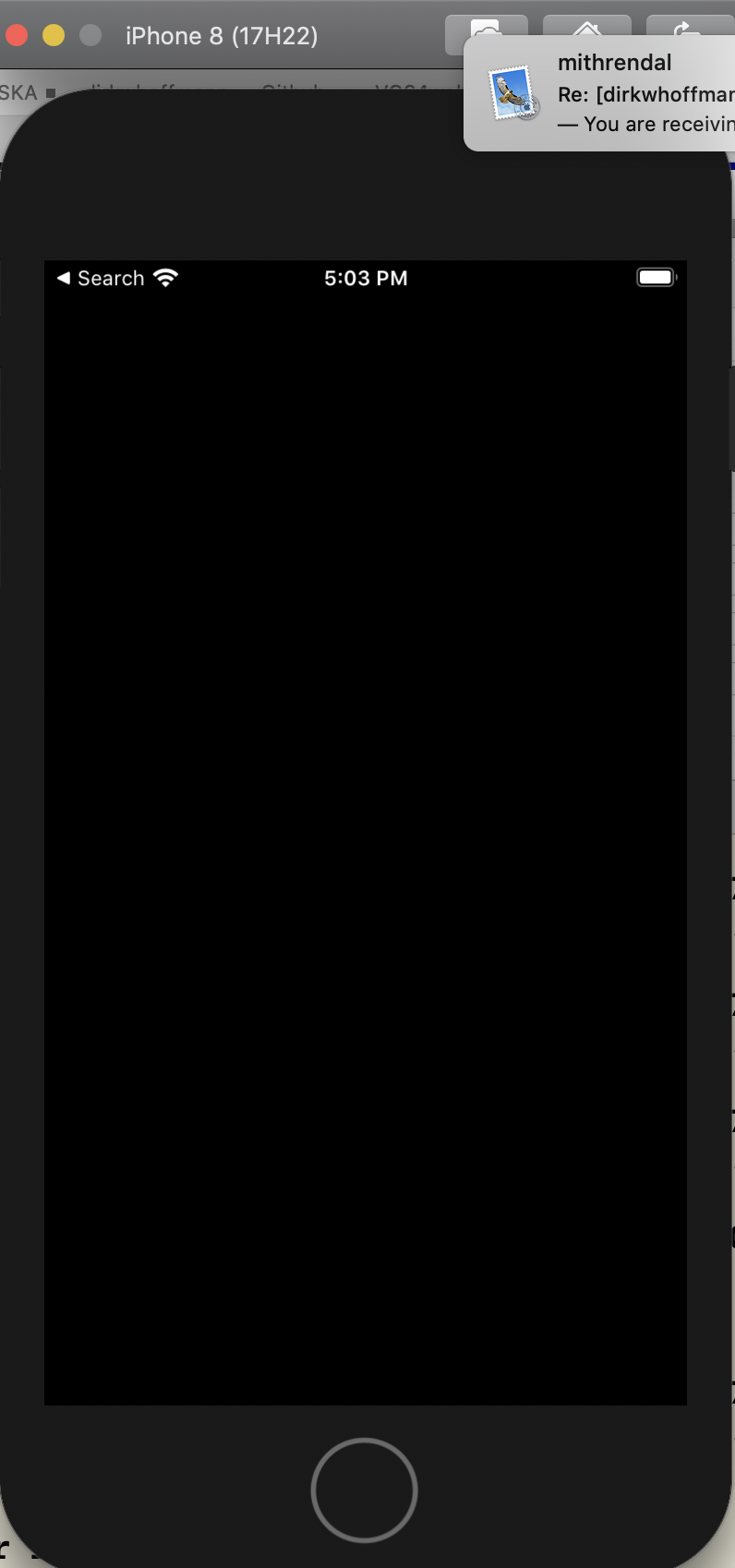
Oups, your Email notification came in just when I made the screenshot.
dirkwhoffmann
on 10 Sep 2020
dirk you are too fast .... did you read this ?
you can try this in simulator but as I stated above the vice was not running in simulator on my machine due to x86/x64 ABI problems in the build settings I guess ... only the ARM build worked
Maybe you are curious why it is not working in the Xcode simulator but only on iOS hardware ... that is because it is a simulator not an emulator. The source code (that is the vice) is translated to ARM ABI in case of iPhone/iPad and to x86/x64 ABI in case of the simulator. Some devs are a bit lazy w.r.t simulator and only care to the ARM ABI. This is probably only a problem in the project build settings ... maybe the vice code needs x86 but builds x64 or something like that ...
my "ultima v remastered" screenshots 7 minutes ago where from real iPhone.. not from the simulator ...
in short:
launch the scene browser on your real iPhone via XCode
drag down with the finger ... type "ultima v remastered" .. click search
scroll down to the last found title ... click it ... click watch production
see XCode debug output
mithrendal
on 10 Sep 2020
did you read this ?
It was a long text and you only posted it four or five times... 🙄
Finally 🥵
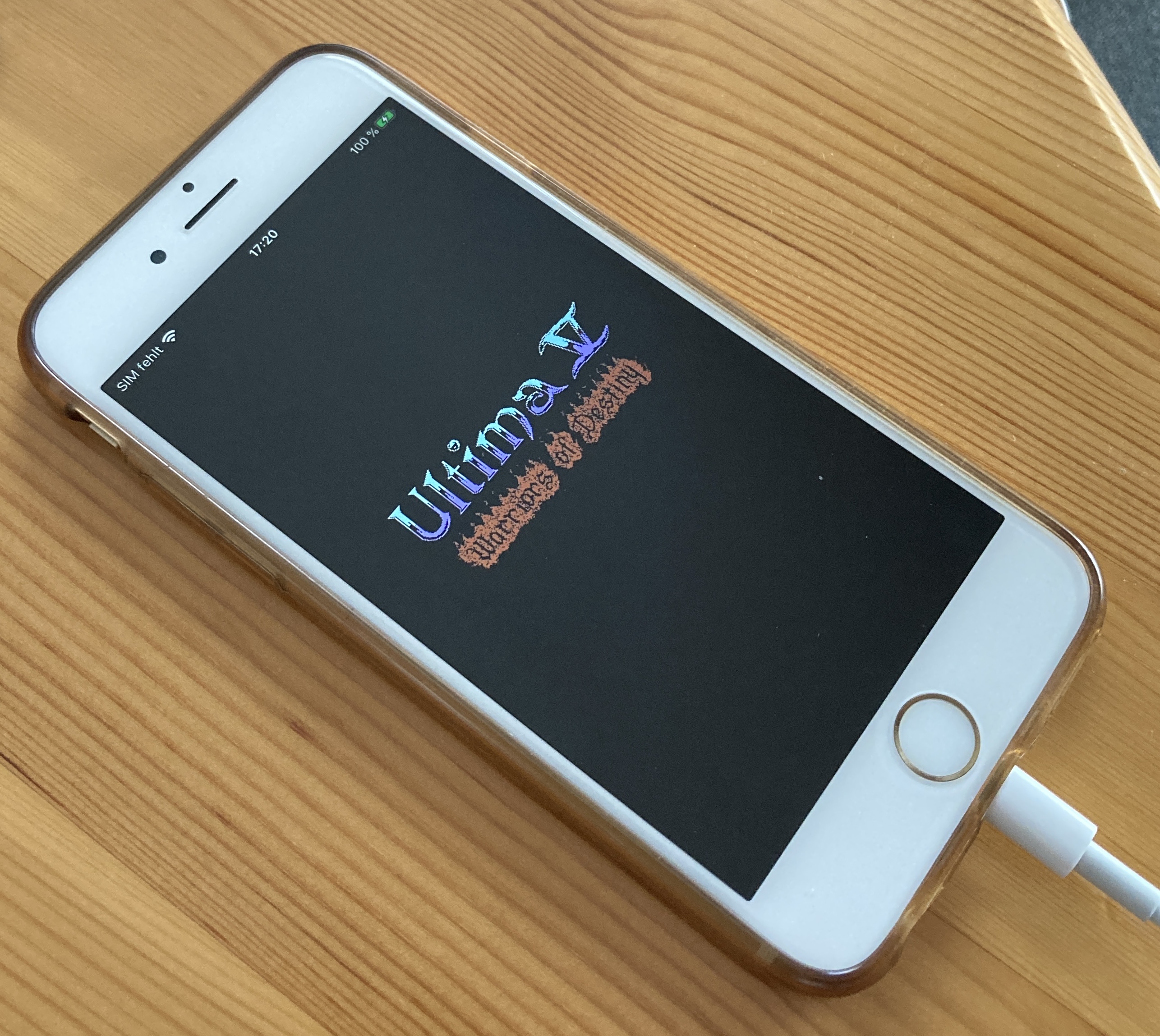
if you only want any vice you could download the scene browser 1.3.2
it will be at least very easy to compile in Xcode
Yeah, piece of cake 😎.
Tomorrow, I'll generate the debug trace...
dirkwhoffmann
on 10 Sep 2020
it will be at least very easy to compile in Xcode
😱 did I say this ? 😂 I should better have not emphasized the phrase with"very" ...🙄
mithrendal
on 10 Sep 2020
Related issues
 Somuchfun
·
3Comments
Somuchfun
·
3Comments
 Alessandro1970
·
5Comments
Alessandro1970
·
5Comments
 ChuckCaplan
·
7Comments
dirkwhoffmann
·
7Comments
ChuckCaplan
·
7Comments
dirkwhoffmann
·
7Comments
 tsupplis
·
3Comments
tsupplis
·
3Comments
Most helpful comment
It was a long text and you only posted it four or five times... 🙄
Finally 🥵
Yeah, piece of cake 😎.
Tomorrow, I'll generate the debug trace...