Virtualc64: Proposed changes for VirtualC64 4.0
I've opened this thread to describe and discuss some changes planned in VirtualC64 4.0. My main goal for version 4 is to bring vAmiga and VirtualC64 closer together. I've already ported back the way Roms are handled. Here is a comparison of the Rom panels of vAmiga 0.9 and VirtualC64 4.0:
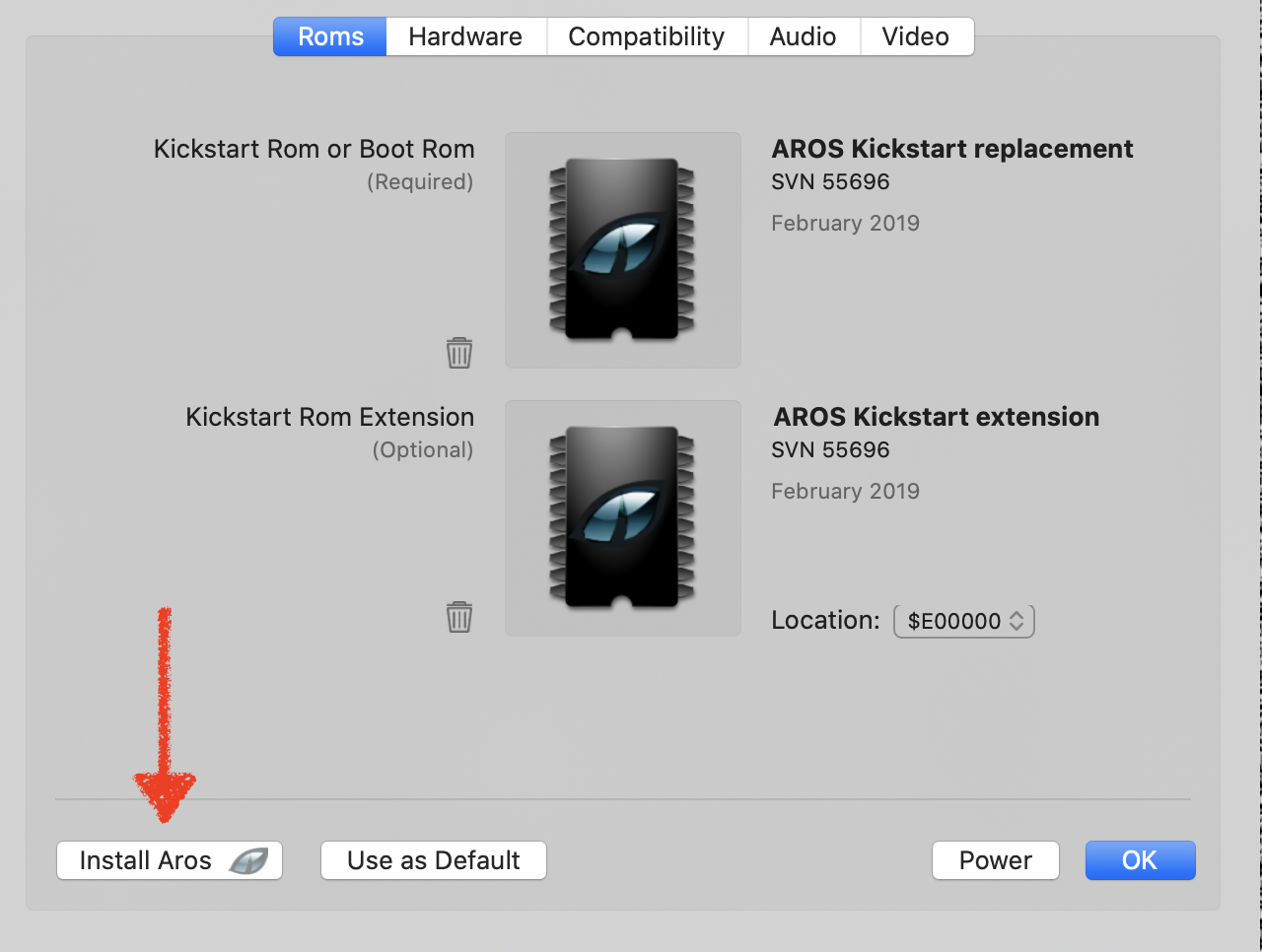
In vAmiga, the user can opt to install the free Aros Kickstart replacement if he doesn't own the original Roms. In VirtualC64 v4.0, I want to do the same with the MEGA65 OpenROMs.
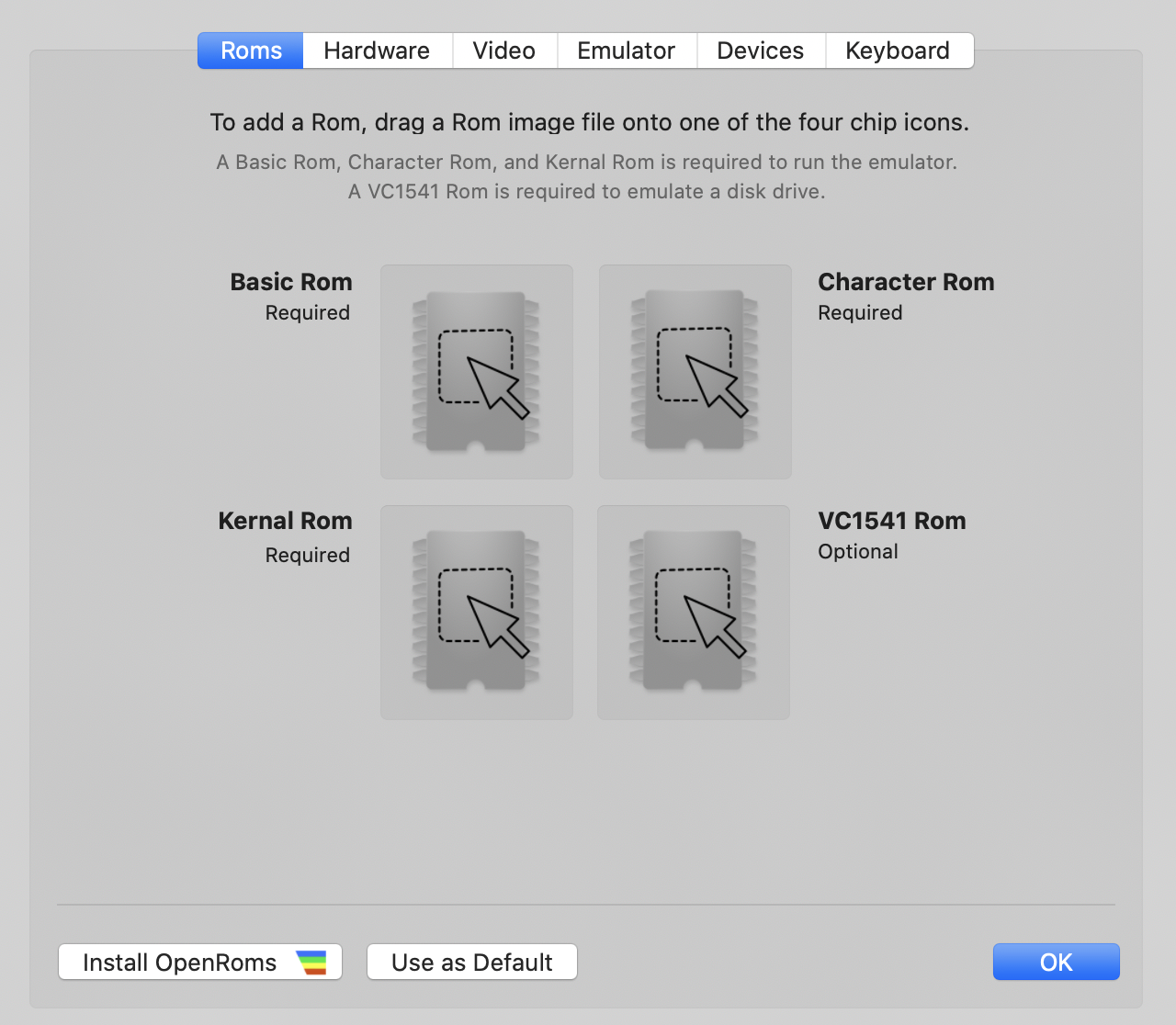
By clicking "Install OpenRoms", the three MEGA65 Roms are installed automatically (they will ship with the emulator).
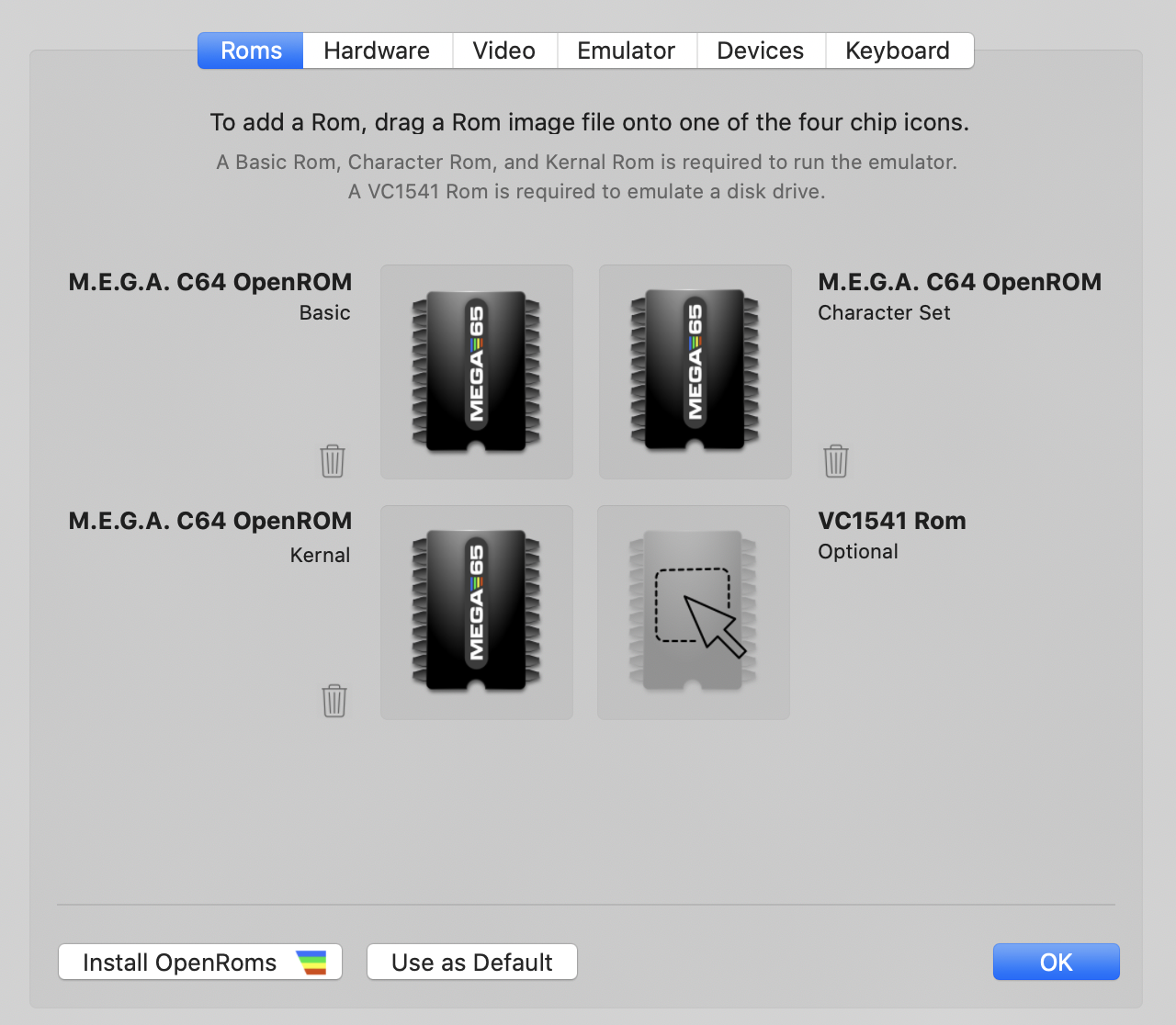
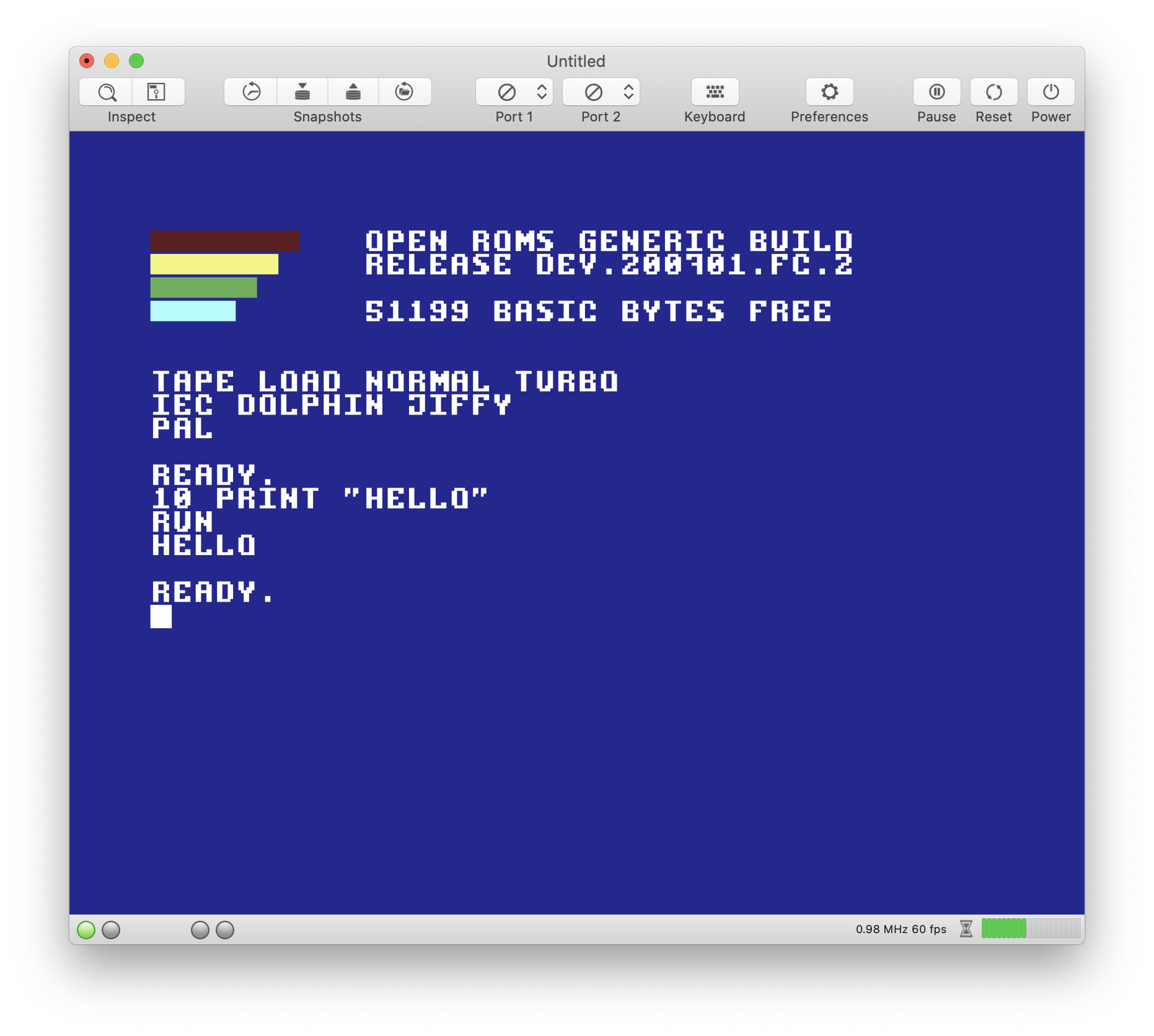
Because there is no openROM for the disk drive, VirtualC64 4.0 won't require the disk Rom to be present. Of course, a disk drive can only be attached if the Rom is there, but the user will still be able to use PRG files, load from tapes, or attach a cartridge.
Some other stuff will go away in v4. E.g., VirtualV64 3.4 has a (limited) AppleScript API. AppleScript really seems to be a dead horse by now and won't be supported any longer by the emulator.
 dirkwhoffmann
All 29 comments
This is how the new hardware configuration panel will look like in v4.0:

The new layout is closer to what we have in vAmiga.
Some features of the status bar have also been ported. Now, the status bar shows the current track number for all connected drives:

dirkwhoffmann
on 21 Jul 2020
In v4.0 we have to say goodbye to the debug drawer. Although I believe a drawer was a suitable UI element for the debugger, drawers have been deprecated since a few macOS versions. Hence, it's time to go for something new. The old debugger will be replaced by an inspector similar to the one in vAmiga. Here is what the CPU panel is likely to look like:
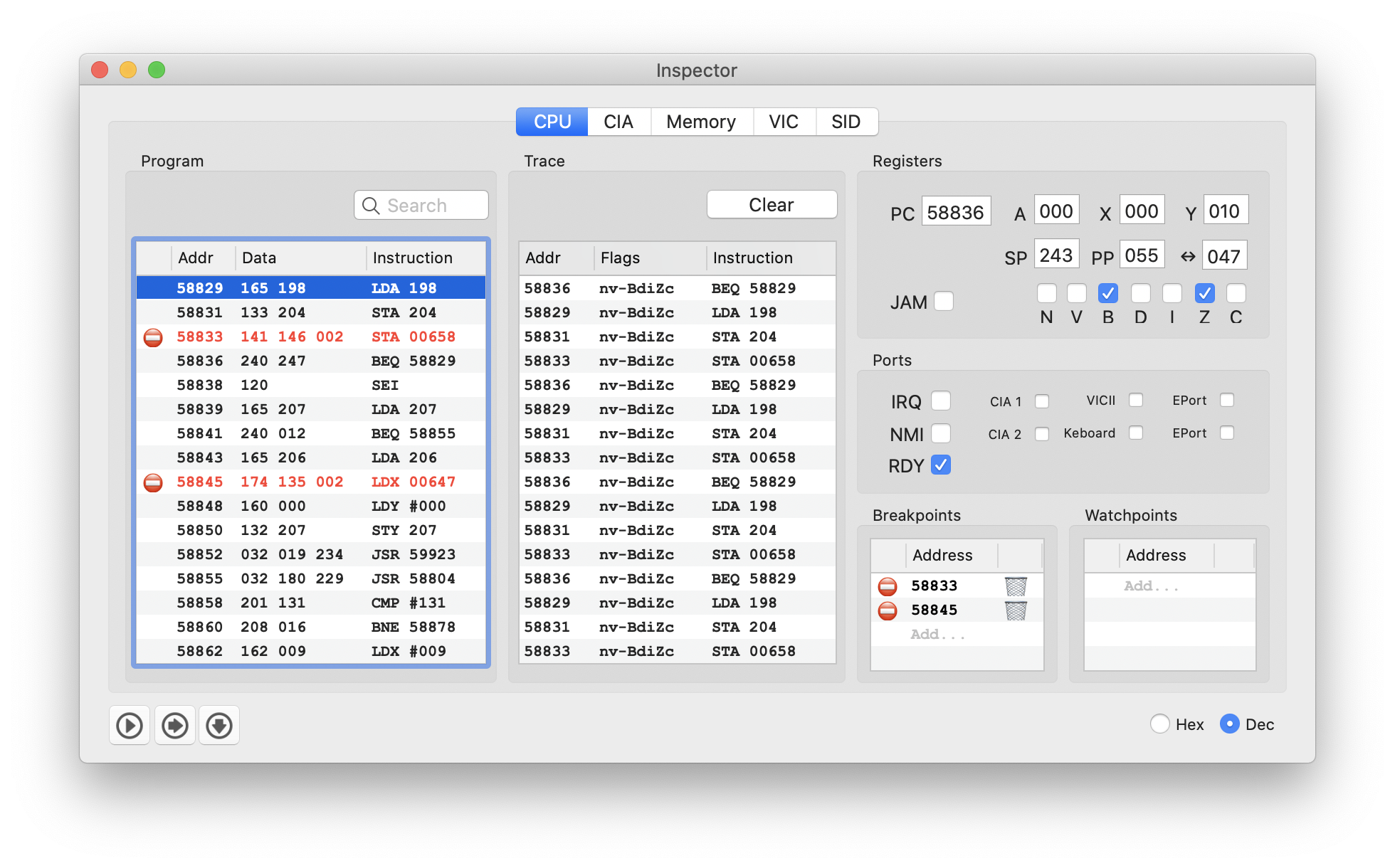
For comparison, here is the corresponding panel in vAmiga:
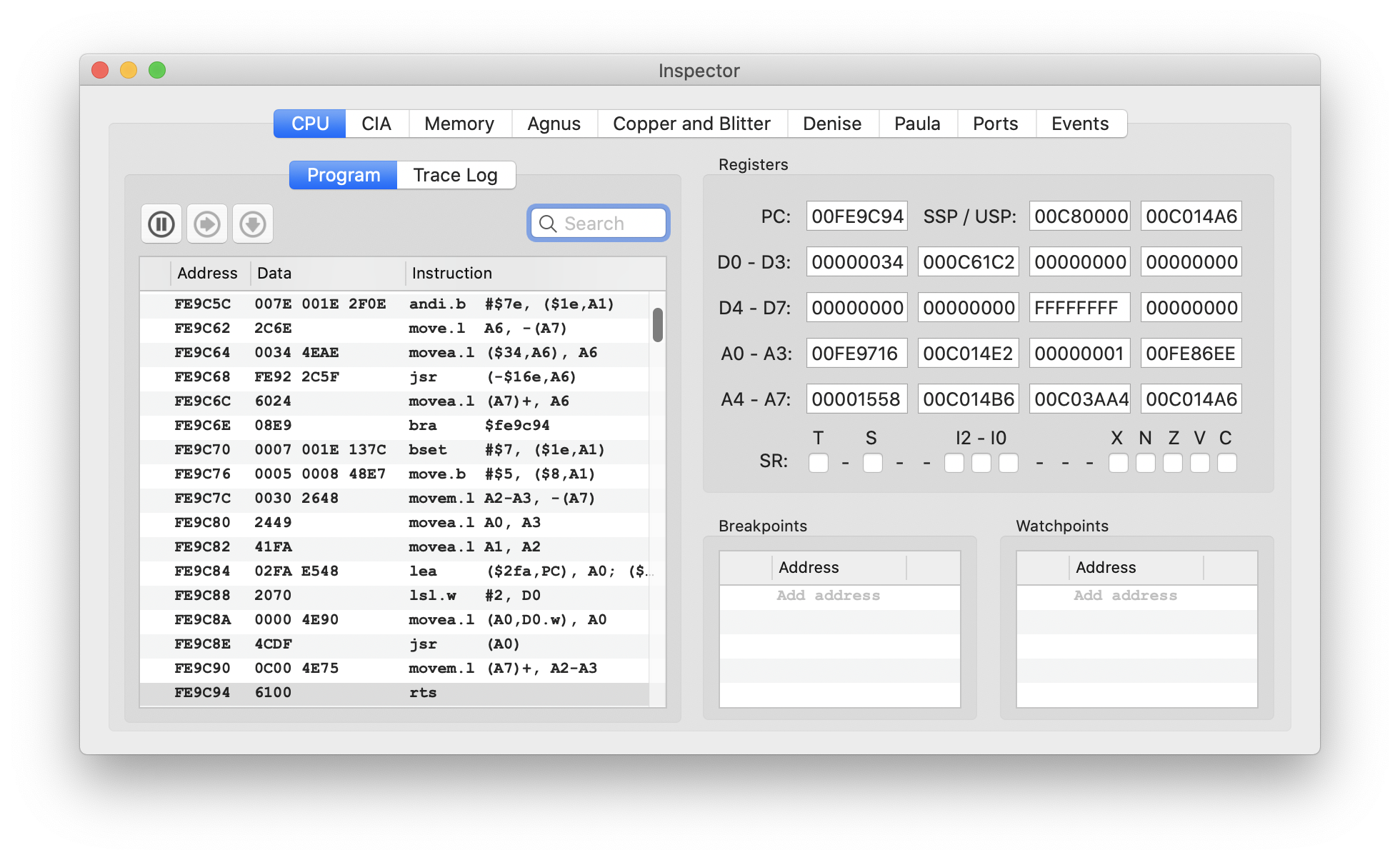
dirkwhoffmann
on 7 Aug 2020
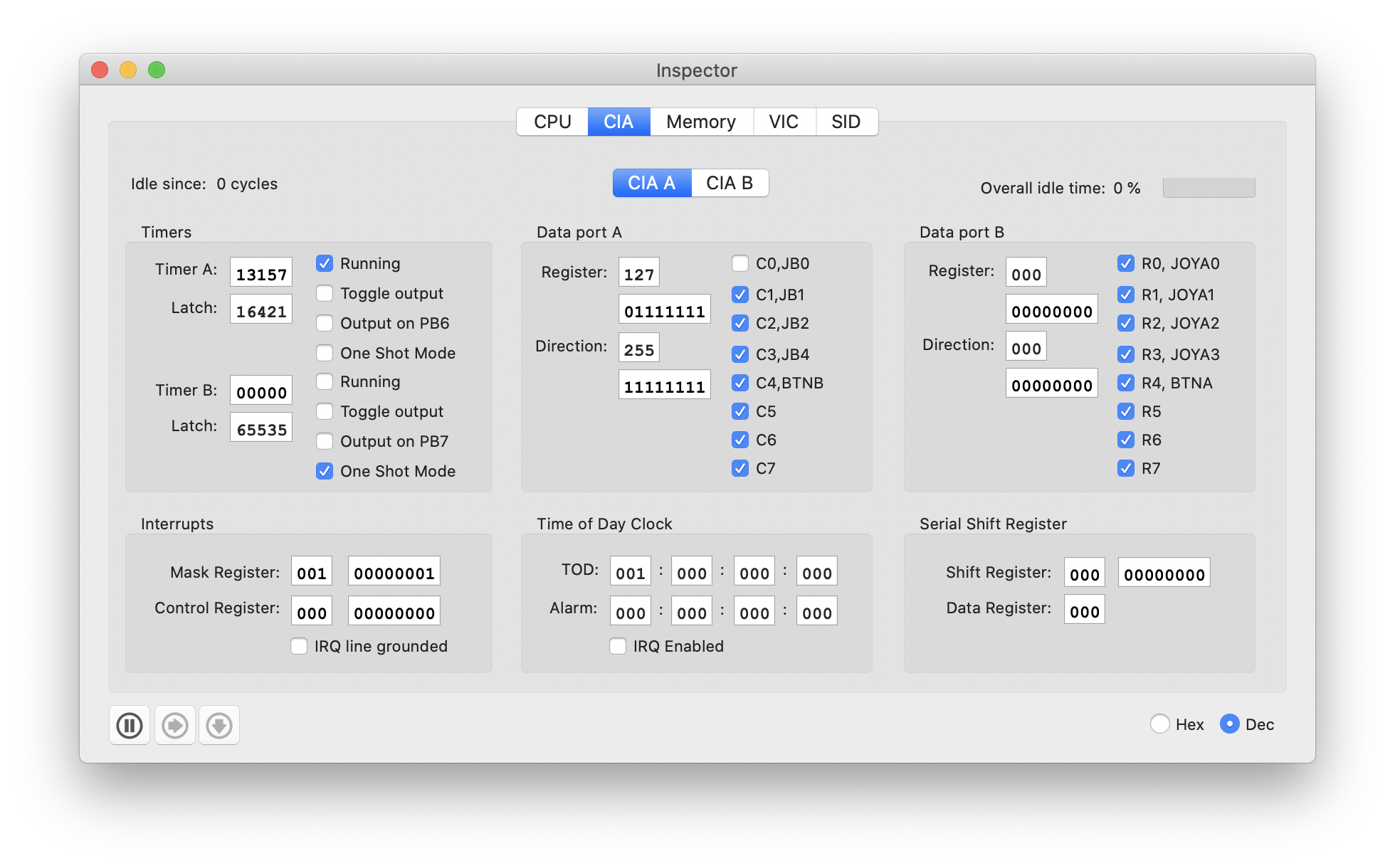
CIA panel has been ported from vAmiga to VirtualC64:
dirkwhoffmann
on 11 Aug 2020
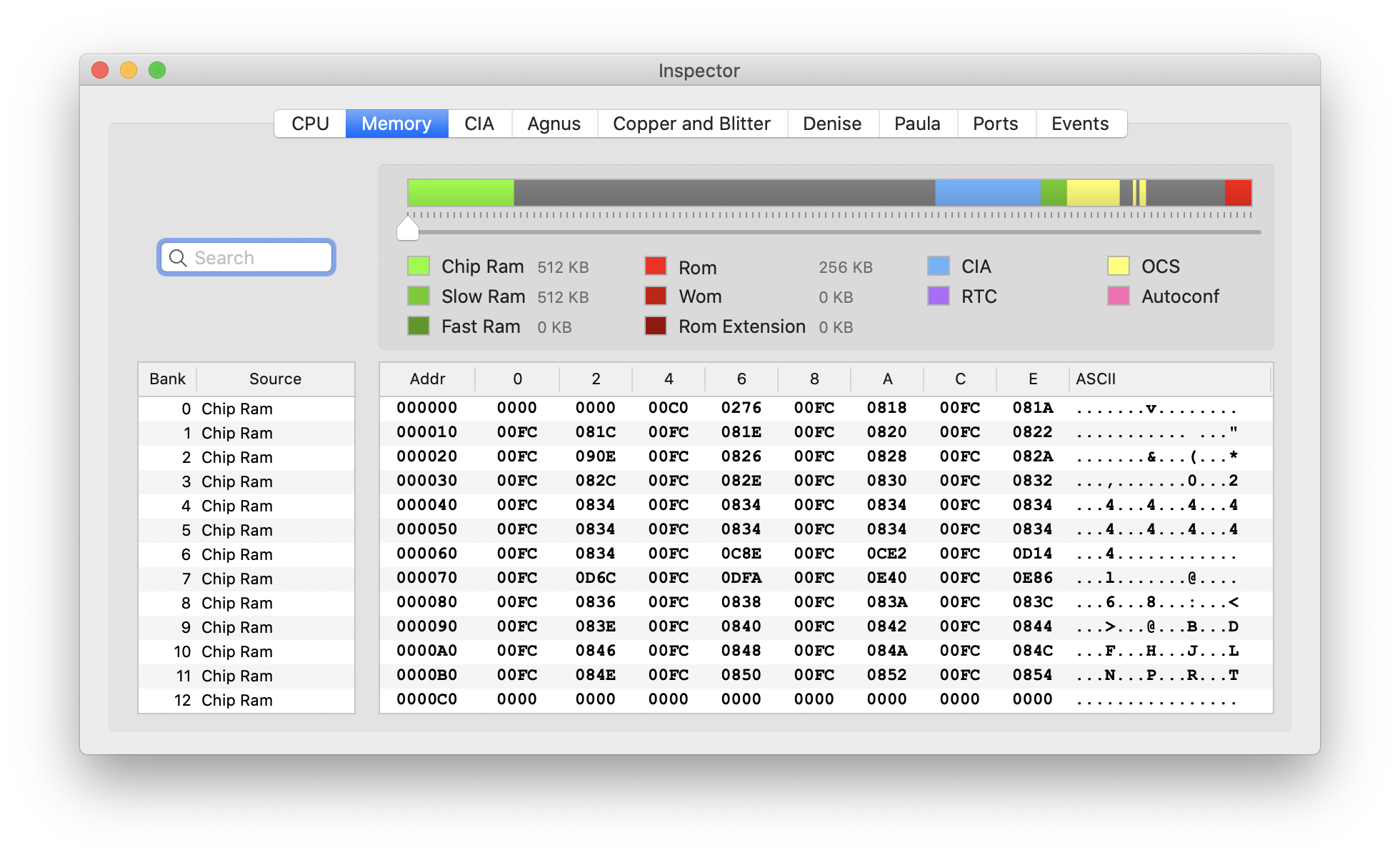
Memory panel has been updated. Both emulators use a similar design now:
VirtualC64:
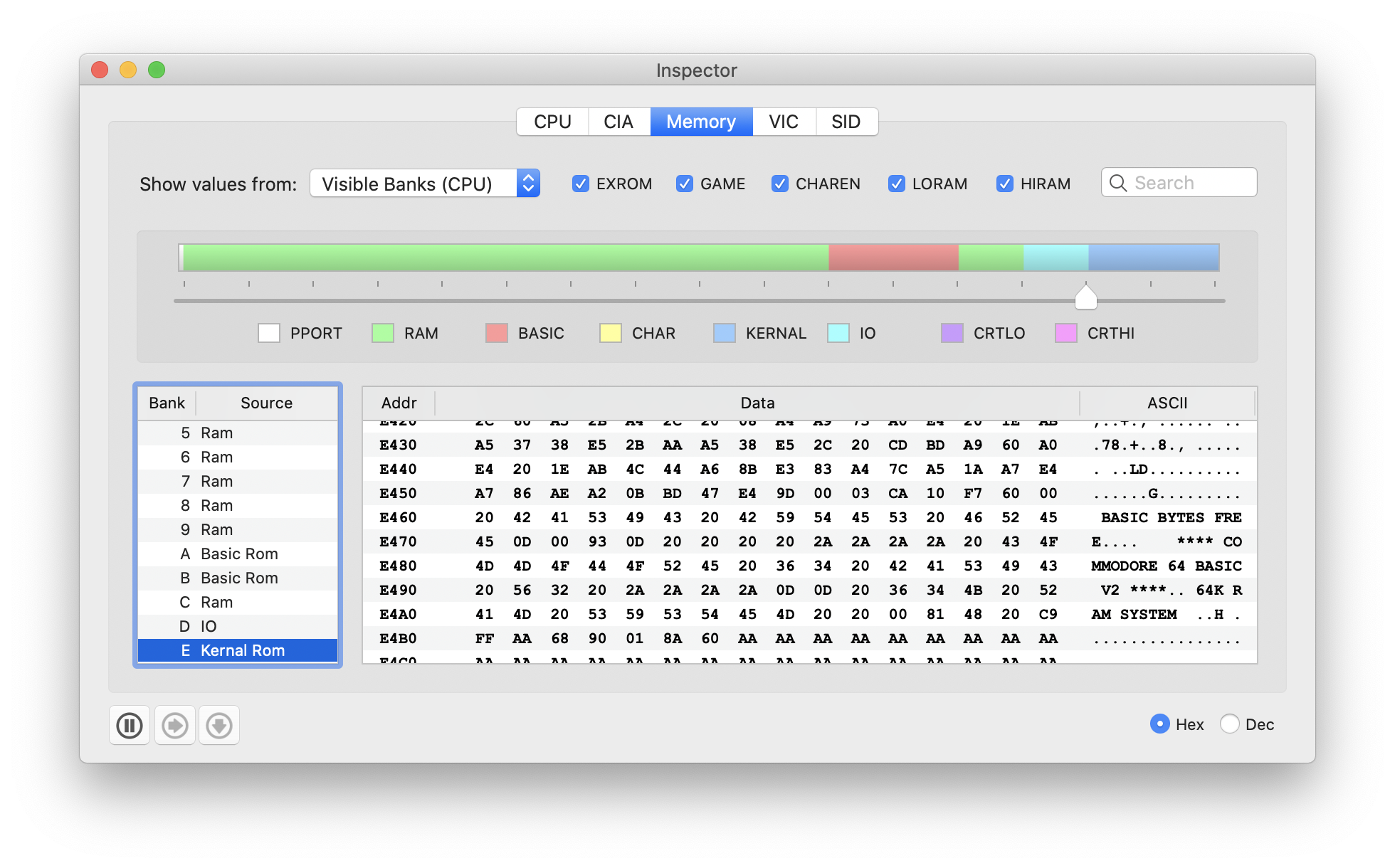
vAmiga:
dirkwhoffmann
on 11 Aug 2020
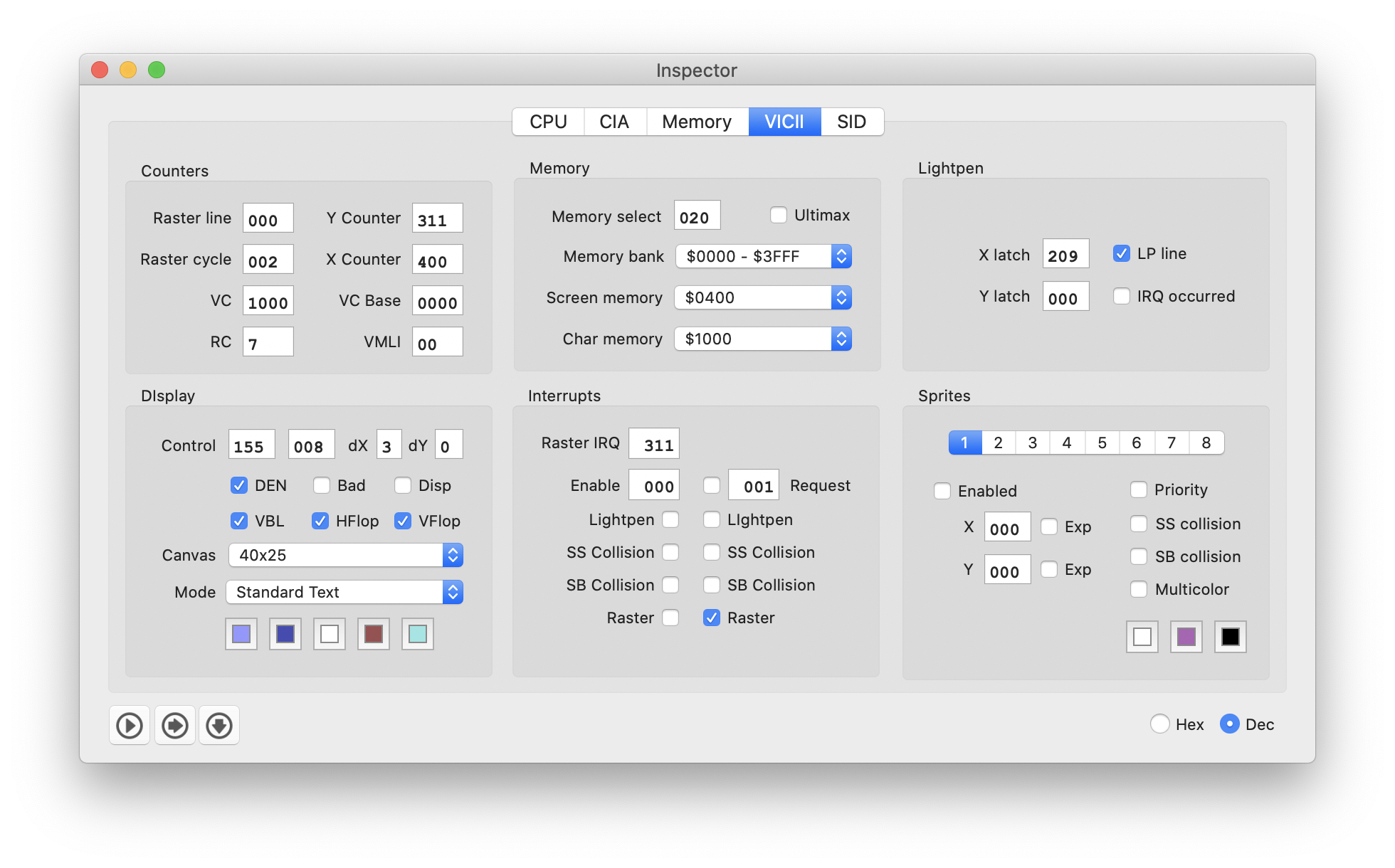
Preliminary layout of the new VIC panel:
dirkwhoffmann
on 12 Aug 2020
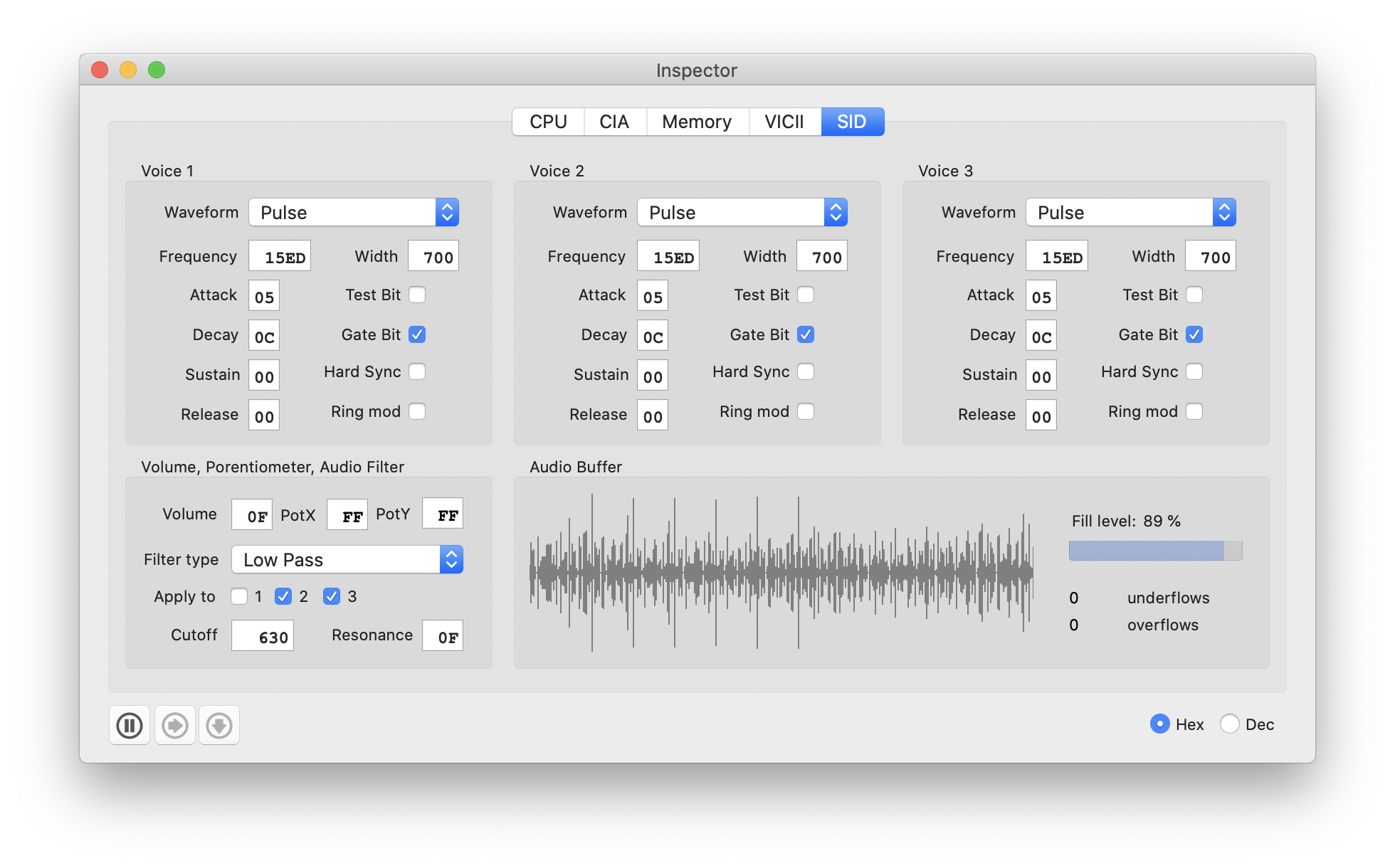
The last debug panel has been updated 🥵. Here is how the new SID panel looks like:
dirkwhoffmann
on 13 Aug 2020
this is all so cool 😍 ... I want to have that all in vc 64 WebEdition too 😳 ... But it is a ton of work ... this would take months for me to port all that stuff over to HTML5 😔 ... you do an amazing job for the mac version 👌
 mithrendal
on 13 Aug 2020
mithrendal
on 13 Aug 2020
I want to have that all in vc 64 WebEdition too
this would take months for me to port all that stuff over to HTML5
I think it's OK to not have a debugger in the web edition. Otherwise, there would be no reason to install the desktop version.
The web edition has other cool stuff such as action buttons 😎.
dirkwhoffmann
on 13 Aug 2020
This is how the disk inspector looks in v3.4:
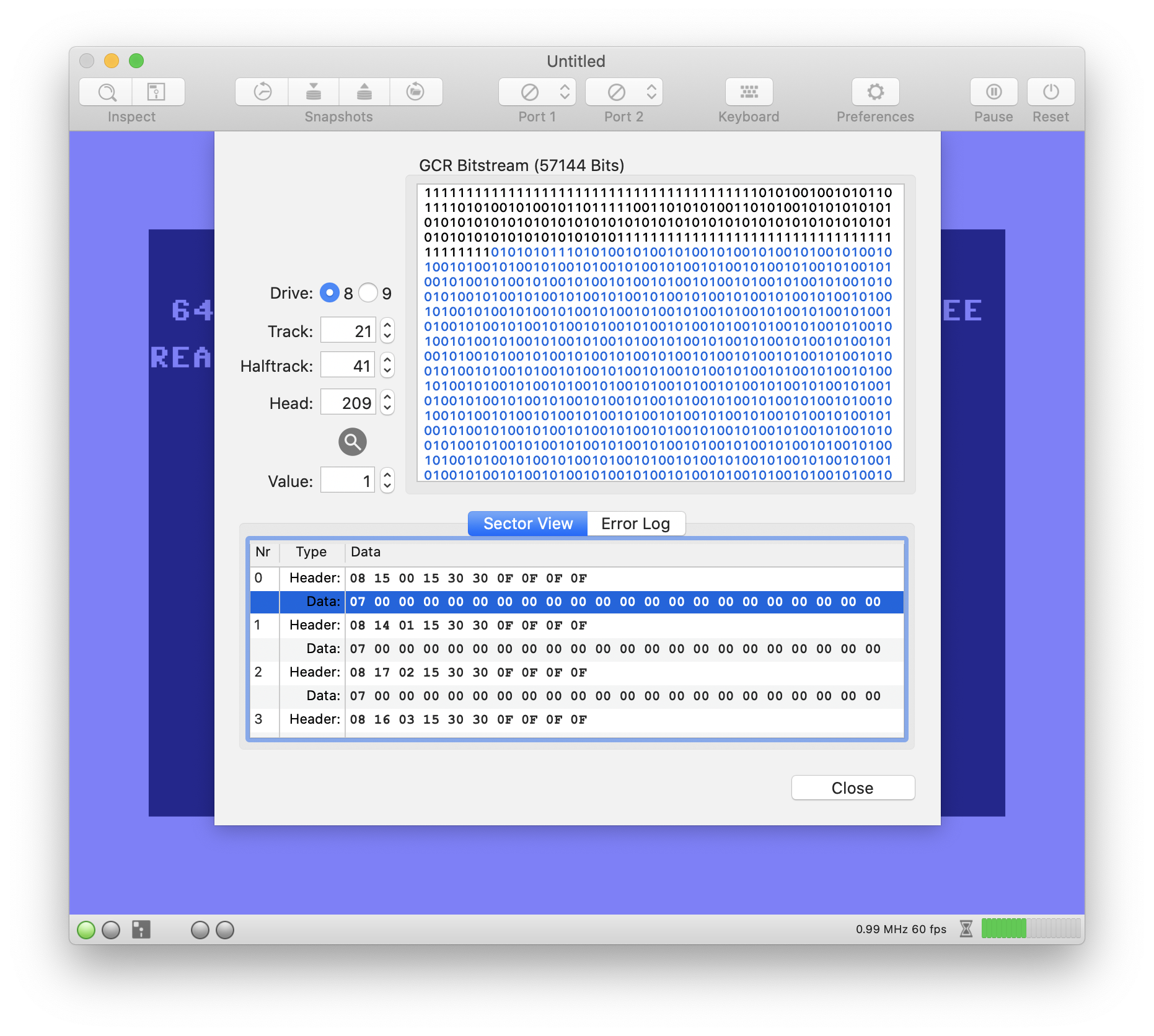
In v4.0, the disk inspector is a single panel inside the new inspector:
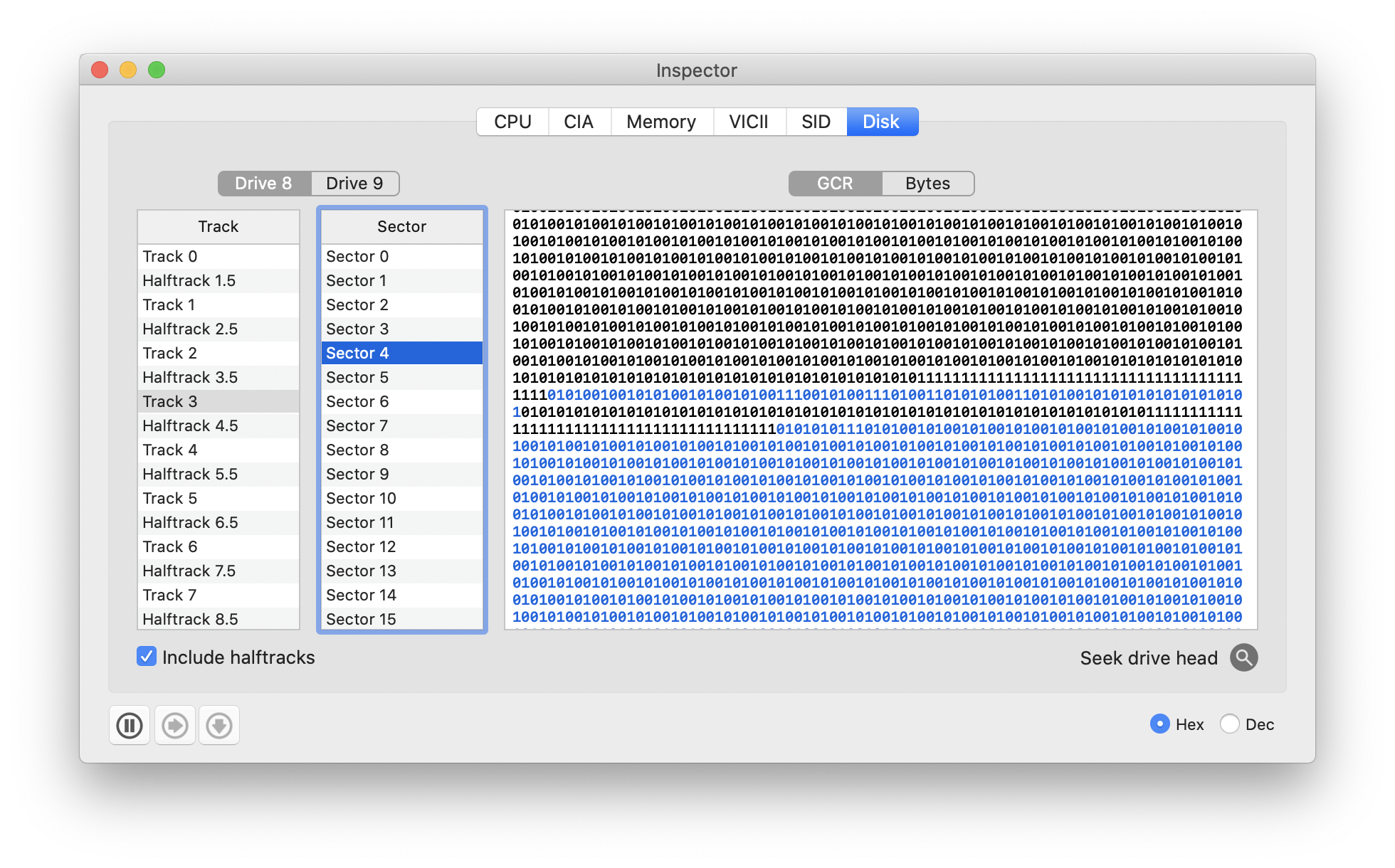
The track scanner (error log) is still there, but less obtrusive for the user. Whenever a new track is selected, a check is performed in the background. If errors were found, a warning message shows up and clicking the info button opens a separate sheet exhibiting the errors.

dirkwhoffmann
on 26 Aug 2020
I've started to port over vAmiga's screenshot code to VirtualC64. It's not complete, but looks very promising so far...
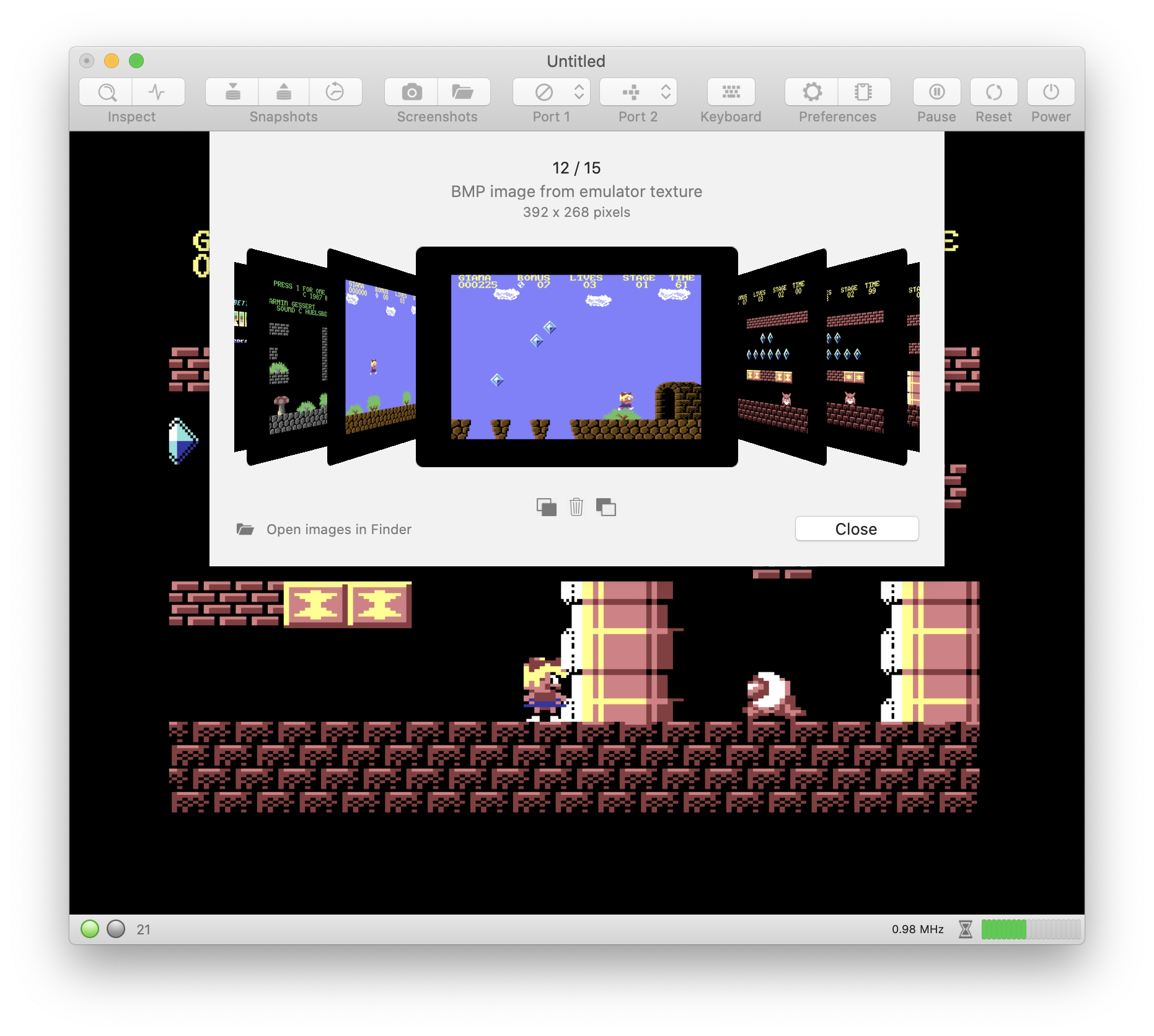
Also, I want to simplify things a bit. My experience in vAmiga with automatically taken screenshots hasn't been so good. Usually, the result is lots of blank screens or other boring stuff. Therefore, I decided not to port auto-screenshots to VirtualC64 and I am going to remove this feature from vAmiga, too.
dirkwhoffmann
on 30 Aug 2020
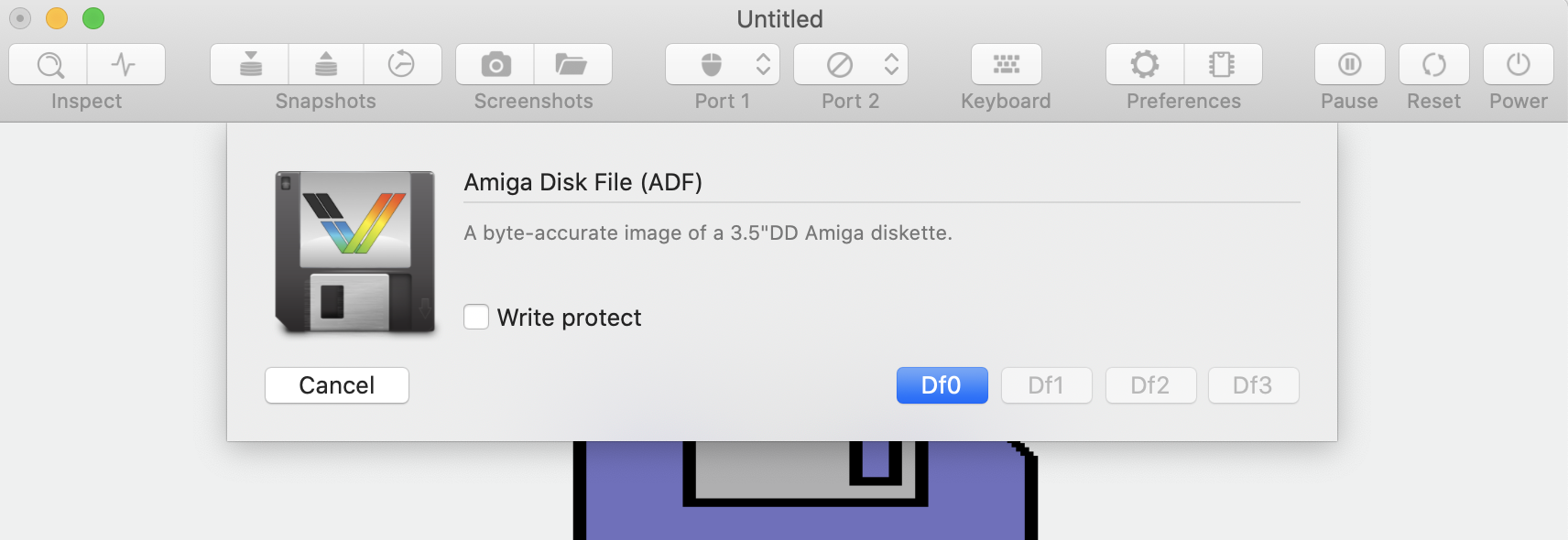
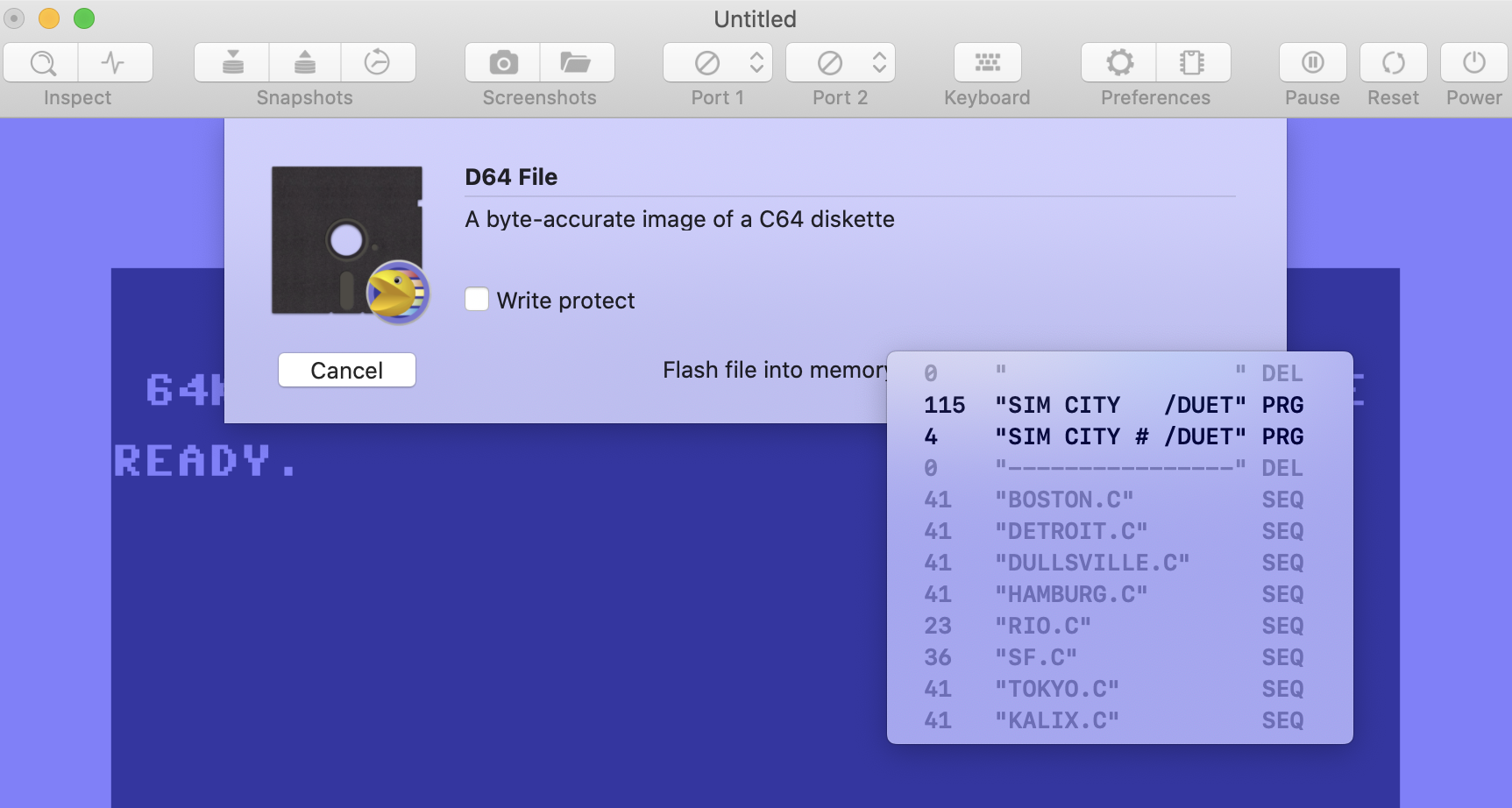
VirtualC64 4.0 will get a revamped media dialog similar to the one in vAmiga.
vAmiga:
VirtualC64 v4.0:
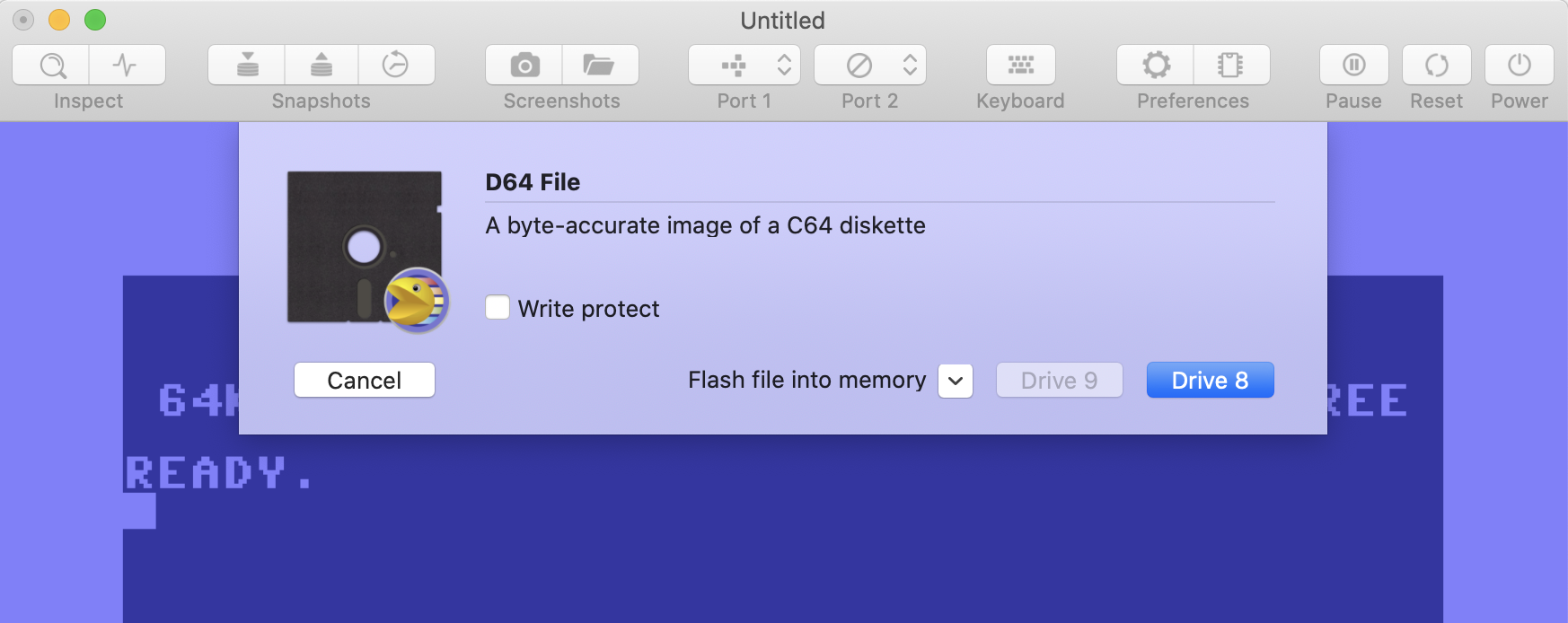
The directory view is still there, but less obtrusive to the user (it’s a pop up button now). Selecting an item flashes it into memory (only PRG files are flashable).
I’ve also incorporated an iCarousel view providing some eye candy if screenshots for the selected media file are found in the Application Defaults folder. This feature is also coming from vAmiga.
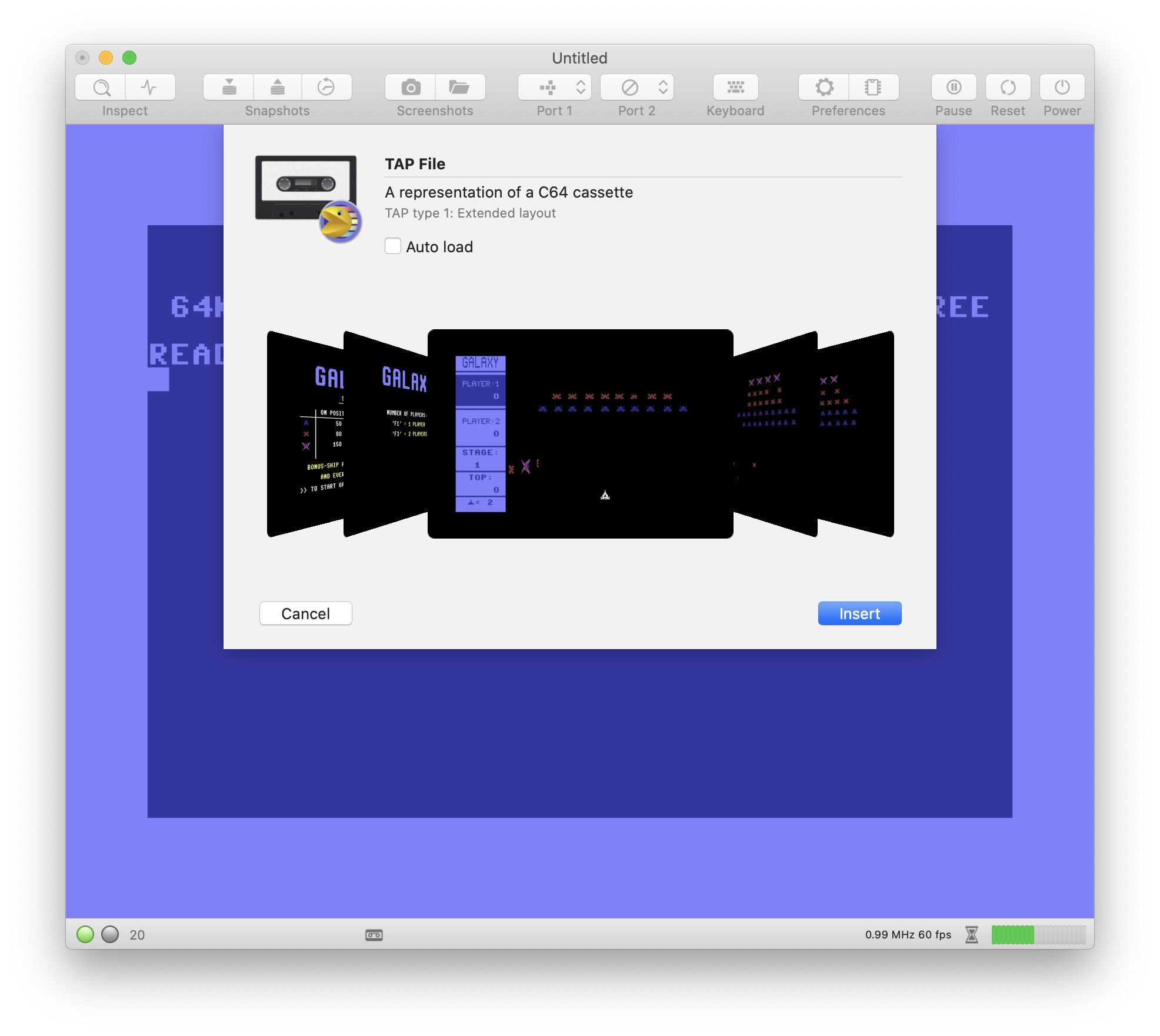
The TAP view is somewhat simpler than the one in v3.4. Auto-load is the only option in v4.0 whereas v3.4 has auto-load and auto-press-play-on-tape. Auto-load in v4.0 is the same as enabling both options in v3.4.
dirkwhoffmann
on 31 Aug 2020
All these changes look awesome. Cant wait for the final beta or release of V4
 bluecursor
on 1 Sep 2020
bluecursor
on 1 Sep 2020
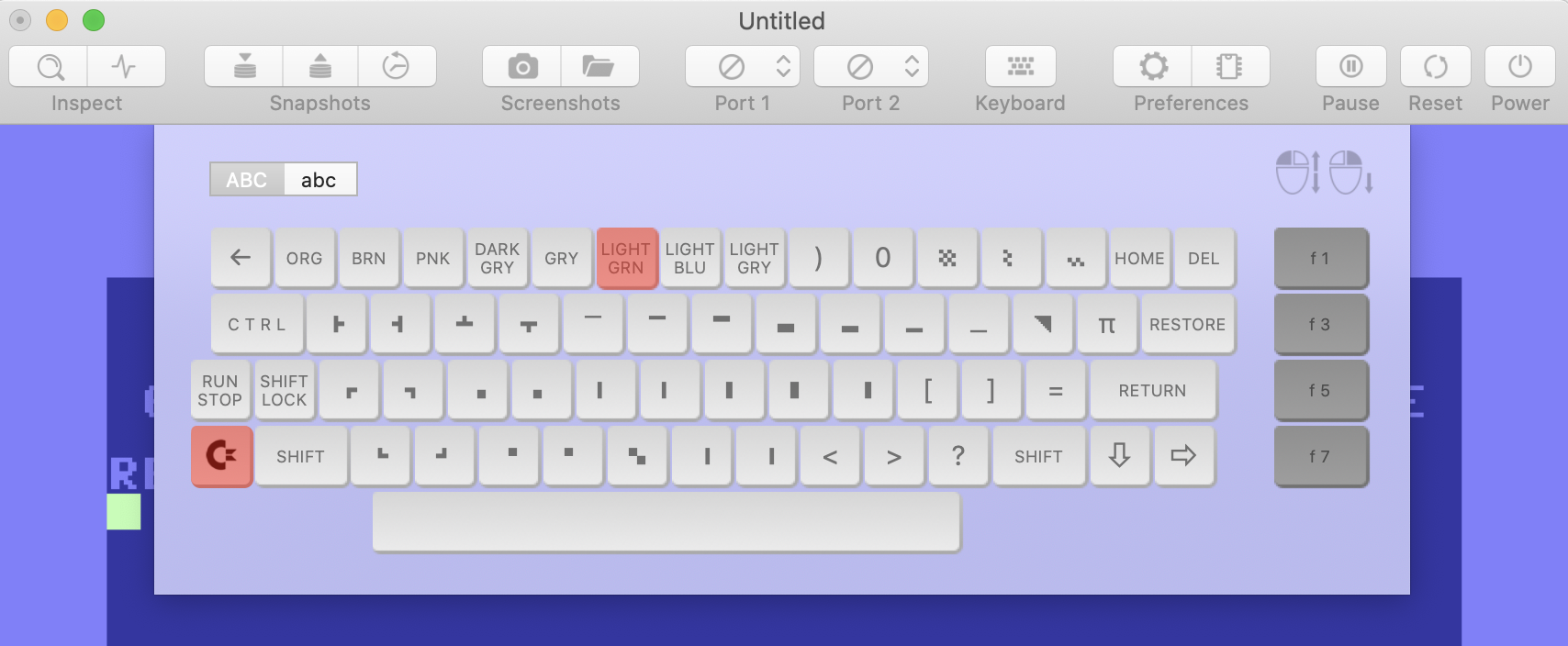
The virtual keyboard has been reworked and is now „vAmiga style“.
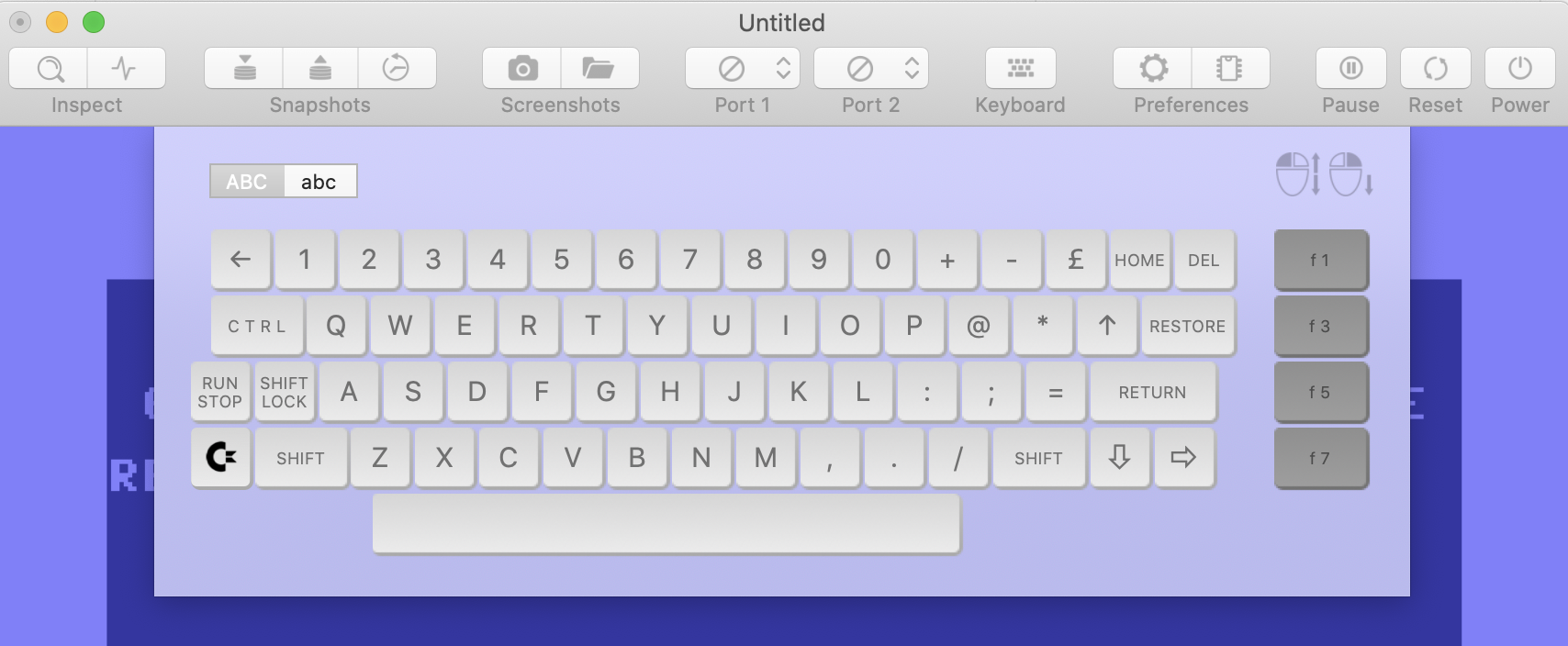
The left mouse button presses a key for a short period of time whereas the right mouse button toggles the key state. Hence, with the use of the right button, arbitrary key combinations can be pressed.
There are some internal API changes, too. Now, all functions for pressing keys have an optional parameter that can be used to automatically release a key after a certain numbers of frames:
void press(long nr, i64 duration = 0);
void pressRowCol(u8 row, u8 col, i64 duration = 0);
Changing disks is easier in v4.0, too. A call to insertDisk(…) is enough to insert a disk. It takes care of all necessary actions, namely: Blocking the light barrier by pulling the old disk halfway out, pulling the old disk out, blocking the light barrier again by pushing the new disk halfway in, etc.
dirkwhoffmann
on 5 Sep 2020
There are some internal API changes, too.
These API changes are great. Looking ahead to integrate the v4 core into vc64web !!! That will be fun!!! 🤤
I also want to do that amazing keyboard... still a lot of work to do on the Web Edition side😅
But now first I do the ActionScript ... 😍
mithrendal
on 5 Sep 2020
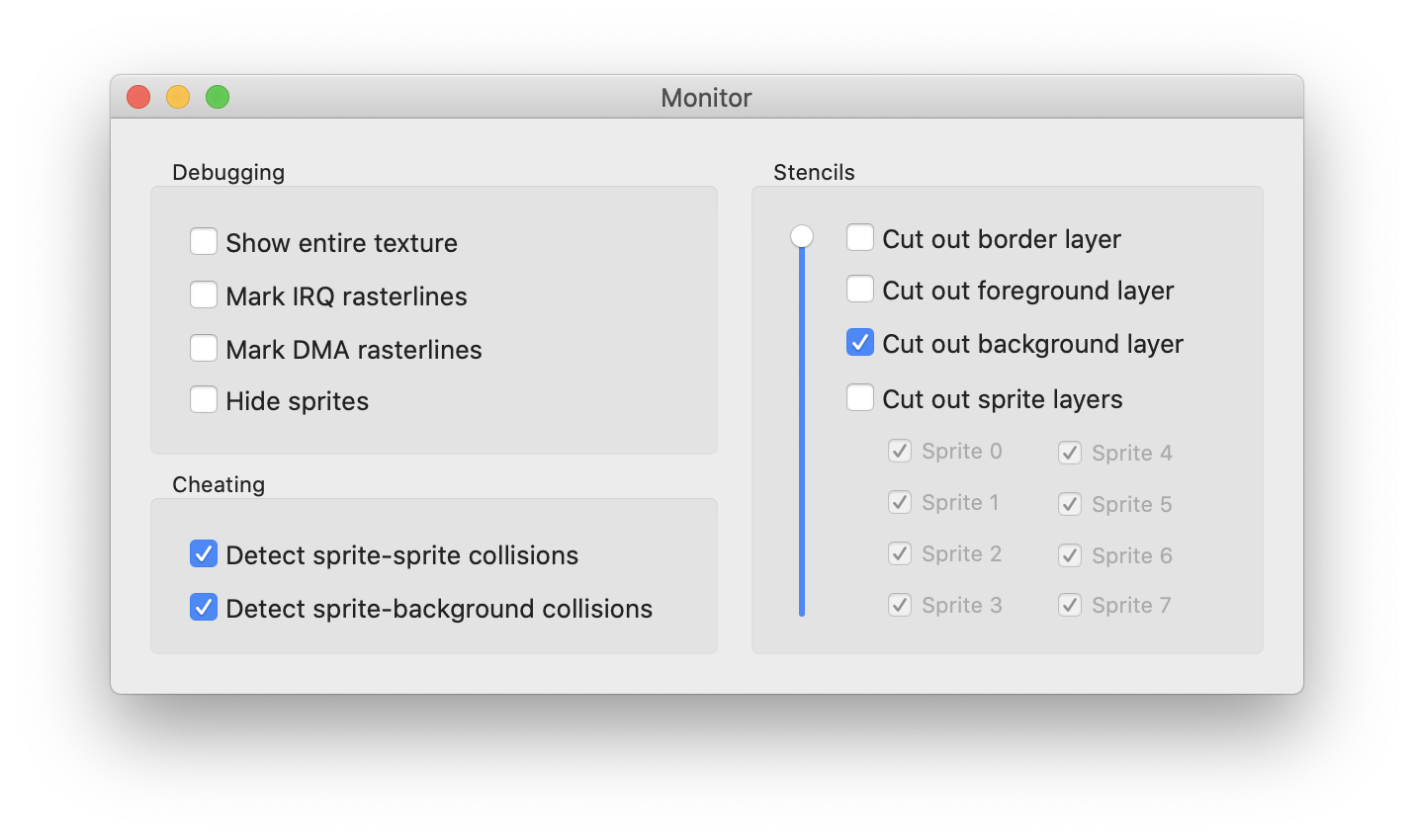
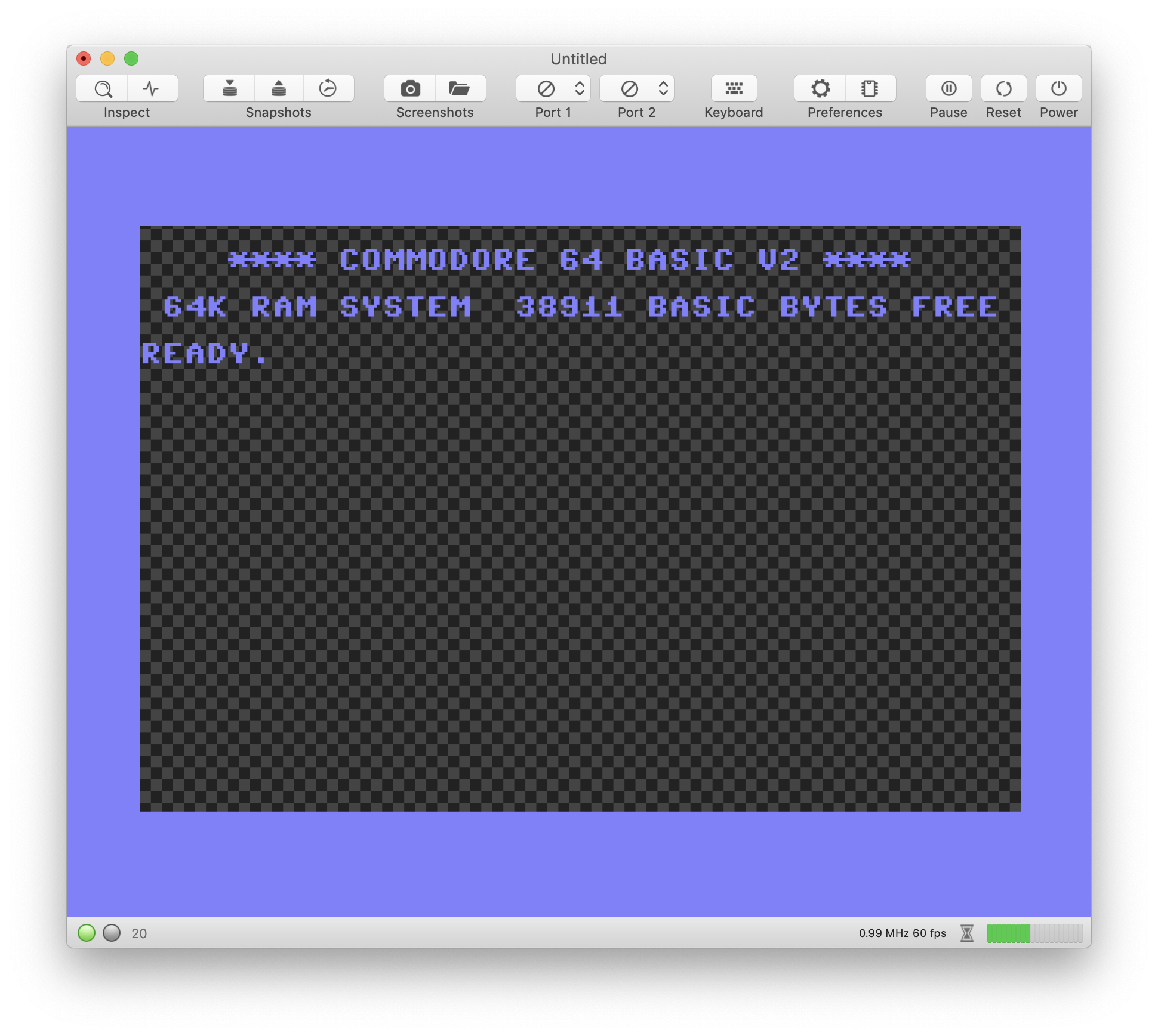
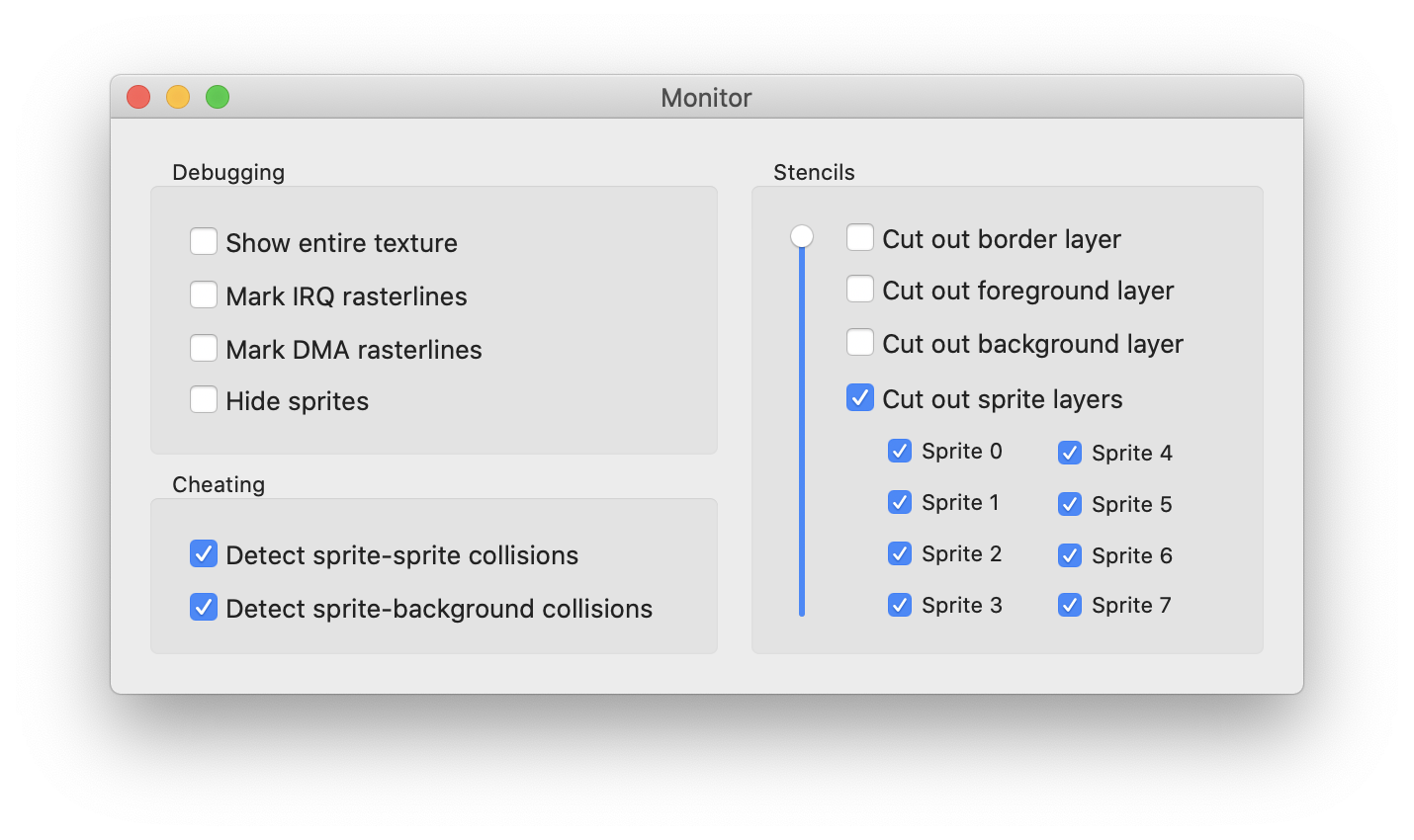
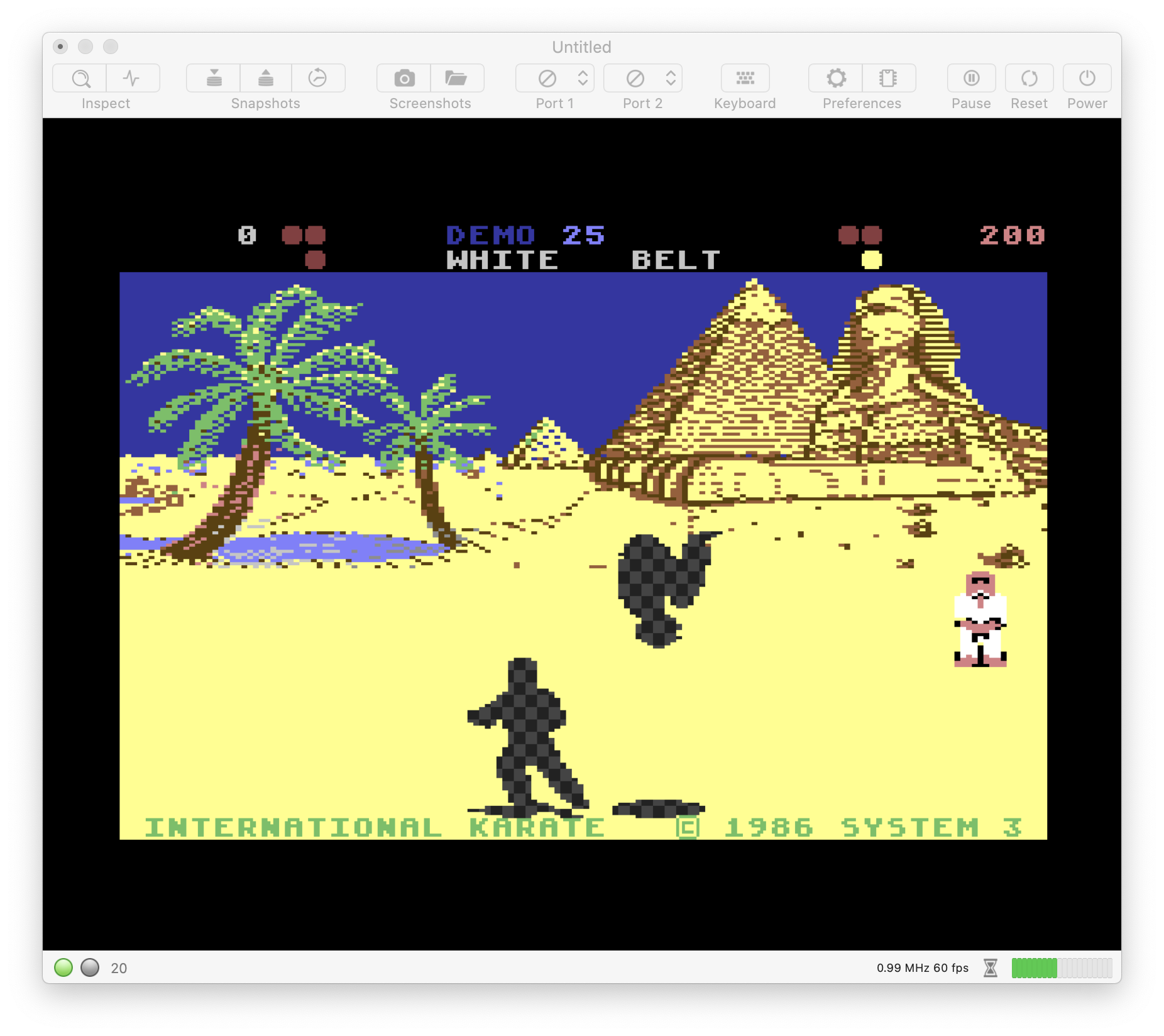
vAmiga has the ability to cut out certain graphics layers for debugging. VirtualC64 v4.0 will offer something similar:
dirkwhoffmann
on 7 Sep 2020
When sprites are disabled, shouldn't the background behind them be shown instead of the checkerboard?
 sdsnatcher
on 8 Sep 2020
sdsnatcher
on 8 Sep 2020
When sprites are disabled, shouldn't the background behind them be shown instead of the checkerboard?
Option "Hide Sprites" would do that. The stencil feature analyzed the final texture w.r.t. where each pixel comes from (border, foreground, background, sprites). If the source matches the filter, the pixel is "removed" and the checkerboard shines through.
dirkwhoffmann
on 8 Sep 2020
So the stencil options is not a multi select but is a single select?
I would think you have select the last 3 options to achieve the checkerboard to show through?
Frank Michielli
Sent with iOS Spark!📱
On Sep 8, 2020, 1:18 PM -0400, Dirk Hoffmann notifications@github.com, wrote:
When sprites are disabled, shouldn't the background behind them be shown instead of the checkerboard?
Option "Hide Sprites" would do that. The stencil feature analyzed the final texture w.r.t. where each pixel comes from (border, foreground, background, sprites). If the source matches the filter, the pixel is "removed" and the checkerboard shines through.
—
You are receiving this because you commented.
Reply to this email directly, view it on GitHub, or unsubscribe.
bluecursor
on 8 Sep 2020
Option "Hide Sprites" would do that.
Ok. I thought the "sprite cutout" would replace the "hide sprites" feature.
sdsnatcher
on 8 Sep 2020
So the stencil options are not a multi select but are single select?
You can filter out as many layer as you want. If you check all options, you get a plain checkerboard. In vAmiga, this feature has proven to be useful for debugging.
dirkwhoffmann
on 8 Sep 2020
Another topic: pretty please with sugar on top, add #515 to the list of changes on v4.0. :)
sdsnatcher
on 8 Sep 2020
Awsome, Thanks!
bluecursor
on 8 Sep 2020
v4.0 will have a "DMA debugger" similar to the one in vAmiga. The DMA debugger visualizes all VICII memory accesses with different colors for different access types.
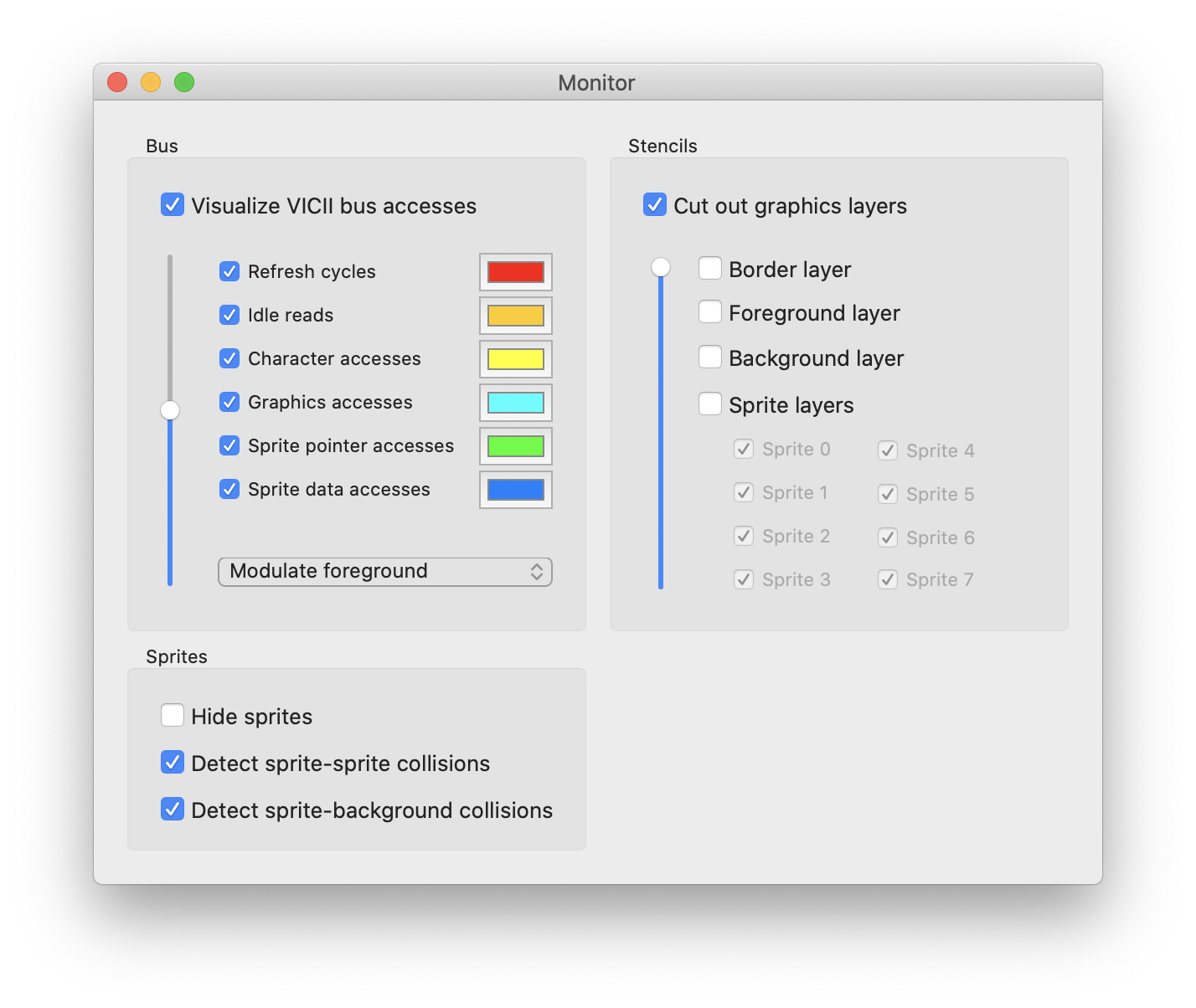
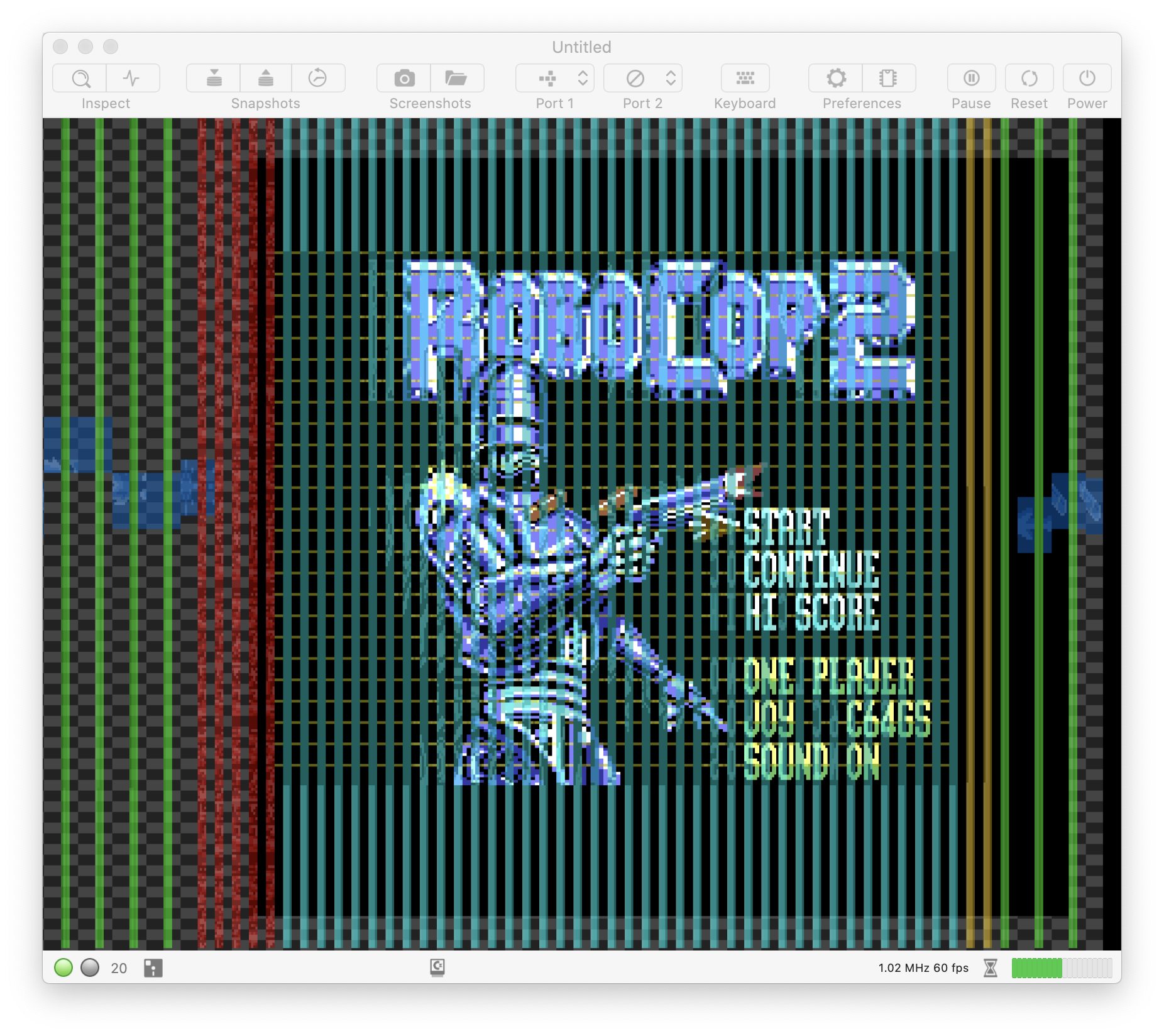
Obviously, it's less spectacular than the one in vAmiga, because bus sharing between the CPU and VICII is rather simple compared to what's going on inside the Amiga. But hey, why not.
dirkwhoffmann
on 12 Sep 2020
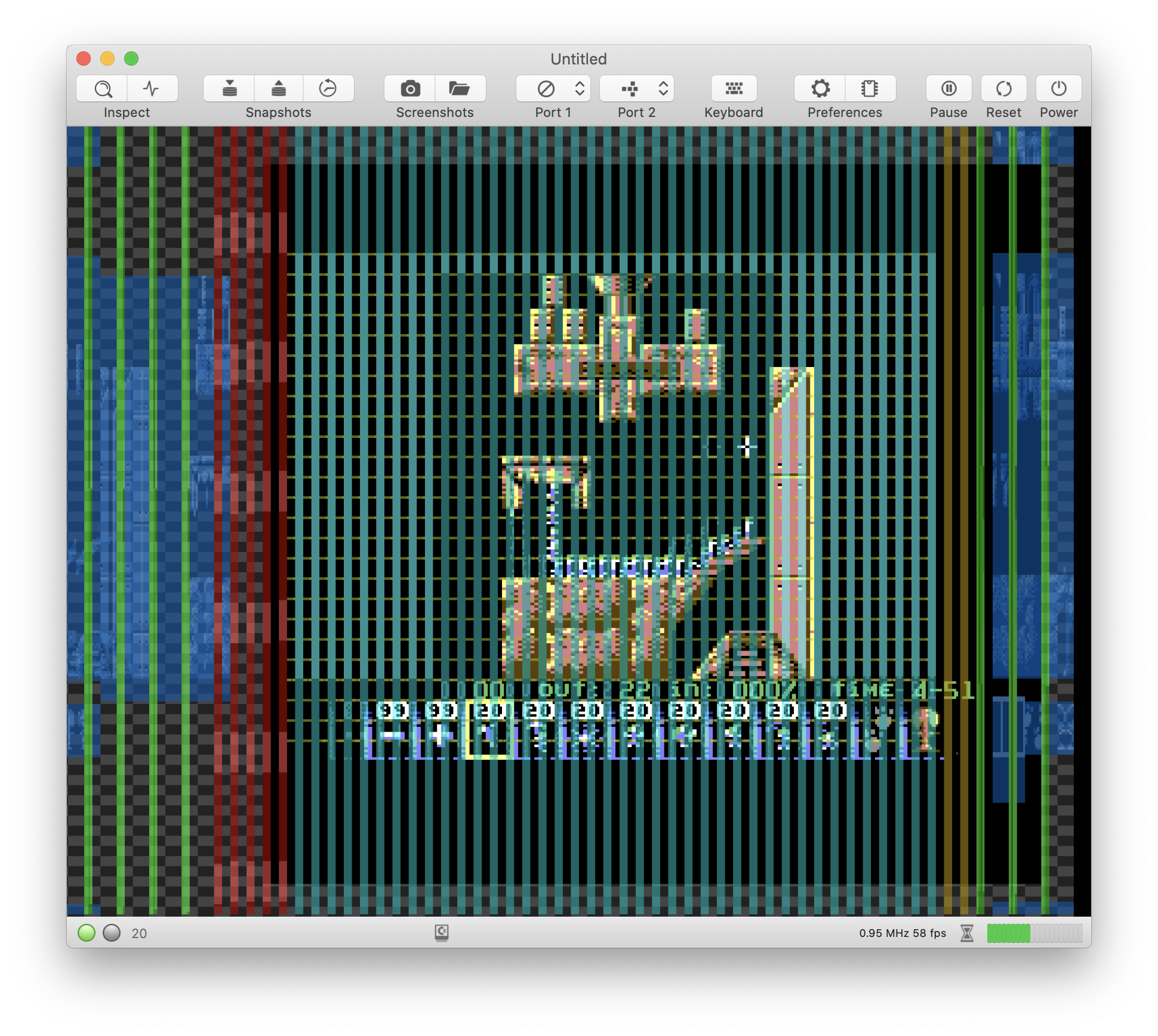
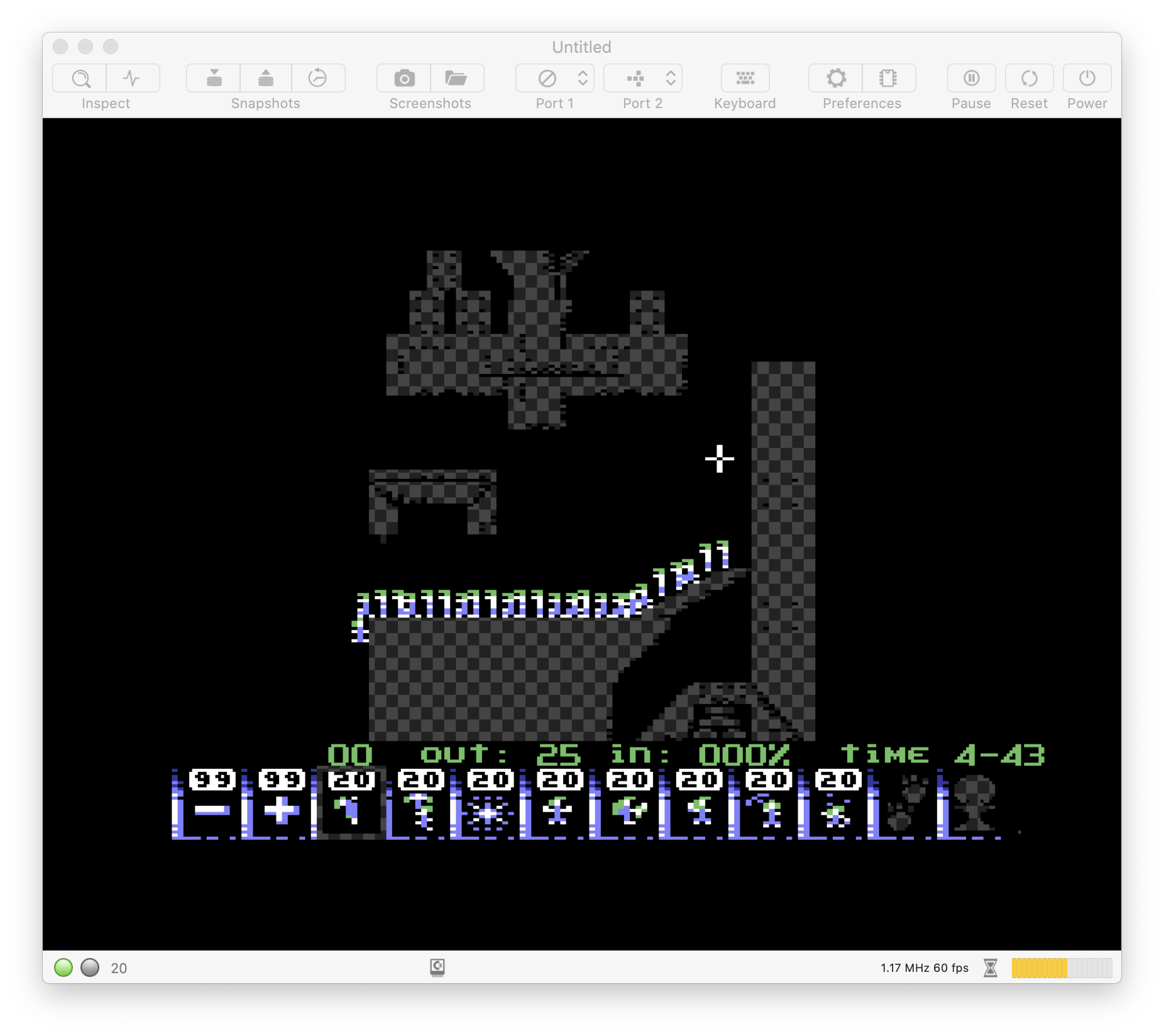
The new debugging tools are cooler than expected. E.g., they reveal that Lemmings uses tons of sprites. They are not used for drawing the lemmings though (there are too many of them). Interestingly, the whole scenery is drawn with sprites:
dirkwhoffmann
on 12 Sep 2020
It's always interesting it inspect what is going on. I love doing it (esp for Amiga stuff)
 emoon
on 12 Sep 2020
emoon
on 12 Sep 2020
Deep scientific inspection 🤓🤤🤤🤤
mithrendal
on 12 Sep 2020
Hi everyone,
after a long move to new house I was able to turn my old MBP back on waiting for a new MBP with Chip M1 to arrive in the spring ...
It is nice to reread and learn these changes that bring certain VirtualC64 settings closer to vAmiga.
Good idea.
Greetings to all of you.
 Alessandro1970
on 3 Feb 2021
Alessandro1970
on 3 Feb 2021
Hi @Alessandro1970 good to hear from you !
Hope all is fine at your new place
mithrendal
on 3 Feb 2021
@Alessandro1970: Welcome back!
dirkwhoffmann
on 3 Feb 2021
Related issues
bluecursor
·
7Comments
dirkwhoffmann
·
4Comments
 tsupplis
·
3Comments
Alessandro1970
·
5Comments
tsupplis
·
3Comments
Alessandro1970
·
5Comments
 mortinus
·
6Comments
mortinus
·
6Comments
Most helpful comment
v4.0 will have a "DMA debugger" similar to the one in vAmiga. The DMA debugger visualizes all VICII memory accesses with different colors for different access types.
Obviously, it's less spectacular than the one in vAmiga, because bus sharing between the CPU and VICII is rather simple compared to what's going on inside the Amiga. But hey, why not.