Virtualc64: Commodore Mouse 1351 on VirtualC64
Hi,
is there the way to use a Commodore Mouse 1351 emulation or something else to move the arrow under Geos with the Mac Mouse else than emulated joystick with keyboard?
Bye
 Alessandro1970
All 22 comments
It's not supported right now, but it shouldn't be too difficult. I'll tag this issue as "enhancement".
 dirkwhoffmann
on 3 Apr 2018
dirkwhoffmann
on 3 Apr 2018
👍🏻
Alessandro1970
on 3 Apr 2018
Hello
It is a very formidable thing if it works the emulation of the magic mouse (WIFI) on the VirtualC64 and made the Mouse 1531 Commodore works.
When could we try?
Bye
 parecibo
on 8 May 2018
parecibo
on 8 May 2018
Hi parecibo,
I do not think there are any problems with the wifi mouse.
The emulator will work independently if your mac has the wifi mouse or the cabled one and the 1351 will be emulated independently of this. ...I think
Alessandro1970
on 8 May 2018
Ok, thank you
parecibo
on 9 May 2018
If you want to emulate the 1531 mouse in proportional mode you have to map the X and Y positions of the Mac mouse to the POTX and POTY register of SID.
...and yeah I would really appreciate that feature as well ;)
(I am a VirtualC64 noop here but I just made a quick look and it seems like FastSID and ReSID do not implement this as the according functions to read from POT registers always return 0xFF)
 rummeyer
on 17 May 2018
rummeyer
on 17 May 2018
I have read that the 1351 mouse is like the 1350 expect that instead of a 4 bit micro, a
custom gate array has been added. The mouse has two modes of operation.
The mode of operation is selected when the mouse is powered up. When
powered up, the mouse will default to the primary mode of operation,
unless the right button is depressed in which case, the mouse will
power up in the secondary mode of operation.
The secondary mode of operation is like that of 1350, i.e. the mouse
acts like a joystick.
The primary mode of operation allows the mouse to act like a true
proportional mouse ad is better than other. It uses the SID pot registers to pass digital
position information from the mouse directly into the c64/c128 memory
map without processor intervention. This is because the SID A/D
conversion cycle is performed automatically every 512 CPU cycles.
Alessandro1970
on 17 May 2018
1531 mouse in proportional mode is the right choice for painting or geos
parecibo
on 17 May 2018
Sure - and a proper 1351 emulation would also fix issues #321, #312 and #316
rummeyer
on 17 May 2018
Most of the mouse implementation is already done. The next version will support the Commodore 1530 mouse (joystick mouse), the Commodore 1531 mouse (analog) and the Neos mouse (analog). The code for implementing the two analog mouses is already checked in in branch "mouse". The 1530 mouse remains to be implemented, but the implementation will be straight forward, because the logic is much simpler.
dirkwhoffmann
on 17 May 2018
VirtualC64 1.11 will support three mice models (C1350, C1351, and Neos):
http://www.dirkwhoffmann.de/virtualc64/VirtualC64_1_11_beta.zip
Any feedback on the beta version is highly appreciated.
dirkwhoffmann
on 18 May 2018
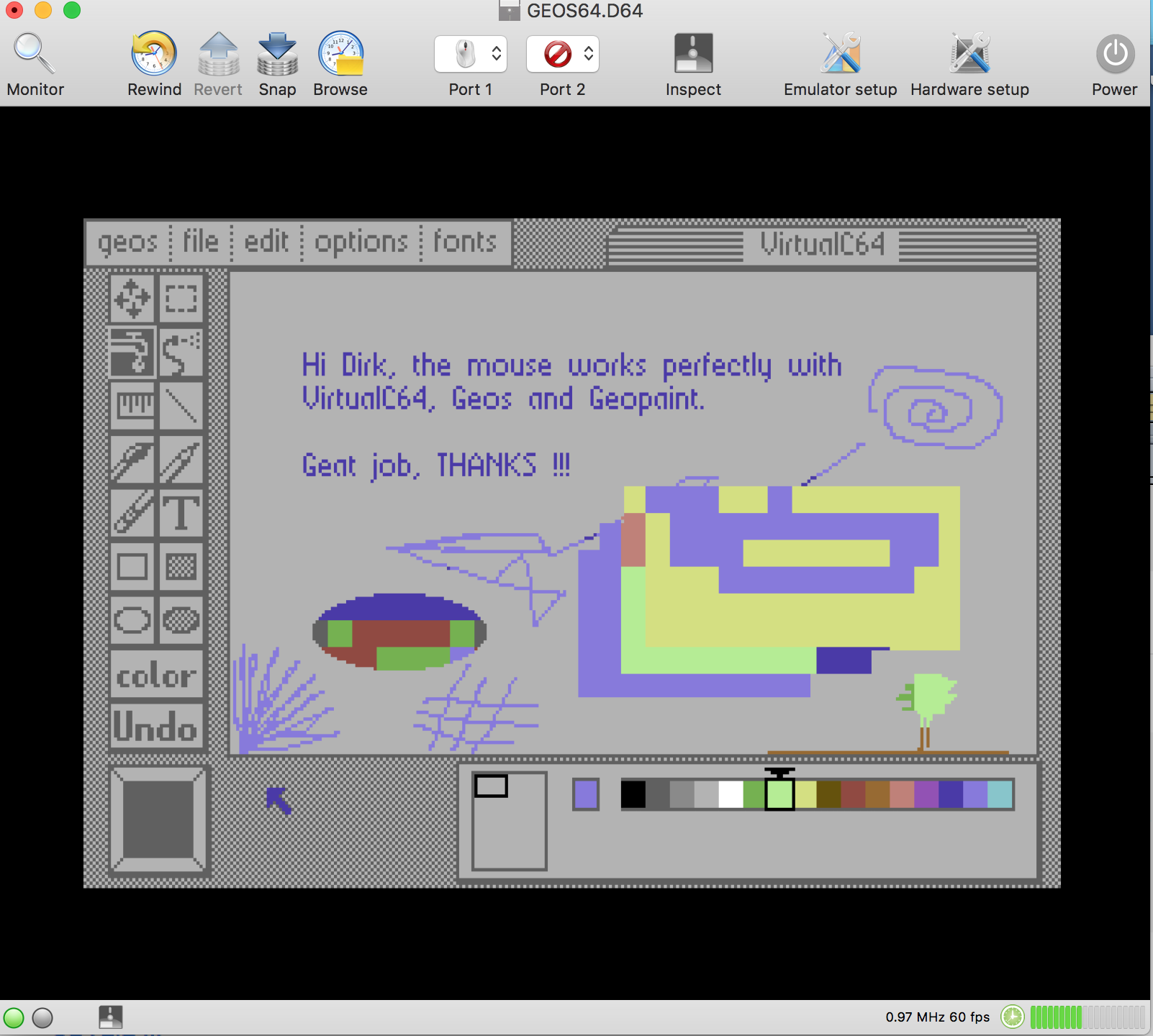
Hi Dirk,
The mouse works perfectly with VirtualC64, Geos and GeoPaint.
The combination of "CMD I" keys was tested by me several times with Geowrite and it works very well, no problem encountered at the moment with the 1351 emulation.
Great job, THANKS !!!
Alessandro1970
on 19 May 2018
It worked fine here as well. The only thing I don't like is the Cmd+I thing. I use VMware Fusion a lot and the logic there is the other way around. The mouse is claimed as soon as you start VMware and you have to press Ctrl+Cmd to "free" the mouse it for Mac (and it is displayed in the window title so the user knows exactly what to do).

Anyway I am very happy that VirtualC64 finally got mouse support! Thank you Dirk!
rummeyer
on 19 May 2018
Anyway thanks, but...
if it was possible to implement the pointer "capture and release system" used also in VMWare Fusion it would be better for me too.
Alessandro1970
on 19 May 2018
VMware Fusion probably has a special handling for Windows (for most people the most important use case). If you move the pointer to the border of the native Mac OS window, the mouse is transitioning from Windows to Mac OS by magic.
I think it doesn't make any sense to do that for GEOS or any other special case in the C64 world.
rummeyer
on 19 May 2018
You are right, better to select the mouse manually as it is now and do not change anything.
Surely the incompatibilities with the keyboard are eliminated, the automatic detection could create inconveniences.
Alessandro1970
on 19 May 2018
I do not have the geos but the cmd + i system works very well for me and I have not had any problems even with arkanoid
 Ottavius
on 19 May 2018
Ottavius
on 19 May 2018
It's probably just a matter of taste. I think the main difference is that in VMware its more about attaching and detaching the mouse inputs (no events are triggered if the mouse is focused on Mac OS and vice versa). In VirtualC64 it's just about showing and hiding the Mac mouse pointer. It got me a little confused to have two pointers when using GEOS but I am good with it now as it works perfectly how it is.
rummeyer
on 19 May 2018
One could of course change cmd + i to a different key combination. Unfortunately, cmd + ctrl is not a valid key combination in macOS (cmd + ctrl + i would be possible which does not help).
dirkwhoffmann
on 19 May 2018
To think well about it, the system works well for me too.
Also I would not change anything, for me the issue is closed!
CMD+I works fine !
Thanks
Alessandro1970
on 19 May 2018
Hiding the mouse (cmd + i) in VirtualC64 does another important thing. Besides hiding the mouse pointer, it disconnects it from the cursor. Otherwise, the mouse events stop when the Mac mouse has reached the screen border. In addition, active corner events would be triggered when reaching a corner. Disconnecting the cursor makes sure that mouse events come in continously and do not cause side effects in macOS.
dirkwhoffmann
on 19 May 2018
Fixed in V1.11
dirkwhoffmann
on 19 May 2018
Related issues
Alessandro1970
·
5Comments
 ChuckCaplan
·
7Comments
Alessandro1970
·
3Comments
dirkwhoffmann
·
5Comments
ChuckCaplan
·
7Comments
Alessandro1970
·
3Comments
dirkwhoffmann
·
5Comments
 Shrapnel21
·
6Comments
Shrapnel21
·
6Comments
Most helpful comment
Most of the mouse implementation is already done. The next version will support the Commodore 1530 mouse (joystick mouse), the Commodore 1531 mouse (analog) and the Neos mouse (analog). The code for implementing the two analog mouses is already checked in in branch "mouse". The 1530 mouse remains to be implemented, but the implementation will be straight forward, because the logic is much simpler.