Virtualc64: Crazy controls... =P
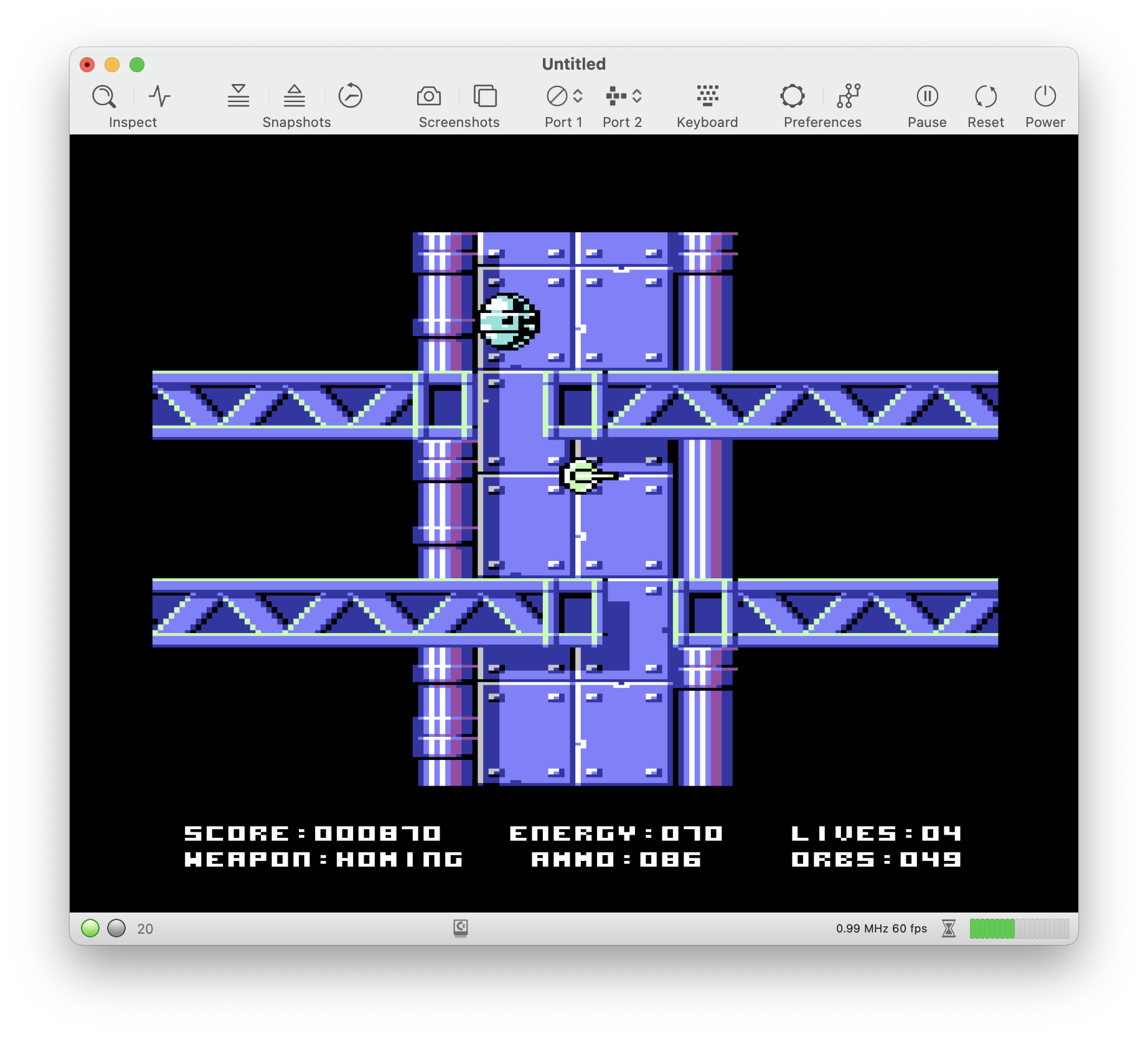
Using the latest beta for 4.0, redefined my joystick keyset #1 to 8, 6, 2 and 4 on the numpad and CTRL for fire button and, after moving the sprite for a few seconds in Moonspire (ah, the coincidences! =) ) it starts moving on its own even if I don't press anything. Still have to try more games, I will as soon as possible.
Also, if I use the default joystick keyset #2, the sprite follows the mouse. =P
 Shrapnel21
All 6 comments
Gave it a quick try with PowerGlove and it seems the first problem doesn't happen so far.
Using joystick keyset #2, though, the mouse keeps moving the sprite. Kinda fun, actually. =D
Update: Gave Thundercats a go and it happened again, I guess there's something 'wrong' with that combination of keys. Not that it's that big of a deal, anyway.
Shrapnel21
on 17 Jan 2021
On a positive side note, I finally took the chance to test my 8bitdo M30 Bluetooth controller with VirtualC64 and it seems it's perfectly working.
It would be awesome if some keyboard keys, like the space bar or the numbers, could be assigned to the extra fire buttons on the controller. =)
Shrapnel21
on 17 Jan 2021
I played Moonspire for quite some time now (nice game btw. I.e., the homing weapon is great 😎).
I think there are two distinct issues here:
- When keyset 2 is selected, mouse movements are translated into joystick events (I guess the 1350 mouse becomes active for some reason).
- There is an issue with the control key. Key releases don't seem to be recognized reliably. I think this happens if CTRL is pressed together with some other key. On my MBP, I get asked frequently if I'd like to activate voice recognition. Hence, I think the OS captures the key presses under certain circumstances.
 dirkwhoffmann
on 20 Jan 2021
dirkwhoffmann
on 20 Jan 2021
The bigger problem (mouse activates itself) has been fixed. Regarding the smaller problem (control key issue), I think I know what it is, but I don’t know what to do about it. To reproduce the problem, I plugged in a joystick in port 2, emulated with CTRL + cursor keys.
When hitting fire, I can see the following in the console (debug messages added in my build):
KeyboardController.129::keyDown(with:): 59
GamePad.191::keyDownEvents(_:): keyDownEvents 4
KeyboardController.169::keyUp(with:): 59
GamePad.232::keyUpEvents(_:): keyUpEvents 4
The log is fine. We see what we are supposed to see: A key press and a key release.
Now, let’s press fire plus cursor down in the following order:
- Hold down Ctrl
- Hold down Cursor Down
- Release Cursor Down
- Release Ctrl
Now, the debug log shows:
KeyboardController.129::keyDown(with:): 59
GamePad.191::keyDownEvents(_:): keyDownEvents 4
The fire button is pressed, but not released any more. On my machine, this happens because Ctrl+Cursor down triggers some OS action that takes away the focus from the emulator. Hence, the emulator only gets the Ctrl key down message which basically enables auto-fire in this case. I guess something similar happens on your machine. The key release message is not received by the emulator which results in continuous joystick movements.
Maybe it’s best to simply forbid the Ctrl key as joystick emulation key. 🤔
dirkwhoffmann
on 20 Jan 2021
Oh well, this was quick! =)
Regarding the Control Key, we'll live without it, I guess. =D
Shrapnel21
on 20 Jan 2021
Should be fixed in v4.0b4.
dirkwhoffmann
on 21 Jan 2021
Related issues
 ChuckCaplan
·
7Comments
ChuckCaplan
·
7Comments
 PakkunKinoppi
·
4Comments
dirkwhoffmann
·
7Comments
dirkwhoffmann
·
5Comments
PakkunKinoppi
·
4Comments
dirkwhoffmann
·
7Comments
dirkwhoffmann
·
5Comments
 puleyo
·
6Comments
puleyo
·
6Comments