- Click thumbs-up 👍 on this issue if you want it!
- Click confused 😕 on this issue if not having it makes VSCodeVim unusable.
The VSCodeVim team prioritizes issues based on reaction count.
Is this a BUG REPORT or FEATURE REQUEST? (choose one):
Environment:
- VSCode Version: 1.13.1
- VsCodeVim Version: 0.9.0
- OS: Windows 10 x64
What happened:
Sometime while typing or autocompleting the extension is stuck in the current mode and not accepting any inputs. Also the "Toggle mode" from the command palette doesn't respond.
I can't force to reproduce that error but I also cannot resolve it except with reload window.
What did you expect to happen:
How to reproduce it:
 ghost
ghost
All 22 comments
I got the same problem after I update my vscode , can't insert anything or exit insert mode.so I have to uninstall vim extensions. How can I solve the problem?
 Archsx
on 21 Jul 2017
Archsx
on 21 Jul 2017
@Archsx Can you open up dev tools and tell me what you see?
 Chillee
on 21 Jul 2017
Chillee
on 21 Jul 2017
Sorry.It seems to be nothing wrong with vim. I just add '"git.enabled": false' to the settings.json.and the problem was
solved. @Chillee .
Archsx
on 25 Jul 2017
Solution by @Archsx seemed to work for a bit but the exact same problem described in this issue came right back in a few minutes.
VCSCode Version 1.23.1
Vim extension version 0.12.0
 joemsak
on 25 May 2018
joemsak
on 25 May 2018
@joemsak anything in the dev console?
 jpoon
on 15 Jun 2018
jpoon
on 15 Jun 2018
@jpoon thanks for your response. I will check the dev console the next time this happens. It doesn't happen often but once it starts it won't stop happening until I restart my computer
joemsak
on 15 Jun 2018
@jpoon it's happening now, here is the full console dev log... does this help?
-1529618060153.log
joemsak
on 21 Jun 2018
Looks like my pi-hole is blocking a connection (192.138.1.20) but this was happening before I had a pi-hole DNS or even a raspberry pi device at all on my local network
joemsak
on 21 Jun 2018
I restarted vs code and it's happening again, here is hopefully a more concise dev console log I'm not sure if the contents will help you or not though
I'm going to have to disable the vim extension until there is a workaround or fix for this :(
joemsak
on 21 Jun 2018
Did you set up the extension to do verbose logging?
jpoon
on 22 Jun 2018
No, sorry, I will now. Sorry, I'm not intimately familiar with the internals of VS code extensions, I'm only here because I'm having the same problem as an end-user
joemsak
on 22 Jun 2018
--Sorry, can you help me find that setting?
scratch that, found it. sorry
joemsak
on 22 Jun 2018
I'll post a log again if it happens again thanks for your help and patience with me
joemsak
on 22 Jun 2018
Happened to me today for the first time. Exiting then restarting VSCode seemed to fix it.
 msorens
on 30 Jun 2018
msorens
on 30 Jun 2018
Hey this just happened again and even though I set the extension to verbose logging mode there doesn't appear to be anything in the console related to vim
All I can say is it sometimes happens if you try to start inserting at the beginning of an existing line and what you type is opening an HTML tag
For example in a .vue file in the <template> section I started typing a P tag:
<h4>Program Update email from us</h4>
<You can stop
it freezes upon adding the < and I can't type anything anywhere in the file or use esc to go to normal mode
I was able to reload the extension and type a p so it looks like this:
<h4>Program Update email from us</h4>
<pYou can stop
but it froze on me again
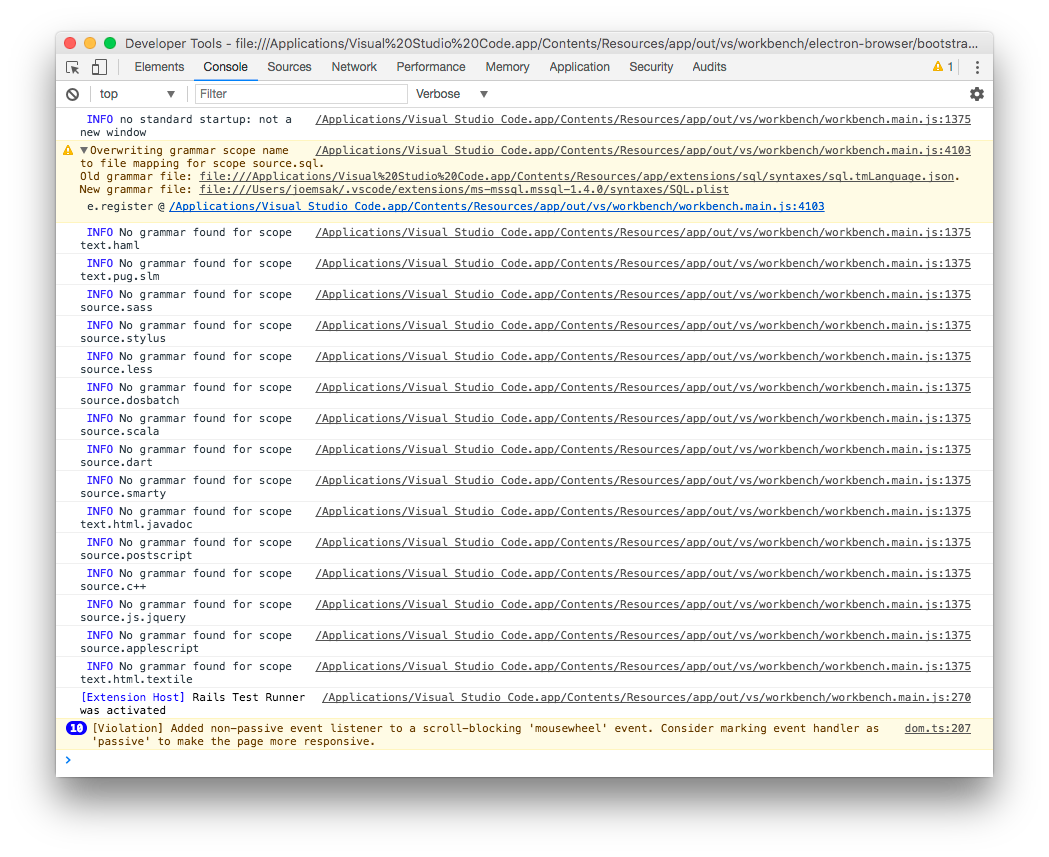
I can't tell if the console has anything useful but just in case I have attached a screenshot
joemsak
on 25 Jul 2018
Okay this actually seems consistent. It freezes every time I try to insert at the beginning of that line by opening an HTML tag. Possibly related to some tag autocomplete feature?
If I open a new line above or below the text, I can add the tag without issue.
joemsak
on 25 Jul 2018
Okay I just uninstalled the extension
"Auto Close Tag" by Jun Han and 2 closely related extensions by the same author, and this problem appears to have gone away
joemsak
on 25 Jul 2018
I had to do as @joemsak suggested above, but I also had to disable 'Auto Rename Tag' (also by Jun Han).
 colepeters
on 18 Sep 2018
colepeters
on 18 Sep 2018
Btw, I have not had this problem again since my comment above. And yes @colepeters that's correct, I disabled 3 extensions by that author in total
joemsak
on 18 Sep 2018
Closing as this sounds like an issue with a different extension.
jpoon
on 30 Dec 2018
[Just wanted to note that I've had this problem with my vim mode sometimes, and I just disabled one of the above extensions and/or another HTML auto close or auto complete extension. Fixed my issue. So if you're having this issue more recently, it could still just be another "disable some extensions" thing. HTML seems to be where it causes a problem the most [for me, anyways].]
 hangtwenty
on 29 Nov 2020
hangtwenty
on 29 Nov 2020
Thanks anyway! I’ve solved my problem as I said before. For me , it is git auto update issue.
发送自 Windows 10 版邮件https://go.microsoft.com/fwlink/?LinkId=550986应用
发件人: Michael Floeringnotifications@github.com
发送时间: 2020年11月29日 16:03
收件人: VSCodeVim/VimVim@noreply.github.com
抄送: Archsxsuxun1202@live.com; Mentionmention@noreply.github.com
主题: Re: [VSCodeVim/Vim] Stuck in one mode (#1893)
[Just wanted to note that I've had this problem with my vim mode sometimes, and I just disabled one of the above extensions and/or another HTML auto close or auto complete extension. Fixed my issue. So if you're having this issue more recently, it could still just be another "disable some extensions" thing. HTML seems to be where it causes a problem the most [for me, anyways].]
―
You are receiving this because you were mentioned.
Reply to this email directly, view it on GitHubhttps://github.com/VSCodeVim/Vim/issues/1893#issuecomment-735358318, or unsubscribehttps://github.com/notifications/unsubscribe-auth/AFFRPMKJHSE4ZSRGDS4AFKLSSH547ANCNFSM4DRJPGCA.
Archsx
on 29 Nov 2020
Related issues
 st-schneider
·
3Comments
st-schneider
·
3Comments
 gerardmrk
·
3Comments
gerardmrk
·
3Comments
 WangRongda
·
3Comments
WangRongda
·
3Comments
 AndersenJ
·
3Comments
AndersenJ
·
3Comments
 Jimmy-Z
·
3Comments
Jimmy-Z
·
3Comments
Most helpful comment
Okay I just uninstalled the extension
"Auto Close Tag" by Jun Han and 2 closely related extensions by the same author, and this problem appears to have gone away