Vim-devicons: Icons show in Terminal but not in iTerm
I've tried the following fonts and all work in Terminal but not in iTerm
set guifont=DroidSansMonoForPowerline_Nerd_Font:h10
set guifont=Knack_Nerd_Font:h10


md5-0d548e096119a8dc5d07a4ac7822cd4d


```vim
set guifont=FuraMonoForPowerline_Nerd_Font:h10
I've also changed to Font and Non-ASCII Font values in iTerm to the corresponding Nerd Font.
 shammellee
All 4 comments
@shammellee Does the font not work at all or the glyphs for filetypes aren't showing?
Could you provide a screenshot?
 ryanoasis
on 17 Feb 2018
ryanoasis
on 17 Feb 2018
Was having this issue with nerd fonts complete and powerlevel9k theme which worked in Terminal but not iTerm2. Not the exact same scenario but I created another profile name, set it as default and set the fonts and it solved my issue. If you have not tried that might want to see if it works.
 MadRukus
on 29 Sep 2018
MadRukus
on 29 Sep 2018
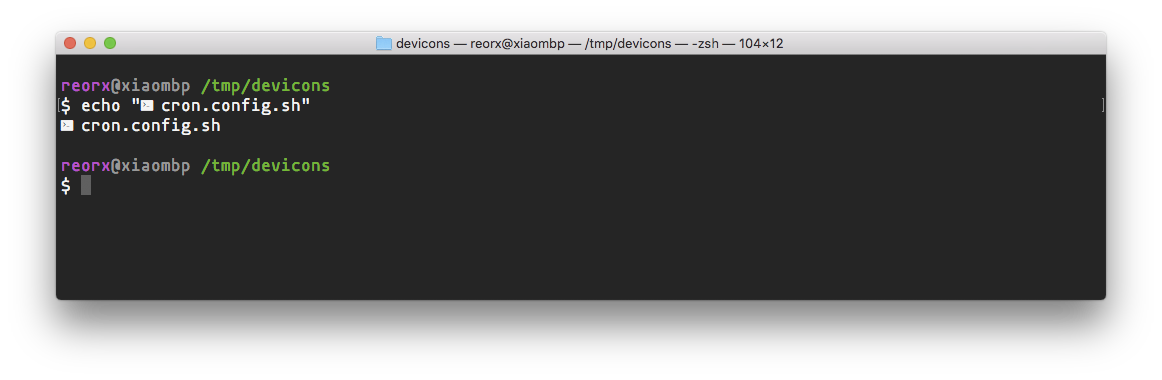
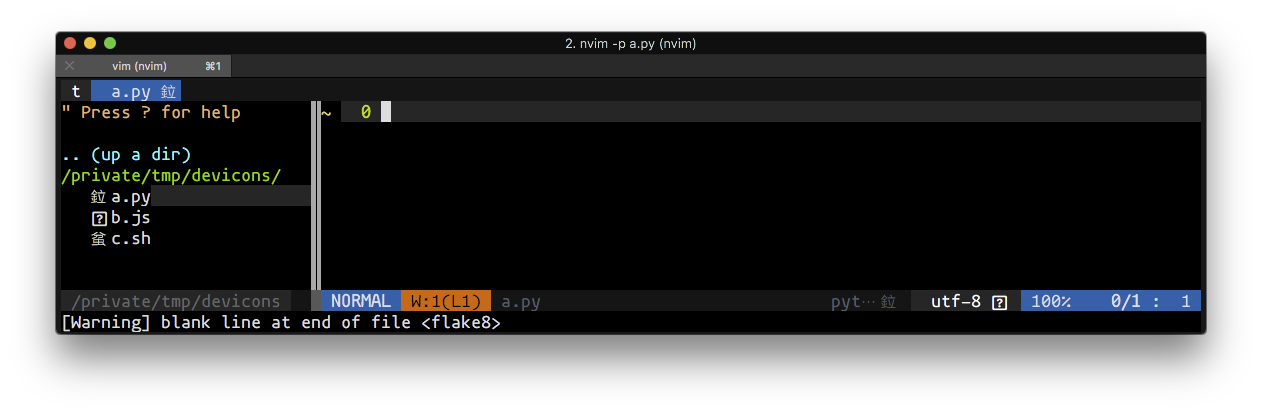
I encountered the same problem here. Screenshots below:
Terminal.app:


Iterm2.app:

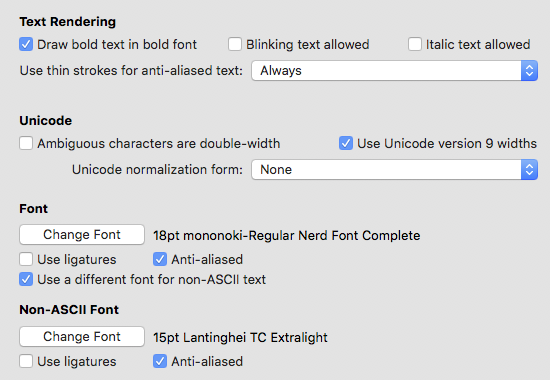
System info:
- MacOS 10.13.6
- iTerm2 Build 3.2.4beta1
- neovim 0.3.1
 reorx
on 18 Oct 2018
reorx
on 18 Oct 2018
After over a year of several failed attempts, I finally got it working with the following…
$ brew tap homebrew/cask-fonts
$ brew cask install font-hack-nerd-font
In my .vimrc (after enabling airline, powerline, etc.)…
set encoding=utf-8
let g:airline_powerline_fonts = 1
In iTerm2, change the Non-ASCII font to a Nerd Font (eg, Droid Sans Mono Nerd Font Complete)
Restart Vim
shammellee
on 15 May 2019
Related issues
 aminnairi
·
4Comments
aminnairi
·
4Comments
 soulomoon
·
10Comments
soulomoon
·
10Comments
 DemonCloud
·
3Comments
DemonCloud
·
3Comments
 kiranps
·
7Comments
kiranps
·
7Comments
 wuqiong4945
·
7Comments
wuqiong4945
·
7Comments
Most helpful comment
After over a year of several failed attempts, I finally got it working with the following…
In my
.vimrc(after enabling airline, powerline, etc.)…In iTerm2, change the Non-ASCII font to a Nerd Font (eg, Droid Sans Mono Nerd Font Complete)
Restart Vim