Vim-devicons: nerdtree, when press "up a dir", the folder icon missing
system : ubuntu 16.04
vim version : 7.4

 wuqiong4945
All 7 comments
Thanks for the report. I'll take a look
 ryanoasis
on 20 Feb 2017
ryanoasis
on 20 Feb 2017
@wuqiong4945 Sorry for the long delay.
I am not able to replicate the issue. Do you still have the issue with the latest version?
Which keymap is this? u or U or something else?
ryanoasis
on 7 May 2017
@wuqiong4945 Ah okay now I see it. It is with U (uppercase U)
ryanoasis
on 11 May 2017
I have encountered this bug, initially in a different way but I also tried by pressing u and it still happens.
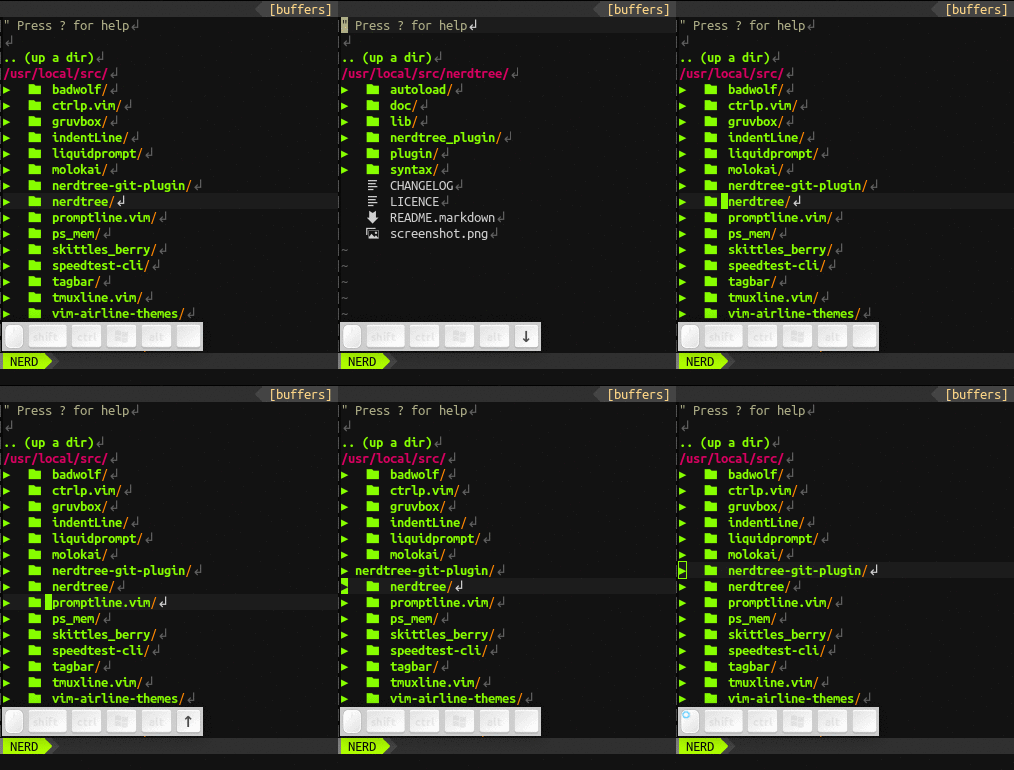
Here are the steps that reproduced the issue for me:
- Navigate inside a folder by pressing
e - Move up entering the parent folder
../with<CR>
 slabua
on 14 Jan 2018
slabua
on 14 Jan 2018
I have also noticed that the behaviour is different depending on whether let g:DevIconsEnableFoldersOpenClose is set to 0 or 1.
In my recording above, I have set it to 1. When the issue occurs, the icon gets fixed by cycling open/close status for the particular folder. If it's set to 0, instead, cycling open/close the folder doesn't fix the appearance.
slabua
on 14 Jan 2018
@ryanoasis I am having this problem even now.
Reproducible just by
- start vim in a folder
- toggle nerdtree and
- press 'u'/'U'
This only happens the first time I go to the parent dir, e.g. press 'u' when first time open nerdtree or after I jump to a bookmark.
Tested with a minimal .vimrc below and on Archlinux, urxvt, vim 8.1, Hack nerdfont and plugins fresh installed.
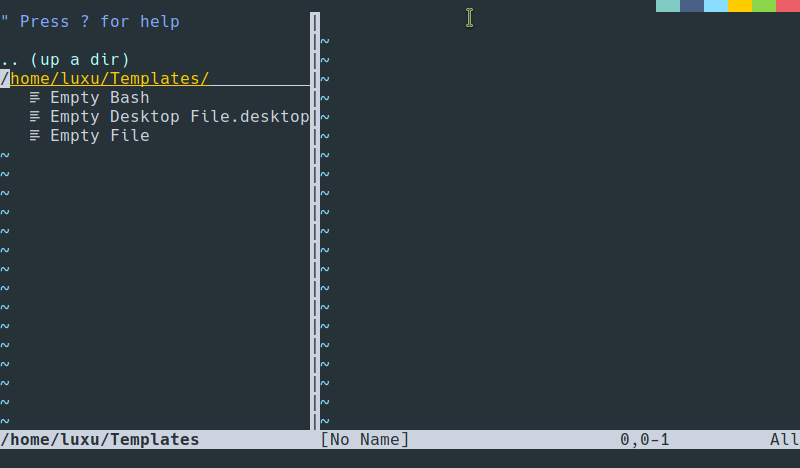

.vimrc:
call plug#begin('~/.vim/bundle')
Plug 'scrooloose/nerdtree'
Plug 'ryanoasis/vim-devicons'
call plug#end()
 OliverLew
on 17 Nov 2019
OliverLew
on 17 Nov 2019
I have the same problem, too.
 agschipor
on 7 May 2020
agschipor
on 7 May 2020
Related issues
 ntropia2
·
4Comments
ntropia2
·
4Comments
 washtubs
·
11Comments
slabua
·
6Comments
washtubs
·
11Comments
slabua
·
6Comments
 soulomoon
·
10Comments
soulomoon
·
10Comments
 flippidippi
·
9Comments
flippidippi
·
9Comments
Most helpful comment
I have also noticed that the behaviour is different depending on whether
let g:DevIconsEnableFoldersOpenCloseis set to 0 or 1.In my recording above, I have set it to 1. When the issue occurs, the icon gets fixed by cycling open/close status for the particular folder. If it's set to 0, instead, cycling open/close the folder doesn't fix the appearance.