Victory-native: React Native Web Support
Bugs and Questions
The Problem
I am getting an error when attempting to use Victory Native with React Native Web
Reproduction
Install victory-native, the react-native-svg, and try to use a chart in React Native Web, you will get an error like this:
/Users/andy/Desktop/Projects/PandaistOfficial/Frontend/Expo/node_modules/victory-native/lib/components/victory-axis.js 10:22
Module parse failed: Unexpected token (10:22)
You may need an appropriate loader to handle this file type.
|
| export default class extends VictoryAxis {
>   static defaultProps = Object.assign({}, VictoryAxis.defaultProps, {
|     axisComponent: <LineSegment/>,
|     axisLabelComponent: <VictoryLabel/>,
Now of course on React Native Web I can do some branching loader to choose between the web and native versions, but it would be nice to use the exact same code on both React Native and React Native Web
 haveamission
All 10 comments
We don't transpile victory-native at all right now. I will look into releasing transpiled versions as well. In the meantime, you could transpile victory-native via webpack. Here's an example. https://github.com/callstack/react-native-paper/issues/689#issuecomment-443523453.
 boygirl
on 16 Jul 2020
boygirl
on 16 Jul 2020
Hello!
My browser don't work, anyone help me with other configs?
My steps:
expo init teste2
yarn add victory-native
react-native install react-native-svg
And added this in my package.json:
"jest": {
"preset": "react-native",
"transformIgnorePatterns": [
"node_modules/(?!victory|react-native-svg|react-native)"
],
"transform": {
"^.+\.jsx?$": "babel-jest"
}
}
my package.json:
{
"main": "node_modules/expo/AppEntry.js",
"scripts": {
"start": "expo start",
"android": "expo start --android",
"ios": "expo start --ios",
"web": "expo start --web",
"eject": "expo eject"
},
"dependencies": {
"expo": "~38.0.8",
"expo-status-bar": "^1.0.2",
"react": "~16.11.0",
"react-dom": "~16.11.0",
"react-native": "https://github.com/expo/react-native/archive/sdk-38.0.2.tar.gz",
"react-native-svg": "^12.1.0",
"react-native-web": "~0.11.7",
"victory-native": "^35.0.1"
},
"devDependencies": {
"@babel/core": "^7.8.6",
"@types/react": "~16.9.41",
"@types/react-native": "~0.62.13",
"typescript": "~3.9.5"
},
"private": true,
"jest": {
"preset": "react-native",
"transformIgnorePatterns": [
"node_modules/(?!victory|react-native-svg|react-native)"
],
"transform": {
"^.+\.jsx?$": "babel-jest"
}
}
}
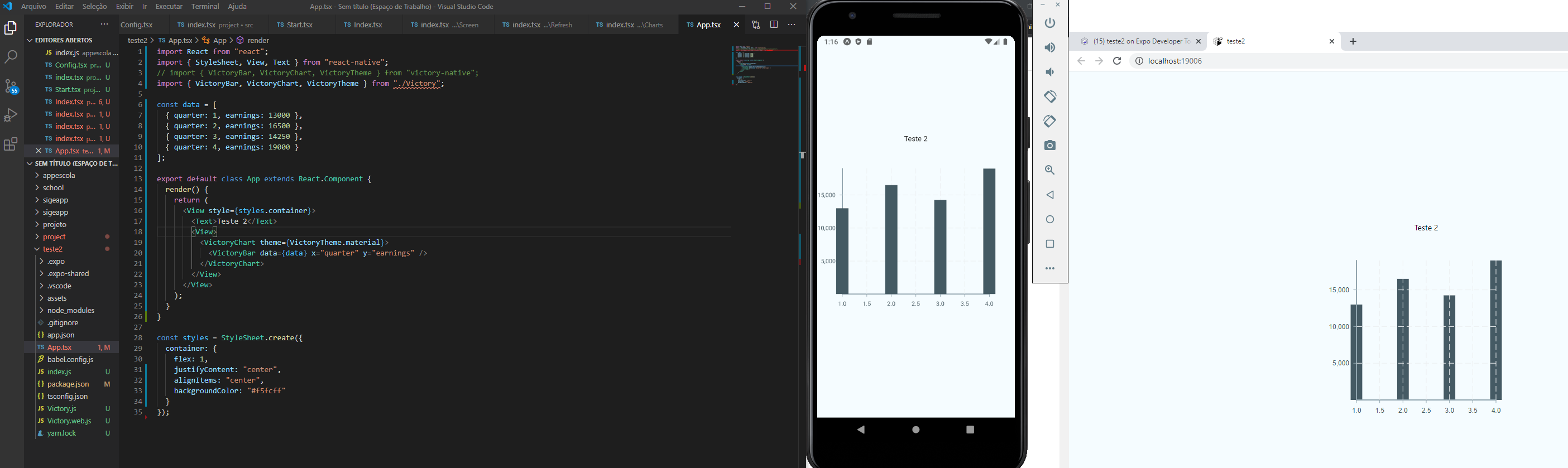
In my emulator works:
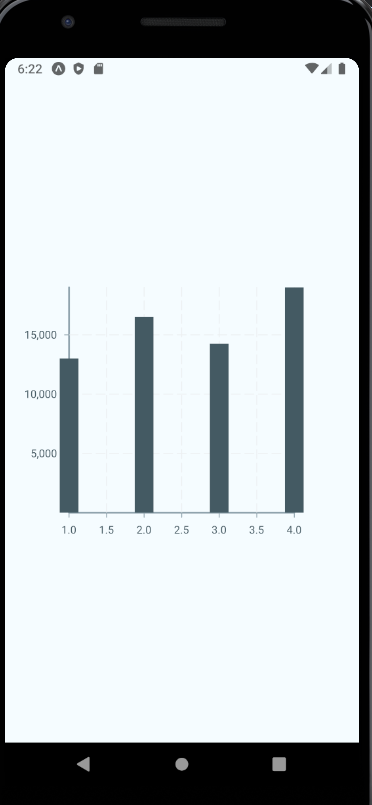
but in browser is showing this error:

This mys files:
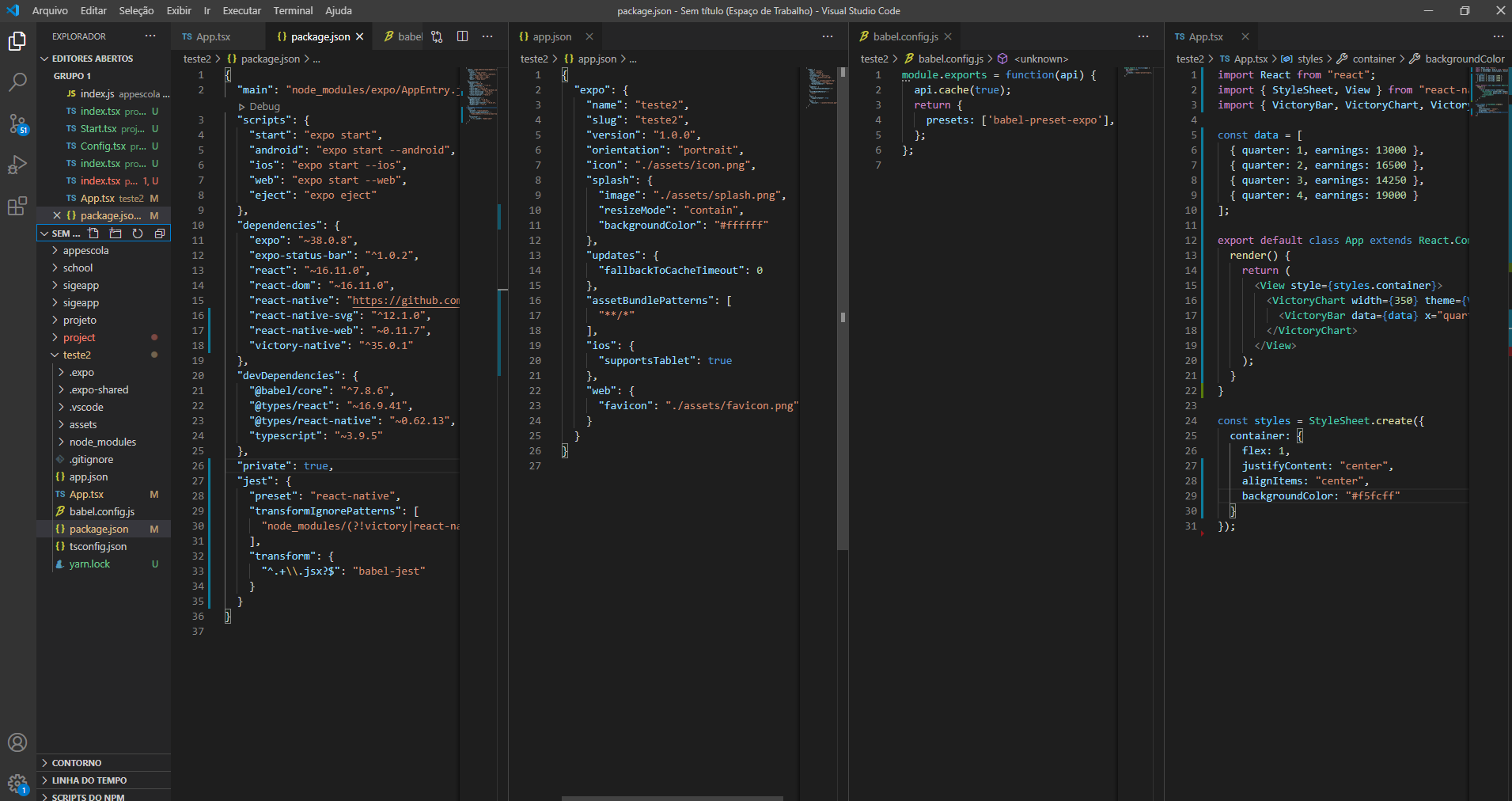
I'm Brazilian and learn React Native, I never see the configs of the babel, metro, webpack.
 PeterNewtonBR
on 25 Aug 2020
PeterNewtonBR
on 25 Aug 2020
I don't know about that workaround, but this is what I did.
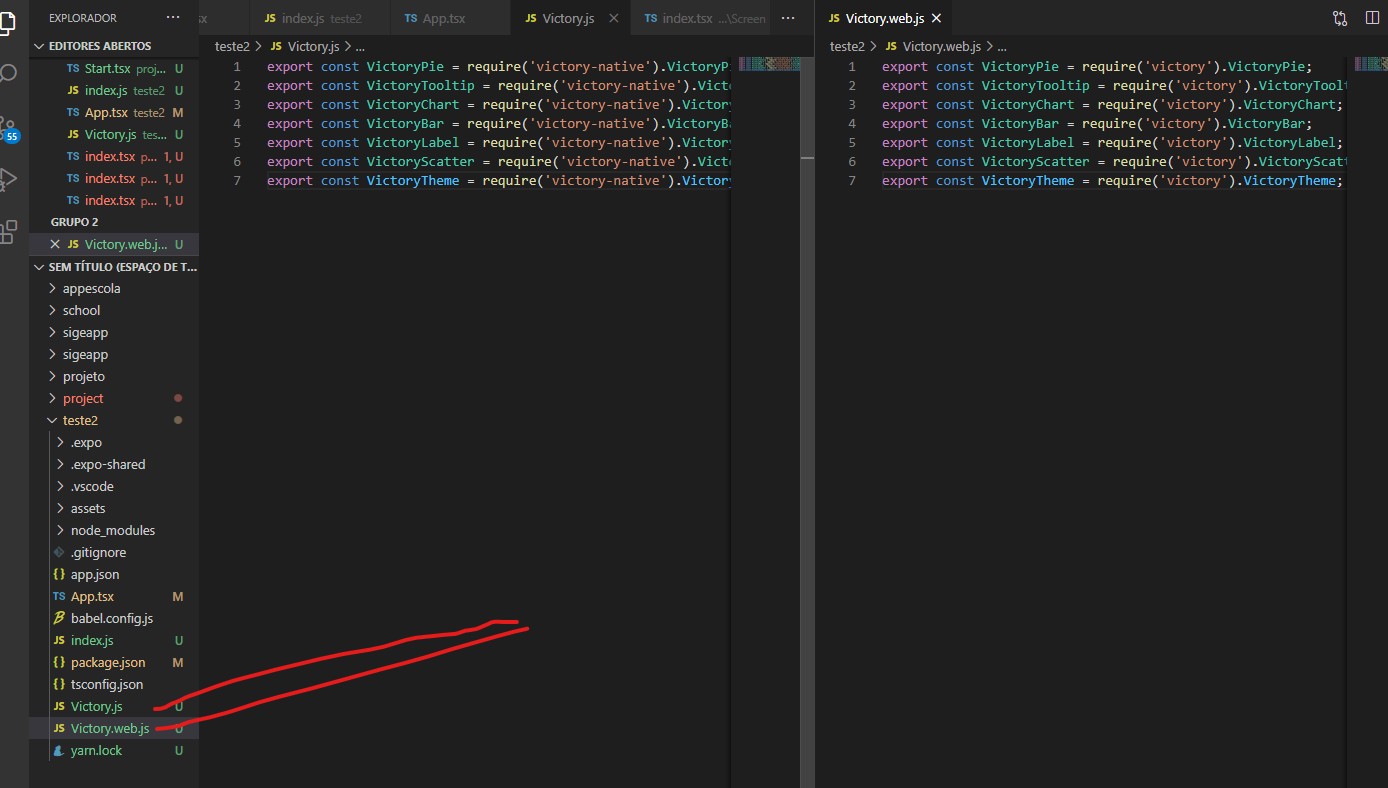
Create a file named Victory.js, that looks like this:
export const VictoryPie = require('victory-native').VictoryPie;
export const VictoryTooltip = require('victory-native').VictoryTooltip;
export const VictoryChart = require('victory-native').VictoryChart;
export const VictoryBar = require('victory-native').VictoryBar;
export const VictoryLabel = require('victory-native').VictoryLabel;
export const VictoryScatter = require('victory-native').VictoryScatter;
export const VictoryTheme = require('victory-native').VictoryTheme;
And then create a file named Victory.web.js that looks like this:
export const VictoryPie = require('victory').VictoryPie;
export const VictoryTooltip = require('victory').VictoryTooltip;
export const VictoryChart = require('victory').VictoryChart;
export const VictoryBar = require('victory').VictoryBar;
export const VictoryLabel = require('victory').VictoryLabel;
export const VictoryScatter = require('victory').VictoryScatter;
export const VictoryTheme = require('victory').VictoryTheme;
Installed both victory and victory-native
Works great for both native and web - actually feels more "native" to each platform, as web has hovers rather than presses.
haveamission
on 26 Aug 2020
The same error:
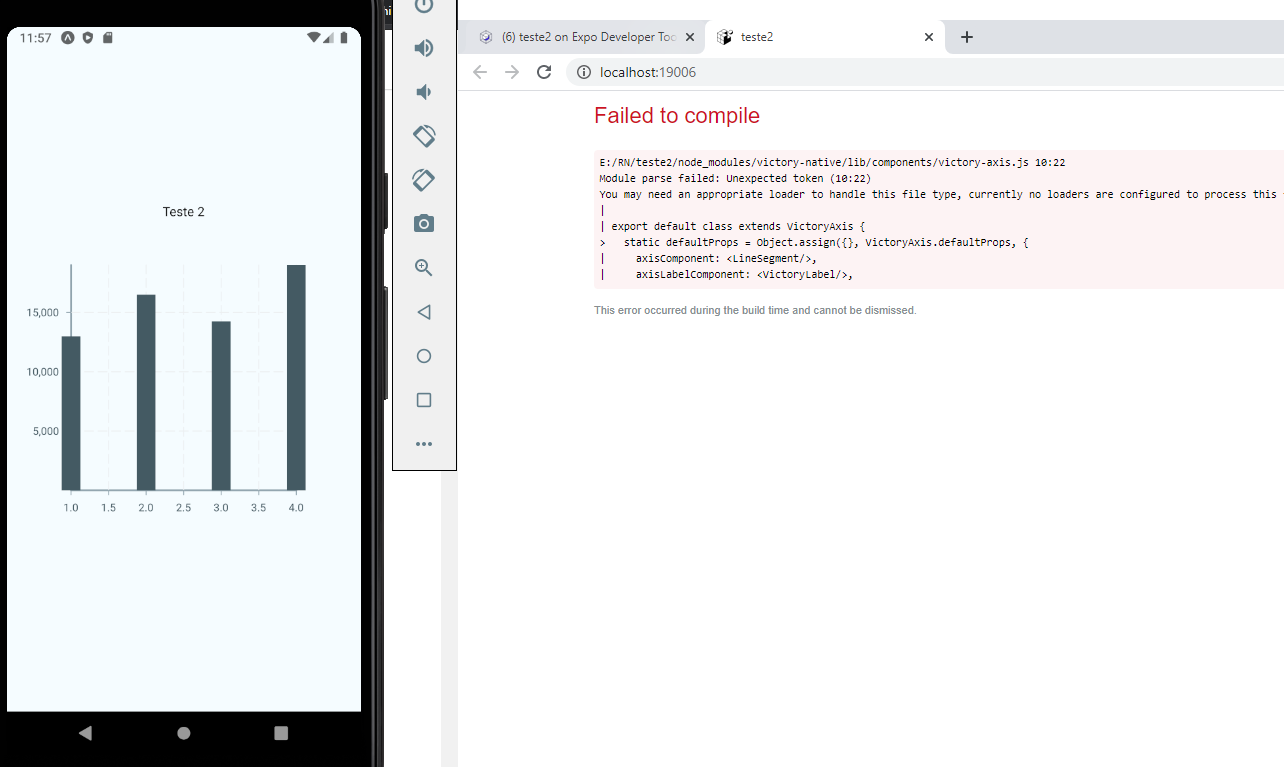
should the files be in the same directory?
PeterNewtonBR
on 26 Aug 2020
So when you import, you should do as such:
import { VictoryPie, VictoryTooltip, VictoryLabel, VictoryChart, VictoryScatter, VictoryTheme } from "./Victory";
Basically, you want React Native to only load the web one if you're on the web, and only load the native one if you're on one of the mobile platforms.
If that doesn't solve it, I'm not sure - this works for me
haveamission
on 26 Aug 2020
Make sure you've installed the web version of Victory charts too - not just the native one
haveamission
on 26 Aug 2020
Thank you very, very much, this helped me a lot, and explained that imports should be different for mobile and browser.
I thought that just importing 'victory-native' would be all right, but no, both are really needed.
Thanks a lot for the help.
I'm starting to understand better how react native works, I only do programming with PHP and TSQL, now that I have entered this world, and it is vast, I have a lot ahead of me !!!
PeterNewtonBR
on 26 Aug 2020
Same here guys, any official word about this issue? thanks !!!
 outaTiME
on 1 Sep 2020
outaTiME
on 1 Sep 2020
Why don't you just use alias in webpack config, so that it replace victory-native with victory ?
Performance gains and same API for each
In webpack just use :
resolve: {
    alias: {
      'victory-native': 'victory'
    }
  }
And don't forget to have victory in your dependencies
 billouboq
on 14 Nov 2020
billouboq
on 14 Nov 2020
Using Expo, I had to do it like this:
// webpack.config.js
const createExpoWebpackConfigAsync = require('@expo/webpack-config');

module.exports = async function (env, argv) {
  const config = await createExpoWebpackConfigAsync(env, argv);
  config.resolve.alias['victory-native'] = 'victory';
  return config;
};
 ianmartorell
on 20 Jan 2021
ianmartorell
on 20 Jan 2021
Related issues
 jzhw0130
·
3Comments
jzhw0130
·
3Comments
 ararog
·
4Comments
ararog
·
4Comments
 isabel-thx
·
5Comments
isabel-thx
·
5Comments
 udfalkso
·
4Comments
udfalkso
·
4Comments
 xinhash
·
4Comments
xinhash
·
4Comments
Most helpful comment
So when you import, you should do as such:
import { VictoryPie, VictoryTooltip, VictoryLabel, VictoryChart, VictoryScatter, VictoryTheme } from "./Victory";Basically, you want React Native to only load the web one if you're on the web, and only load the native one if you're on one of the mobile platforms.
If that doesn't solve it, I'm not sure - this works for me