Vega-lite: Selections break when field names are channel names
Howdy all
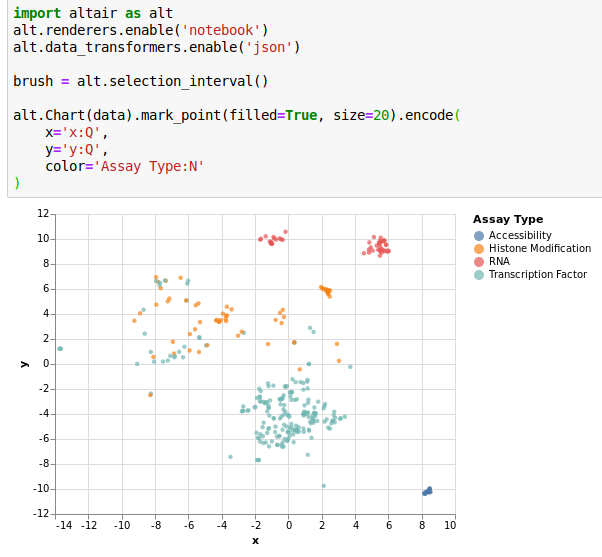
I'm trying to use altair to make an interactive display. When I make the static image on a subset of the data, it works fine.
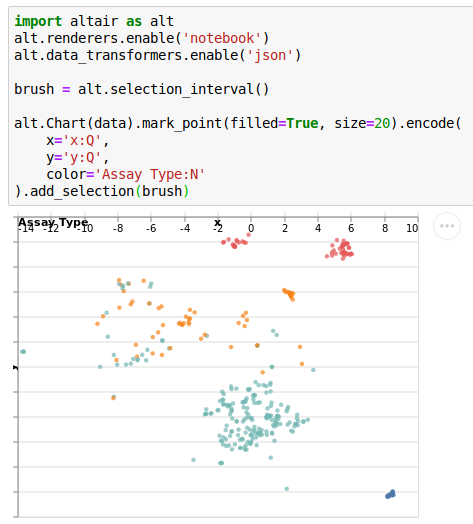
When I try to add in the brush, things get wonky and it doesn't even let me use a brush!
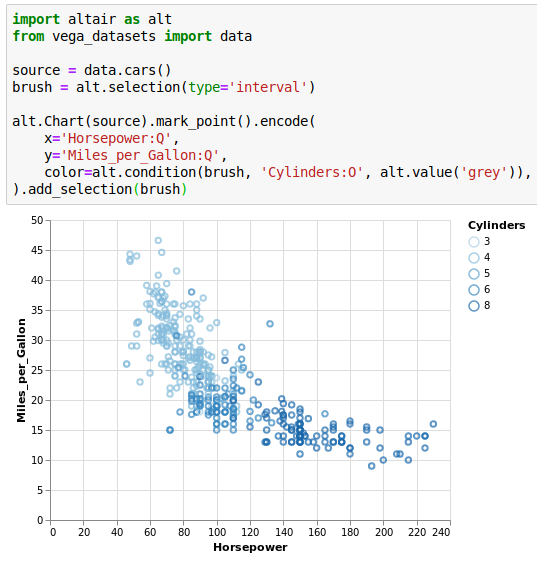
An example from the altair site works fine though, including the brush.
@domoritz suggested I should post the issue and the vega here. I've attached the json file (which is named txt so that GitHub will support it.
I am using altair v3.0.1, vega v2.1.0, jupyter notebook version 5.7.8, Python 3.6
 jmschrei
All 9 comments
A minimal reproduction in the vega editor is here.
 jakevdp
on 14 May 2019
jakevdp
on 14 May 2019
(first reported in https://github.com/altair-viz/altair/issues/1503)
jakevdp
on 14 May 2019
Even more minimal example is here.
 domoritz
on 15 May 2019
domoritz
on 15 May 2019
Ahh, so the problem is that we are generating signals that seem to be colling between x and y channels and fields.
domoritz
on 15 May 2019
If I change the names from x and y to xcoord and ycoord, it works.
jmschrei
on 15 May 2019
@arvind I'm thinking of renaming the signals we usually create for x and y and adding a _brush to the name in index.ts. Where do I need to then change things to generate the right signals?
domoritz
on 15 May 2019
Of note: this works correctly in altair 2.4.1, but not in altair 3.0.1 (see my issue on the altair repository)
 hannahburkhardt
on 15 May 2019
hannahburkhardt
on 15 May 2019
Thanks for reporting this, @jmschrei and @hannahburkhardt. The selection code already takes care of renaming conflicting signal names when channel and field names collide, so the fix @domoritz suggests shouldn't be necessary. Instead, it looks like the brush marks generated by interval.ts are still hardcoded to use signal names of the format ${name}_x or ${name}_y rather than reading off their values from selCmpt.project. I should be able to fix this first thing tomorrow.
 arvind
on 15 May 2019
arvind
on 15 May 2019
Should be fixed with #4960.
arvind
on 15 May 2019
Related issues
 infai-feineis
·
3Comments
infai-feineis
·
3Comments
 kanitw
·
3Comments
kanitw
·
3Comments
 mcnuttandrew
·
3Comments
mcnuttandrew
·
3Comments
 swanderz
·
4Comments
swanderz
·
4Comments
 ijlyttle
·
4Comments
ijlyttle
·
4Comments