Hi Marco, I hope all is well.
I've recently developed a pyqt application to make a GUI for brainrender. This includes a QVTKRenderWindowInteractor widget that replaces the default Plotter used by the brainrender Scene. See the docs for more details.
I'm trying to add a button to take screenshots, but it's not working. It does take screenshots correctly (using vedo's screenshot function), but the resulting images are empty (just a transparent or black background). Is there some issue with using QVTKRenderWindowInteractor and taking screenshots at the same time?
In alternative I've also tried creating a new Plotter instance without qtWidget to use for taking the screenshot, but when I render that I just get an entirely red window and can't see anything in the scene. The resulting screenshot is also an entirely red image. I don't get any error or warning message.
Thank you for you help,
Fede
 FedeClaudi
All 14 comments
Hi Federico
..it's a bug! it will be fixed in the next major release, for the moment you may try setting the window manually with this hack:
self.vp.window = self.vp.interactor.GetRenderWindow()
where vp is of class vedo.Plotter
and self is of class Qt.QMainWindow (see example vedo -r qt_window1)
 marcomusy
on 17 Aug 2020
marcomusy
on 17 Aug 2020
I just pushed version with the fix, would you check your brainrender examples - if it's all ok I will make the release 4.0
marcomusy
on 18 Aug 2020
do I need to change anything, or is it just that now screenshot will work in pyqt now?
FedeClaudi
on 18 Aug 2020
You might get some warning message (e.g. if you used show(newPlotter=True)).. There are many changes wrt version 3.4, that's why i'd like to make sure i didnt' break something important :)
I pulled brainrender and ran the tests and it looked ok.
marcomusy
on 18 Aug 2020
oh cool, thank you so much for testing it out! I will give it a shot tomorrow :)
FedeClaudi
on 18 Aug 2020
Hi,
Unfortunately the screenshot function doesn't seem to work in the pyqt application. It doesn't give any error or warning message, but no image gets saved. It works fine if I use the normal braindernder (i.e. with a normal Plotter without qwidgets).
Also, the interactor style in the pyqt application changed. Instead of being able to drag the camera around like in a normal Plotter, clicking with the mouse somewhere in the window makes the scene rotate in some manner (not sure what the name for this interactor is). Is there a way to force to be the same as a standard Plotter?
P.s.: there doesn't seem to be any error/issue in brainrender. it's just in the pyqt5 GUI that the screenshot function doesn't work (everything else seems fine).
FedeClaudi
on 19 Aug 2020
I cannot reproduce the issue in brainrender, I cloned both BR and BR-gui, then:
brainrender-gui
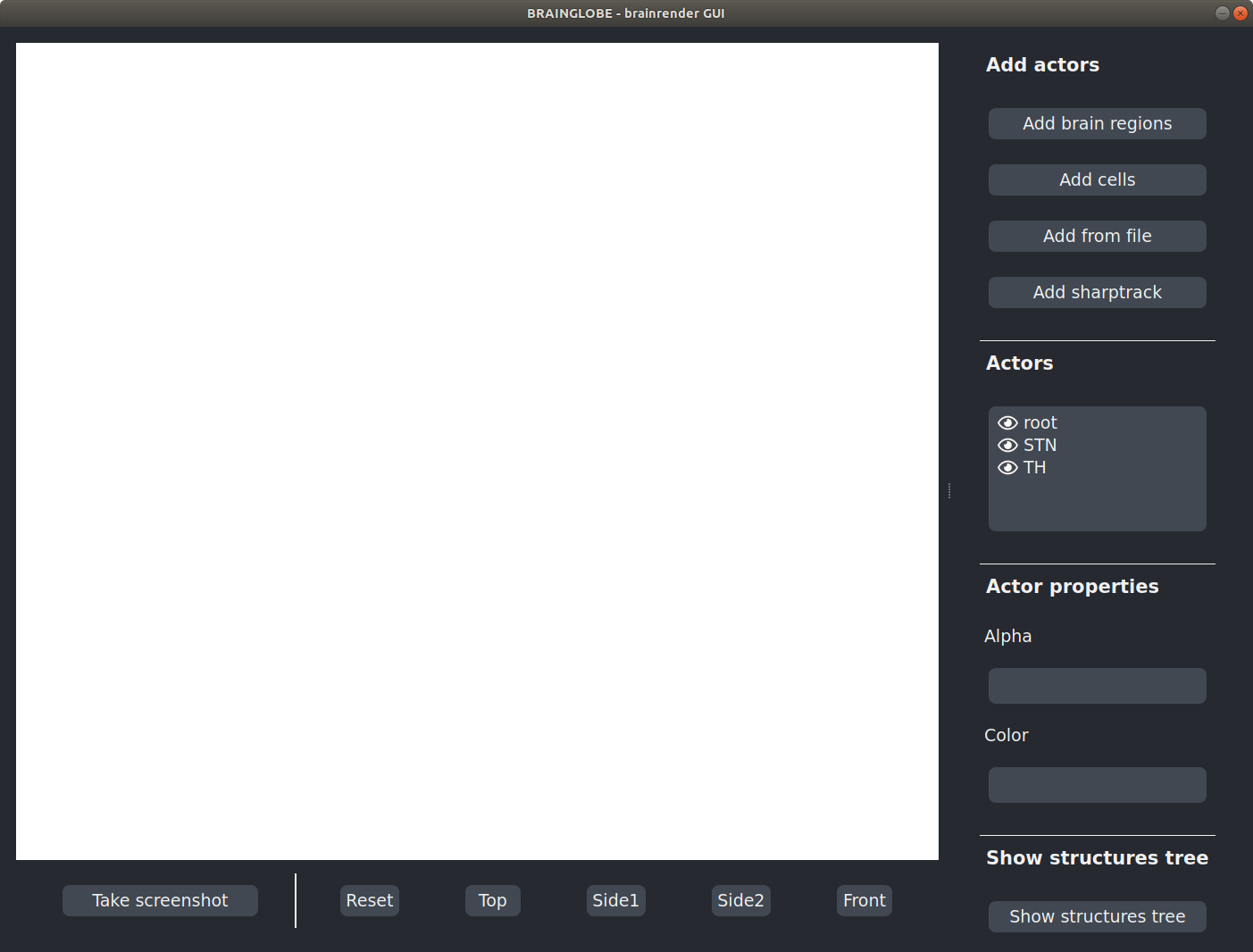
which immediately pop errors:
> brainrender-gui
allen mouse atlas (res. 25um)
From: http://www.brain-map.org.com (Wang et al 2020, https://doi.org/10.1016/j.cell.2020.04.007 )
ERROR: In /work/standalone-x64-build/VTK-source/IO/Geometry/vtkOBJReader.cxx, line 290
vtkOBJReader (0x5610ec2dc160): Error reading 'v' at line 2

ERROR: In /work/standalone-x64-build/VTK-source/IO/Geometry/vtkOBJReader.cxx, line 290
vtkOBJReader (0x7f6ab4017e20): Error reading 'v' at line 2
moreover the window "gets stuck" when trying to drag it around as if it was too big and got automatically resized.
My system is Ubuntu 18.04.5 LTS.
About screenshots, does this work for you?
import sys
from PyQt5 import Qt

# You may need to uncomment these lines on some systems:
#import vtk.qt
#vtk.qt.QVTKRWIBase = "QGLWidget"

from vtk.qt.QVTKRenderWindowInteractor import QVTKRenderWindowInteractor

from vedo import Plotter, Cone

class MainWindow(Qt.QMainWindow):
    def __init__(self, parent=None):

        Qt.QMainWindow.__init__(self, parent)
        self.frame = Qt.QFrame()
        self.vl = Qt.QVBoxLayout()
        self.vtkWidget = QVTKRenderWindowInteractor(self.frame)
        self.vl.addWidget(self.vtkWidget)

        # create renderer and add the actors
        self.vp = Plotter(qtWidget=self.vtkWidget)

        self.vp += Cone().rotateX(20)
        self.vp.show(interactorStyle=0)

        # set-up the rest of the Qt window
        button = Qt.QPushButton("My Button makes the cone red")
        button.setToolTip('This is an example button')
        button.clicked.connect(self.onClick)
        self.vl.addWidget(button)
        self.frame.setLayout(self.vl)
        self.setCentralWidget(self.frame)
        self.show() # <--- show the Qt Window

    def onClose(self):
        #Disable the interactor before closing to prevent it
        #from trying to act on already deleted items
        self.vtkWidget.close()

    @Qt.pyqtSlot()
    def onClick(self):
        self.vp.actors[0].color('red').rotateZ(40)
        self.vp.render()
        self.vp.screenshot('pic.jpg')

if __name__ == "__main__":
    app = Qt.QApplication(sys.argv)
    window = MainWindow()
    app.aboutToQuit.connect(window.onClose) # <-- connect the onClose event
    app.exec_()
Hey,
That's very weird (and worrying). I don't have a Linux machine so couldn't test it on it.
Can you try:
pip install brainrender==1.0.0.1rc1
pip install bg-brainrender-gui==0.0.5rc2
to test the latest version?
The snippet of code works. I think the way I take screenshots in brainrender is different maybe that's what's causing problems when I embed the plotter in the pyqt app. I do:
from vedo import screenshot

bla bla bla

class Scene

...
screenshot()
Instead I will try to do scene.plotter.screenshot() like in your example.
FedeClaudi
on 20 Aug 2020
Okay, I got it to work.
In the app what I was doing was:
- create a plotter with the widget
- use this to update
scene.plotterwheresceneis theSceneclass frombrainrender - use
scene.take_screenshotwhich would usevedo.screenshotto take the screenshot.
If instead in the GUI I do:
        self.scene.plotter.render()
        self.scene.plotter.screenshot('test.png')
this works. Not sure what the difference is, but this seems to be fine.
Thanks for all the help!
edit:
when passing a filepath to plotter.screenshot if you omit png (as I used to) nothing gets saved, but it also doesn't give any error/warning message which might be confusing.
FedeClaudi
on 20 Aug 2020
Hey,
That's very weird (and worrying). I don't have a Linux machine so couldn't test it on it.
Can you try:pip install brainrender==1.0.0.1rc1 pip install bg-brainrender-gui==0.0.5rc2
still getting the same error... Also i noticed that bg-brainrender-gui installs vtkplotter 2020.3.1 ?
when passing a filepath to plotter.screenshot if you omit png (as I used to) nothing gets saved, but it also doesn't give any error/warning message which might be confusing.
fixed in my local, now it appends png only if extension is missing
marcomusy
on 20 Aug 2020
Also i noticed that bg-brainrender-gui installs vtkplotter 2020.3.1 ?
Really? I don't see how that could be happening. It installs brainrender and morphapi both of which use vedo. I should've updated everything to use vedo since brainrender was upgraded to version 1.0.0.0.
fixed in my local, now it appends png only if extension is missing
cool, thanks. I'll wait for the next official release so that I can pin the version of vedo in bg-brainrender-gui.
Thanks Marco
FedeClaudi
on 20 Aug 2020
Also i noticed that bg-brainrender-gui installs vtkplotter 2020.3.1 ?
Really? I don't see how that could be happening. It installs
brainrenderandmorphapiboth of which usevedo. I should've updated everything to usevedosincebrainrenderwas upgraded to version1.0.0.0.
it's strange maybe some other packages still require vtkplotter (?):
~/Projects/BrainRender > pip install .
Processing /home/musy/Projects/pips/BrainRender
  Installing build dependencies ... done
  Getting requirements to build wheel ... done
    Preparing wheel metadata ... done
Requirement already satisfied: morphapi>=0.1.1.3 in /home/musy/soft/anaconda3/lib/python3.7/site-packages (from brainrender==1.0.0.0) (0.1.1.3)
...

Building wheels for collected packages: brainrender
  Building wheel for brainrender (PEP 517) ... done
  Created wheel for brainrender: filename=brainrender-1.0.0.0-py3-none-any.whl size=117882 sha256=d2031bd99f03b9ccc8fd710663191014dda567362f88830b3334657231404c16
  Stored in directory: /tmp/pip-ephem-wheel-cache-28b5iake/wheels/3b/ba/01/d98dcf547bb82c96c4af14b90900bc4667e453b222a9c7a565
Successfully built brainrender
Installing collected packages: brainrender, vtkplotter
  Attempting uninstall: brainrender
    Found existing installation: brainrender 1.0.0.0
    Uninstalling brainrender-1.0.0.0:
      Successfully uninstalled brainrender-1.0.0.0
Successfully installed brainrender-1.0.0.0 vtkplotter-2020.3.1
~/Projects/BrainRender >
Hi @marcomusy I just saw the latest release, looks awesome. Looking forward to play with the new features.
Just to confirm, this release includes this bug fix right?
FedeClaudi
on 27 Aug 2020
Hi Federico, yes - it includes the fix, it also accepts .jpg output format.
marcomusy
on 27 Aug 2020
Related issues
 MarkusRosen
·
3Comments
MarkusRosen
·
3Comments
 DeepaMahm
·
5Comments
DeepaMahm
·
5Comments
 jrdkr
·
7Comments
jrdkr
·
7Comments
 drew-parsons
·
7Comments
drew-parsons
·
7Comments
 vigji
·
3Comments
vigji
·
3Comments