Vamiga: The Jetsons - Legend of Robotopia (MicroIllusions) doesn't boot.
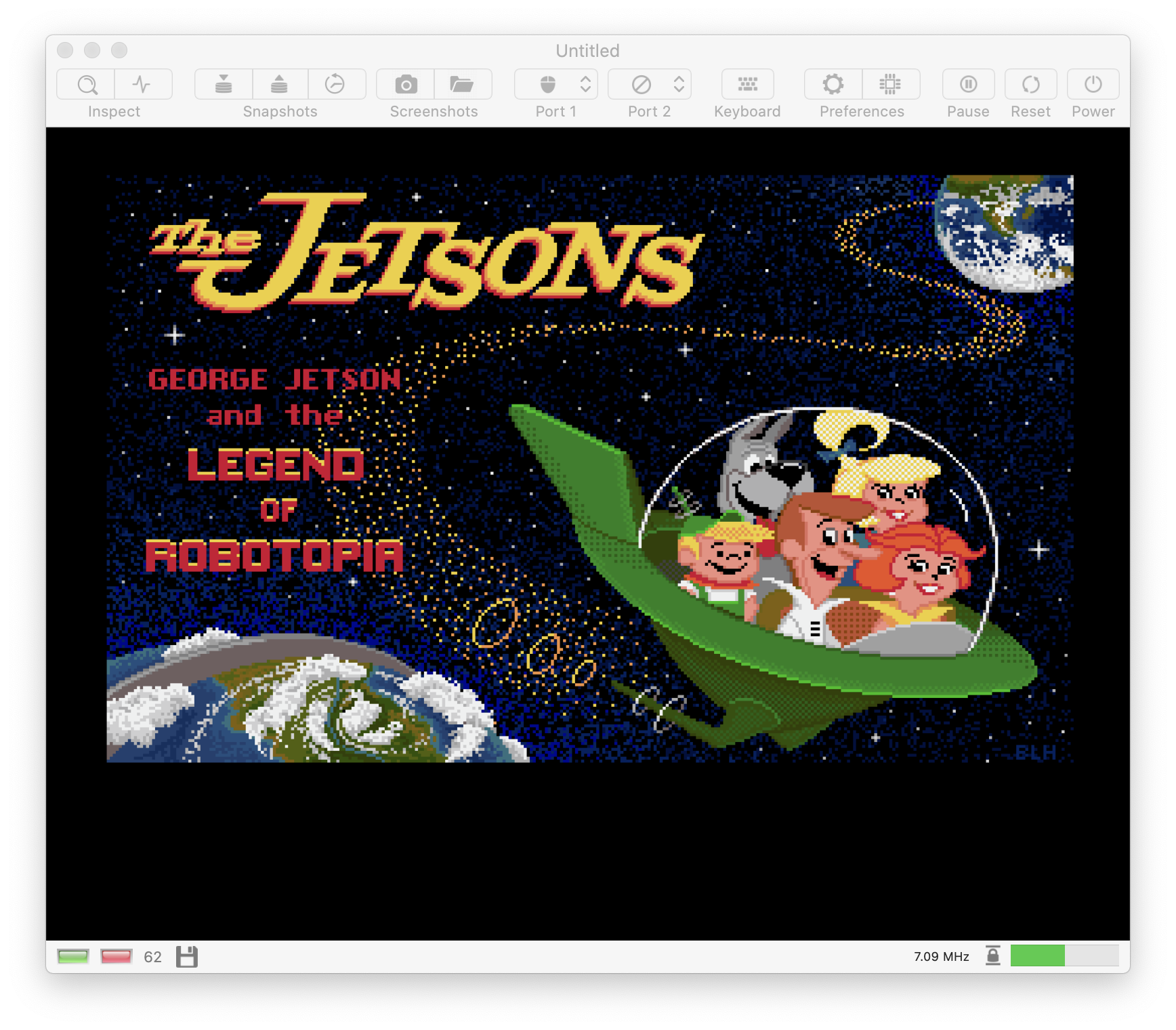
After the intro screen in pixel art appears, df0 stops the load (and drive's led blinks)😣:
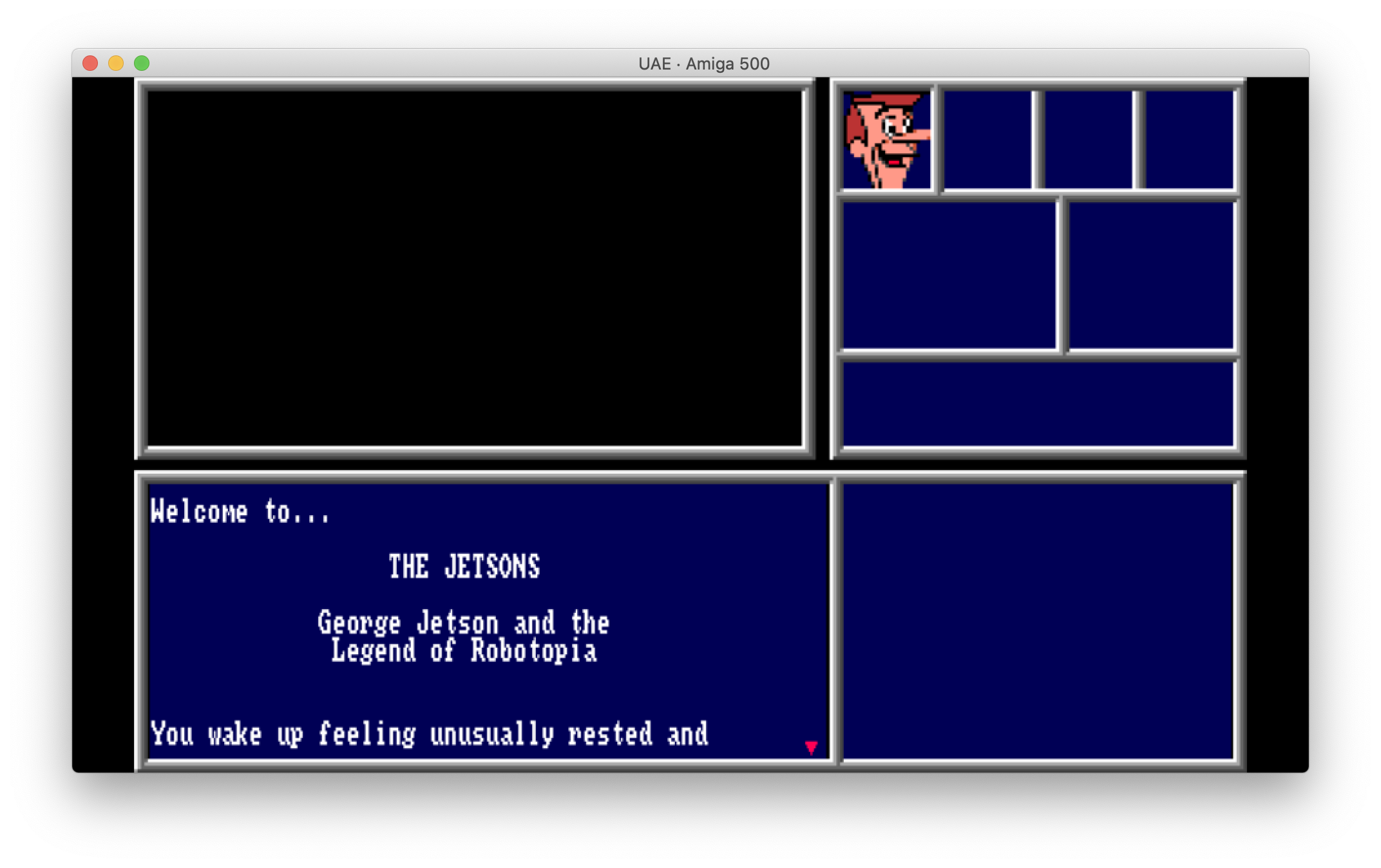
On UAE we can go to the future 🚀:
 Gianmarco72
All 28 comments
This one looks funny. I bet playing it makes a lot of fun.
 mithrendal
on 20 May 2020
mithrendal
on 20 May 2020
This one looks funny. I bet playing it makes a lot of fun.
Absolutely 😃
When I was a kid I played a lot .. and always watched Jetsons on TV 😝
Gianmarco72
on 20 May 2020
On UAE we can go to the future 🚀:
UAE is awesome! We need to have this feature, too 🤤. I've never heard about the Jetsons though 🙄.
 dirkwhoffmann
on 20 May 2020
dirkwhoffmann
on 20 May 2020
Confirmed. Same behavior as in SAE. Boots in UAE with weak settings (Turbo drive + Immediate Blitter).
dirkwhoffmann
on 21 May 2020
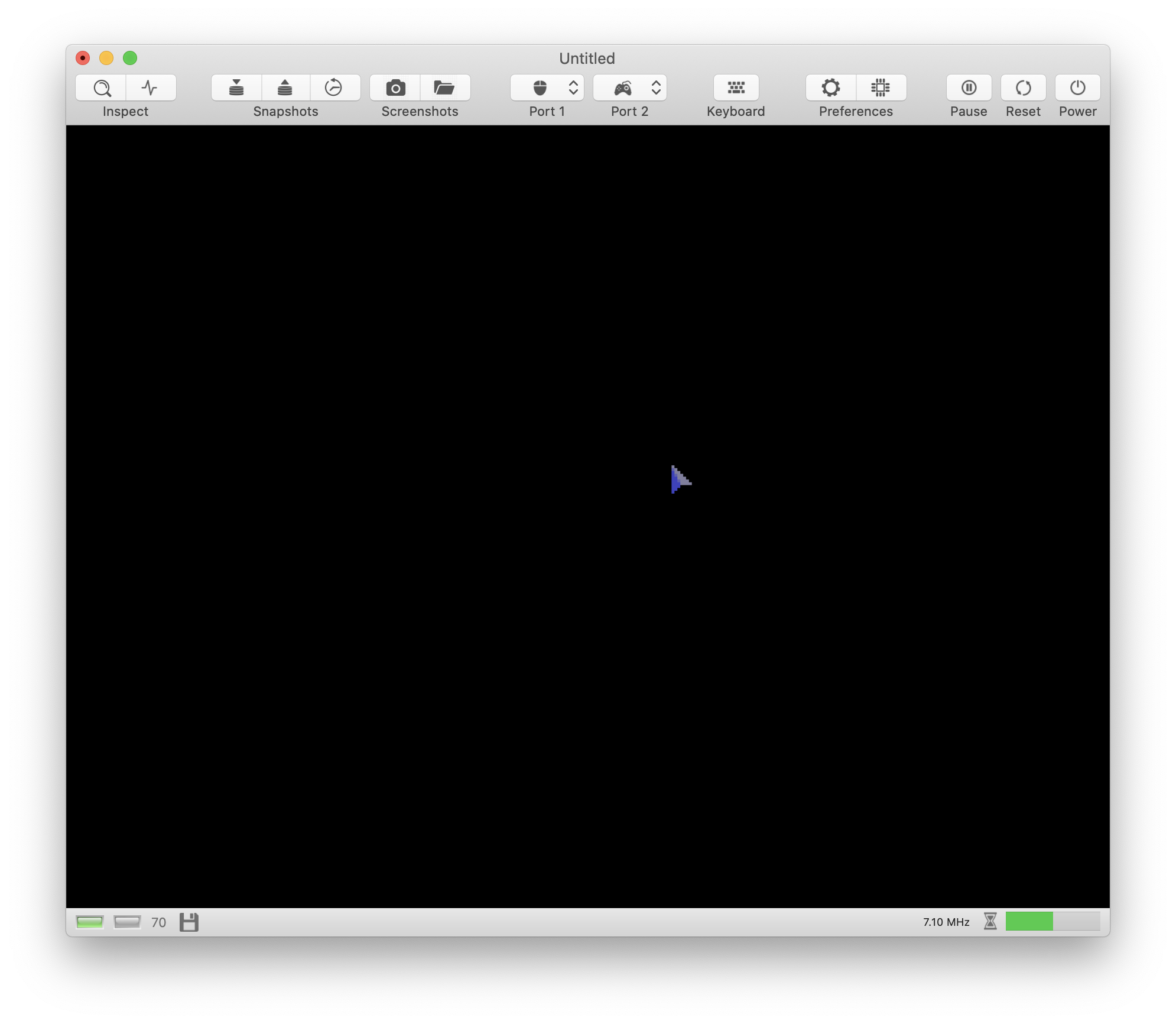
There are multiple errors here. In v0.9.8, the first part of the loading sequence seems to work fine now. In contrast to v0.9.7, a movable mouse cursor appears:
However, after a few seconds, the machine throws some CPU exceptions, resets, and enters Guru state👳🏽♀️.
dirkwhoffmann
on 6 Jun 2020
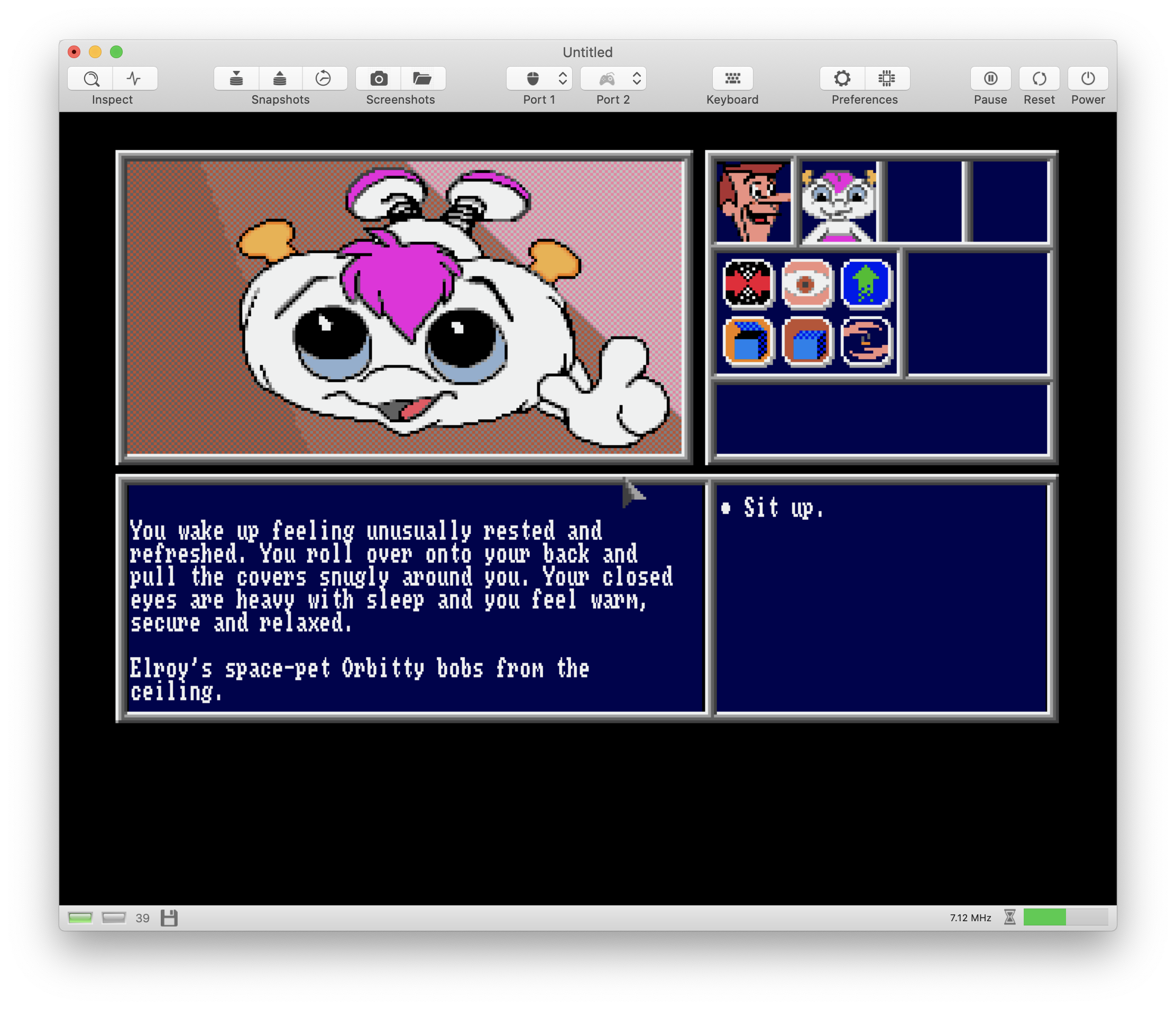
The Jetsons in v0.9.8.1 😎:
dirkwhoffmann
on 12 Jun 2020
Hmmmm... 🤔
Downloaded the v0.9.8.1:
... but:
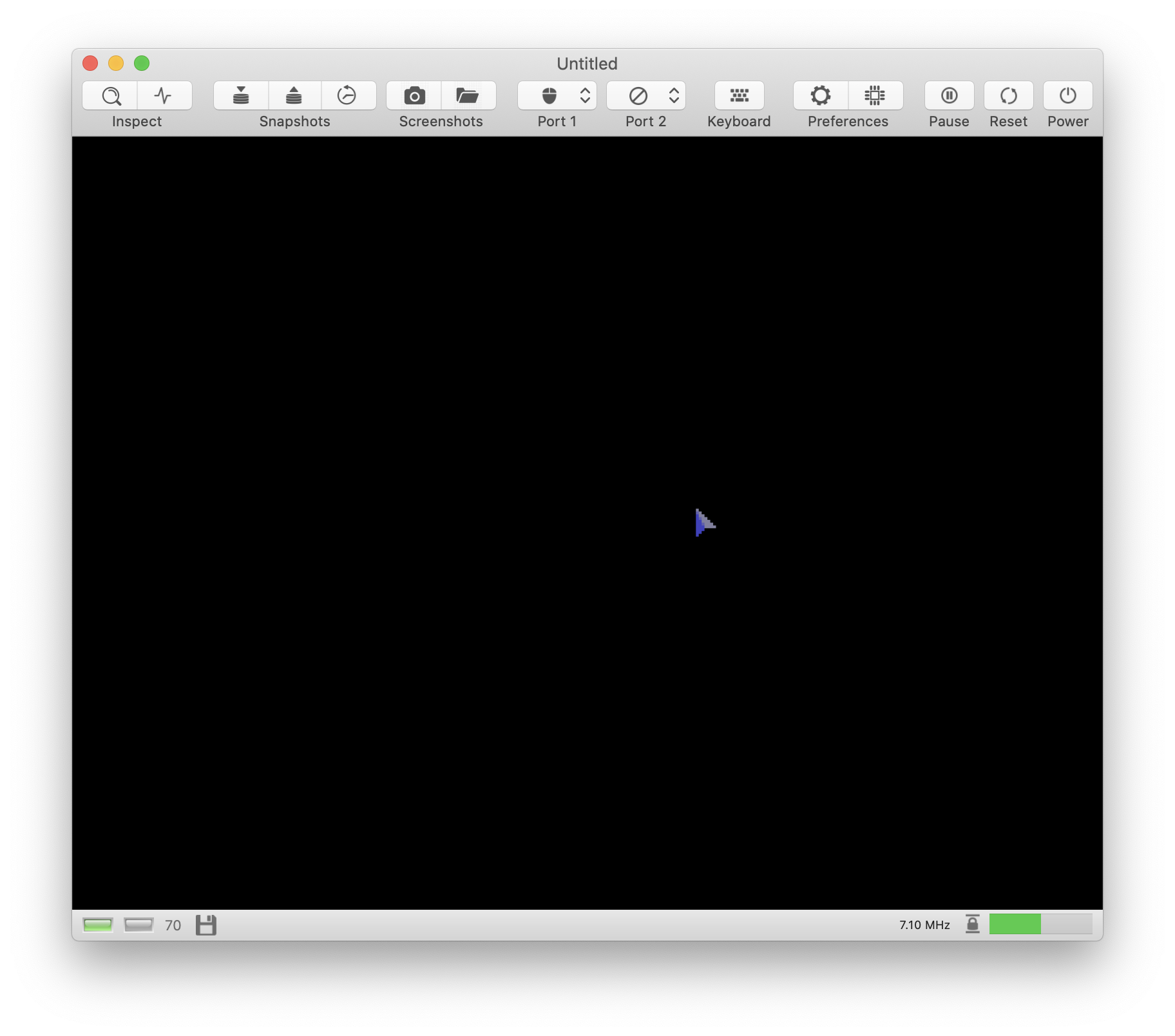
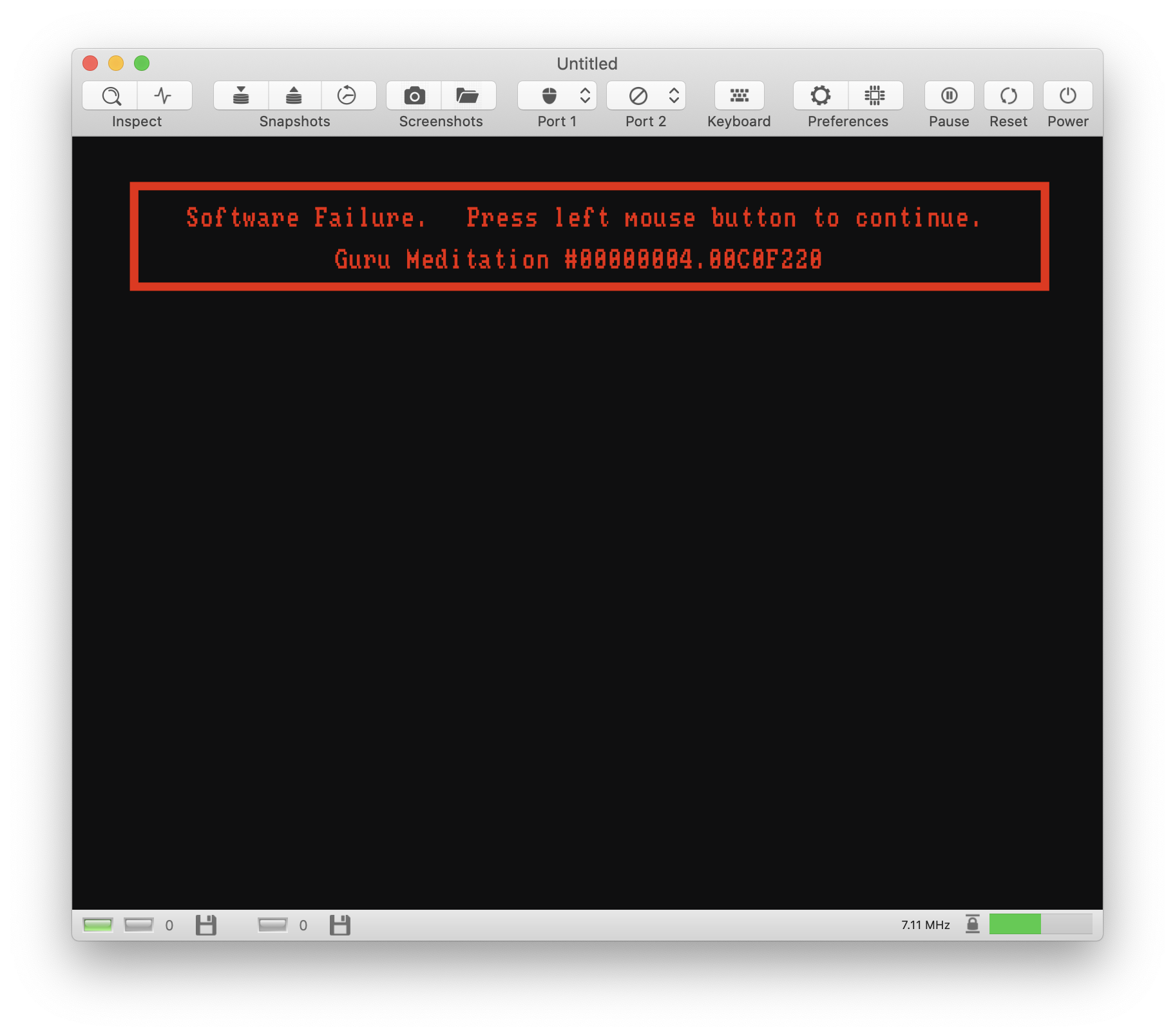
Seems the same problem. My mistake? 😶
Gianmarco72
on 12 Jun 2020
Hmm, OK, strange. I need to find out in which configuration I booted the game.
dirkwhoffmann
on 12 Jun 2020
It works with 1MB Chip Ram (which was installed, because I tested the "5 to 12" demo). It runs in v0.9.8 with 1 MB Chip Ram, too. Do you remember your UAE setup?
dirkwhoffmann
on 12 Jun 2020
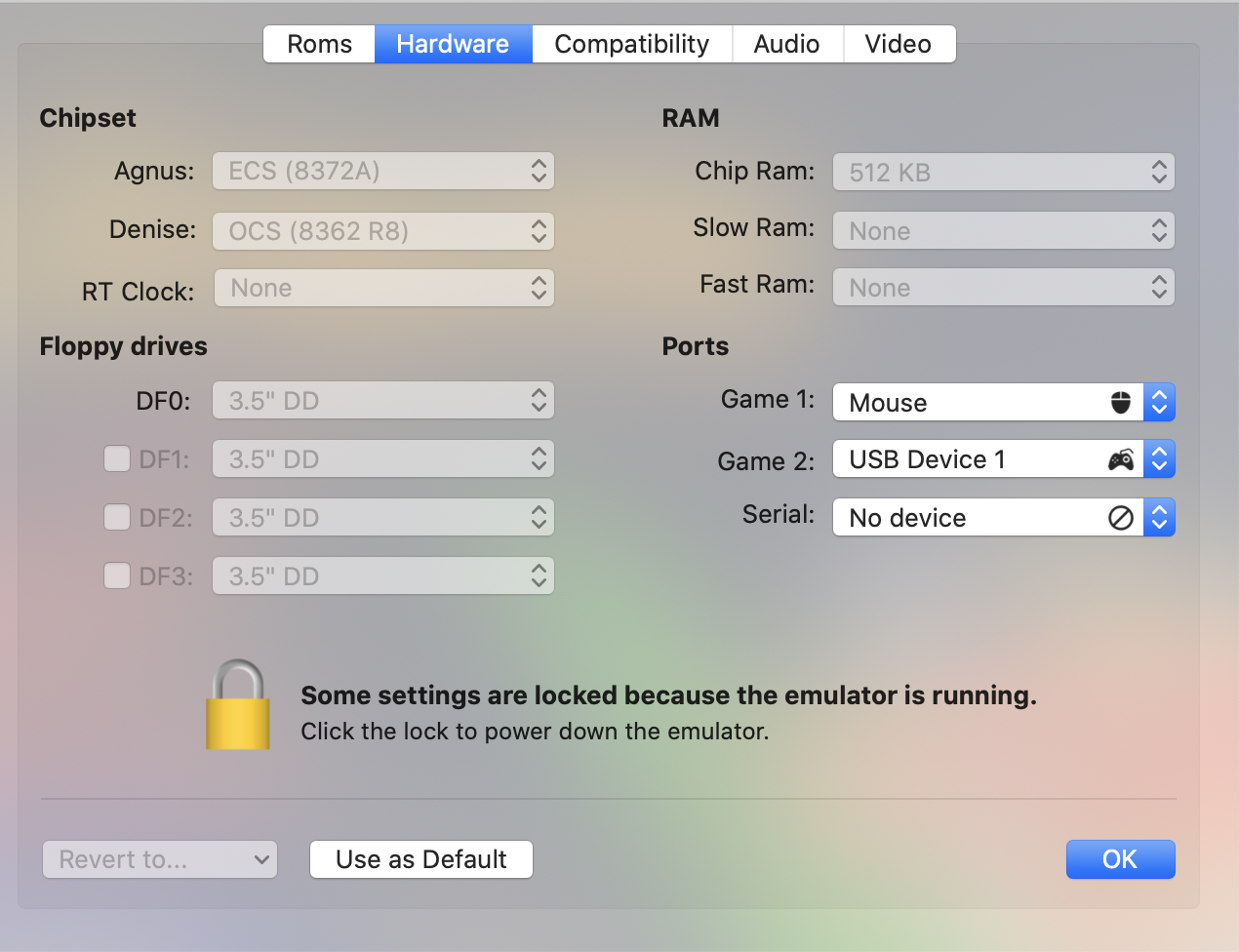
Very strange. In UAE, it works with all memory configurations. In vAmiga, it breaks if Slow Ram or Fast Ram is enabled. It works well if Chip Ram is the only Ram. I have no idea how that can be.
dirkwhoffmann
on 12 Jun 2020
Tried now on v0.9.8.1 with 1Mb Chip Ram and "Guru Meditation".
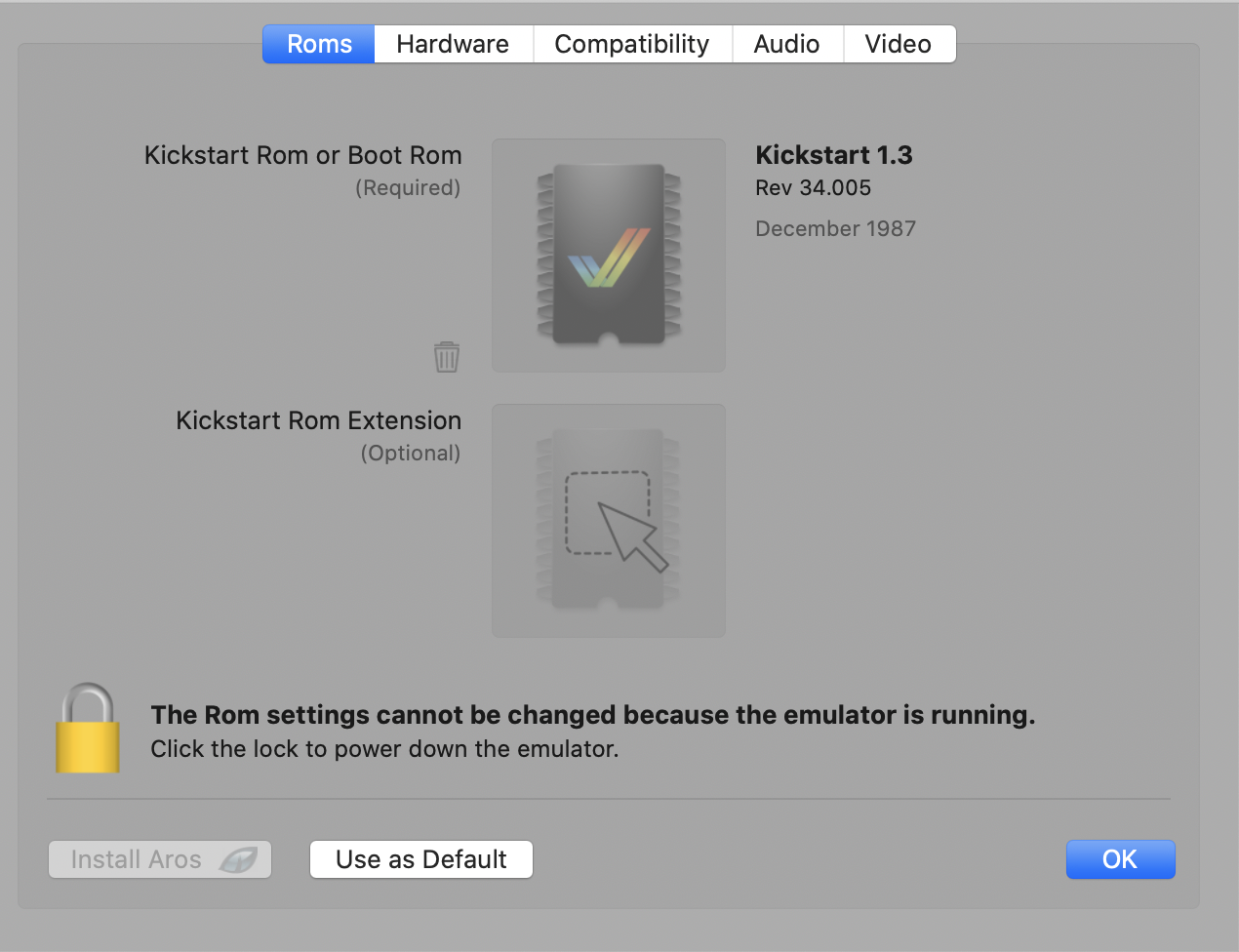
I use FS-UAE and my config is very simple (as you can see):
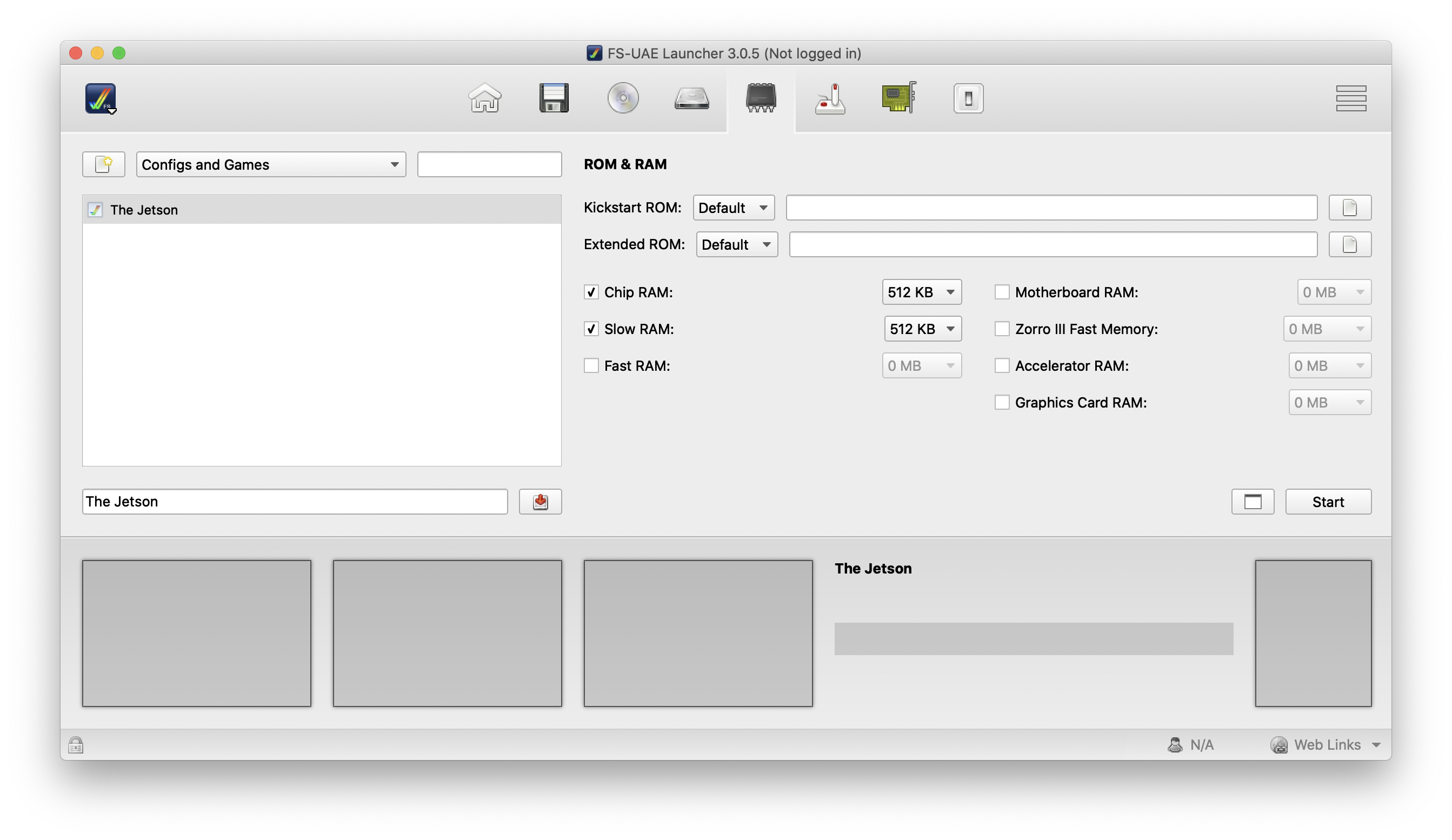
(Kickstart 1.3)
Start the emulation and "boom"..:
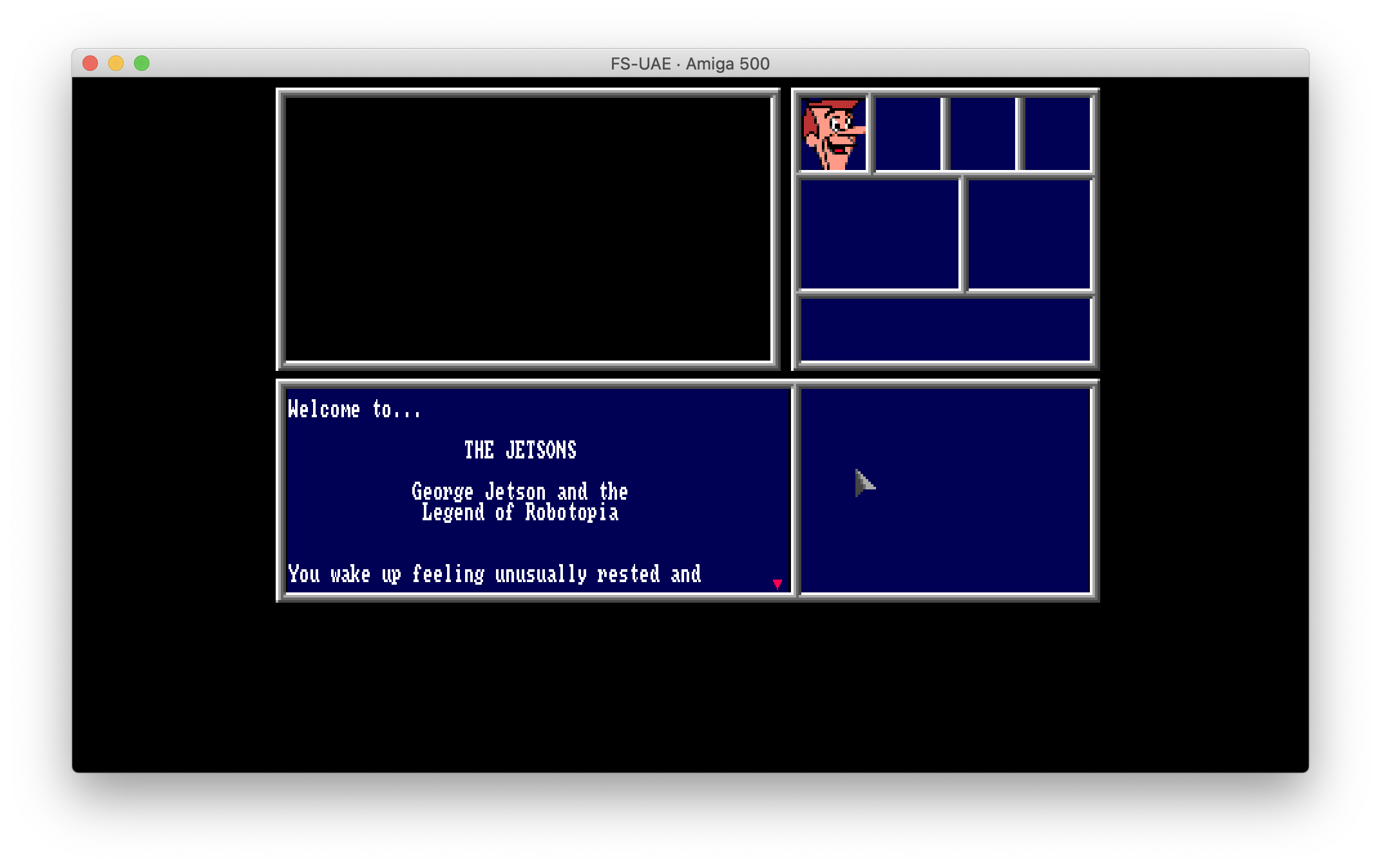
Then I tried also in SAE with first 512 Kb of Chip Ram, next with 1 Mb... and again, "Guru..." and "Guru..." 😵
Gianmarco72
on 12 Jun 2020
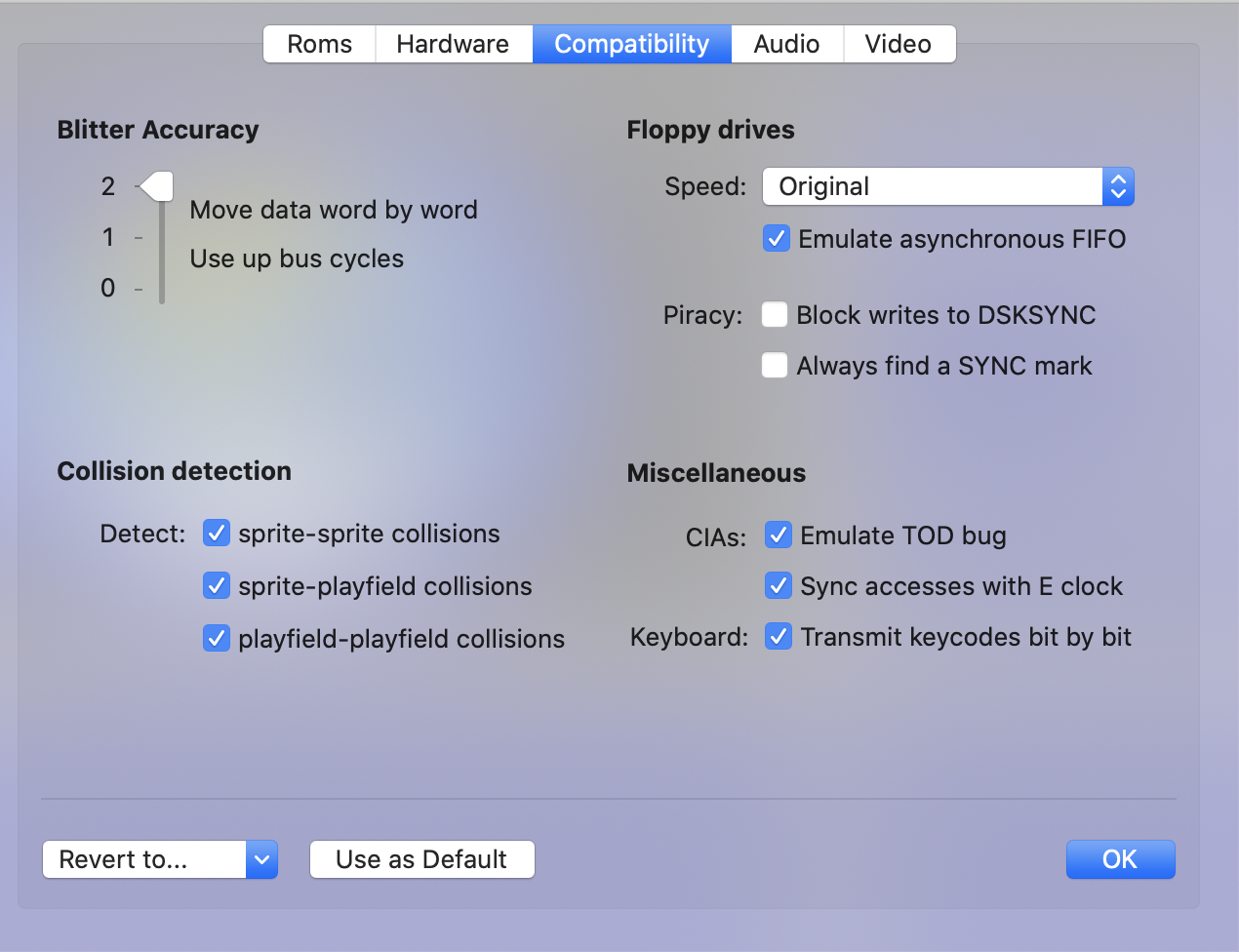
It works here with the following config (v0.9.8.1):
dirkwhoffmann
on 12 Jun 2020
Confirmed, works with Slow Ram disabled (v0.9.8.1):
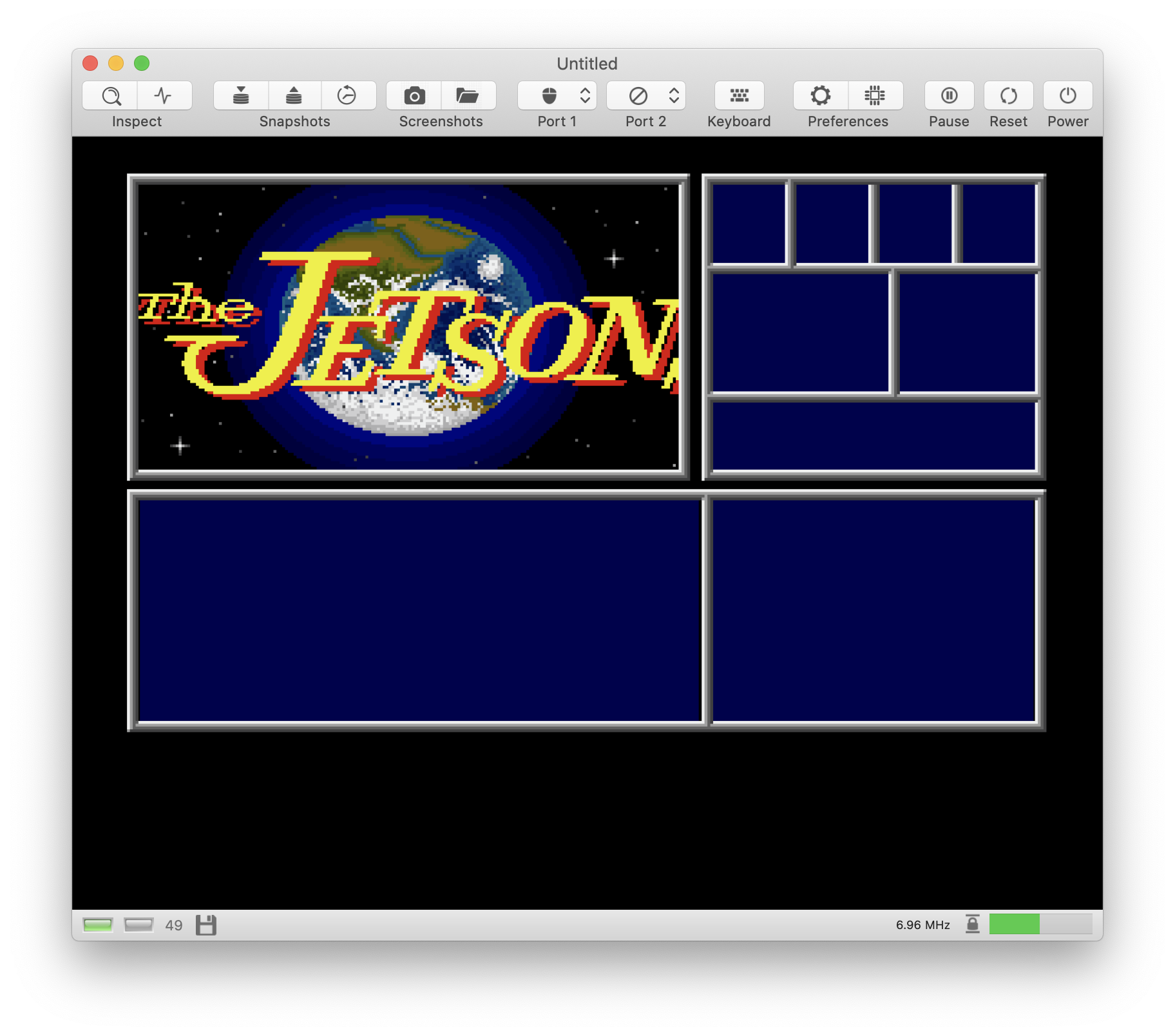
Tried in SAE with Slow Ram disabled: not work and a different crash happen (without Guru Meditation) during the title screen.
Now probably the question might be: why in UAE works with any mem config? 😓
It would be interesting to try it on real hardware (maybe it's time to get my A500 out of the garage.. if it still works 😅)
Gianmarco72
on 12 Jun 2020
Here is what I found out: The game scans the memory for certain word combinations. It starts by looking for $1000200.
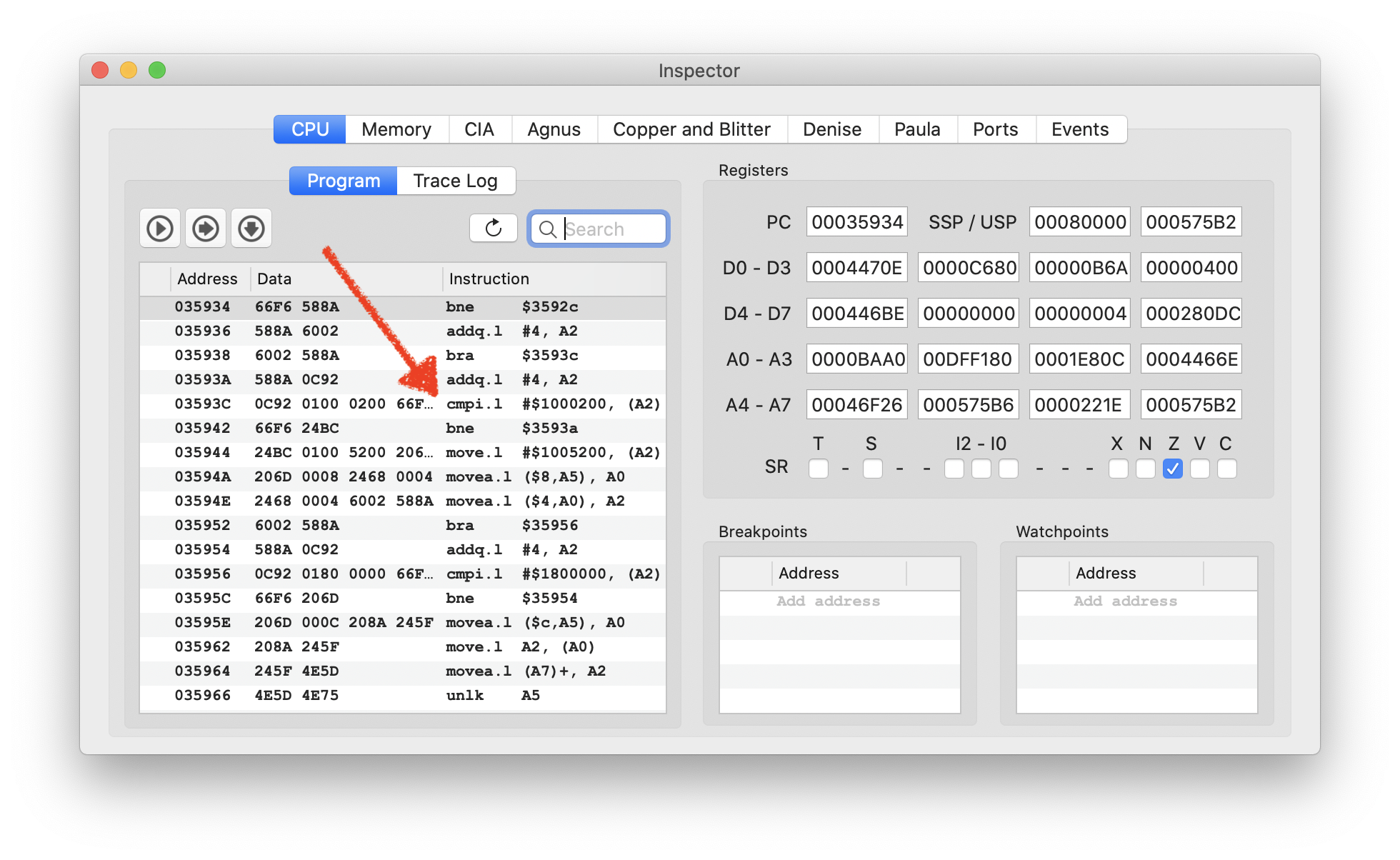
Without SlowRam, it finds it here:
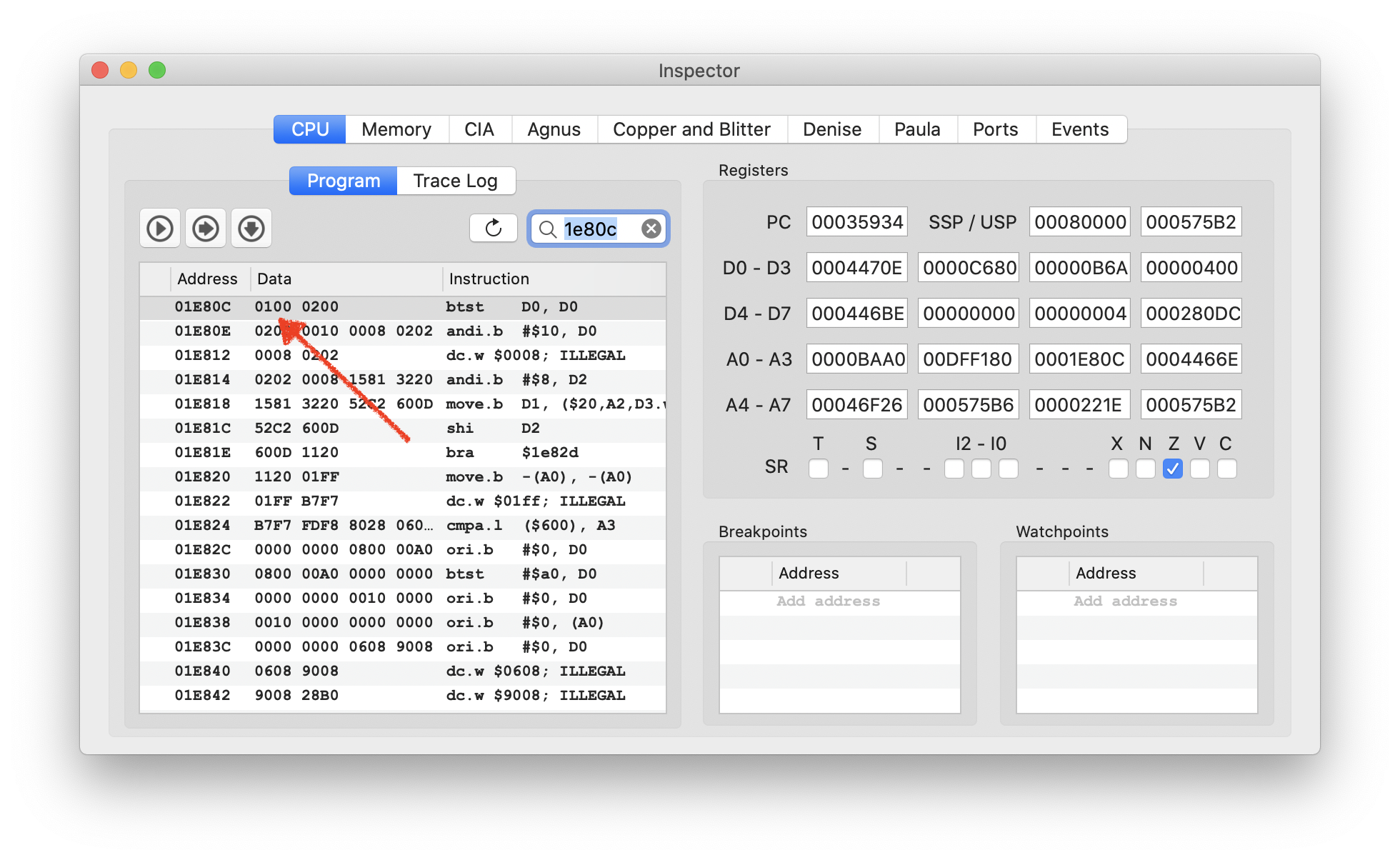
With SlowRam enabled, it scans for a very long time, because it has to reach SlowRam first (located at $C00000). But even worse, it doesn’t find the same program fragment there and crashes shortly after.
On the real A500, there is no delay which is a strong indication that the program doesn’t reside in SlowRam (although the machine has 512KB of it). Therefore, I guess that the error happens much earlier. For some reason, Kickstart may assign the program SlowRam area in vAmiga, but ChipRam area on the real machine.
dirkwhoffmann
on 20 Aug 2020
After the bank mapping mystery in the RTC area has been solved, it's time to return to this crime scene. As a start, I run FSUAE against vAmiga with the following settings (RTC has been patched to return 0 when a clock register is read):
./fs-uae --uae_chipset=ocs --kickstart-file=~/Desktop/Testing/kick13.rom --uae_immediate_blits=true --floppy_drive_speed=0 --slow_memory=512 --floppy_drive_0=~/Desktop/Testing/Jetsons1.adf --floppy_drive_count=1 > ~/Desktop/fsuae.log
The first difference occurs after reading cylinder 44:
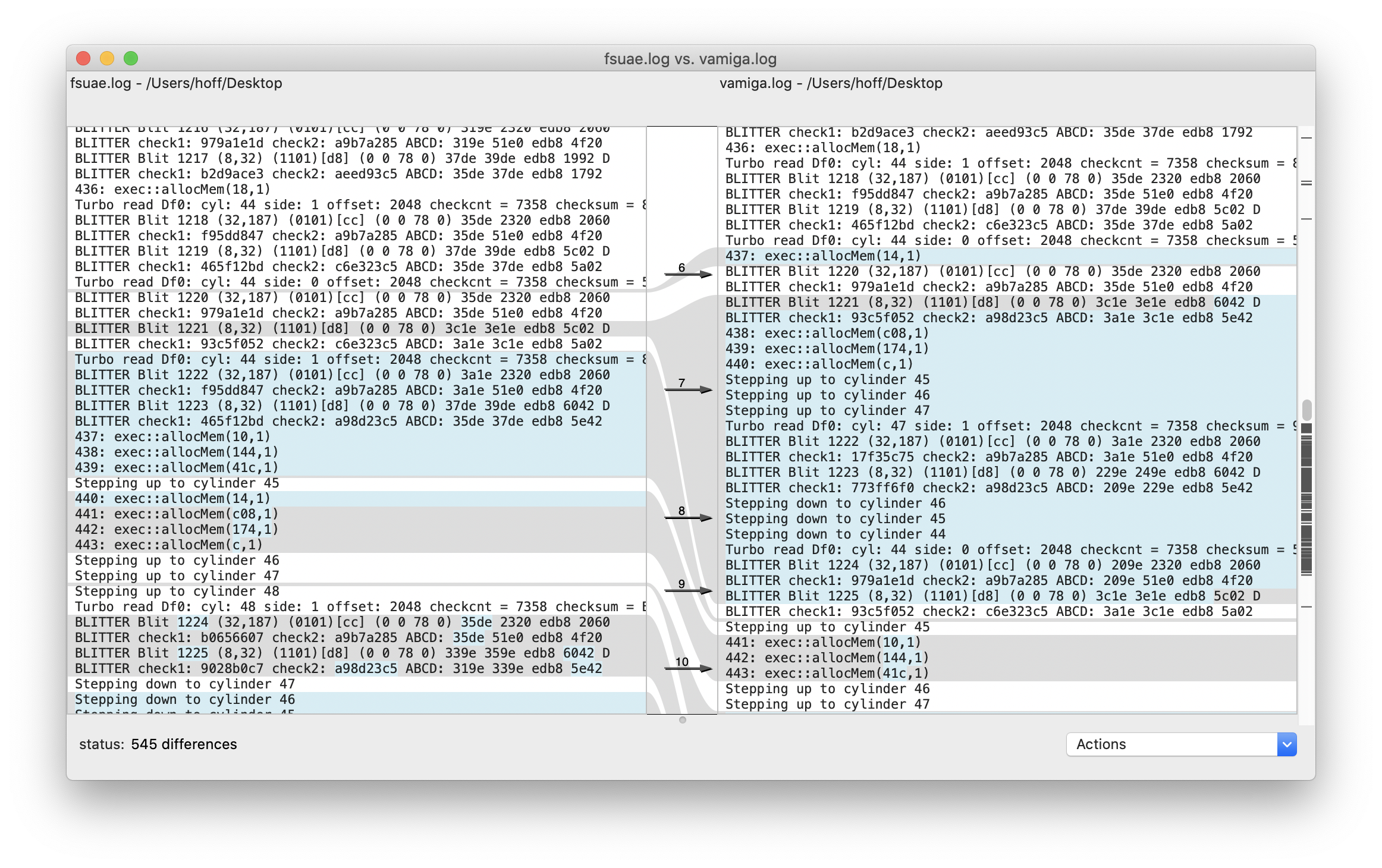
Interestingly, blit 1221 is started with a different destination pointer (channel D). Shortly after, something fundamentally is going wrong. vAmiga reads in cylinder 47 whereas FSUAE reads in cylinder 48. 🙈
Update: The issue doesn't seem to be related to self-modifying code. This code is executed way later, after blit 1533:
BLITTER Blit 1533 (8,32) (1101)[d8] (0 0 78 0) 37de 39de edb8 1992 D
BLITTER check1: a9f0e90c check2: aeed93c5 ABCD: 35de 37de edb8 1792
623: exec::allocMem(30,10001)
624: exec::allocMem(30,10001)
625: exec::allocMem(2008,1)
[961] (187,188) C0A008  0 BCB-D- 602C 1000 CPU: XFILES (CPU): illegalOpcodeException(4afc)
[961] (188, 10) C0A016  0 BCB-D- 602C 1000 CPU: XFILES (CPU): illegalOpcodeException(4e7a)
[961] (188,174) C0A04C  0 BCB-D- 602C 1000 CPU: XFILES (CPU): illegalOpcodeException(4afc)
[961] (223, 75) C0A162  0 BCB-D- 602C 1000 CPU: XFILES: write8 close to PC c0a162
[967] (118,143) C0A176  0 BCB-D- 602C 1000 CPU: XFILES: write16 close to PC c0a176
[967] (120, 41) C0A176  0 BCB-D- 602C 1000 CPU: XFILES: write16 close to PC c0a176
[971] ( 28,185) C0A188  0 BCB-D- 602C 1000 CPU: XFILES: write16 close to PC c0a188
There are 11 different Jetson variants (one original, different crack and trainer combinations). Which exactly is used for testing? Always include image checksum.
 tonioni
on 30 Aug 2020
tonioni
on 30 Aug 2020
Always include image checksum.
Is there some kind of a checksum standard in the Amiga world?
In case it's CRC-32, the checksum (of the boot disk) is as follows:
> crc32 ~/Desktop/Testing/Jetsons1.adf
04f70604
@tonioni: By scanning the Jetsons' debug output for differences between UAE and vAmiga, I've noticed that UAE reads back CIAB::CRB as $84 and vAmiga reads it back as $80. This is because UAE initializes the registers as follows:
ciaacra = ciaacrb = ciabcra = ciabcrb = 0x4; /* outmode = toggle; */
I don't think this is correct. Some time ago, I've written some tests displaying the initial values of the CIA registers (as far as these values can be grabbed by software because some registers are overwritten before my program starts).
https://github.com/dirkwhoffmann/vAmigaTS/tree/master/Init/ciainit
Here is the result of test ciainit15 in UAE: The upper byte is CRB from CIA A (which gets overwritten during boot) and the lower byte is CRB from CIA B:
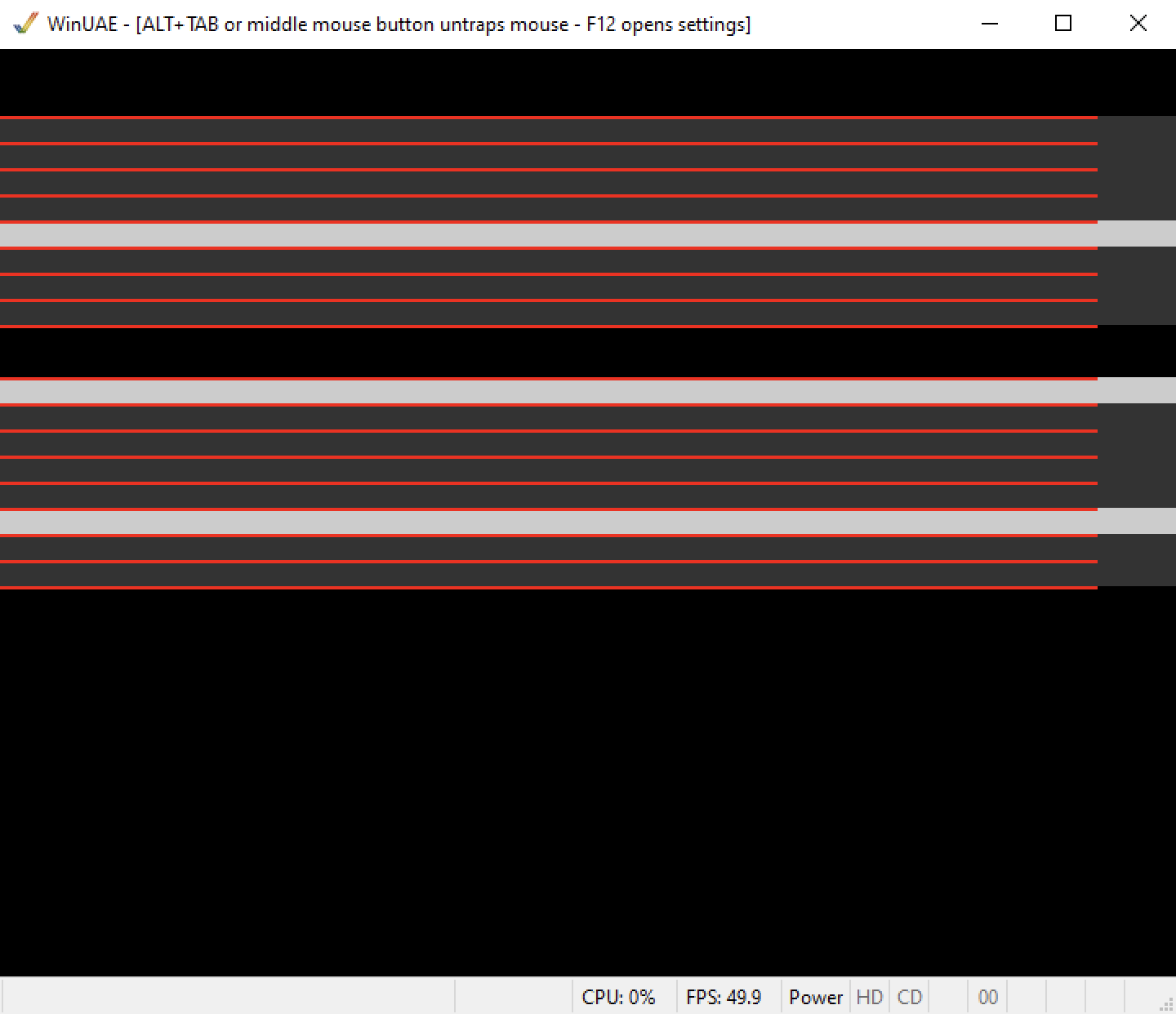
On the real machine (A500 8A) it looks like this:
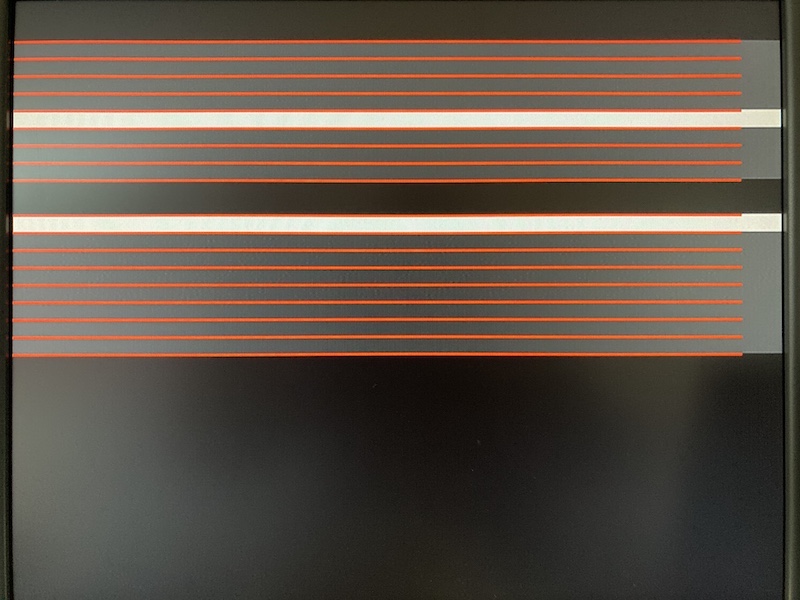
Hence, I think bit 2 in CRB is 0 on startup (and the same holds for bit 2 in CRA).
I know it's a minor issue and it is unrelated to the Jetsons bug in vAmiga.
dirkwhoffmann
on 31 Aug 2020
@tonioni: Small question: I'd like to print out a debug message in UAE when an interrupt hits in. Where is the best place in UAE to place my printf statement? 🙄
dirkwhoffmann
on 31 Aug 2020
Some time ago, I've written some tests displaying the initial values of the CIA registers (as far as these values can be grabbed by software because some registers are overwritten before my program starts).
I read real initial values (by copying CIA contents at the very beginning of ACA500plus firmware which runs before KS code runs):
Timers are 0xFF. TOD counts are zeroed. Interrupt control is zero (but due to keyboard, CIA-A SP is set), control registers are zeroed.
Small question: I'd like to print out a debug message in UAE when an interrupt hits in. Where is the best place in UAE to place my printf statement?
newcpu do_interrupt() probably works.
tonioni
on 31 Aug 2020
newcpu do_interrupt() probably works.
That worked. Thanks!
Let’s recapitulate: Based on my review of the debug logs, I can pretty much rule out the Blitter and the Copper as well as Paula (no missing interrupts). All OCS and CIA registers (pretty much) read back as expected. Bank mapping should be fine, too.
If I was a medical doctor, I would diagnose this as being psychosamatic 🙄, but I won't give up.
Maybe I should look at the CPU again. Because I run cputester with great success, a functional bug is unlikely. But what about interrupts? Because of the way IPL polling works, the CPU usually executes another instruction before an enabled interrupt is executed (e.g., Feud relies on this, #218). But if the IPL gets polled very late compared to a write into INTENA or INTREQ (some MOVE addressing modes behave this way if I remember correctly), the interrupt may happen immediately (before the next instruction is executed). Maybe I should check my CPU w.r.t. this behavior 🤔. I haven’t really tested this.
dirkwhoffmann
on 1 Sep 2020
IPL timing test is still not implemented. But generally you can expect next instruction always getting executed if previous instruction wrote to INTENA or INTREQ. Of course there might be some special cases. I always do IPL poll during last memory access. Which isn't really correct but good enough until tester is done.
Also IPL is always polled at least 2 cycles before end of instruction (or earlier), it can never happen at the end of instruction due to way real 68000 microcode works.
Test cases: Warhead or IK+. If sound is wrong: interrupt is too early.
tonioni
on 1 Sep 2020
Game seems to have part of copy protection code remaining (exception 3, illegal instructions etc). Perhaps it causes the problem (wrong exception 3 stack frame in some situations etc..)
Check if Vision Factory cracked version works, it seems to bypass copy protection completely. (CRC32=4Ab3FDC9, TOSEC "Jetsons, The - George Jetson and the Legend of Robotopia v1.0 (1989-11-06)(MicroIllusions)(Disk 1 of 2)[cr VF - Bencor Brothers]")
Your version is "Jetsons, The - George Jetson and the Legend of Robotopia v1.0 (1989-11-06)(MicroIllusions)(Disk 1 of 2)[cr PNA][a]"
tonioni
on 3 Sep 2020
Check if Vision Factory cracked version works
No, it behaves the same way. Works fine with 512 Chip + 0 Slow, fails to boot with 512 Chip + 512 Slow.
dirkwhoffmann
on 5 Sep 2020
Quite strange. Game is (mostly) system friendly (exec is still scheduling tasks, game added vblank interrupt using system routines instead of replacing exception vectors, uses dos to load files etc) so there is no reason for it to try to do any memory detection or anything else too weird.
tonioni
on 5 Sep 2020
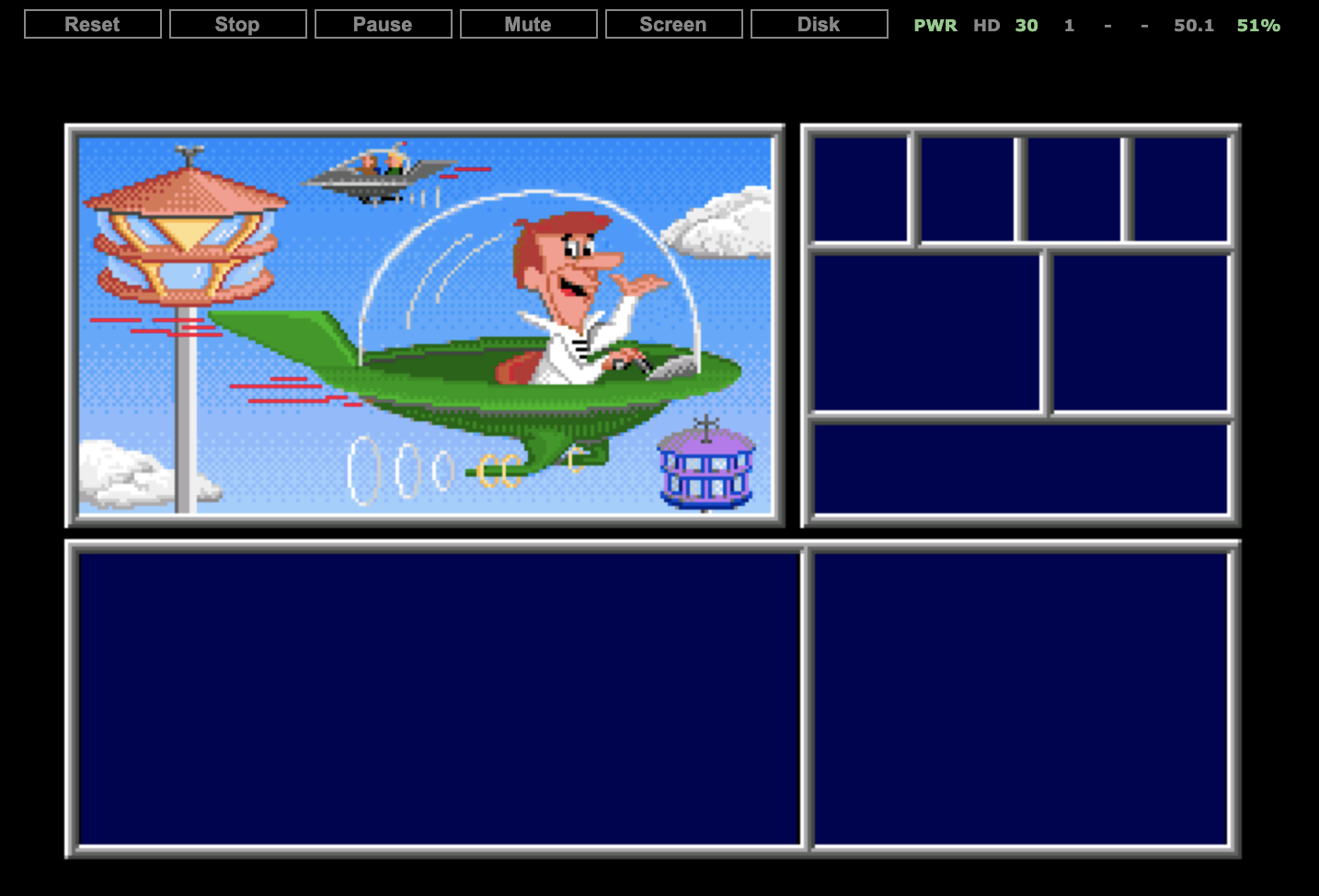
The cracked version works in SAE with lowest compatibility settings (Turbo drive, Immediate Blitter). SAE fails to load the copy protected version, because it doesn't handle the CPU trace flag stuff correctly. Hence, copy protection stuff can be ruled out from the possible error sources.
dirkwhoffmann
on 21 Sep 2020
Update: The Blitter checksum discrepancies shown above are due to the timing of the DSKBLK interrupt. In Turbo drive mode, UAE and vAmiga both emulate a delay between a write to DSKLEN and the occurrence of the interrupt. vAmiga waits for 512 DMA cycles whereas UAE utilizes a raster line counter initialized by 2. After mimicking the UAE delays, all Blitter checksums match up to the point where vAmiga freezes. This means that the bug is likely to happen near the freezing point and not way before as my previous findings suggested.
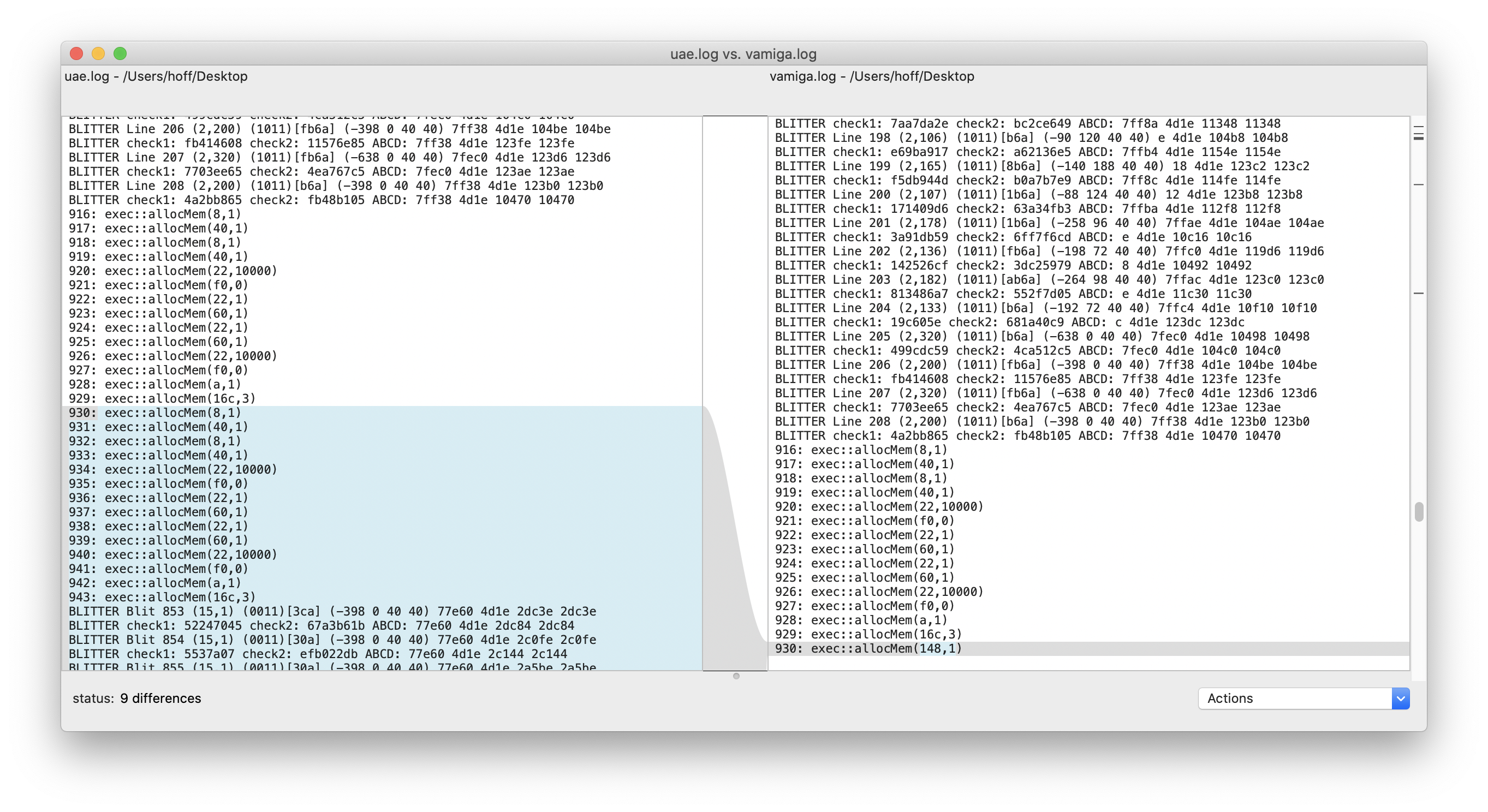
I've also run the cracked version in the latest version of vAmiga using the Musashi core and experiences the exact same symptoms. This doesn't rule out the CPU as the culprit, but it strongly suggests to look at other components, first.
dirkwhoffmann
on 27 Sep 2020

Running "The Jetsons" with extended memory in vAmiga 😎:
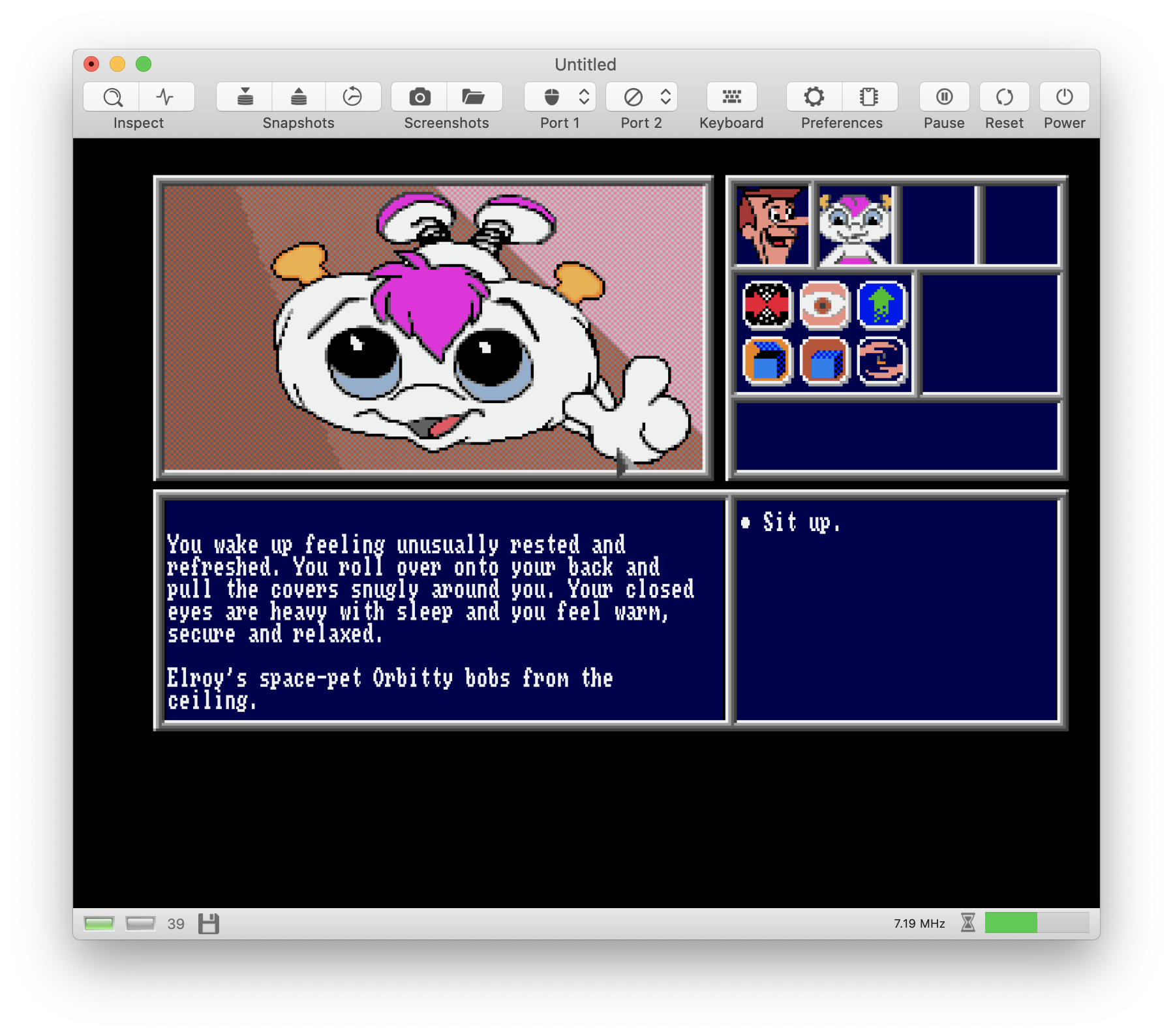
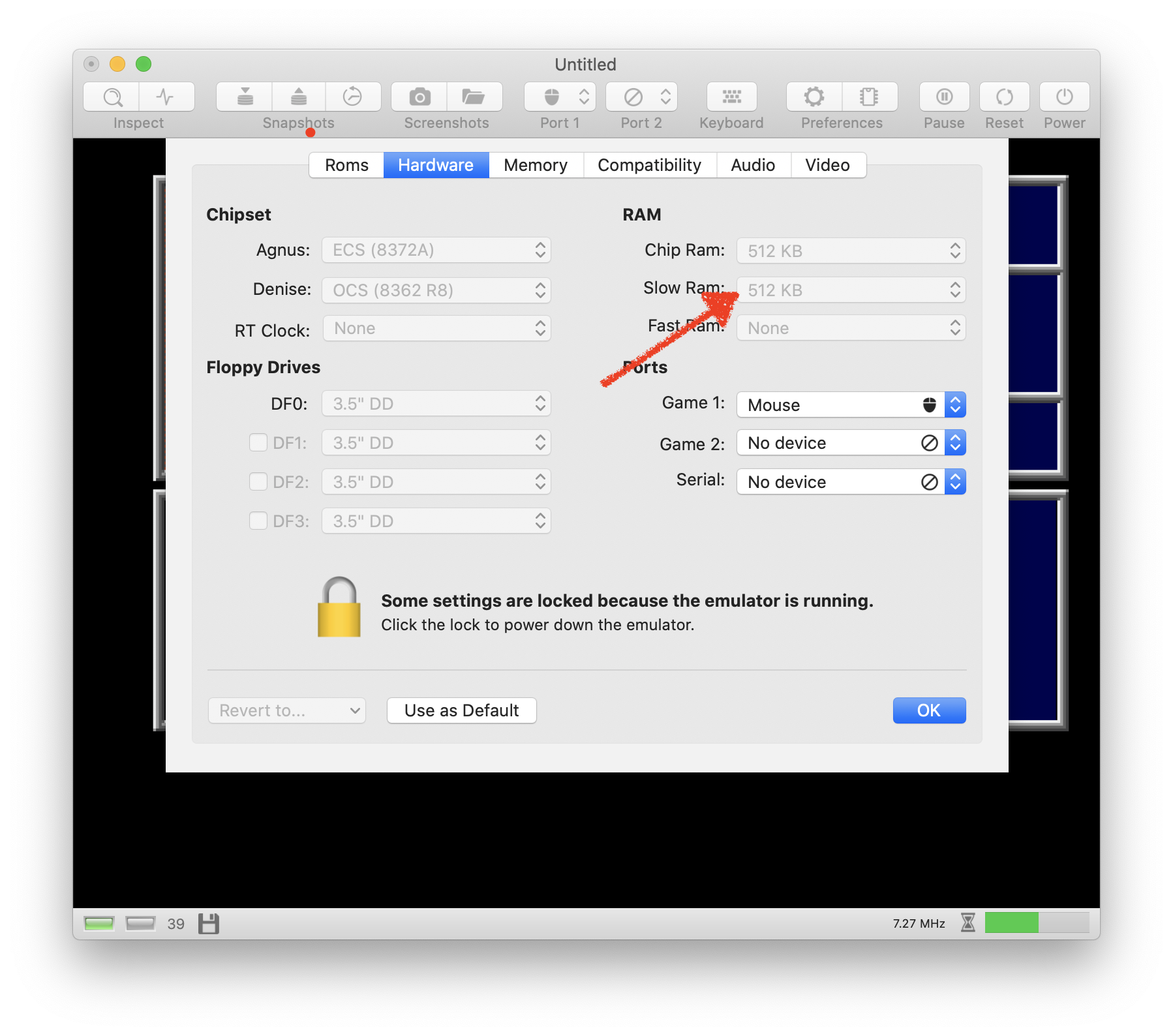
Solving issue #414 was the key to victory.
dirkwhoffmann
on 29 Sep 2020
Related issues
mithrendal
·
3Comments
dirkwhoffmann
·
3Comments
dirkwhoffmann
·
3Comments
dirkwhoffmann
·
3Comments
dirkwhoffmann
·
3Comments
Most helpful comment
Running "The Jetsons" with extended memory in vAmiga 😎:
Solving issue #414 was the key to victory.