Install DiagRom 1.2
Insert any disk
Select "Drive tests"
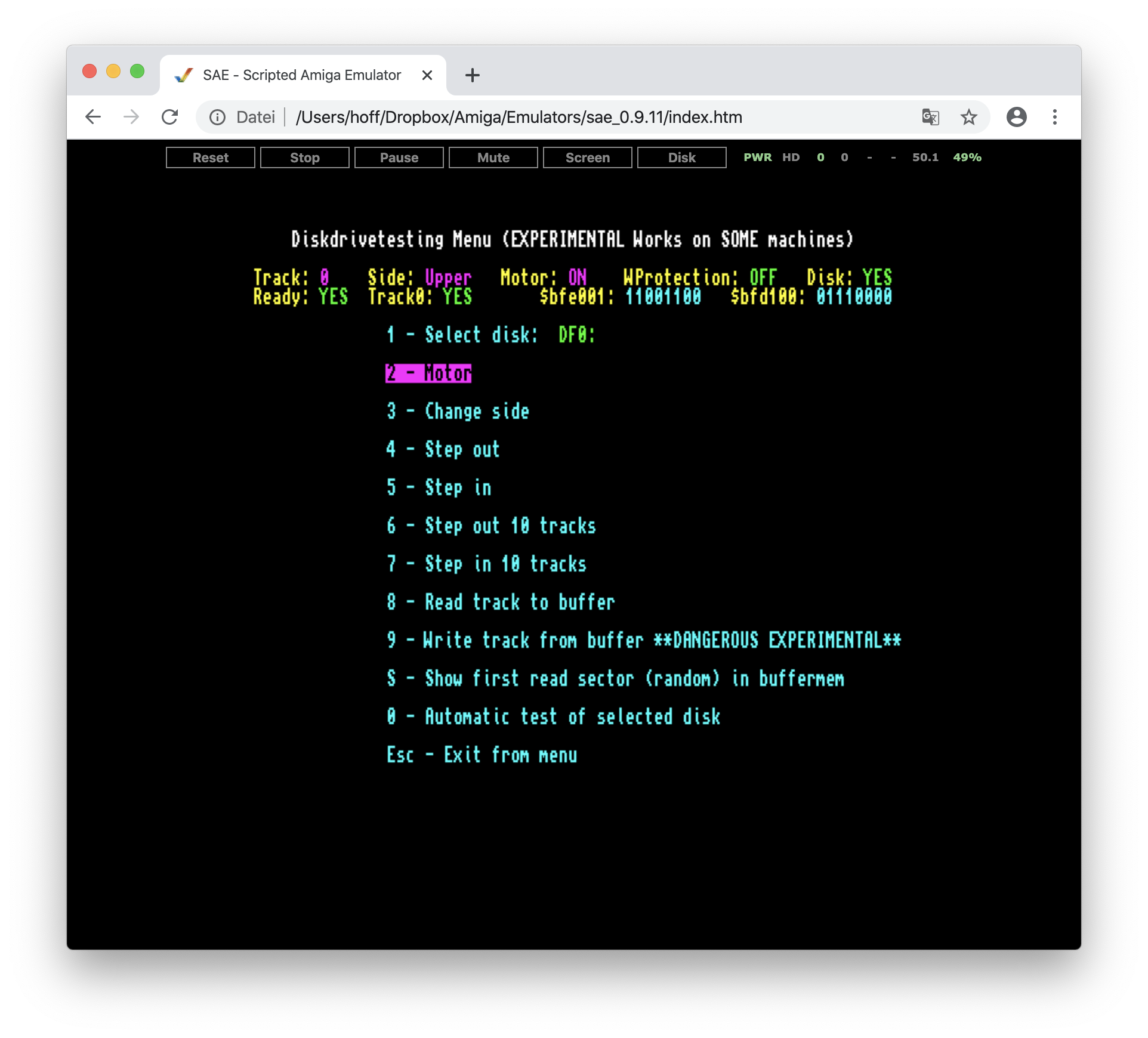
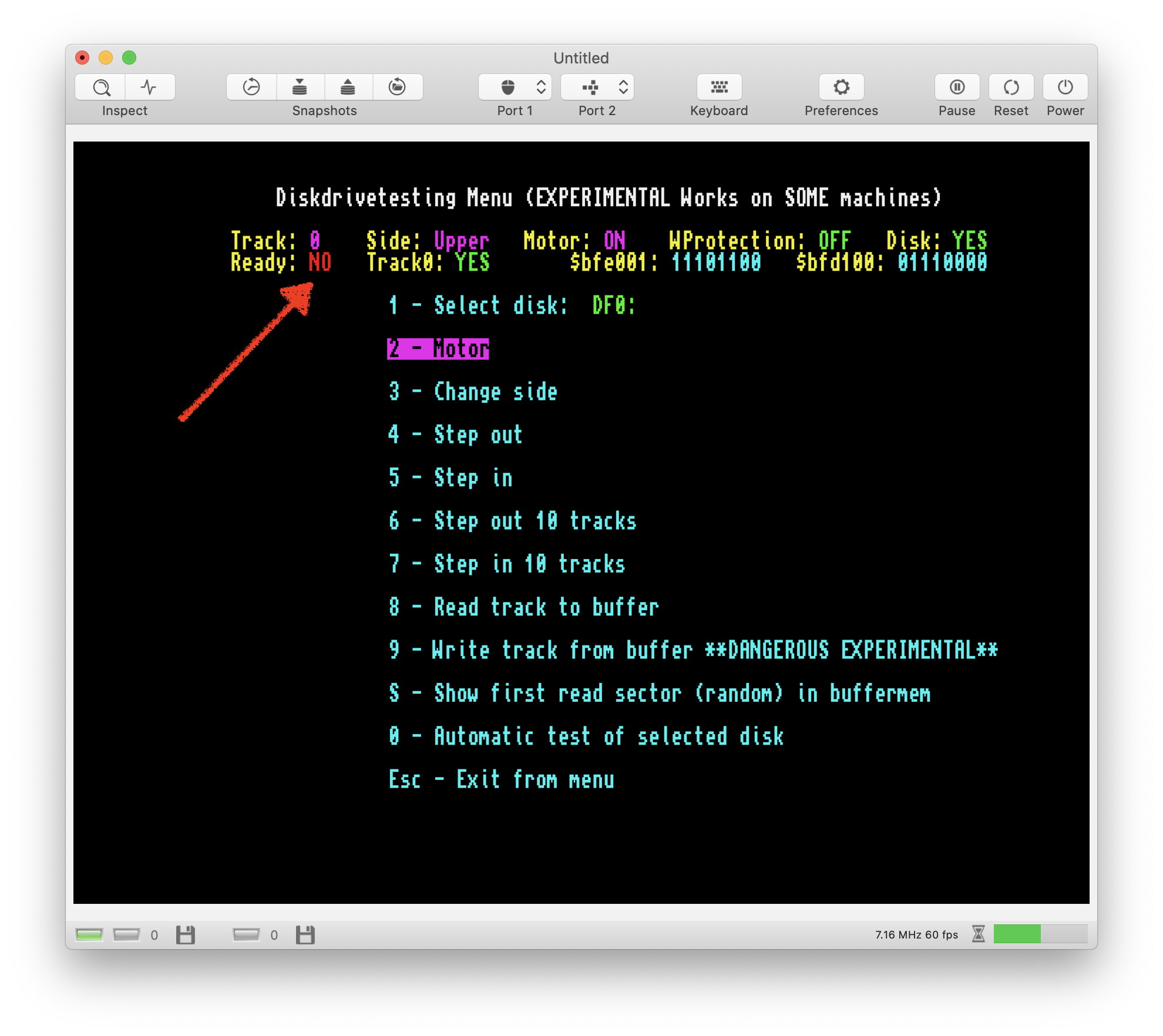
Hit 2 to turn on motor
SAE:
vAmiga: 🤭
 dirkwhoffmann
>All comments
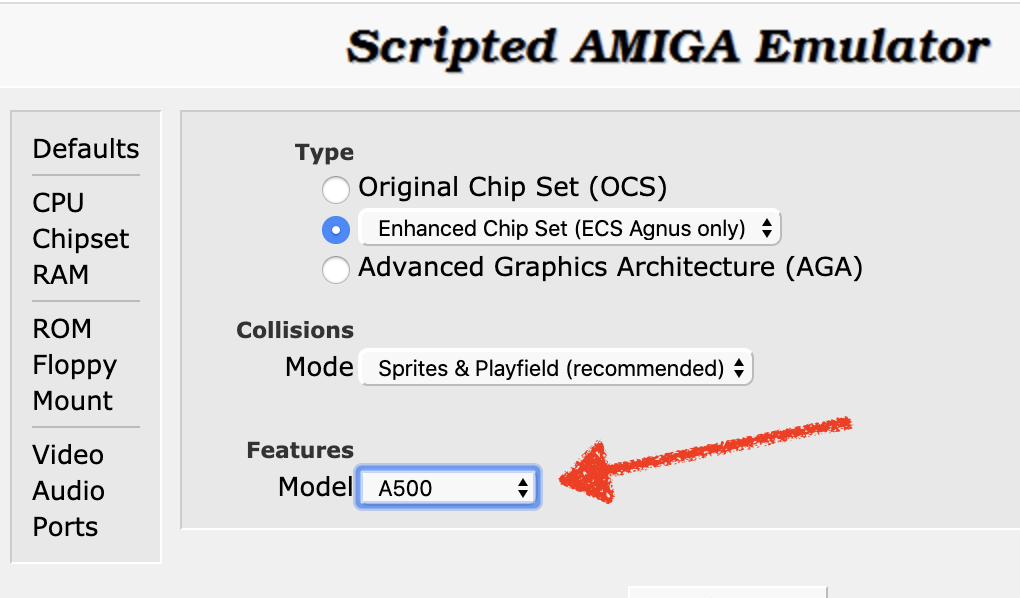
False alarm. What we see here is a configuration issue. The RDY bit is used to transmit the drive identification code when the motor is off. SAE transmits a 0 because it emulates the internal drive as having a drive ID. Most old Amigas (such as the A500) use internal drives that don't transmit a drive ID (meaning that RDY stays 1 which is displayed as NO). If SAE is configured explicitly to emulate an A500, the output matches what can be seen in vAmiga.
dirkwhoffmann
on 18 Mar 2020
😄1
👍1
Was this page helpful?
0 / 5 - 0 ratings
Related issues
dirkwhoffmann
·
3Comments
dirkwhoffmann
·
3Comments
 mithrendal
·
3Comments
mithrendal
·
3Comments
 Gianmarco72
·
4Comments
dirkwhoffmann
·
3Comments
Gianmarco72
·
4Comments
dirkwhoffmann
·
3Comments
Most helpful comment
False alarm. What we see here is a configuration issue. The RDY bit is used to transmit the drive identification code when the motor is off. SAE transmits a 0 because it emulates the internal drive as having a drive ID. Most old Amigas (such as the A500) use internal drives that don't transmit a drive ID (meaning that RDY stays 1 which is displayed as NO). If SAE is configured explicitly to emulate an A500, the output matches what can be seen in vAmiga.