Vamiga: Shadow of the Beast boot errors
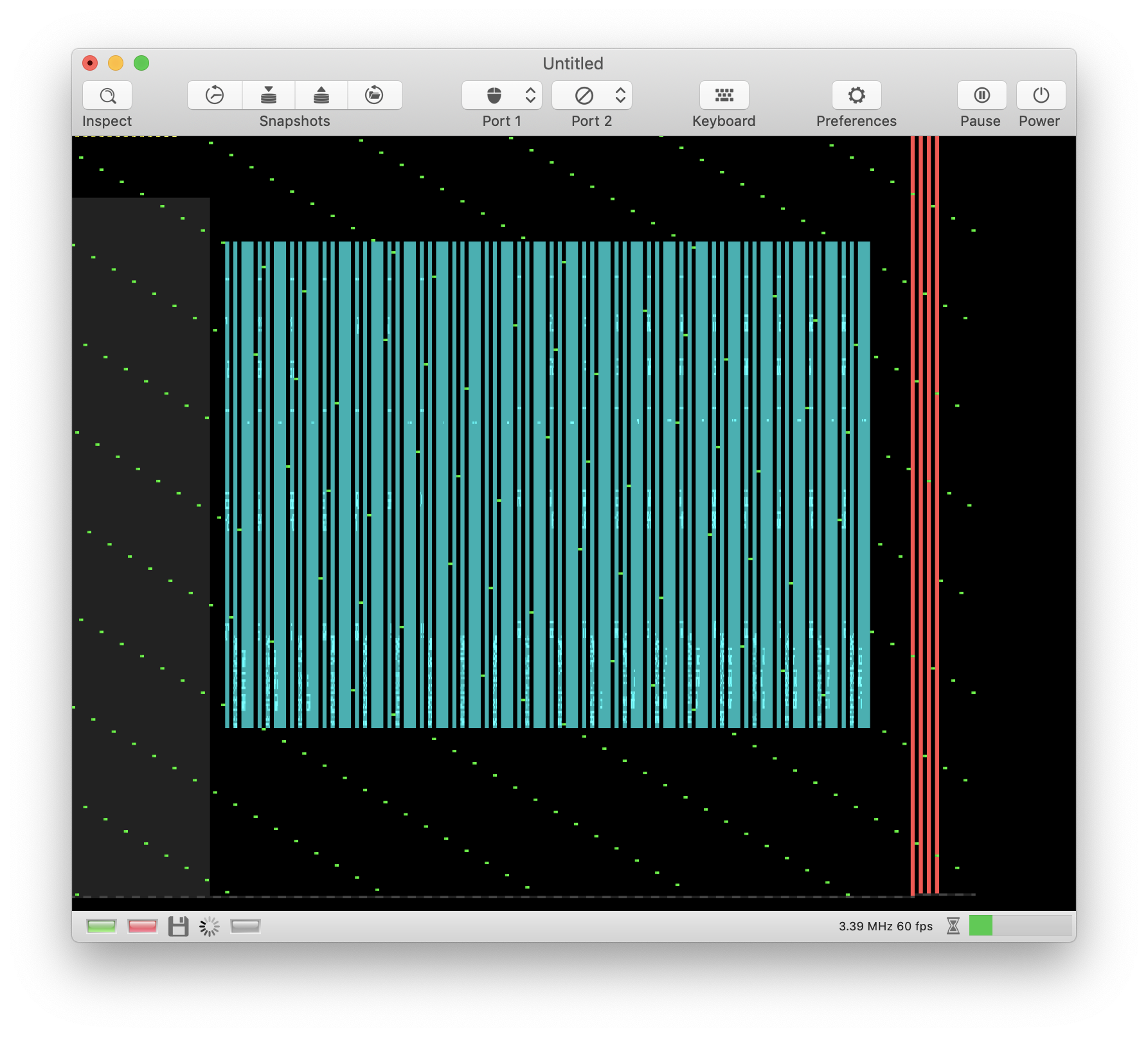
While booting, the screen turns black and clock frequency goes down to 3.5 MHz in debug mode (indicates heavy internal load).
The disk controller's going crazy. It performs DMA all over the place 🤭:
 dirkwhoffmann
All 27 comments
The "DMA all over the place" issue is fixed. The disk controller marked bus cycles as used in turbo mode (turbo mode doesn't care about the disk DMA slots).
The loader gets in an infinite loop where it reads the same track again and again. This is why it gets so slow. In turbo mode, it reads in track 40 about 5 times in each and every rasterline.
dirkwhoffmann
on 22 Jul 2019
Try to change the disk, insert disk two then press mouse button or fire
 Alessandro1970
on 22 Jul 2019
Alessandro1970
on 22 Jul 2019
Yes, many Amiga games cracked did not show the message to change disk, so when the screen comes black we have to change the disk and press something to go on!
Agony too ? I do not remember !?!
 mortinus
on 22 Jul 2019
mortinus
on 22 Jul 2019
Oh, I see. I left debug option
#define ALIGN_DRIVE_HEAD
enabled. This resets the drive head to position 0 on each cylinder hop and each write to DSKLEN. Doing so makes the drive deterministic and I can compare checksums with SAE (which I patched the same way 😎). Unfortunately, this option is not compatible with all games, because it does something that can never happen with a real drive.
Uhhh, scary 😬:
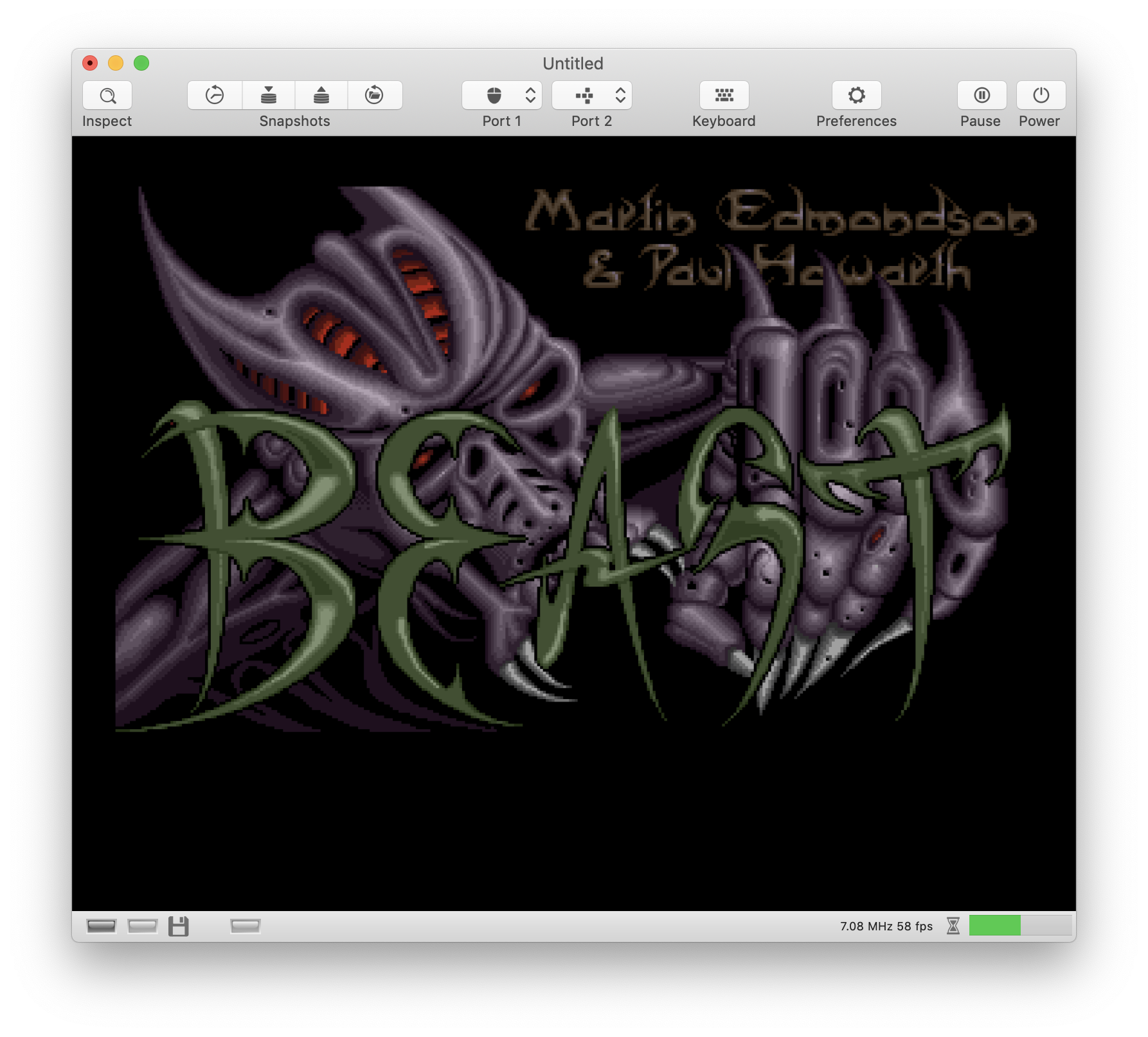
Typical graphics error like in Winter Games (mostly due to attached sprites).
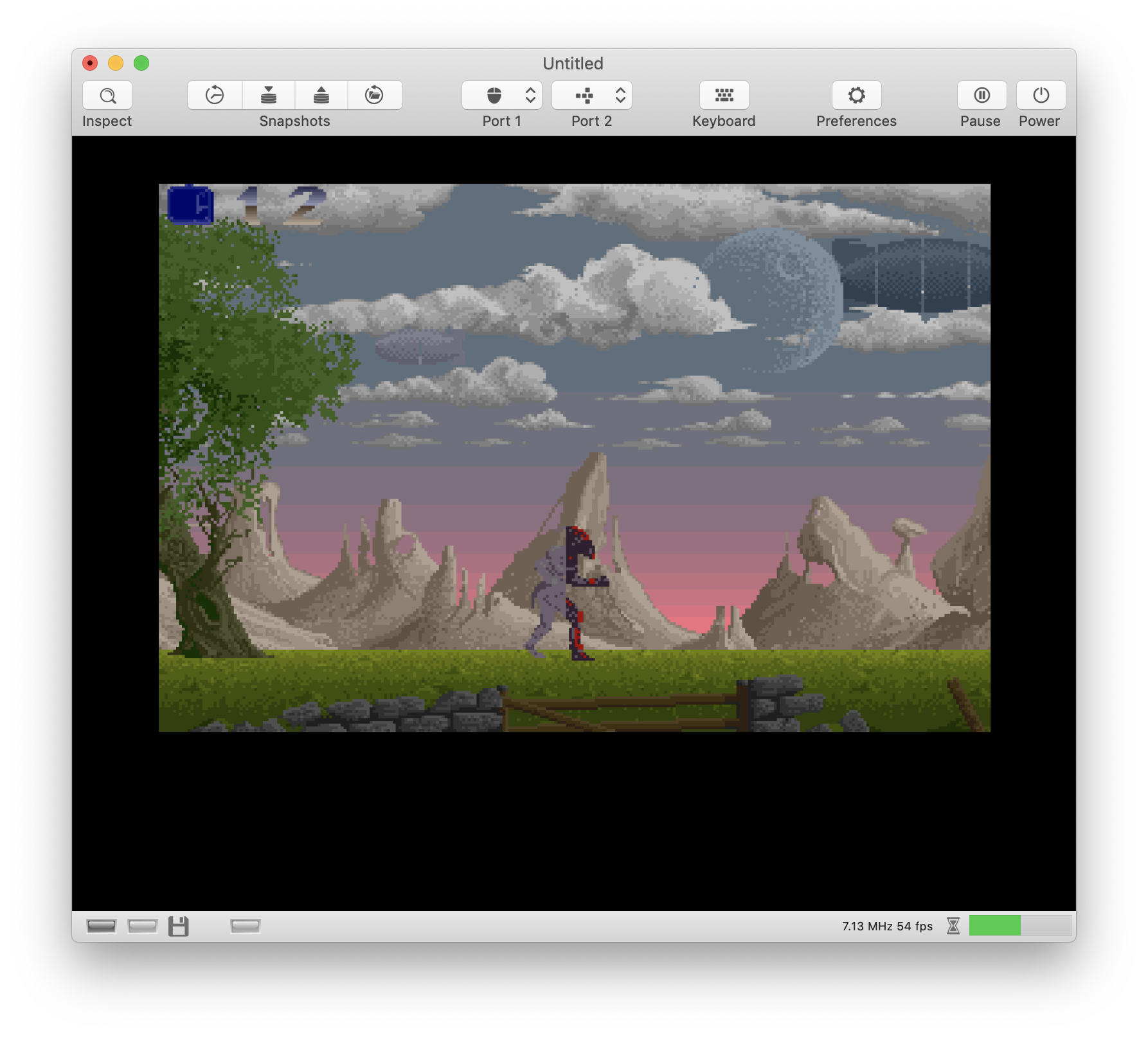
Eaaak, it freezes after playing a few seconds 🤭.
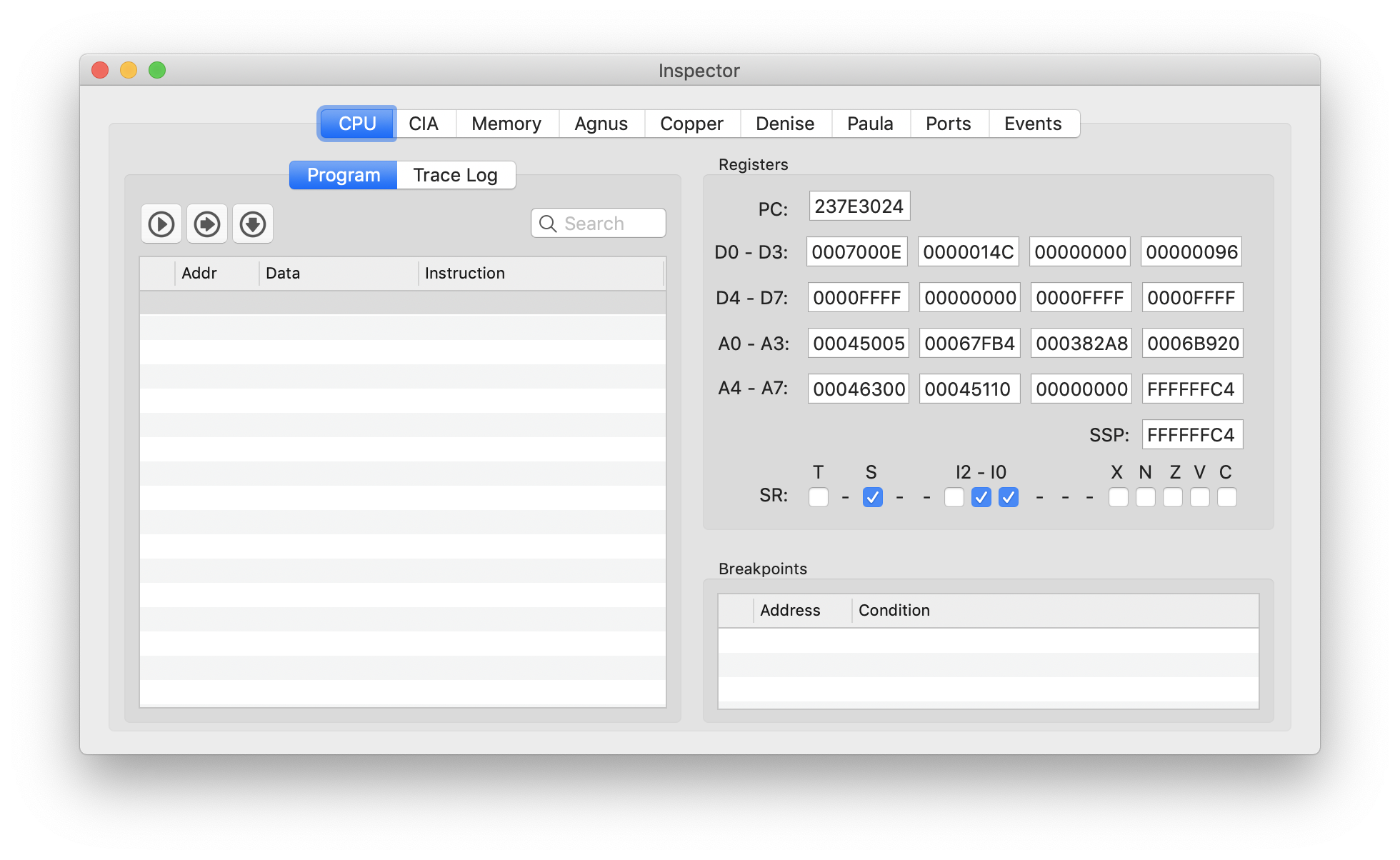
The program counter jumped outside the 24-bit range of OCS Amigas 😦.
dirkwhoffmann
on 22 Jul 2019
Maybe it jumped into the shadow..... the shadow RAM of da beast? Uhh what a scary thing. Poor baby frankenstein. How frightening.
 mithrendal
on 22 Jul 2019
mithrendal
on 22 Jul 2019
Maybe it jumped into the shadow...
Yes, that's possible. It is scared and trying to hide in unmapped Ram area 🤔.
dirkwhoffmann
on 22 Jul 2019
I remember now ! Or I think so !
These cracked games for change the disks make the Amiga Green or Red led to flash ! True ?!
Alessandro1970
on 22 Jul 2019
I think it's best to close the issue for now (because the boot problem has been solved). It's hardly impossible to debug the program counter issue with this game. It's most likely caused by something completely different that needs to be revealed by a another smaller test case.
dirkwhoffmann
on 22 Jul 2019
These cracked games for change the disks make the Amiga Green or Red led to flash ! True ?!
I never noticed that. Or maybe I just don't remember after 30 years without an Amiga.
dirkwhoffmann
on 22 Jul 2019
Ok, but can anyone try on an Original Amiga ?
To see if there is the same...or on WInUAE ...if the screen go black then this is not a bug but a crack, a worst crack !
Alessandro1970
on 22 Jul 2019
Ok, but can anyone try on an Original Amiga ?
Did I mention that I auctioned a real Amiga 500 on Ebay yesterday? 🤤
dirkwhoffmann
on 22 Jul 2019
Did you ?
I have a Amiga 2000 but it needs to be racapped and here is almost impossible at the moment !
I will try with winuae when I will be in front of a win 7. But I think that also with winuae will come the black screen... only the led let the user know to change disks...
@Mithrendal with his A1000 ?
Alessandro1970
on 22 Jul 2019
@Alessandro1970 my good old A1000 has a real handicap. I can not find the joystick and it's mouse anymore. I have only a keyboard connected. Therefore if a game wants a mouse or joystick click, then I would be stuck. But for testing whether the LED flashes or not after - loading disk1 of shadow of the beast may be sufficient. But before I want to test this, I would like to know whether in vAmiga the LED already flashes? If it already flashes in vAmiga then there is no need to test this on the A1000.
mithrendal
on 22 Jul 2019
I'm a little bit confused. What is the exact LED issue?
dirkwhoffmann
on 22 Jul 2019
As far as I understand @Alessandro1970 . He suspects that LED flashing is not working in vAmiga and wants us to test it on real hardware... He thinks that at the end of the loading process for disk1 the LED should flash. Have I understood this correct??
mithrendal
on 22 Jul 2019
Ok, but can anyone try on an Original Amiga ?
Did I mention that I auctioned a real Amiga 500 on Ebay yesterday? drooling_face
Did you buy it with the original rgb-monitor ?
Winners don't ... use AGA. :-)
mithrendal
on 22 Jul 2019
I think the LEDs are fine. I only got a black screen with debug option ALIGN_DRIVE_HEAD enabled (because of the infinite loop). Once I disabled it, the Beast told me via a text message to swap disks.
dirkwhoffmann
on 22 Jul 2019
I remember that some games did not display the string “change disk” or “ insert disk two” but with the dark screen the amiga 500 led flashes to indicate the action to insert the second or third disk.
Alessandro1970
on 22 Jul 2019
Maybe I’m wrong but I remember so... too many years
But trying the cracked one onto an amiga 500...
Alessandro1970
on 22 Jul 2019
Wiuae is asking for change the disk?
Alessandro1970
on 22 Jul 2019
I meant this dialog in Shadow of the beast:
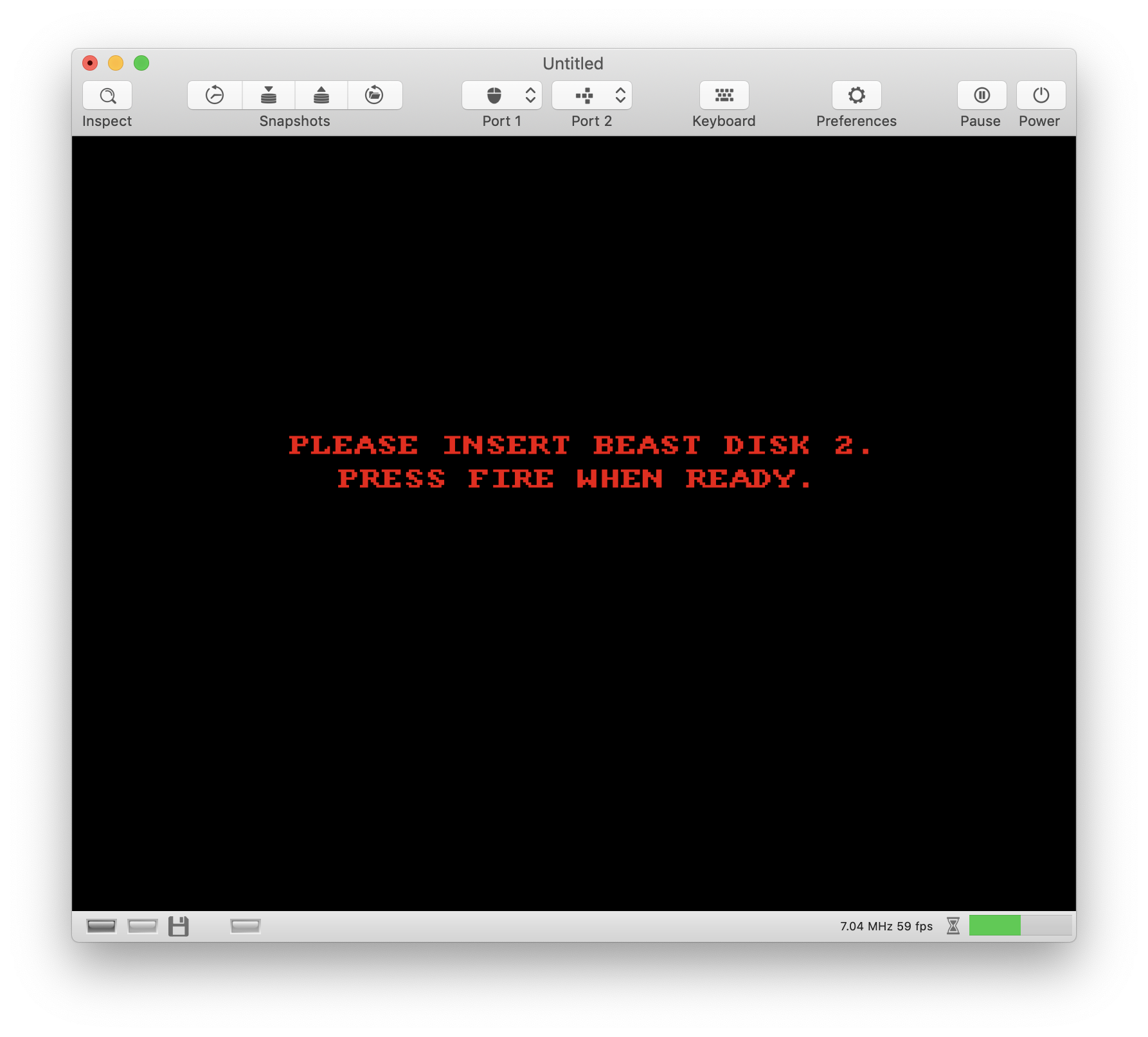
The power led is dimmed. This is most likely because the game disabled the audio filter. I don't know what the Amiga engineers though when they used the power led to enable or disable the audio filter, but they did it this way.
dirkwhoffmann
on 22 Jul 2019
Did you buy it with the original rgb-monitor ?
No, I'll try the RGB -> Scart -> HDMI solution which (according to some Youtube videos) seems to work if
- the RGB -> Scart Cable connects pin 16 to ground (which the original Scart cables don't do).
- the Scart -> HDMI converter accepts RGB and not only composite as many do.
I ordered a cable from Vesalia and this adapter from Amazon which is said to be RGB compatible:
https://www.amazon.de/Konverter-Extractor-Eingang-Ausgang-Koaxial-Scart-HDMI/dp/B07MWYFNKB/ref=sr_1_4?__mk_de_DE=ÅMÅŽÕÑ&keywords=SCART+zu+HDMI+Konverter+mit+Audio+Extractor&qid=1563817904&s=ce-de&sr=1-4
I also ordered a Gotek drive, because I don't expect the original disk drive to work any more.
dirkwhoffmann
on 22 Jul 2019
I have the original commodore rgb to 1084S Monitor Cable. Amiga End is RGB the other end is scart.
When I connect it into a modern TV which has a scart port, then at the first glance only a black picture is seen. When you then look very carefully you can spot the traces of the workbench hand screen. So somehow the original cable is not working.
So I ended up to connect the composite out from the A1000 into the modern TV. Which you already saw on the test images.
Found some links though which are building their own RGB cables which should produce brilliant results with example pics
https://ilesj.wordpress.com/2012/01/25/brilliant-picture-from-amiga-with-rgb-scart/
mithrendal
on 22 Jul 2019
So somehow the original cable is not working.
The guy in this video had the same problem:
https://www.youtube.com/watch?v=43UCbo4K7l8
The RGB->Scart cables from Vesalia are claimed to work. Fingers crossed. If they won't I can try to build my own cable based on the Wordpress article.
dirkwhoffmann
on 23 Jul 2019
With v3 something better but it crashes going right near the well:
Alessandro1970
on 1 Sep 2019
From CRASH.TXT:
Assertion failed: (!hasEvent
())
This is surprising. I never thought this assertion could trigger 🤔.
dirkwhoffmann
on 1 Sep 2019
No more crashes in v0.60.1 so far 😎:
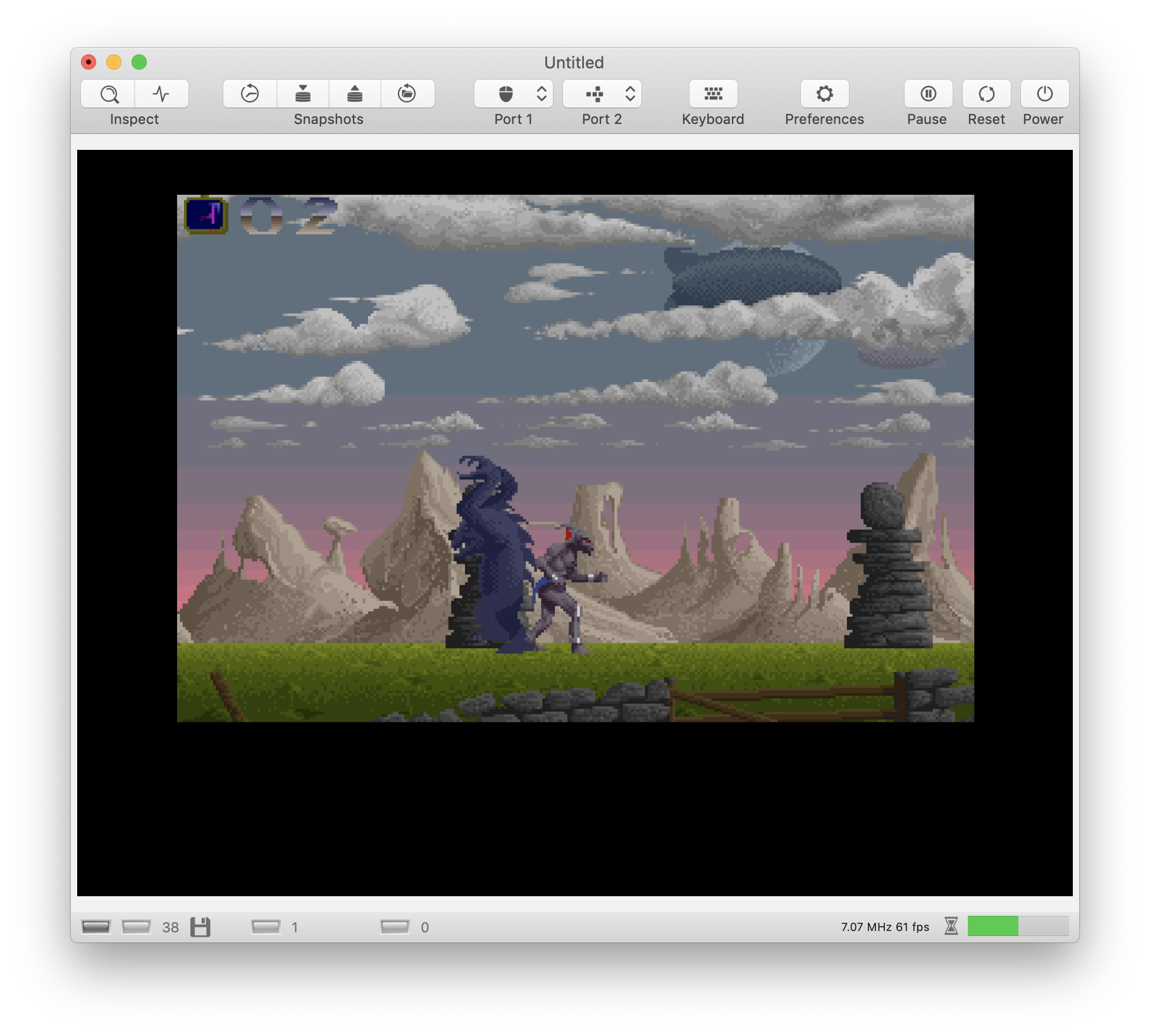
Nevertheless, this game is rather stupid. Firstly, it takes forever to load (even in warp mode). Secondly, when I passed the well, some arrows came up saying "Enter here". So I jumped into the well and the following screen came up:
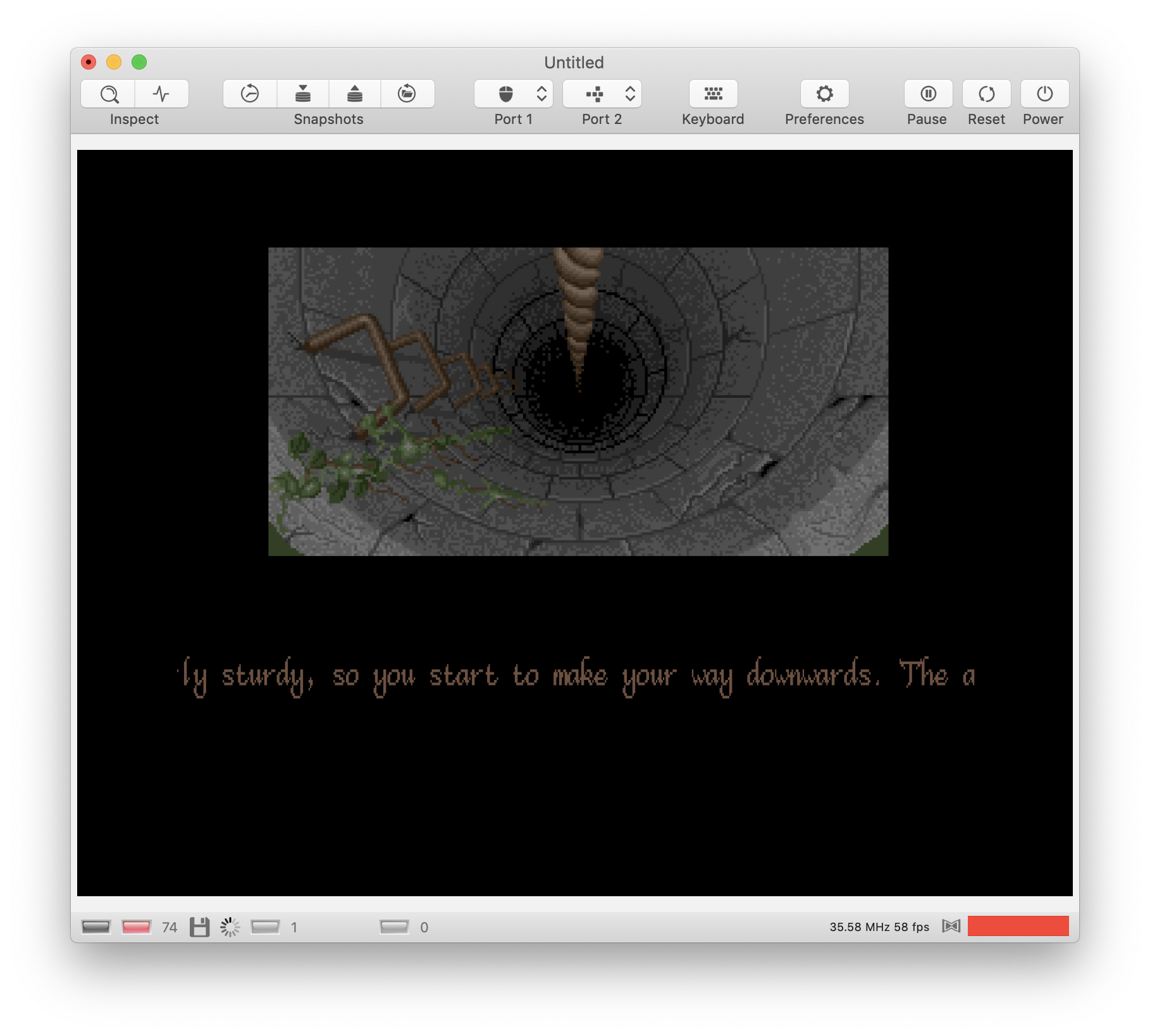
Then it said "a key would have helped" (or something like that) and it beamed me right back to the surface. Where do I get that key? I want to know what's in the well 😫. Or do I have to press a "key" on the keyboard? 🤔
dirkwhoffmann
on 23 Feb 2020
Related issues
 KenDFish
·
3Comments
KenDFish
·
3Comments
 Gianmarco72
·
4Comments
dirkwhoffmann
·
3Comments
dirkwhoffmann
·
4Comments
mithrendal
·
3Comments
Gianmarco72
·
4Comments
dirkwhoffmann
·
3Comments
dirkwhoffmann
·
4Comments
mithrendal
·
3Comments