Valkyrie: Enhancement: Add text alignment options to UI elements
In the official app, all cutscenes have the text aligned to the top left of the text area like this:
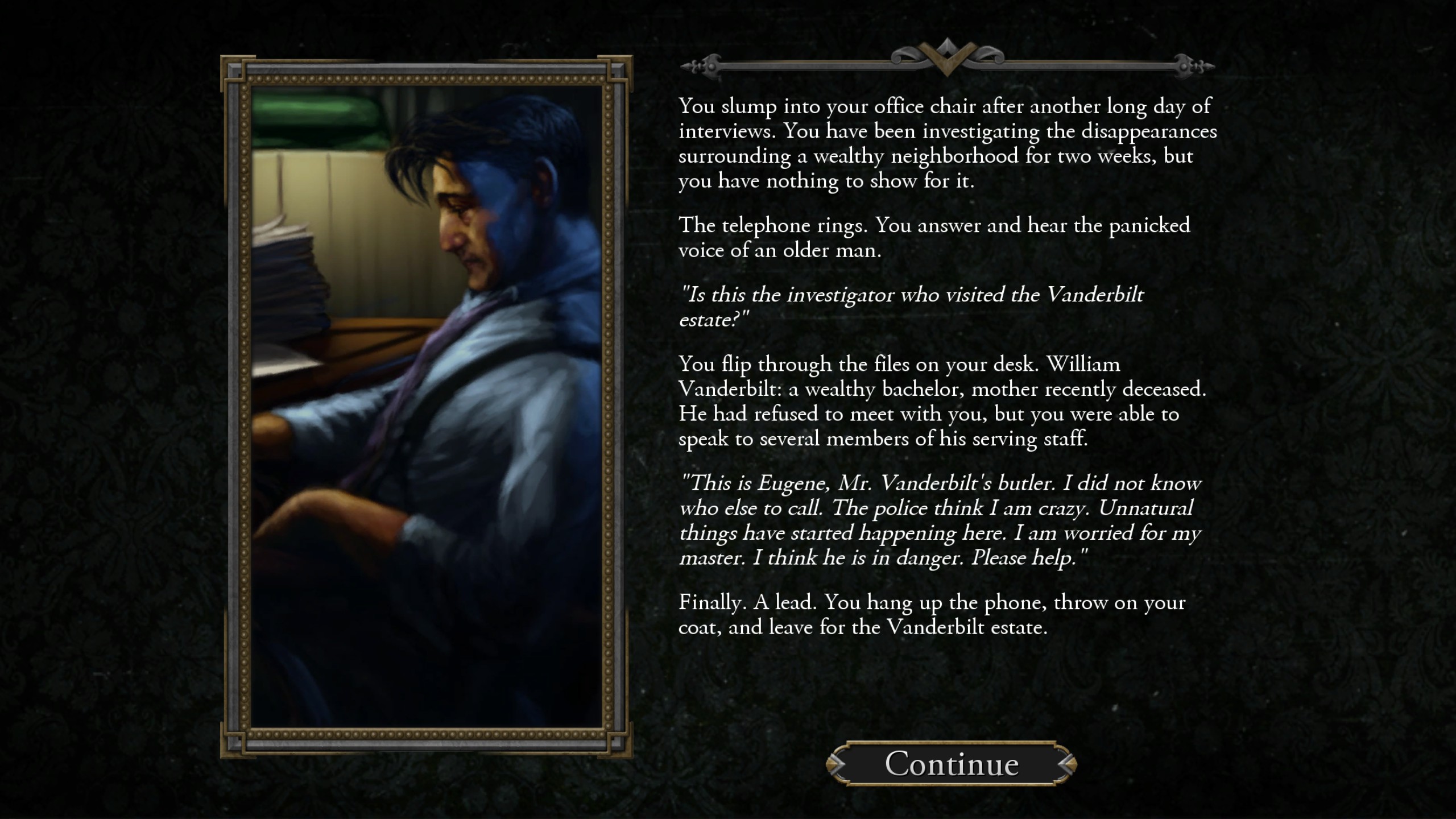
This is currently not natively supported by Valkyrie. We can fake text to have that appearance by using spaces and newlines, however this method is
- Time consuming
- Imprecise
- Breaks whenever you change the resolution (probably a bug)
However, the centre aligned text looks really bad for cutscenes and can make the text harder to read especially when there are massive discrepancy's in the size of individual lines. What we really need is a vertical and horizontal left/centre/right alignment options like what Microsoft Excel has.
 EwenDC
All 10 comments
UI Text alignment would be very nice to have. Do you think this should be limited to UI text elements only? Or should it also be available for dialogue boxes and buttons?
@EwenDC A question concerning your point 2 and 3 did you position your text box with Units set to Vertical? If not, then you might want to check the new chapter in the tutorial: 'Introduction UI - the prologue'. With vertical positioning the text box should behave more predictable.
 antontimmermans
on 2 Apr 2019
antontimmermans
on 2 Apr 2019
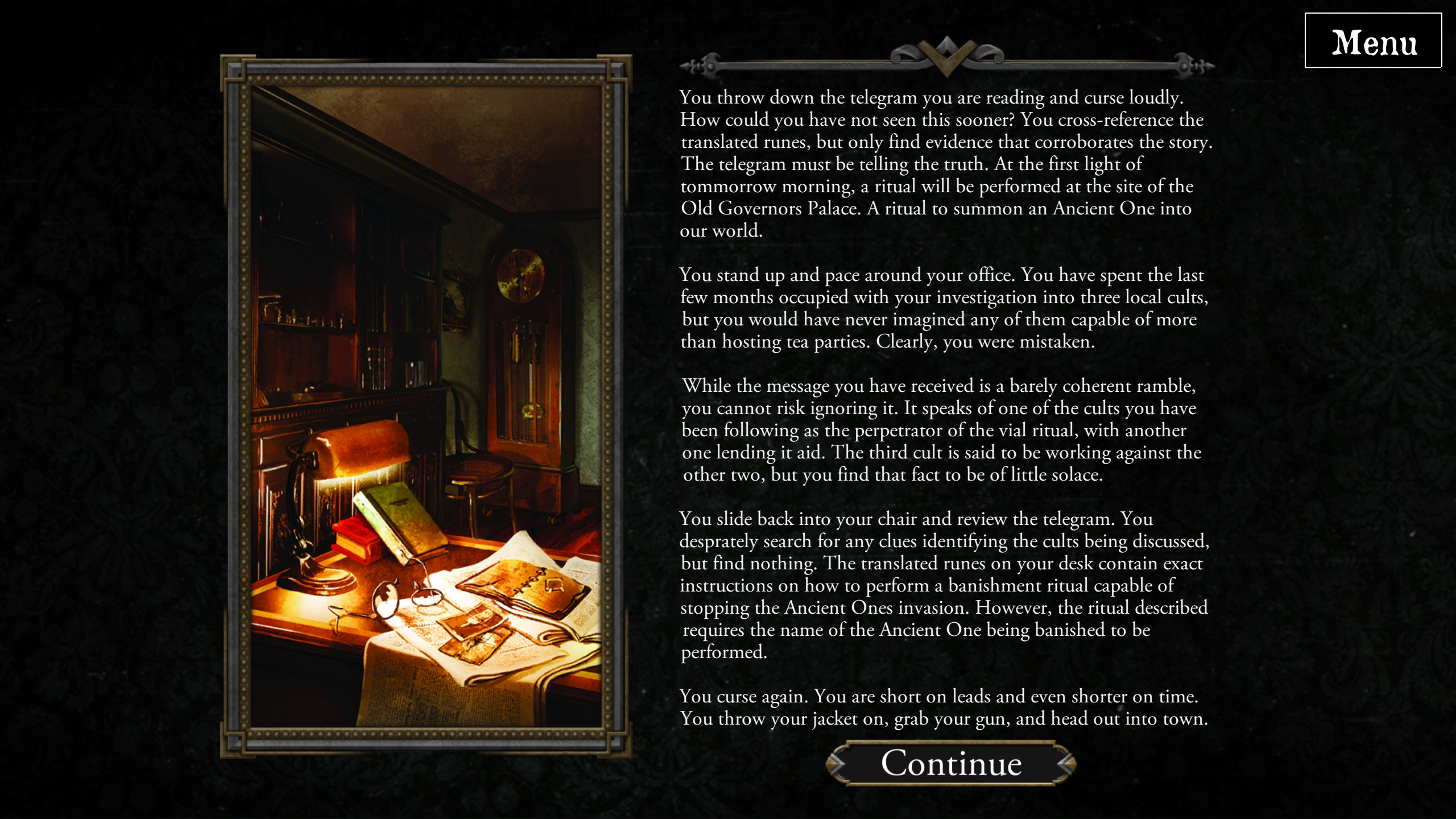
That's the thing, I _am_ using vertical units with centre alignment. That's why I think it must be a bug, because it seems to treat spaces and word wrap differently depending on your actual resolution, regardless of aspect ratio.
To give an example, this is what the intro of my scenario looks like at my native resolution:
And this is what it looked like on @scrubbless resolution:

I'm not sure it's a bug worth investigating since it's caused by a pretty hacky atypical use of the textboxes.
EwenDC
on 2 Apr 2019
I would still love to see this ticket implemented for UI texts (and if possible also for event dialogue text).
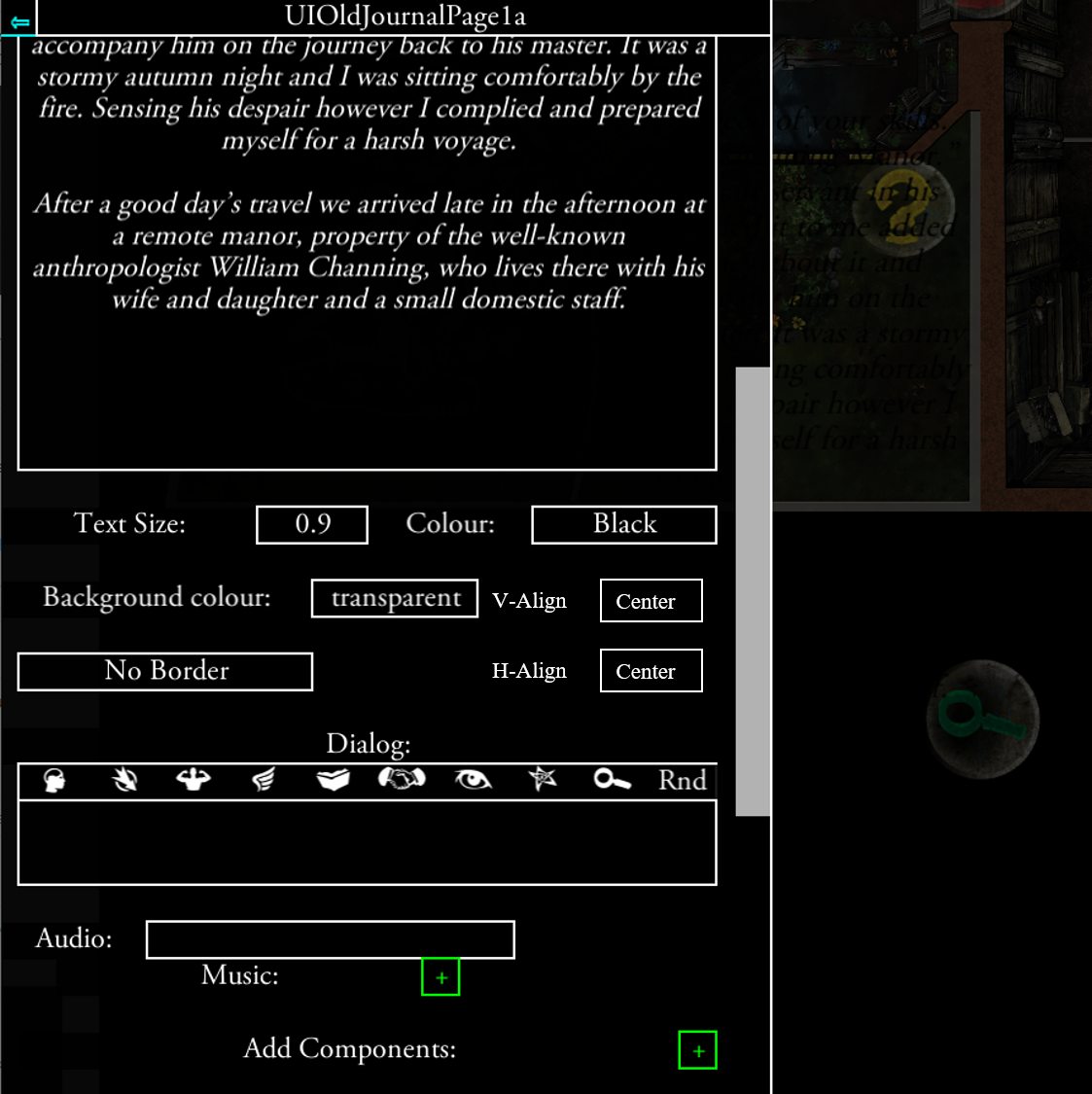
An option to set horizontal alignment:
- Left
- Center (<-default)
- Right
An option to set Vertical alignment (will only have effect with UI Text Box, since event dialogue box sizes with the text):
- Top
- Center (<- default)
- Bottom
The interface in the editor could look like this:
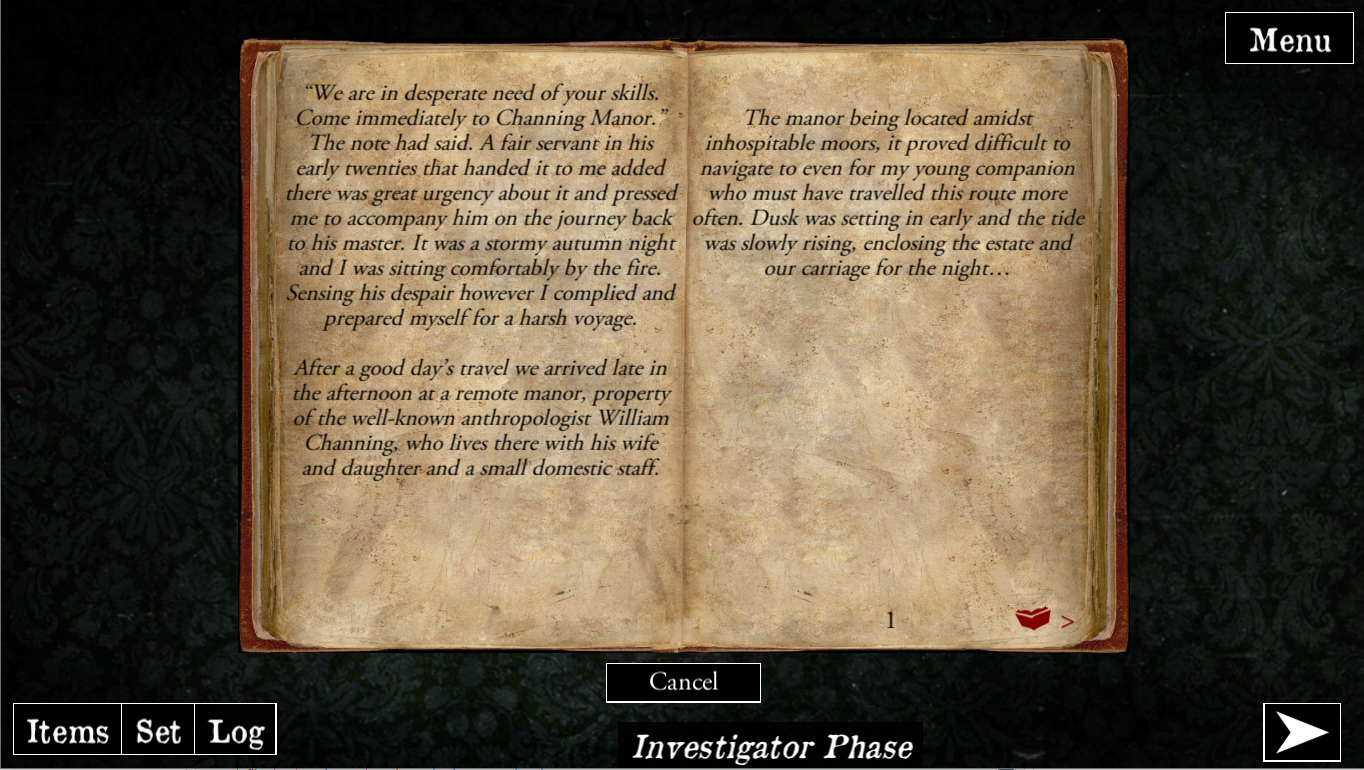
Adding extra \n in at the start or end of a text could mimic vertical alignment. But it will never look nice, and it makes the work for translators very complex. especially in cases like this:
antontimmermans
on 28 Nov 2020
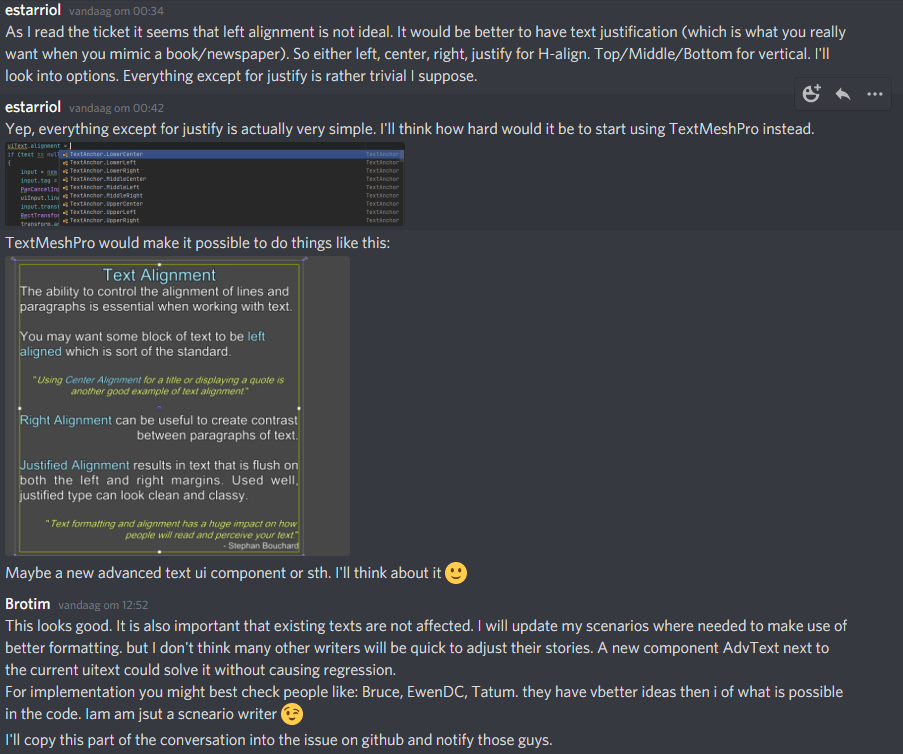
@EwenDC, @NPBruce, @Quantumrunner , @scrubbless , @mayjak
antontimmermans
on 29 Nov 2020
@mayjak
TextMeshPro sounds like a good way to solve this. This documentation shows the stuff you can do with it. Looks like it is a HTML like format.
But some things would need to be solved first:
- Does this work with Unity 2018.4?
- How would this be activated for an Event Text or Label (e.g. additional checkbox "Is Richtext?")?
- How would this deal with the infamous quote-character (")? This has been causing ever since because texts containing it have to be escaped (""). TextMeshPro texts would contain dozens of quote character.
 Quantumrunner
on 29 Nov 2020
Quantumrunner
on 29 Nov 2020
@Quantumrunner
- Does this work with Unity 2018.4?
Yes, version 1.4.1 is certified for Unity 2018.4. The text screenshot is from v1.4.1 of TextMeshPro. Edit: Actually 1.5.3 is the latest compatible version: https://docs.unity3d.com/2018.4/Documentation/Manual/com.unity.textmeshpro.html
- How would this be activated for an Event Text or Label (e.g. additional checkbox "Is Richtext?")?
I haven't decided on this yet. I think that a checkbox should be fine.
- How would this deal with the infamous quote-character (")? This has been causing ever since because texts containing it have to be escaped (""). TextMeshPro texts would contain dozens of quote character.
Good point. There should be an automatic escape/unescape when you save it/load it. It shouldn't be rocket science to handle it, but that's definitely something that needs to be handled. I'll check how it works with the current text entries too. Maybe I could fix it for standard text too. Is " the only character that needs to be escaped? Worst case scenario we can do html encoding like ", but I'd rather not do that as it makes the source file unreadable.
EDIT:
I checked and " is automatically escaped in the editor. I guess this might be a problem for translators, but as a rule of thumb it the html structure should not be touched by translators. It raises a valid point that "rich text" would make the translation process a bit more difficult.
 mayjak
on 29 Nov 2020
mayjak
on 29 Nov 2020
I did a quick test and it seems it's pretty straightforward to add it as a checkboxed "rich text" option:
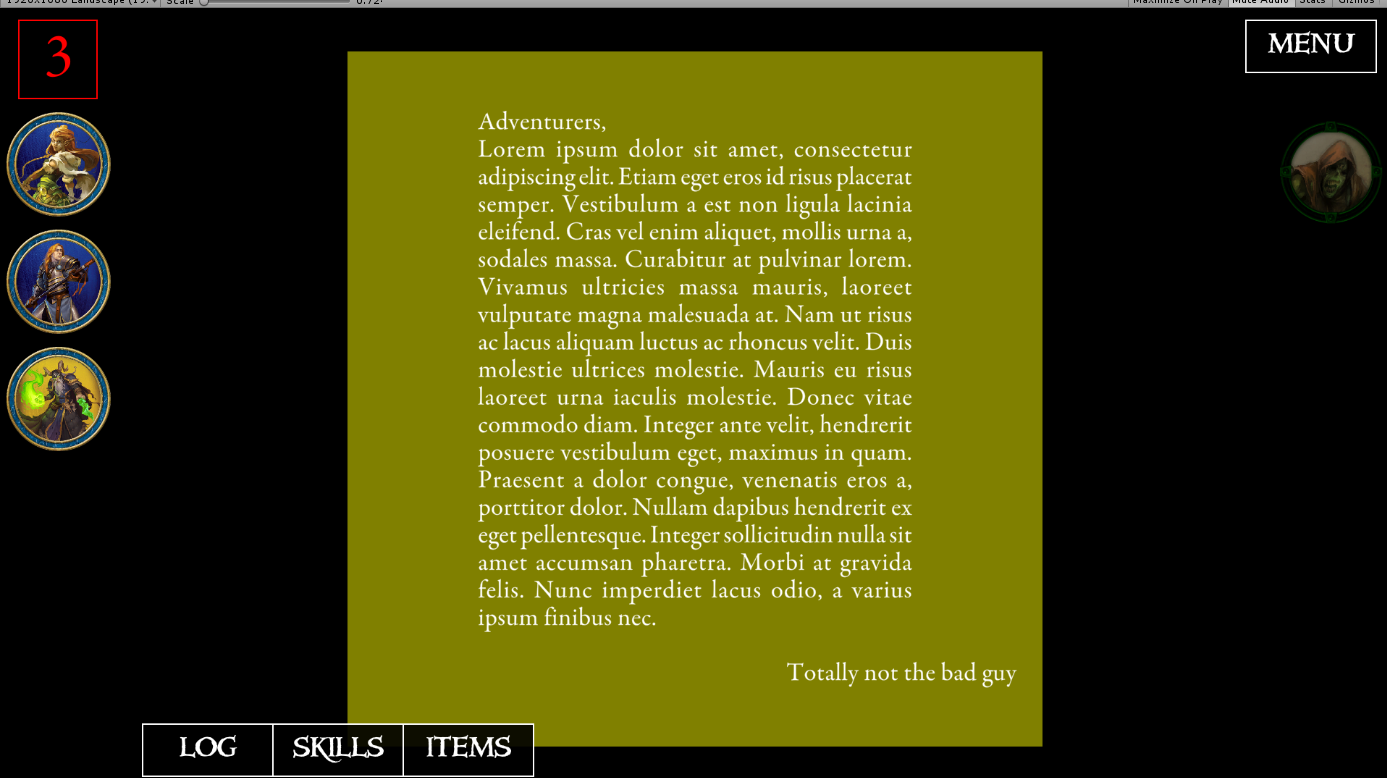
Vertical alignment still needs to be handled globally though.
mayjak
on 30 Nov 2020
My question is going forward is there any good reason NOT to use this?
If not, then I suggest that all new dialogs default to this, existing dialogs can use the old method with an option appearing to upgrade them. Behind the scenes you can use a legacy text flag to fall back to the old system, and apply this to all text that is imported from older quest versions.
 NPBruce
on 30 Nov 2020
NPBruce
on 30 Nov 2020
@NPBruce Sounds like a good solution.
@mayjak
_Is " the only character that needs to be escaped? Worst case scenario we can do html encoding like ", but I'd rather not do that as it makes the source file unreadable._
This is the only character I know of. Everything else should be working fine.
_I guess this might be a problem for translators, but as a rule of thumb it the html structure should not be touched by translators. It raises a valid point that "rich text" would make the translation process a bit more difficult._
Yes this has always been a big problem for translators. Therefore I have been using „text“ or 'text' in my creations in the past.
Maybe we can find another character (e.g. |) for this with the new editor component or even a new logic which gets rid of this problem completely.
Quantumrunner
on 30 Nov 2020
The simplest thing that comes to mind is basically what you were doing in your scenarios - replace " character with “. I'll take a look into localization files format. Maybe there's something else we can use there as this must be a common problem for the whole Unity community.
mayjak
on 30 Nov 2020
Related issues
 chrismaliszewski
·
7Comments
chrismaliszewski
·
6Comments
chrismaliszewski
·
7Comments
chrismaliszewski
·
6Comments
 BenRQ
·
3Comments
BenRQ
·
3Comments
 asn-d6
·
6Comments
asn-d6
·
6Comments
 copytco
·
4Comments
copytco
·
4Comments
Most helpful comment
My question is going forward is there any good reason NOT to use this?
If not, then I suggest that all new dialogs default to this, existing dialogs can use the old method with an option appearing to upgrade them. Behind the scenes you can use a legacy text flag to fall back to the old system, and apply this to all text that is imported from older quest versions.