Valet-plus: Bug: <valet successfully started not working>
i have this situation on my mac Big Sur 11.1
don't ping *.test
which php
/usr/local/bin/php
php -v
PHP 7.2.34 (cli) (built: Oct 1 2020 16:05:58) ( NTS )
Copyright (c) 1997-2018 The PHP Group
Zend Engine v3.2.0, Copyright (c) 1998-2018 Zend Technologies
with Zend OPcache v7.2.34, Copyright (c) 1999-2018, by Zend Technologies
brew services list
Name Status User Plist
dnsmasq stopped
httpd stopped
httpd-bc stopped
mailhog stopped
[email protected] started raffaele /Users/raffaele/Library/LaunchAgents/homebrew.mxcl.[email protected]
nginx stopped
redis stopped
[email protected] stopped
[email protected] stopped
[email protected] started raffaele /Users/raffaele/Library/LaunchAgents/homebrew.mxcl.[email protected]
[email protected] started raffaele /Users/raffaele/Library/LaunchAgents/homebrew.mxcl.[email protected]
brew info php
php: stable 8.0.1 (bottled), HEAD
General-purpose scripting language
https://www.php.net/
Not installed
From: https://github.com/Homebrew/homebrew-core/blob/HEAD/Formula/php.rb
License: PHP-3.01
==> Dependencies
Build: httpd ✔, pkg-config ✔
Required: apr ✔, apr-util ✔, argon2 ✔, aspell ✔, autoconf ✔, curl ✔, freetds ✔, gd ✘, gettext ✔, glib ✔, gmp ✔, icu4c ✔, krb5 ✔, libffi ✔, libpq ✔, libsodium ✔, libzip ✔, oniguruma ✘, openldap ✔, [email protected] ✔, pcre2 ✔, sqlite ✔, tidy-html5 ✔, unixodbc ✔
==> Options
--HEAD
Install HEAD version
==> Caveats
To enable PHP in Apache add the following to httpd.conf and restart Apache:
LoadModule php_module /usr/local/opt/php/lib/httpd/modules/libphp.so
<FilesMatch \.php$>
    SetHandler application/x-httpd-php
</FilesMatch>
Finally, check DirectoryIndex includes index.php
DirectoryIndex index.php index.html
The php.ini and php-fpm.ini file can be found in:
/usr/local/etc/php/8.0/
To have launchd start php now and restart at login:
brew services start php
Or, if you don't want/need a background service you can just run:
php-fpm
==> Analytics
install: 39,490 (30 days), 160,084 (90 days), 600,276 (365 days)
install-on-request: 38,783 (30 days), 157,058 (90 days), 576,318 (365 days)
build-error: 0 (30 days)
Stopping [email protected]... (might take a while)
==> Successfully stopped [email protected] (label: [email protected])
==> Successfully started [email protected] (label: [email protected])
 farmaworld
All 18 comments
Same issue here,
it seems that starting the services manually everything works.
 mizzimizzi
on 11 Jan 2021
mizzimizzi
on 11 Jan 2021
A fix will be released soon. https://github.com/weprovide/valet-plus/pull/554
 harlet
on 12 Jan 2021
harlet
on 12 Jan 2021
Same issue here,
it seems that starting the services manually everything works.
for me start, but don't work anything
please
farmaworld
on 15 Jan 2021
Same issue here,
it seems that starting the services manually everything works.for me start, but don't work anything
please
Make sure each service is started with the right privileges. For example:

mizzimizzi
on 16 Jan 2021
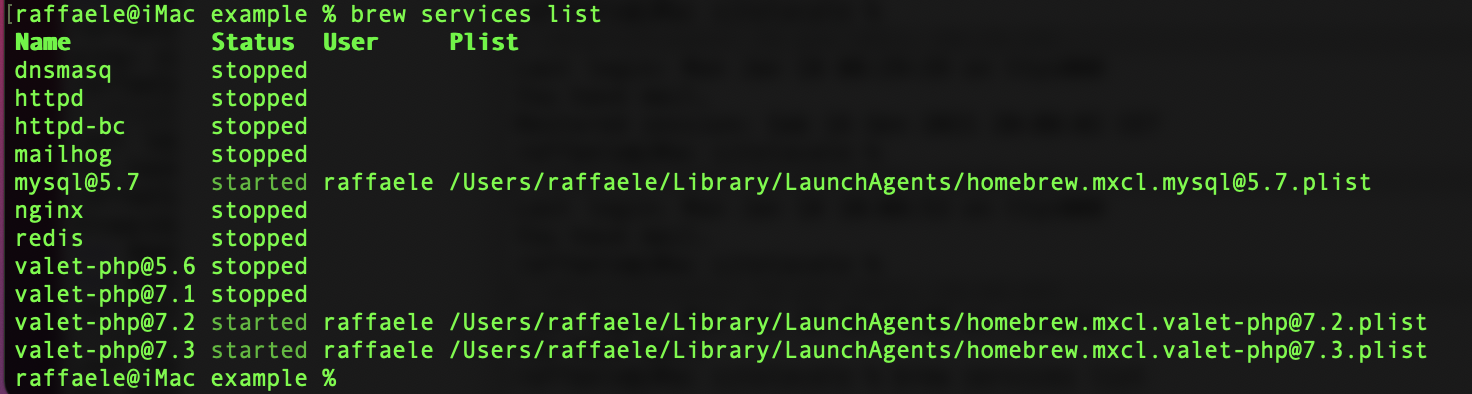
Name Status User Plist
dnsmasq stopped
httpd stopped
httpd-bc stopped
mailhog stopped
[email protected] started raffaele /Users/raffaele/Library/LaunchAgents/homebrew.mxcl.[email protected]
nginx stopped
redis stopped
[email protected] stopped
[email protected] stopped
[email protected] started raffaele /Users/raffaele/Library/LaunchAgents/homebrew.mxcl.[email protected]
[email protected] started raffaele /Users/raffaele/Library/LaunchAgents/homebrew.mxcl.[email protected]
farmaworld
on 16 Jan 2021
this is my services
farmaworld
on 18 Jan 2021
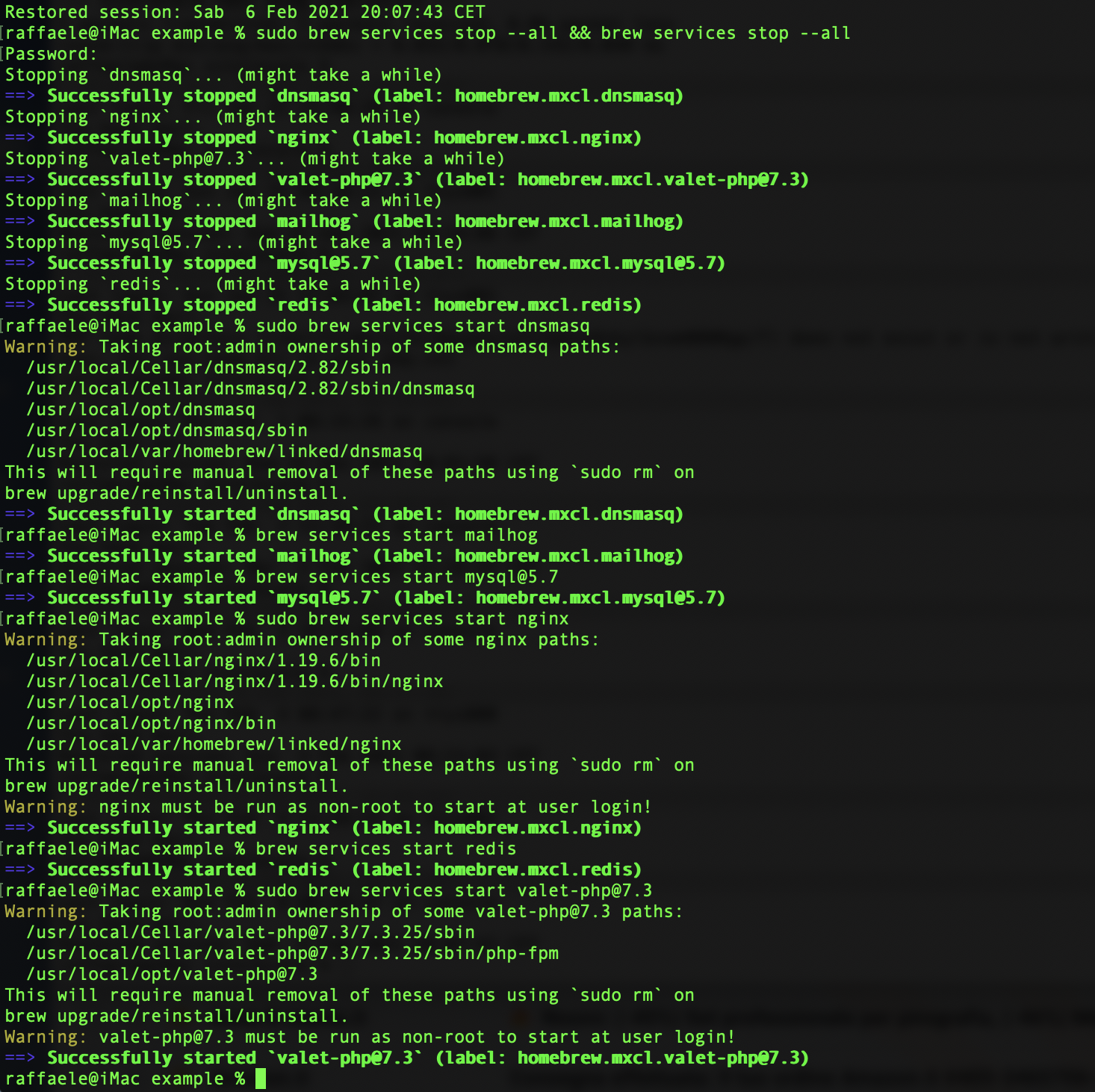
Try doing it this way:
sudo brew services stop --all && brew services stop --all
make sure every service is stopped. Then
sudo brew services start dnsmasq
brew services start mailhog
brew services start [email protected]
sudo brew services start nginx
brew services start redis
sudo brew services start [email protected]
mizzimizzi
on 18 Jan 2021
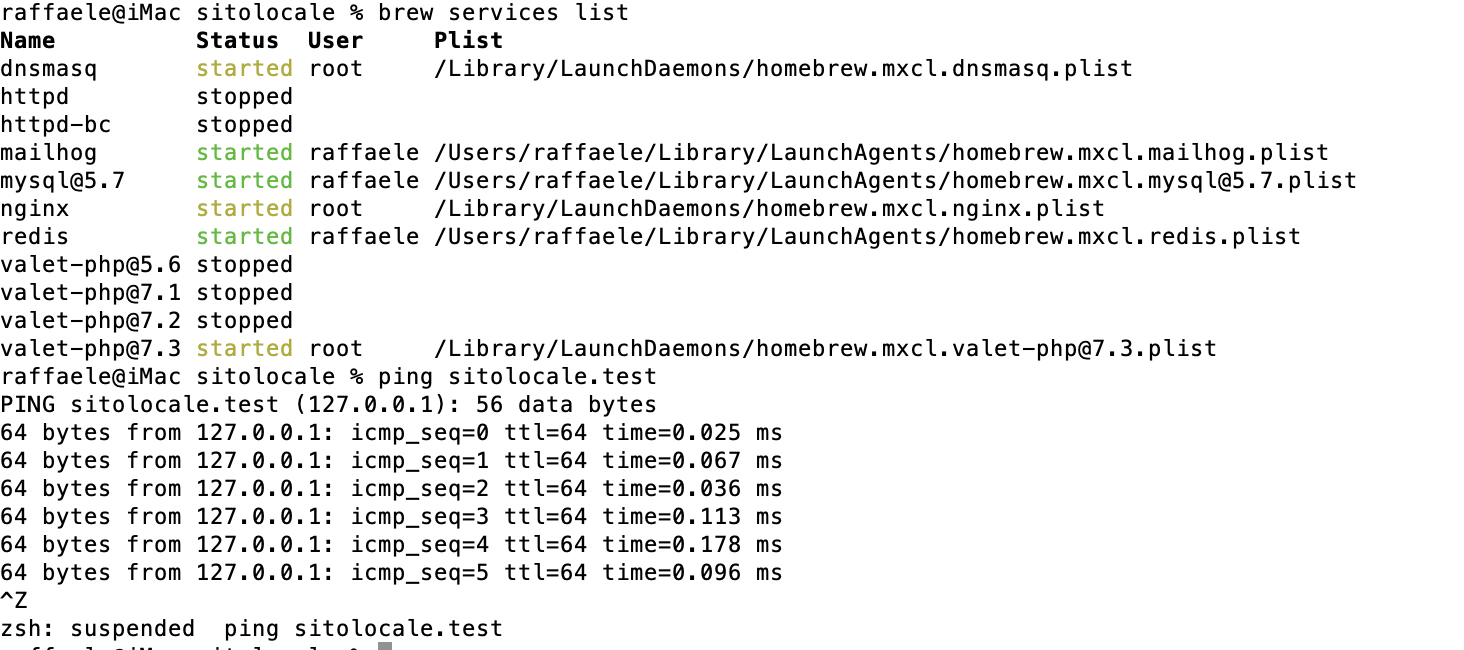
i'm try but don't pin
farmaworld
on 19 Jan 2021
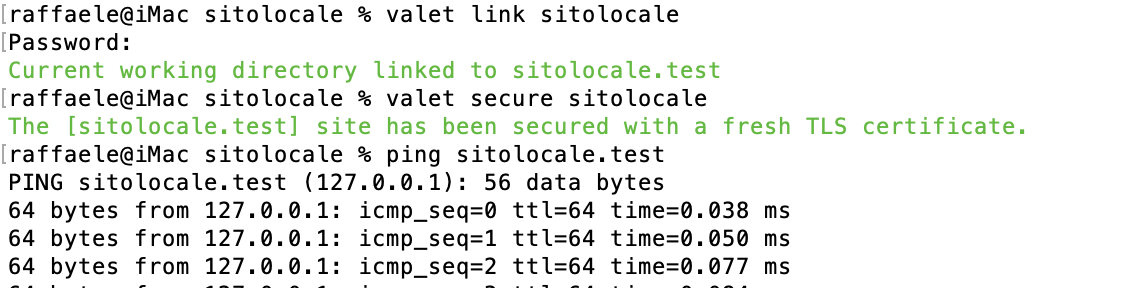
but initialization of site work
farmaworld
on 19 Jan 2021
nothing?
please
farmaworld
on 8 Feb 2021
Hi,
I can't understand what the problem is. We need a better description. Have you tried with the suggested steps?
mizzimizzi
on 8 Feb 2021
valet is started but i have 502 bad gateway error
farmaworld
on 8 Feb 2021
I don't think it's a Valet issue.
Have you checked the logs?
mizzimizzi
on 8 Feb 2021
farmaworld
on 8 Feb 2021
I don't think it's a Valet issue.
Have you checked the logs?
what log?
please help me
farmaworld
on 8 Feb 2021
The Nginx logs
valet logs nginx.
Also you can try to create a simple HTML page and check if valet can serve this page.
mizzimizzi
on 8 Feb 2021
2021/02/08 19:49:47 [crit] 4170#0: *8 connect() to unix:/Users/raffaele/.valet/valet.sock failed (2: No such file or directory) while connecting to upstream, client: 127.0.0.1, server: sitolocale.test, request: "GET / HTTP/2.0", upstream: "fastcgi://unix:/Users/raffaele/.valet/valet.sock:", host: "sitolocale.test"
2021/02/08 19:49:47 [crit] 4168#0: *10 connect() to unix:/Users/raffaele/.valet/valet.sock failed (2: No such file or directory) while connecting to upstream, client: 127.0.0.1, server: sitolocale.test, request: "GET /favicon.ico HTTP/2.0", upstream: "fastcgi://unix:/Users/raffaele/.valet/valet.sock:", host: "sitolocale.test", referrer: "https://sitolocale.test/"
2021/02/08 19:50:50 [crit] 4170#0: *8 connect() to unix:/Users/raffaele/.valet/valet.sock failed (2: No such file or directory) while connecting to upstream, client: 127.0.0.1, server: sitolocale.test, request: "GET / HTTP/2.0", upstream: "fastcgi://unix:/Users/raffaele/.valet/valet.sock:", host: "sitolocale.test"
farmaworld
on 8 Feb 2021
please help me
farmaworld
on 13 Feb 2021
Related issues
 regularlabs
·
19Comments
regularlabs
·
19Comments
 luukschakenraad
·
18Comments
luukschakenraad
·
18Comments
 eclectic-coding
·
31Comments
eclectic-coding
·
31Comments
 MaxSouza
·
46Comments
MaxSouza
·
46Comments
 wowcut
·
15Comments
wowcut
·
15Comments
Most helpful comment
A fix will be released soon. https://github.com/weprovide/valet-plus/pull/554