The problem
When I opened this project on the Android studio platform. doesn't working this project and I see errors in the layout files I added the libraries through the settings »Then the language ... the problem but the problem is still available How do I do it because I need to test the translation file of Arabic
Note: I do not have much experience in the Android studio or the Java programming language, but I do know some simple things, if anyone knows how it works or it has already run it let me know
Another question is far from this issue
Where do you start learning Java language and how long it takes as a beginner who knows nothing but a little like the concept of variables and other things are simple and do I need to be my English language strong I can learn and accurate and do you need university degrees because some of the concepts are not available on the Internet
 foodmaher
All 14 comments
@foodmaher We'll need much more details steps on how you set Android Studio up, as well as more details on the errors you are getting now. Screenshots would be helpful, but if the language you are using for Android Studio is Arabic then I'm not sure how much I can do to help. Google will probably be a better resource for initial setup.
As for your unrelated questions:
It is entirely possible to teach yourself everything you need to know about programming on the Internet or through books. I personally went to university and I value my degree, but I know many excellent programmers who are self-taught. I cannot say whether English is necessary to become successful in programming, but I imagine it will make it easier, and many of the available resources to learn it are in English.
 MatthewTighe
on 6 Feb 2019
MatthewTighe
on 6 Feb 2019
@MatthewTighe Thank you for answer
The program language for me is English in Android studio, but I need have to open the userland project I needed to check the translation file for Arabic to custom to this application
Now I'm not close to my computer so I will explain the problem to you in writing until I send you screenshots, but the problem in my xml files layout of user screen or user interface (UI) where there are some of the codes that I got the mistake of not available in the program or libraries do not know why, but it could be because of the addition of external libraries that do not have on the program
foodmaher
on 7 Feb 2019
@MatthewTighe
These are some of the errors that appear
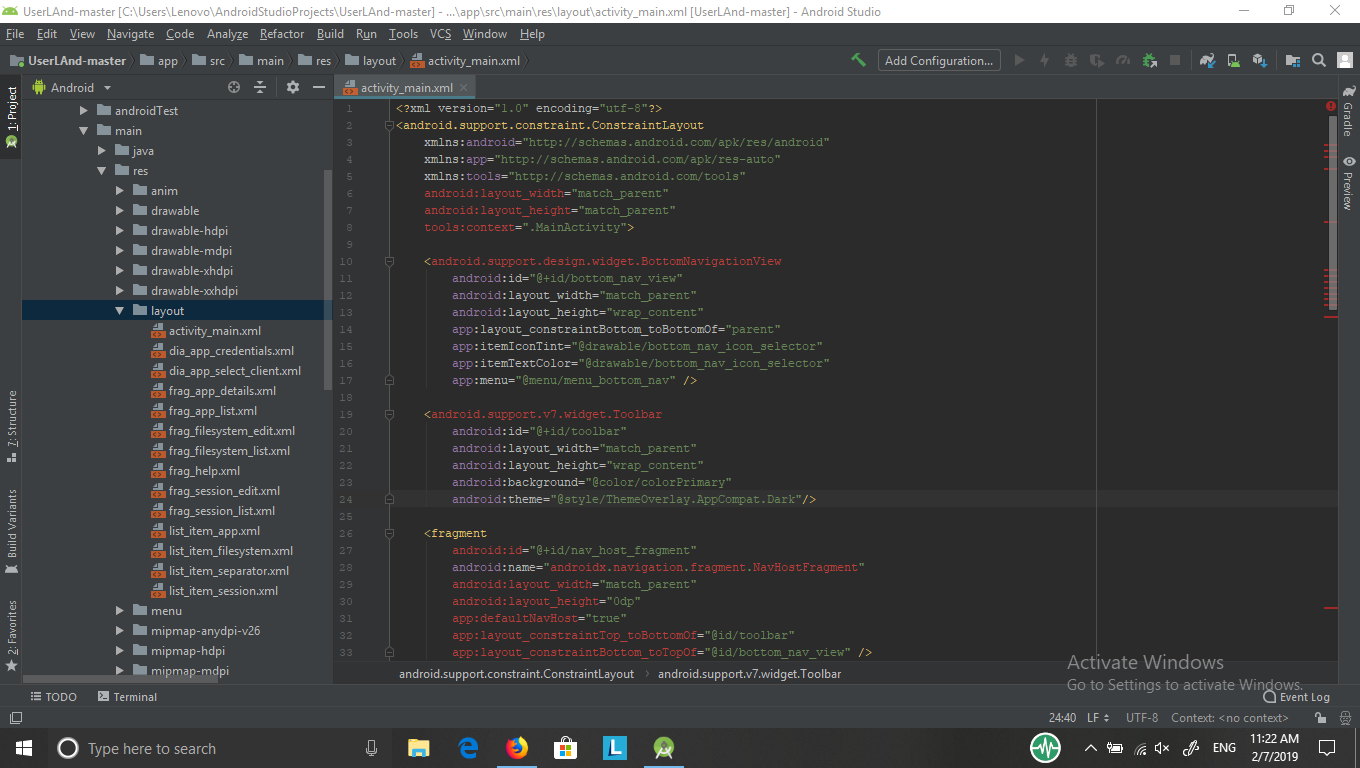
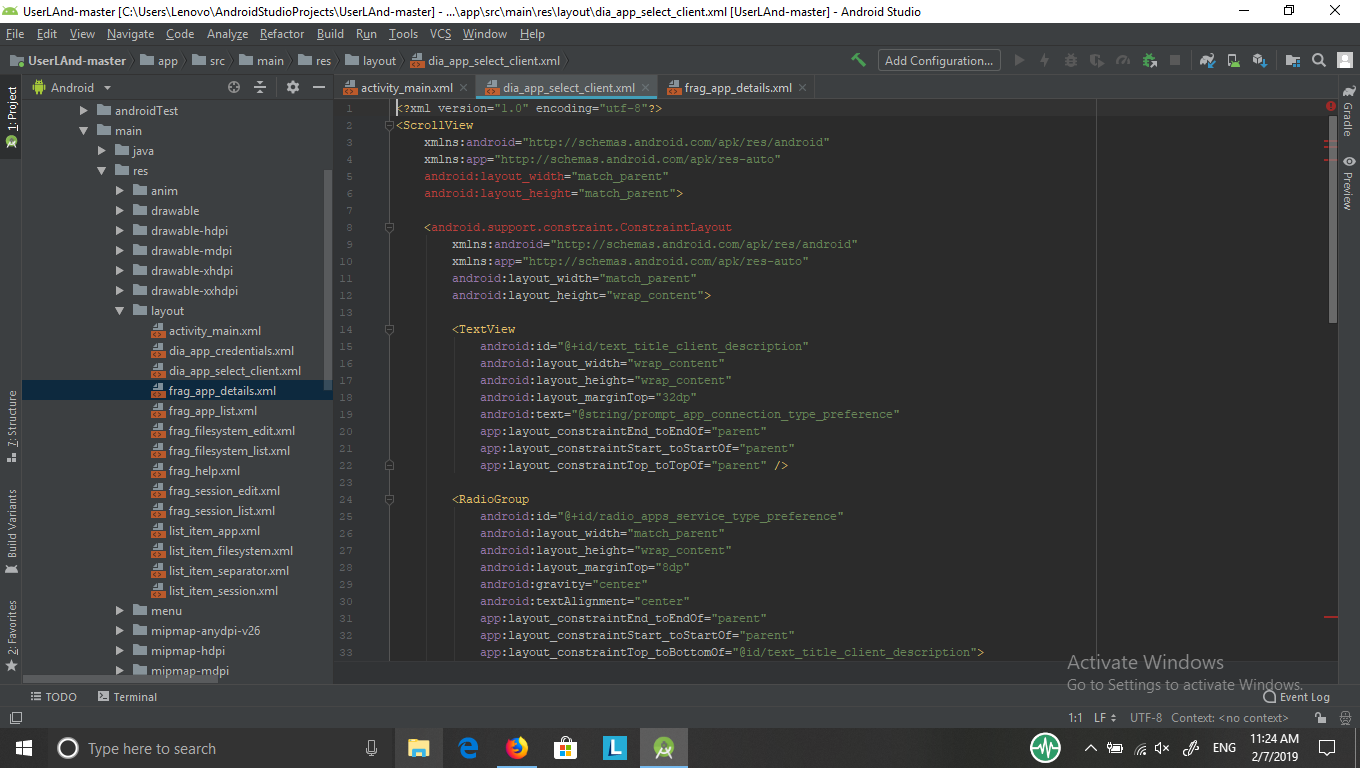
foodmaher
on 7 Feb 2019
@foodmaher please note that error highlighting does not always match what is really an error. When you build you should get more specific info about what errors you have encountered. Those error messages will be way more useful than providing screen shots.
 corbinlc
on 7 Feb 2019
corbinlc
on 7 Feb 2019
Often, errors like this can be cleared by going to File -> Invalidate Caches / Restart -> Clicking Invalidate and Restart.
If that doesn't solve it, my first guess is that you may need to still install the Android SDKs that our project requires. Trying to build the project should inform you how to solve that issue.
MatthewTighe
on 7 Feb 2019
@MatthewTighe
I have already done this several times but to no avail. What Android SDKs are required to run the project
foodmaher
on 7 Feb 2019
If you don't see an error message about it when you try to build, then that isn't the problem. You need to provide an actual error.
MatthewTighe
on 7 Feb 2019
@corbinlc
Unfortunately, I do not see any error message at the bottom but it selecting code in the red color error only. I think the problem is because these commands are not already available in the program or you may need to add something in a file to download these libraries. When I have free time tomorrow I will give you more details about this problem
foodmaher
on 7 Feb 2019
@MatthewTighe Yes I already do not receive any error message when I open the project but select some xml code in red but I did not try to build the project and run it on my phone but it is supposed to show me the interface (UI interactive) and this does not get where the problem remains so. There was an extra problem and I solved it by adding the addresses of offices that would give me errors after applying the solution. I said the number of codes that were set in red but still exist
foodmaher
on 7 Feb 2019
Android Studio often handles XML poorly. Try building the app and see what happens, as that will give us a more clear idea of what is going wrong.
MatthewTighe
on 7 Feb 2019
@MatthewTighe Yes sir
I will build the application tomorrow on my phone and send you the results of the work and images of errors. And forgive me for wasting your precious time with me to fix the mistakes 😘😘😘
foodmaher
on 7 Feb 2019
@MatthewTighe Unfortunately, I can't even build the application or run it on my phone because the option (Run) is not activated because of these errors. if possible give me the names of the SDKs required this project for download in Android studio because l didn't download extra SDKs on Android studio in past time or probably the problem in one script in Android studio
foodmaher
on 8 Feb 2019
You should just need SDK 27.
MatthewTighe
on 8 Feb 2019
@MatthewTighe
Yes SDK package 27 it preloaded on the program
But with this does also not work, so I will close the issue because l don't want give time more to this issue and also i don't want waste your time
thank you anyway ...
foodmaher
on 9 Feb 2019
Related issues
 yunus70
·
4Comments
yunus70
·
4Comments
 lapsio
·
4Comments
lapsio
·
4Comments
 saurabh6377
·
7Comments
foodmaher
·
8Comments
saurabh6377
·
7Comments
foodmaher
·
8Comments
 motazalnuweiri
·
5Comments
motazalnuweiri
·
5Comments
Most helpful comment
@foodmaher We'll need much more details steps on how you set Android Studio up, as well as more details on the errors you are getting now. Screenshots would be helpful, but if the language you are using for Android Studio is Arabic then I'm not sure how much I can do to help. Google will probably be a better resource for initial setup.
As for your unrelated questions:
It is entirely possible to teach yourself everything you need to know about programming on the Internet or through books. I personally went to university and I value my degree, but I know many excellent programmers who are self-taught. I cannot say whether English is necessary to become successful in programming, but I imagine it will make it easier, and many of the available resources to learn it are in English.