Userland: Illegal State - Failed to copy assets
Describe the bug
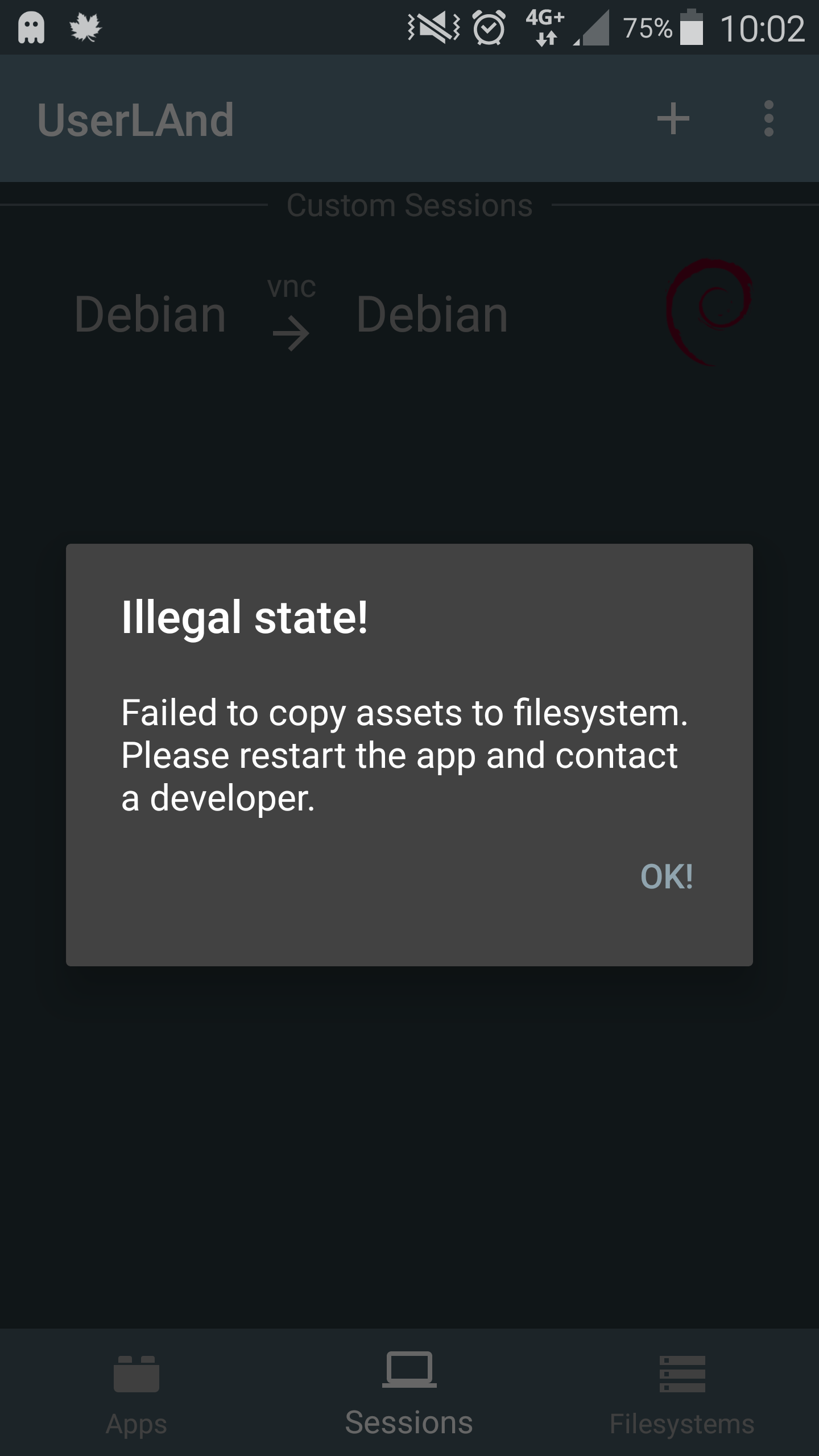
I have to install debian again and again when this problem comes (see screenshot) I have to reinstall all programs. The good thing is with userland i can access my internal memory.
Whenever I install debian session it does not start after a week and an error message appears (see screenshot).
Steps to reproduce the behavior:
1.Install debian session start with vnc.
- Install mate desktop by (sudo apt-get install mate-desktop-environment)
- when the installation is finished then close the session and restart the debian session it should start the desktop environment mate
4.Exit mate (click the mate icon on the top left and click on exit exit the debian session close userland
5.After a week when you start debian session an error message appears (see screenshot).
Screenshots
Device Information
Device: Samsung Galaxy Note 4
Android Version: Marshmallow 6.0.1
UserLAnd Version 2.2.0
My device is not rooted
My device is not running custom rom.
translated by Google
bug
 yunus70
All 4 comments
Thanks for reposting your issue with additional information. I'll start looking into this today.
 MatthewTighe
on 18 Jan 2019
MatthewTighe
on 18 Jan 2019
I think the new update has solved the problem. I can now start debian session without errors.
yunus70
on 19 Jan 2019
🎉2
Version 2.2.1 or 2.2.2?
MatthewTighe
on 20 Jan 2019
Version 2.2.2 fixed my problem.
yunus70
on 20 Jan 2019
Was this page helpful?
0 / 5 - 0 ratings
Related issues
 MaffSi
·
9Comments
MaffSi
·
9Comments
 foodmaher
·
8Comments
foodmaher
·
8Comments
 TechDossier
·
3Comments
TechDossier
·
3Comments
 JohnWang1023
·
4Comments
JohnWang1023
·
4Comments
 EnderNightLord-ChromeBook
·
10Comments
EnderNightLord-ChromeBook
·
10Comments
Most helpful comment
I think the new update has solved the problem. I can now start debian session without errors.