here is what my yarn outdated looks like:

Then I do yarn upgrade --latest, get the following error:
error Package "" refers to a non-existing file '"/home/anh/work/sc/store-default"'.
info Visit https://yarnpkg.com/en/docs/cli/upgrade for documentation about this command.
Error: Package "" refers to a non-existing file '"/home/anh/work/sc/utils"'.
    at MessageError.ExtendableBuiltin (/usr/share/yarn/lib/cli.js:721:66)
    at new MessageError (/usr/share/yarn/lib/cli.js:750:123)
    at FileResolver.<anonymous> (/usr/share/yarn/lib/cli.js:50229:15)
    at Generator.next (<anonymous>)
    at step (/usr/share/yarn/lib/cli.js:310:30)
    at /usr/share/yarn/lib/cli.js:321:13
I tried to remove node_modules, removing yarn.lock file and install again, still the same error. I guess there are some issue with the latest 1.8.0 release.
 ptgamr
All 6 comments
I tried many packages and even older versions, all of these are failed. I can't install any Uppy package right now.
 minderrd
on 12 Feb 2020
minderrd
on 12 Feb 2020
@minderrd don't use ^, you can pin the exact version in package.json
For example:
"@uppy/core": "1.7.1",
"@uppy/react": "1.4.2",
@ptgamr It works with 1.7.1, but 1.8.0 still failed, thanks!
minderrd
on 12 Feb 2020
I created a new project: npm init
Then added the 1.7.1 version: yarn add @uppy/[email protected] it works
Then added the 1.4.2 version of uppy react: yarn add @uppy/[email protected] ==> It fails
I also tried with 1.4.1 and 1.4.0
If someone has a workaround, please share it
 qlerebours
on 12 Feb 2020
qlerebours
on 12 Feb 2020
Sorry for the trouble! Looks like the Lerna publish went wrong. We'll get patch releases out ASAP.
 goto-bus-stop
on 12 Feb 2020
goto-bus-stop
on 12 Feb 2020
@arturi just published 1.9.1 which appears to fix the issue:
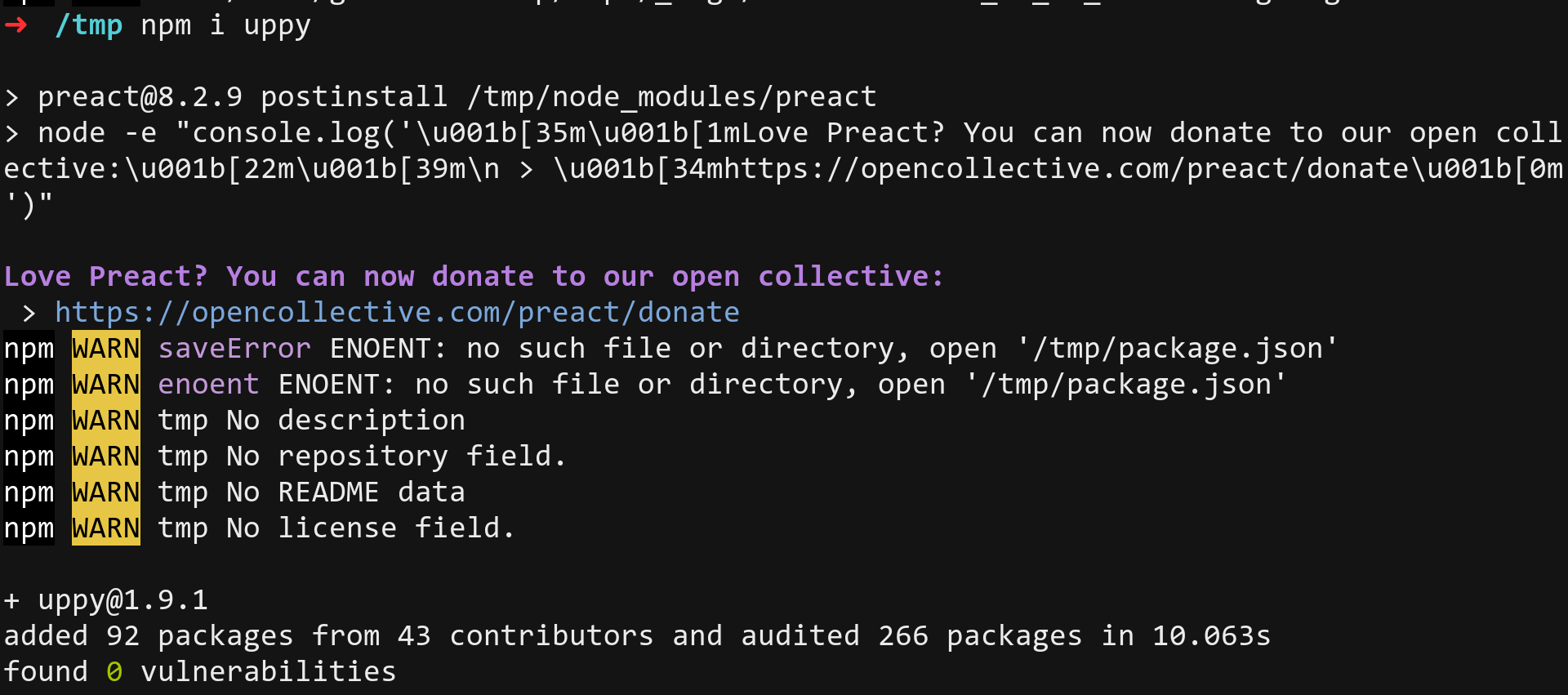
Thanks all for notifying us!
goto-bus-stop
on 12 Feb 2020
Related issues
 hikurangi
·
4Comments
hikurangi
·
4Comments
 ameft
·
4Comments
ameft
·
4Comments
 matthewhartstonge
·
3Comments
matthewhartstonge
·
3Comments
 aleccool213
·
3Comments
aleccool213
·
3Comments
 anushkamds
·
3Comments
anushkamds
·
3Comments
Most helpful comment
@arturi just published 1.9.1 which appears to fix the issue:

Thanks all for notifying us!