Uppy: Thumbnail is not being created when adding by Url
 jsonjuri
All 4 comments
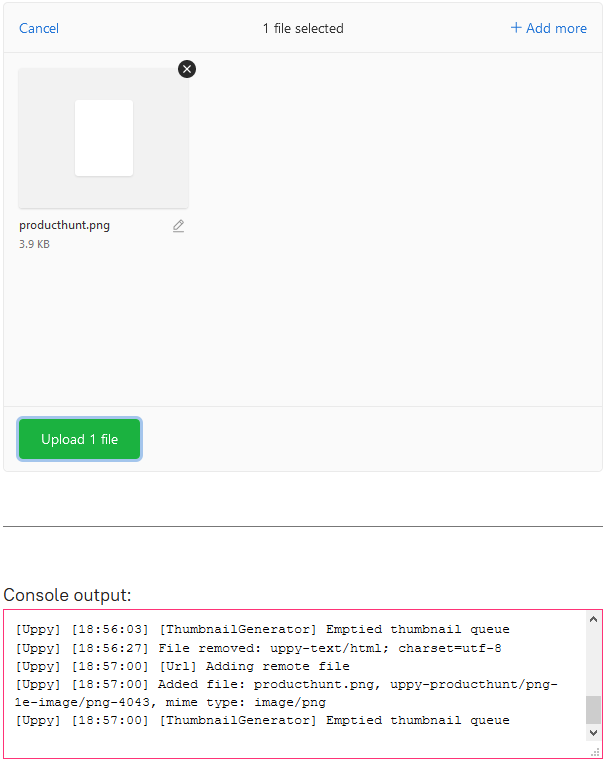
This is intentional, because we don't have access to the image file in the browser, and companion doesn't download it until you press Upload. Remote images can have all kinds of restrictions so we can't reliably download them and create a thumbnail.
There is a way to set the file thumbnail to just be the URL that was entered, but then the browser has to download the full thing, and it can be dangerous to display just any image if it's an SVG with embedded javascript for example.
 goto-bus-stop
on 13 Jan 2020
goto-bus-stop
on 13 Jan 2020
@goto-bus-stop ok I got it :)
I was trying to use uppy.getPlugin('Url').addFile() to initialize Uppy with the files that already have been uploaded to the server in a previous session. It works, but then there is no thumbnail. I will try to find another way.
It would be great if Uppy could detect if the path entered is a direct link to an image, maybe by its extension at the end of the link. The current behavior gives the impression that adding an image by Url is not working properly.
jsonjuri
on 13 Jan 2020
If you can trust that the image isn't malicious, you can set the thumbnail manually:
uppy.setFileState(fileID, {
  preview: urlToThumbnail
})
We’ll re-consider previews for images from Url at some point in the future, but for now I’m adding an “image” type icon here https://github.com/transloadit/uppy/pull/2027 and closing this. Thanks for reporting!
 arturi
on 16 Jan 2020
arturi
on 16 Jan 2020
Related issues
 yaegor
·
3Comments
yaegor
·
3Comments
 enneid
·
4Comments
enneid
·
4Comments
 matthewhartstonge
·
3Comments
matthewhartstonge
·
3Comments
 hikurangi
·
4Comments
hikurangi
·
4Comments
 risonsimon
·
4Comments
risonsimon
·
4Comments
Most helpful comment
If you can trust that the image isn't malicious, you can set the thumbnail manually: