Uppy: Send additional data to Companion to create a directory in S3
Hi, I'm trying to upload files to S3 with a standalone server, everything is working file, just one customization needed.
I want the files to be uploaded in a directory in a bucket.
So if I send username/file-name.jpg as the file Key then the S3 will create a directory-like structure in the bucket, so every time a user uploads a file, it'll be uploaded in his/her folder.
I'm using this code to send the files to the server.
.use(Uppy.AwsS3, {
    companionUrl: 'https://uploader.domain.com'
  })
I want to send additional data like:
.use(Uppy.AwsS3, {
    companionUrl: 'https://uploader.domain.com',
    userName: 'abc123'
  })
then access this userName in the Uppy.js file and append it to the filename like:
providerOptions: {
        s3: {
            endpoint: 'https://{service}.{region}.amazonaws.com',
            conditions: [],
            getKey: (req, filename) =>  userName +'/'+ filename
        }
    }
Thanks in advance.
 chetanmenaria
All 12 comments
@chetanmenaria Have you managed to make this work?
 acrolink
on 24 Aug 2019
acrolink
on 24 Aug 2019
@acrolink I'm still working on it.
Trying to figure out a secure way to do it, curious if I can send additional header and then append it to the file name then S3 can create a directory-like structure.
Eg.
file-name.jpg will be saved directly to the bucket and if we can manage to append any string following with the "/" then the file name will be
name-of-the-directory/file-name.jpg
When you send this file name to S3, it'll create a directory and put the file in it.
The main problems I'm facing is that I want the files of all the users to be saperate and I don't want the users to overwrite each other's files.
chetanmenaria
on 24 Aug 2019
@chetanmenaria
I have managed to make it work the way I want. Maybe this could be helpful for you:
const uppy = Uppy({
id: this.uppyId,
autoProceed: false,
debug: true,
thumbnailGeneration: true,
restrictions: {
maxFileSize: false,
allowedFileTypes: ['image/*', 'application/pdf']
},
meta: {
modelId: this.modelId,
collection: this.collection
},
onBeforeFileAdded: () => {
Promise.resolve()
},
onBeforeUpload: files => {
for (var prop in files) {
files[prop].name = 'myfolder/' + files[prop].name
files[prop].meta.name = 'myfolder/' + files[prop].meta.name
}
this.files = files
Promise.resolve()
}
})
pay attention to onBeforeUpload.
acrolink
on 24 Aug 2019
or even better:
onBeforeFileAdded: (currentFile, files) => {
const modifiedFile = Object.assign({},
currentFile, {
name: `myfolder/${currentFile.name}`
})
return modifiedFile;
}
Even more interesting:
acrolink
on 24 Aug 2019
@chetanmenaria
I have managed to make it work the way I want. Maybe this could be helpful for you:
const uppy = Uppy({ id: this.uppyId, autoProceed: false, debug: true, thumbnailGeneration: true, restrictions: { maxFileSize: false, allowedFileTypes: ['image/*', 'application/pdf'] }, meta: { modelId: this.modelId, collection: this.collection }, onBeforeFileAdded: () => { Promise.resolve() }, onBeforeUpload: files => { for (var prop in files) { files[prop].name = 'myfolder/' + files[prop].name files[prop].meta.name = 'myfolder/' + files[prop].meta.name } this.files = files Promise.resolve() } })pay attention to
onBeforeUpload.
@acrolink Kudos.
It worked like a charm.
Thank you very much :)
chetanmenaria
on 26 Aug 2019
@lakesare could we improve docs based on these solutions?
 arturi
on 30 Aug 2019
arturi
on 30 Aug 2019
@arturi @lakesare
It is true the the above mentioned methods change the folder where the file gets updated on the server but they also make the file look like (in the dashboard):
/my-folder/report.pdf instead of report.pdf.
In my application I solved that with some JS and CSS tricks but there should be an option to set the remote path (folder) without affecting the filename.
Otherwise, great work.
acrolink
on 30 Aug 2019
@arturi @lakesare
It is true the the above mentioned methods change the folder where the file gets updated on the server but they also make the file look like (in the dashboard):
/my-folder/report.pdfinstead ofreport.pdf.In my application I solved that with some JS and CSS tricks but there should be an option to set the remote path (folder) without affecting the filename.
Otherwise, great work.
@acrolink
I'm having the same issue, how did you remove the folder prefix from the file name in the Dashboard?
chetanmenaria
on 31 Aug 2019
@chetanmenaria
I did it like this:
JS (jQuery based):
$('body').on('DOMSubtreeModified', '.uppy-DashboardItem-name', function (e) {
var _filename = $(this).attr('title').replace(/(.*)\//i, '');
$(this).attr('data-content', _filename);
$(this).addClass('proccessed');
});
CSS:
.uppy-DashboardItem-name.processed {
visibility: hidden;
position: relative;
width: 0ch;
white-space: nowrap;
}
.uppy-DashboardItem-name.processed:after {
content: attr(data-content);
visibility: visible;
position: absolute;
top: 0;
left: 0;
}
@chetanmenaria
I did it like this:JS (jQuery based):
$('body').on('DOMSubtreeModified', '.uppy-DashboardItem-name', function (e) { var _filename = $(this).attr('title').replace(/(.*)\//i, ''); $(this).attr('data-content', _filename); $(this).addClass('proccessed'); });CSS:
.uppy-DashboardItem-name.processed { visibility: hidden; position: relative; width: 0ch; white-space: nowrap; } .uppy-DashboardItem-name.processed:after { content: attr(data-content); visibility: visible; position: absolute; top: 0; left: 0; }
This worked for me, Thanks.
$('body').on('DOMSubtreeModified', '.uppy-DashboardItem-name', function (e) {
var _filename = $(this).attr('title').replace(/(.*)\//i, '');
$(this).attr('data-content', _filename);
$(this).attr('title', _filename);
$(this).text(_filename);
$(this).addClass('proccessed');
});
The "best" way currently is using headers.
On the client side, you can do:
uppy.use(AwsS3, {
  ...options,
  // should be called companionHeaders in a future release but this is what it's called right now
  serverHeaders: {
    'My-Meta-Header': 'username or something'
  }
})
On the server side, make sure you allow the header:
app.use((req, res, next) => {
  res.setHeader('Access-Control-Allowed-Headers',
    'Authorization, Origin, Content-Type, Accept, My-Meta-Header')
  next()
})
app.use(uppy.app(uppyOptions))
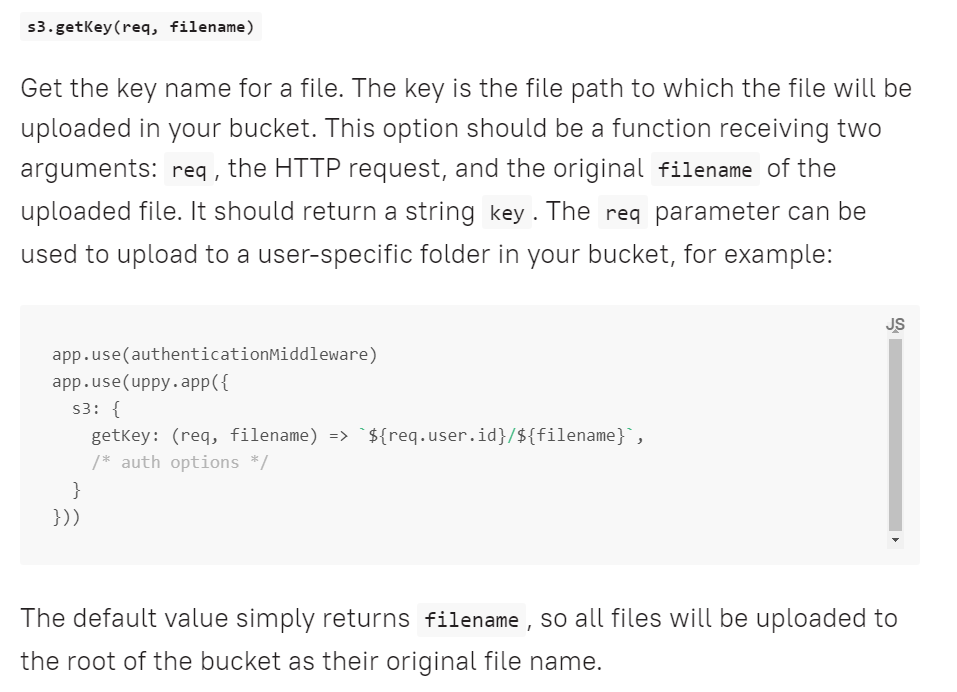
You can access it in the getKey option:
providerOptions: {
  s3: {
    getKey: (req, filename) => {
      if (!req.headers['My-Meta-Header']) throw new Error('missing username')
      return req.headers['My-Meta-Header'] + '/' + filename
    },
  }
}
In the future we will hopefully support accessing Uppy metadata in getKey() directly to make this less annoying!
 goto-bus-stop
on 2 Oct 2019
goto-bus-stop
on 2 Oct 2019
Related issues
 evanoberholster
·
3Comments
evanoberholster
·
3Comments
 anushkamds
·
3Comments
anushkamds
·
3Comments
 ameft
·
4Comments
ameft
·
4Comments
 ghost
·
4Comments
ghost
·
4Comments
 eltercero
·
4Comments
eltercero
·
4Comments
Most helpful comment
The "best" way currently is using headers.
On the client side, you can do:
On the server side, make sure you allow the header:
You can access it in the
getKeyoption:In the future we will hopefully support accessing Uppy metadata in
getKey()directly to make this less annoying!