Upbge: Expose bump height in the Parallax node
Currently the Parallax vector mapping node has 2 available inputs:
1) The number of steps to the parallax effect
2) The Depth of the parallax effect
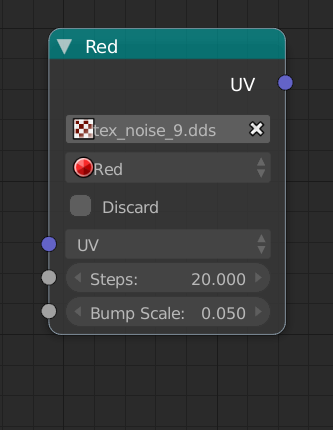
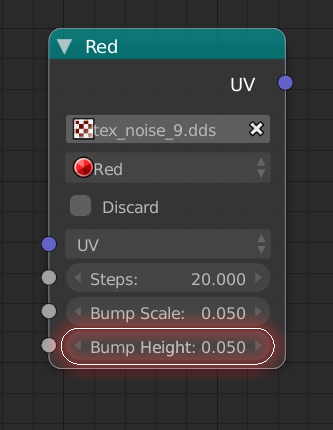
I am requesting that the height input be exposed to the parallax shader node, highlighted in this example image:
Here is a visual reference of how height offset works:
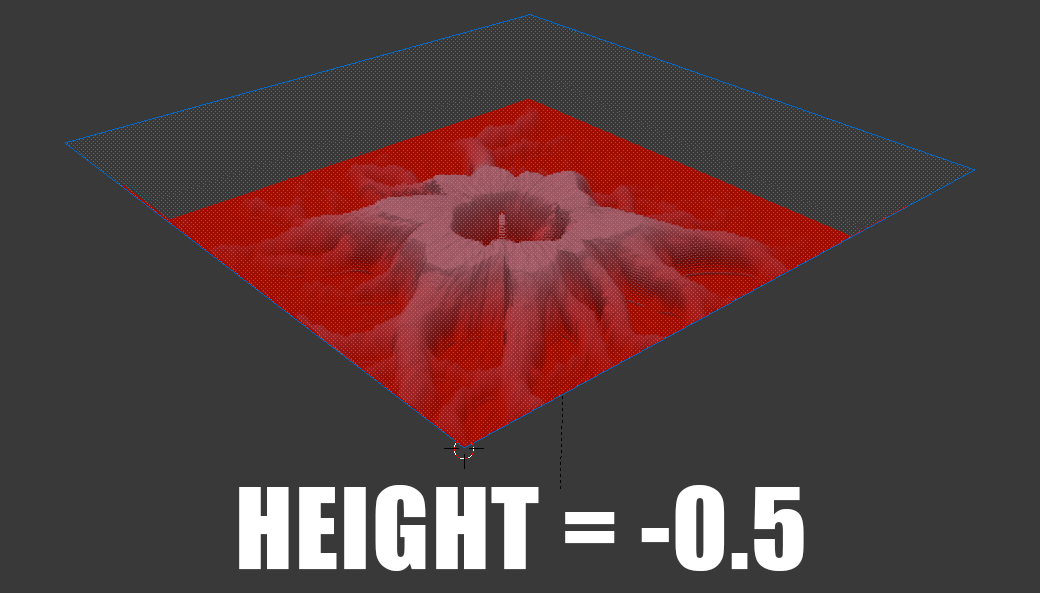
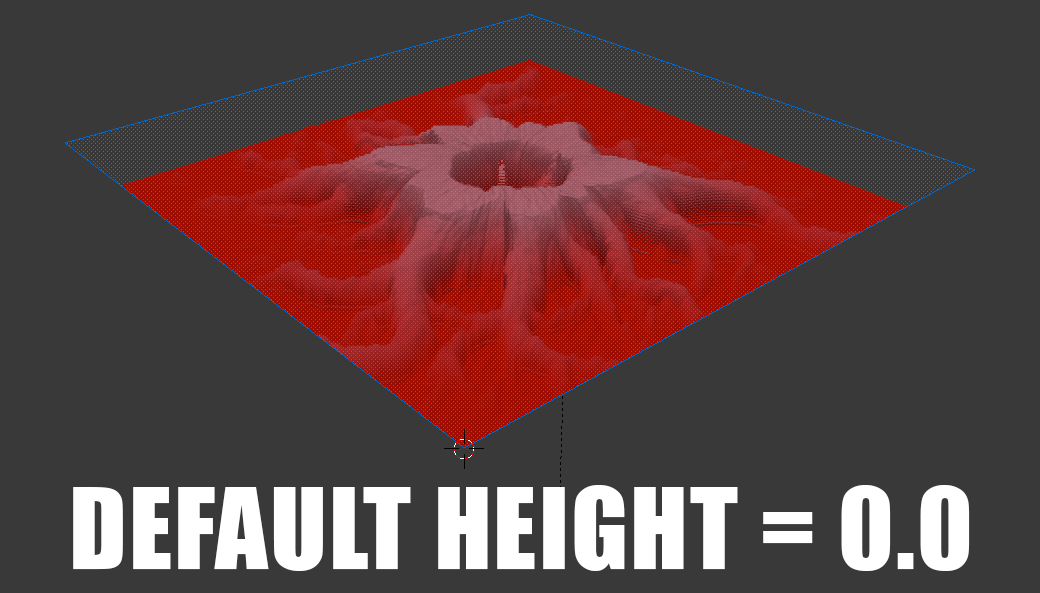
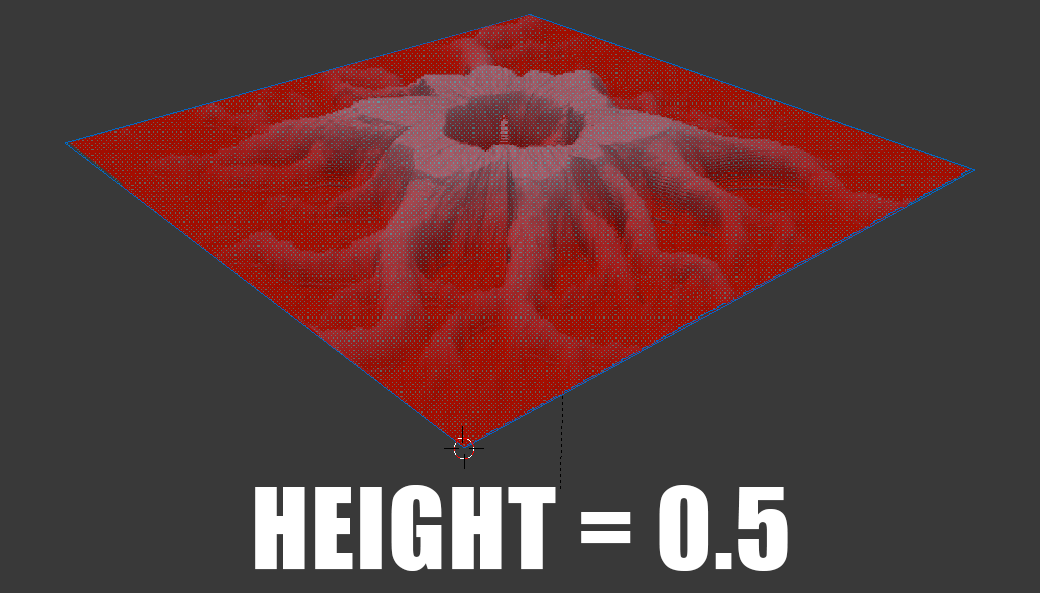
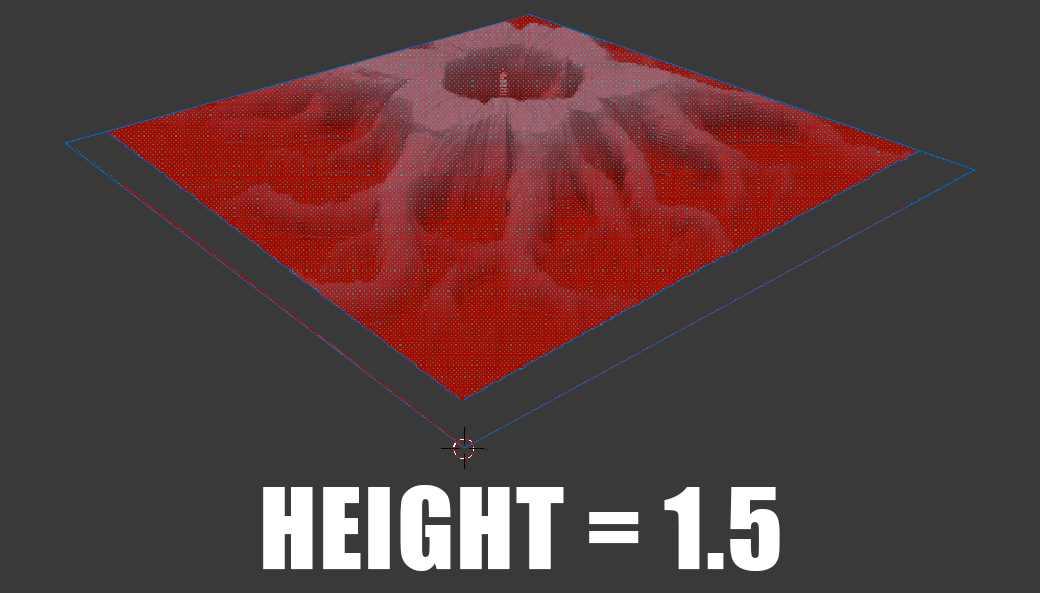
This is the standard behavior for height offset of a parallax shader-- options may be different in the version that is currently available.
If this is a simple code change, I would be immensely grateful for it's inclusion. I cannot express enough how useful this would be for users of the game engine as well as my personal project "The Shadows Lengthen".
Best,
Thomas Murphy ( @Feral3d )
 lordloki
All 12 comments
@lordloki thank you for correcting my mistake.
While searching through the updates, I think I found the point where you can edit the depth of the parallax node! The "overall height" of the parallax, can be tweaked by editing "the depth to start from"
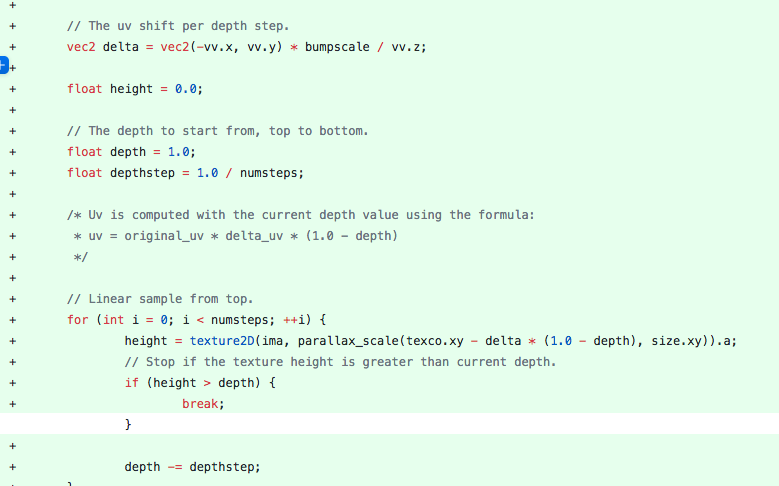
This chunk of code can be found here: https://github.com/UPBGE/upbge/commit/686112da3bdb527447933fbf1fa0f7684ae433ca
 Feral3d
on 25 Aug 2020
Feral3d
on 25 Aug 2020
Here you have a build where you can modify that depth parameter but I can't see the same results that you showed before.
https://mega.nz/file/BwsxRLxZ#y-fXVt-0bHHsqMrZtwF3rSYYgW-Gn9KWD9q4jUPUygM
lordloki
on 5 Sep 2020
[image: image.png]
On Sat, Sep 5, 2020 at 9:55 AM lordloki notifications@github.com wrote:
Here you have a build where you can modify that depth parameter but I
can't see the same results that you showed before.
https://mega.nz/file/Eo9wmAiS#Nw3G1KN4qH8J3zZ16nkg_jLrhAQJhaYhJbexg-_fPmg—
You are receiving this because you are subscribed to this thread.
Reply to this email directly, view it on GitHub
https://github.com/UPBGE/upbge/issues/1274#issuecomment-687635410, or
unsubscribe
https://github.com/notifications/unsubscribe-auth/ABW3SWODGBNW6GOT4IIIN3TSEJUQNANCNFSM4QJ7ZUQA
.
 BluePrintRandom
on 5 Sep 2020
BluePrintRandom
on 5 Sep 2020
@lordloki wow this is so close!!!
Maybe it is the 'height' of the parallax seen here:

...or it's the min and max depth determined by the "depth to start from" seen here:

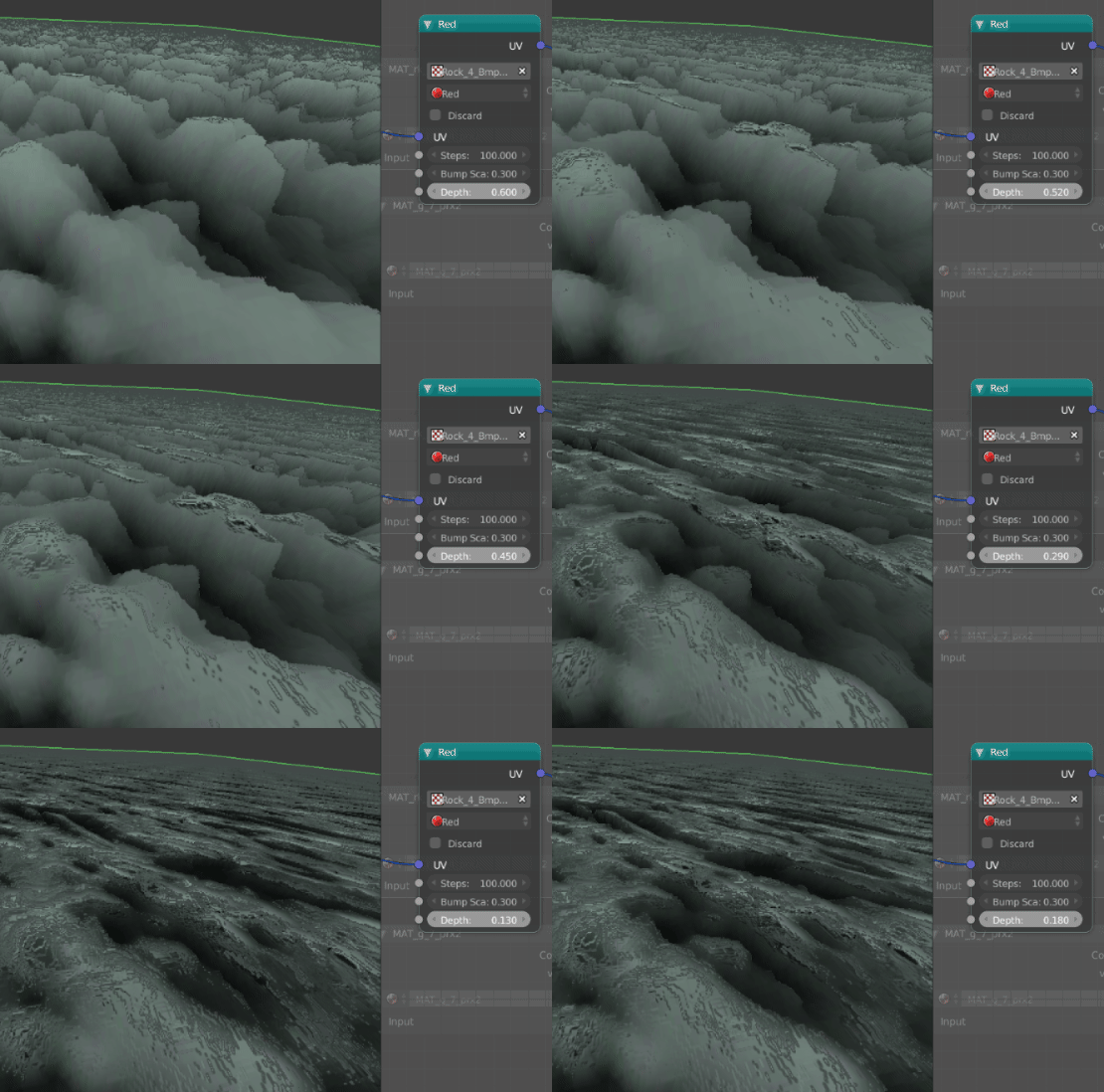
The lowest step of the parallax needs to be offest by the starting height value, so that rather than "cutting away" the steps, those steps move down with the depth value.
You can see
in this visual example how the height is moving down, but the clipping away the steps.
Feral3d
on 5 Sep 2020
A new test build: https://mega.nz/file/x1szGZCR#sgl0iEu7LGEEE6r_AeZXUvIPR5RqfsWpU9meCtTVRM4
This build behaves as your first images but with a "height" max
lordloki
on 6 Sep 2020
Ok this is about 99.9% working!
In the most recent build I am able to bring down the depth of the of the overall parallax, but it cuts into the highest points in the parallax effect. This is the current results:
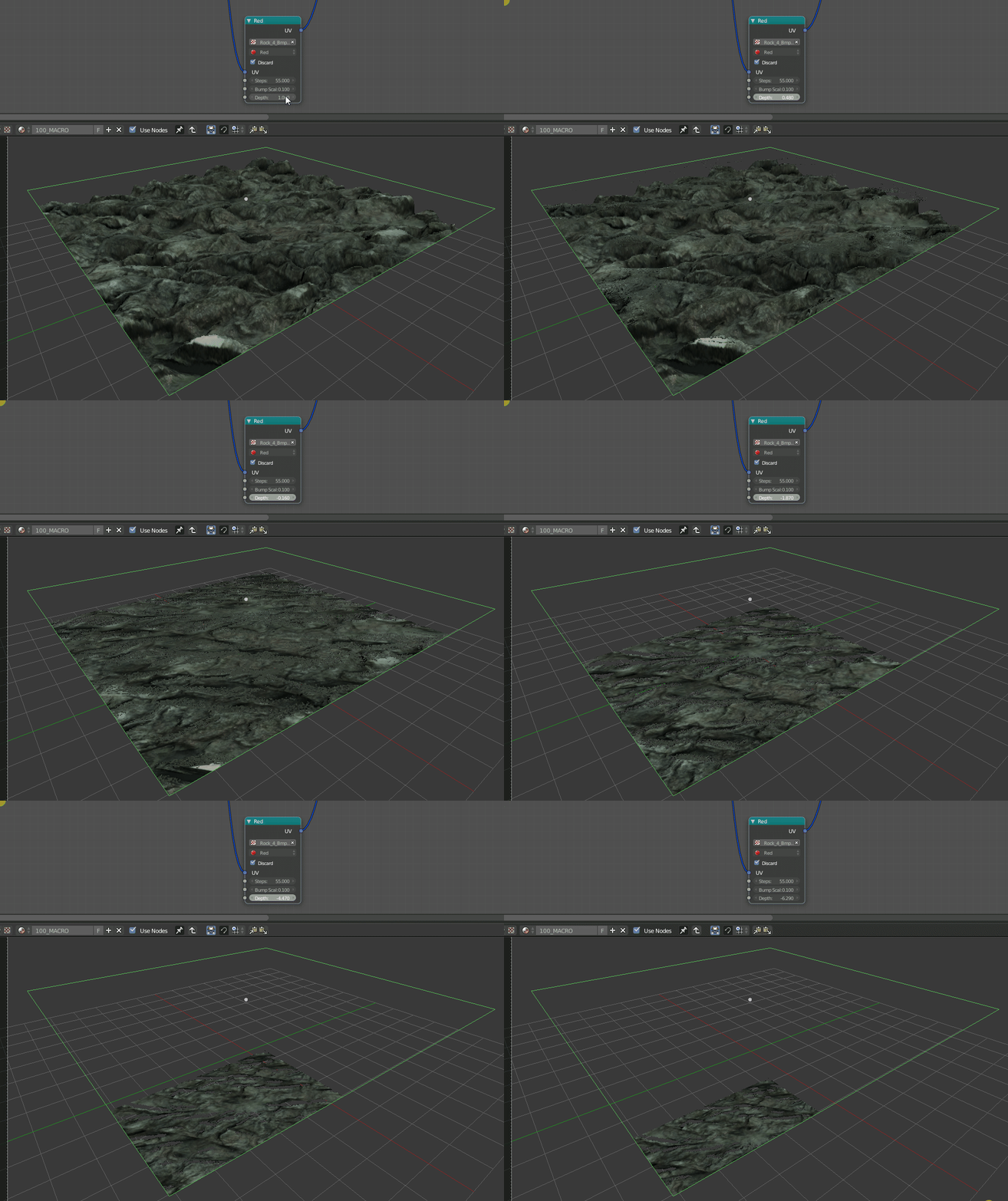
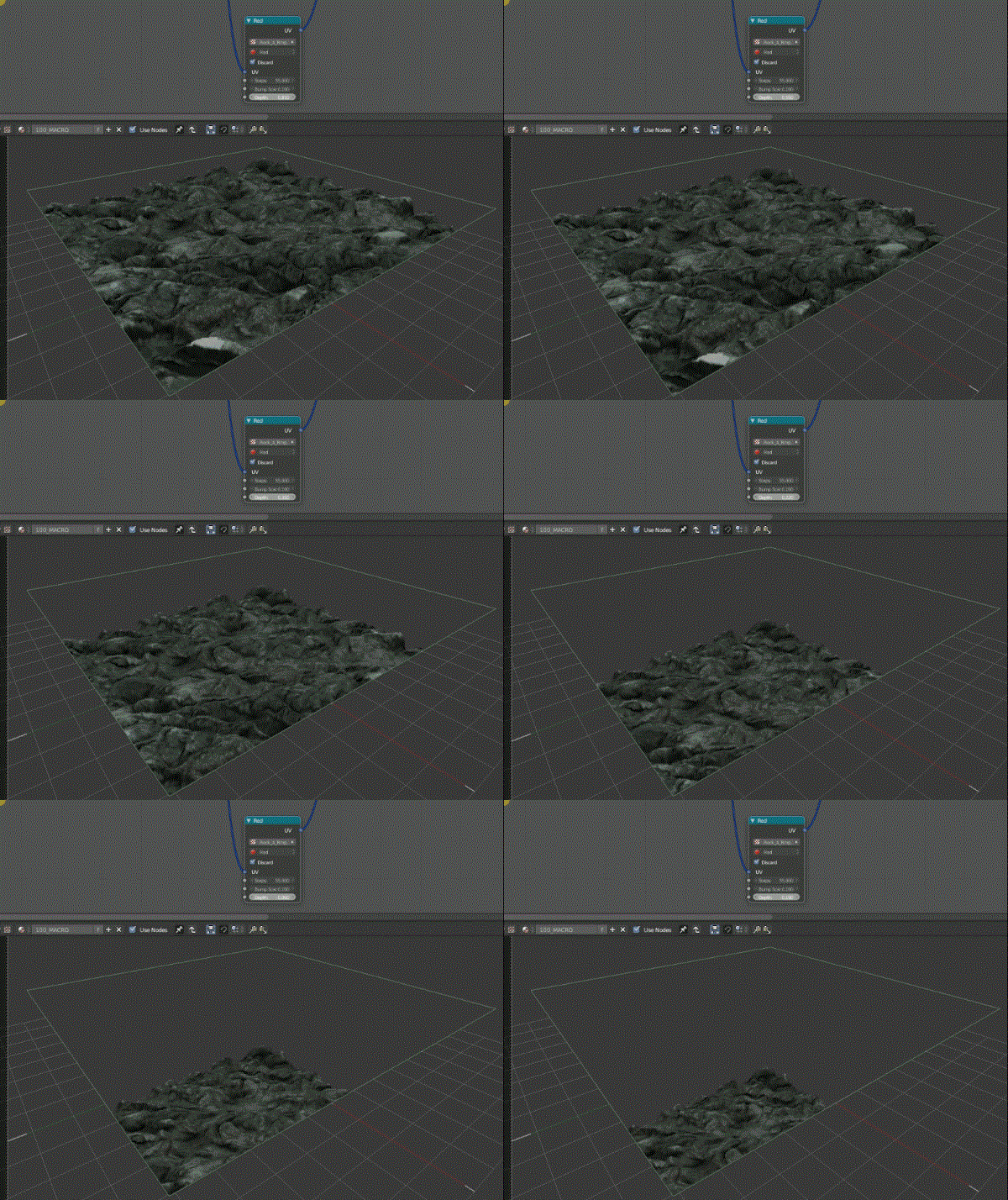
Is it possible to move the parallax parallax "min" down along with the "Height" max at the same time? So this result can be achieved:
Feral3d
on 7 Sep 2020
Oh I found this!
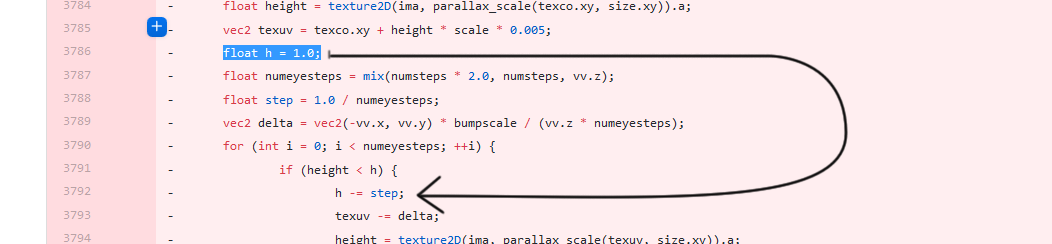
It's entirely possible that the h in this "For" loop is cutting away the steps, as the height moves downwards:
Feral3d
on 9 Sep 2020
So essentially if "height" is less than 1.0 or h, then it begins to subtract from the steps, and this is the cutting action that is seen in the test builds. A good way to test this would be to expose h as value that can be tweaked.
Feral3d
on 9 Sep 2020
That code was the initial code (from angelo miner) but it was modified a lot to solve several fixes and to improve other features.
Nowadays, it is very different.
I'm trying to extract the height part from depth/stepdepth part but i wasn't successfull. I will search for other solution.
lordloki
on 10 Sep 2020
I am trying to help, but I'm having a bit of trouble building from source. If there was a way I could help you test I'm happy to try.
Feral3d
on 10 Sep 2020
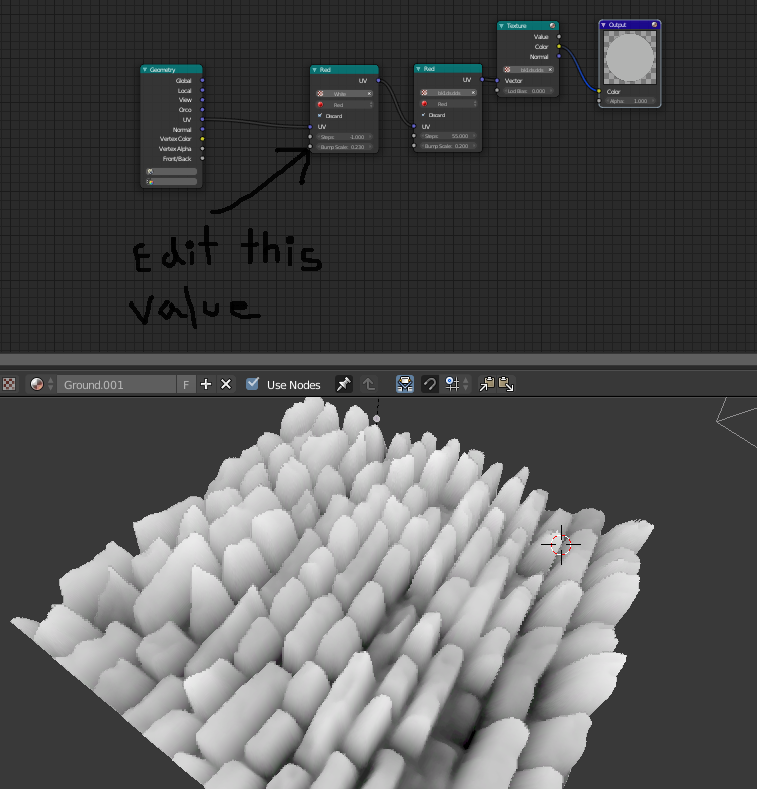
I have come up with a solution where you can pit the max height value against a second parallax input. In this example you can change the height of the parallax exactly as expected:
Feral3d
on 11 Sep 2020
By setting the steps to -1 and then using a white texture with a parallax node, you are able to adjust the height of the shader directly. This gives users the awesome ability to adjust the height of the parallax shader with textures and vertex painting like in this example:
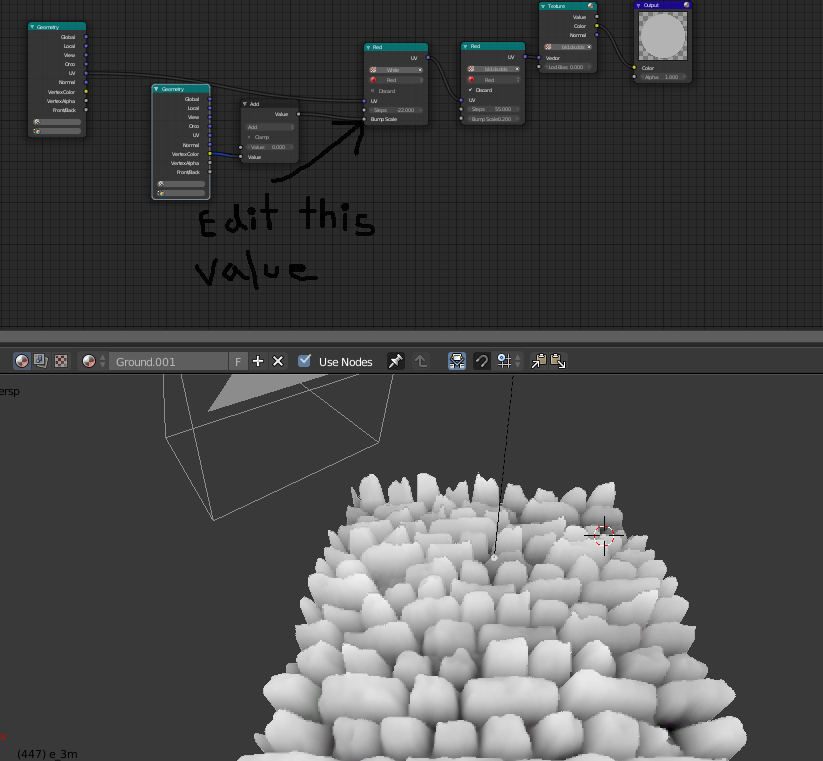
Here is the example file that you can test and edit yourself:
This hopefully helps you reverse engineer the solution!
https://www.dropbox.com/s/dasflnda5j6vvlm/TEST.blend?dl=0
Feral3d
on 11 Sep 2020
Related issues
Feral3d
·
3Comments
 UnidayStudio
·
4Comments
UnidayStudio
·
4Comments
 vlad0337187
·
7Comments
vlad0337187
·
7Comments
 EndSSgamesStudio
·
4Comments
EndSSgamesStudio
·
4Comments
 Anarchokawaii
·
7Comments
Anarchokawaii
·
7Comments
Most helpful comment
A new test build: https://mega.nz/file/x1szGZCR#sgl0iEu7LGEEE6r_AeZXUvIPR5RqfsWpU9meCtTVRM4
This build behaves as your first images but with a "height" max