Upbge: I can not compile the UPBGE, Please Help me!
I have more than 2 months trying to compile the UPBGE and I can not at all
I downloaded the master thousands of times and always made the mistake!
help me I'm going crazy !!!
I do not know what changed to compile, I always compile the blender without problems, but the upbge I never got!
I can not get more detailed information about the process anywhere!
please someone tell me step by step how to compile, I can not take it anymore, I'm 36 years old and I can have a heart attack!!
 JJGamerDe
All 19 comments
I don't even know what system your using...
Please provide more information:
- OS
- version (from git)
- the log, I will never bet you have an empty compilation log
- how are you managing dependencies
Please provides such information and we will perfectly able to help you.
 panzergame
on 23 Sep 2018
panzergame
on 23 Sep 2018
I'm using Windows 10
my git: 2.18.0
I always start from the compilation form of the common blender
cd C:\blender-git
git clone https://github.com/UPBGE/blender.git
cd blender
git submodule update --init --recursive
git submodule foreach git checkout master
git submodule foreach git pull --rebase origin master
then I download the libs
https://svn.blender.org/svnroot/bf-blender/trunk/lib/windows_vc14
cd lib\windows_vc14
svn update
cd ....\blender
git pull --rebase
git submodule foreach git pull --rebase origin master
then comes the part that I can not anymore, Cmake I try the configure button and always the error.
Could you tell me how to compile from scratch?
JJGamerDe
on 23 Sep 2018
Thanks for the information, but I still need some more.
What is the error in the cmake gui pop up ? Also there's a log at the bottom of the GUI, could you paste it here ?
panzergame
on 23 Sep 2018
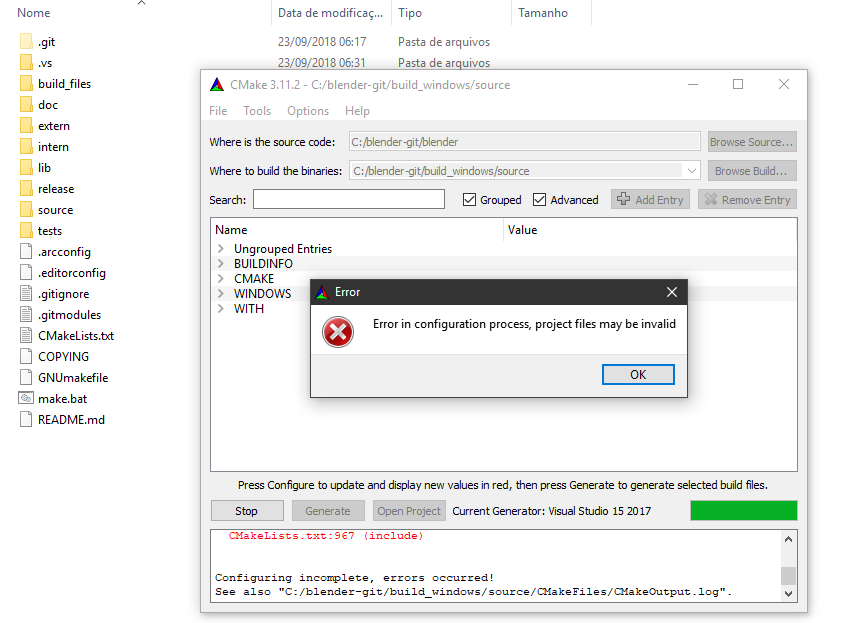
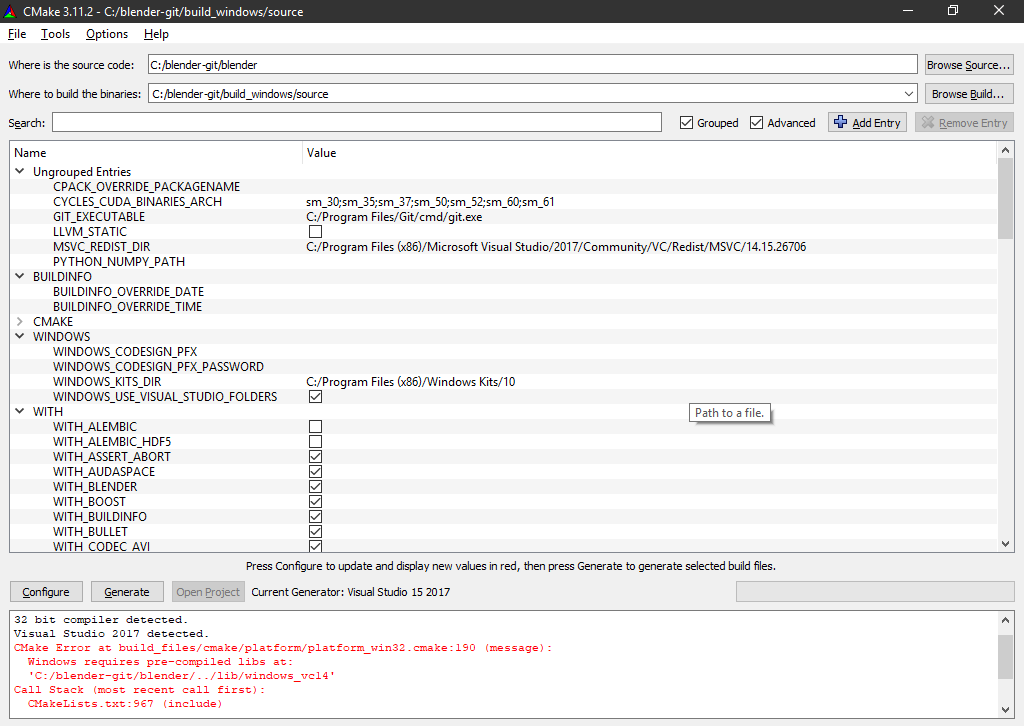
I think it's something I'm doing wrong, could you please tell me step by step how you compile?
JJGamerDe
on 23 Sep 2018
Hi,
it seems you are missing the libs... in linux you have to run blender-git/blender/build_files/build_environment/install_deps.sh... not sure how to proceed in windows... but surely there must be good tutorials on how to get/compile the libs...
good luck
 nestanqueiro
on 23 Sep 2018
nestanqueiro
on 23 Sep 2018
Yes, you don't have the libraries installed:
cd C:\blender-git
svn checkout https://svn.blender.org/svnroot/bf-blender/trunk/lib/windows_vc14  lib/windows_vc14
 lordloki
on 24 Sep 2018
lordloki
on 24 Sep 2018
I believe the procedure is the same.
yes, I tried to use the installdeps most of this error:
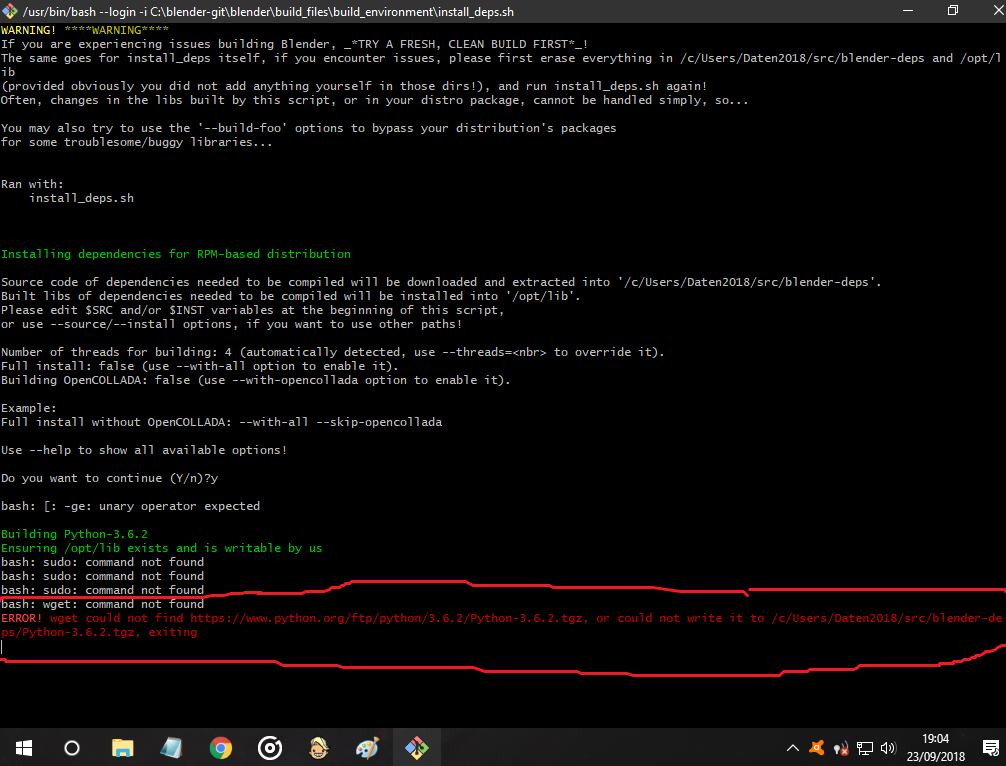
Note: it took me a long time to get a print of the error, the cmd was closing too fast
and as incredible as it seems I think it will not be because I do not have python ...
I forgot to install I had on my other pc
I think I just have PyCharm, which I use!
Okay, I'm going to download python and it's! \o/
JJGamerDe
on 24 Sep 2018
You don't need to use install_deps.sh on windows as you have all the libraries you need already compiled in lib/windows_vc14.
The error that you obtain when you run cmake GUI is that CMAKE doesn't find the libraries in lib/windows_vc14 then you need to be sure that you have the libraries there.
Checkout the libraries with the commands that I put before:
cd C:\blender-git
svn checkout https://svn.blender.org/svnroot/bf-blender/trunk/lib/windows_vc14  lib/windows_vc14
lordloki
I was doing this plus the libs took too long to download
I downloaded it and it's ready
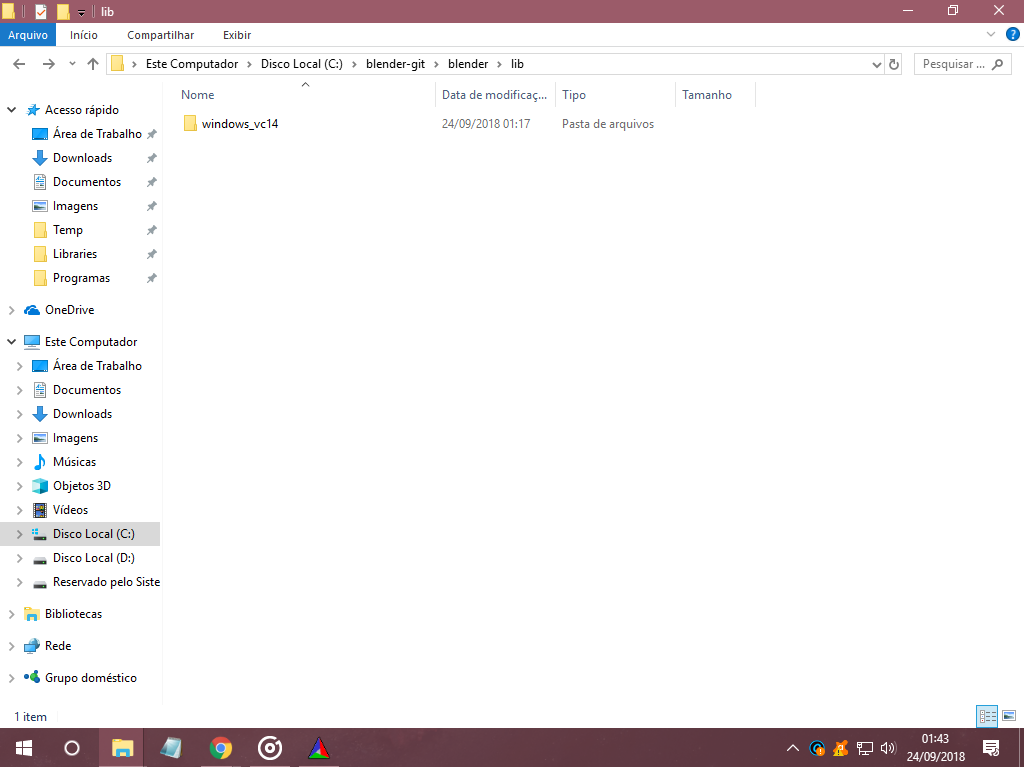
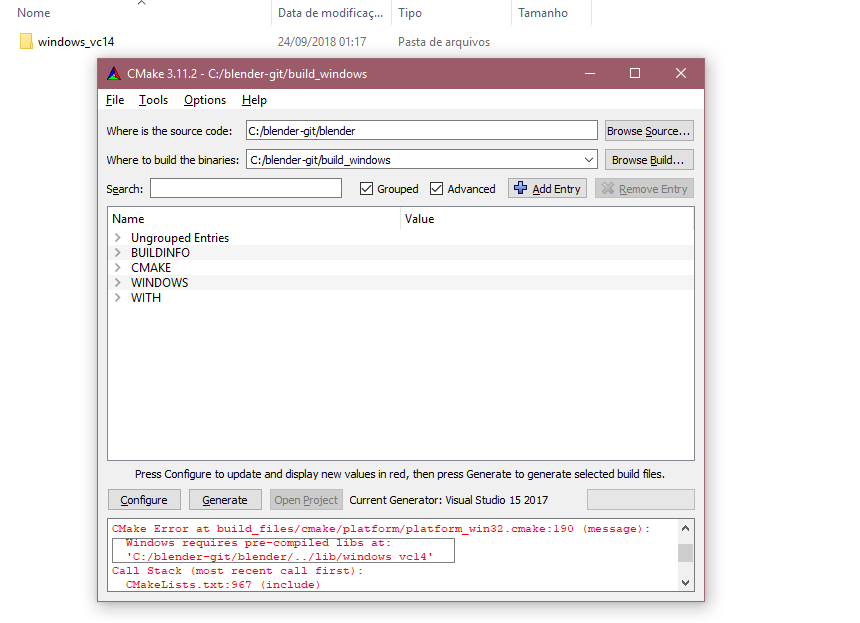
still the same error ...
JJGamerDe
on 24 Sep 2018
You have checked out the lib/windows_vc14 inside blender folder. You have to move that lib folder to blender-git folder
lordloki
on 24 Sep 2018
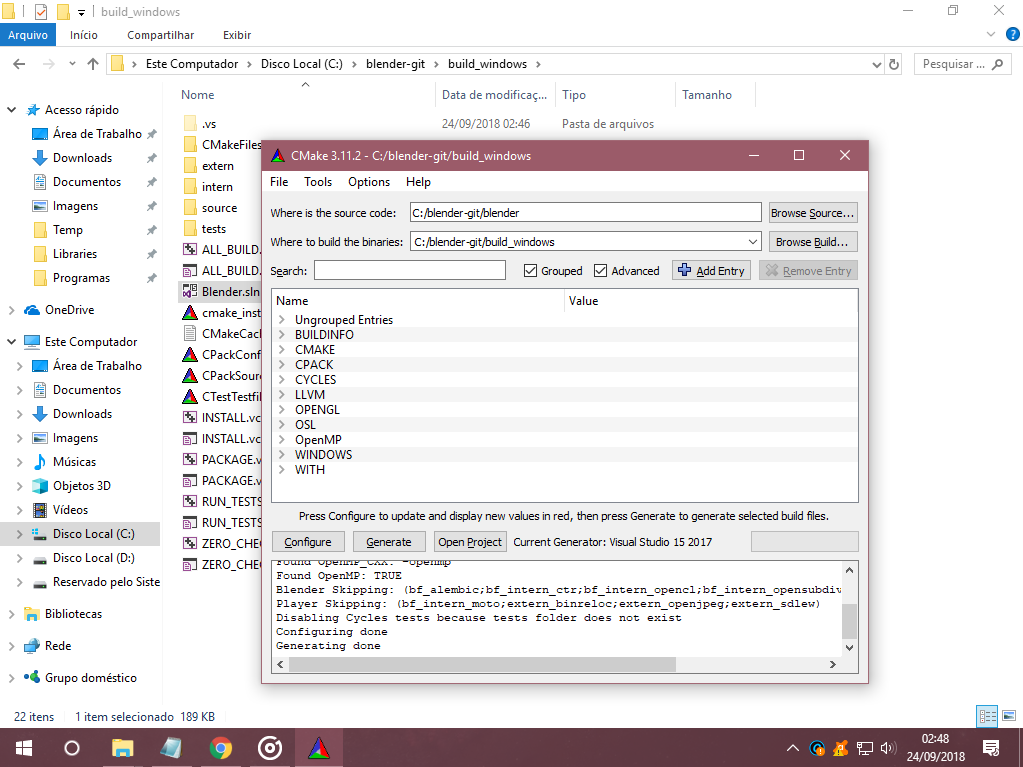
it's working!!
incredible!!!
was not working because I left the libs in
\blender-git\blender
I've been trying for a long time!
thank you so much! lordloki!!
JJGamerDe
on 24 Sep 2018
I have another problem...
it's just a question: Where do I get as dlls? python37_d.dll,avcodec-58.dll,,avdevice-58.dll?
this upbge version uses the Blender 2.8 files?
JJGamerDe
on 24 Sep 2018
you're welcome!
lordloki
on 24 Sep 2018
@JJGamerDe : You have to generate solution "INSTALL"
panzergame
on 24 Sep 2018
They are in the lib/windows_vc64 folder
I imagine that you are using Visual studio 2017. In the left lateral projects you have to select INSTALL->right button click-> set as default project (or something like that, i don't remember now)-> and build again. It will copy the DLLs from lib folder to Release/Debug folder
lordloki
on 24 Sep 2018
this one?
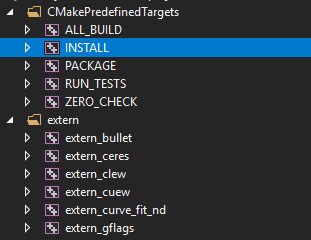
right use the right button and put it to compile ...
he is generating the files
well ... I do not know almost anything about visual studio...
JJGamerDe
on 24 Sep 2018
I got it!
but now the upbge is not opening
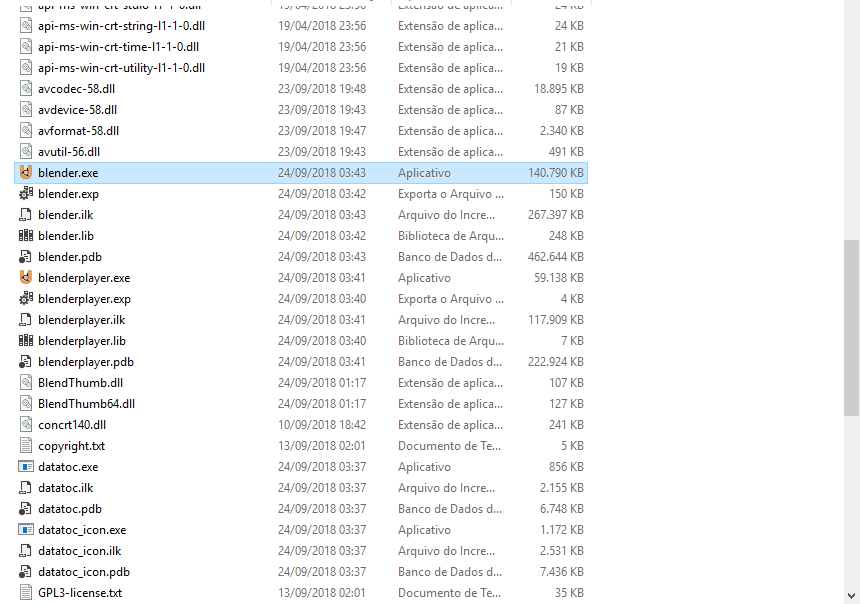
he does not give any information, when I open it he tries to start and simply closes...
JJGamerDe
on 24 Sep 2018
Yes, we know. It is a bug (see #797). We will fix in the next days.
Although you always can test 64bits build that it is working.
lordloki
on 24 Sep 2018
I'm downloading the upbge again ...
because this one I used is outdated a week ago ...
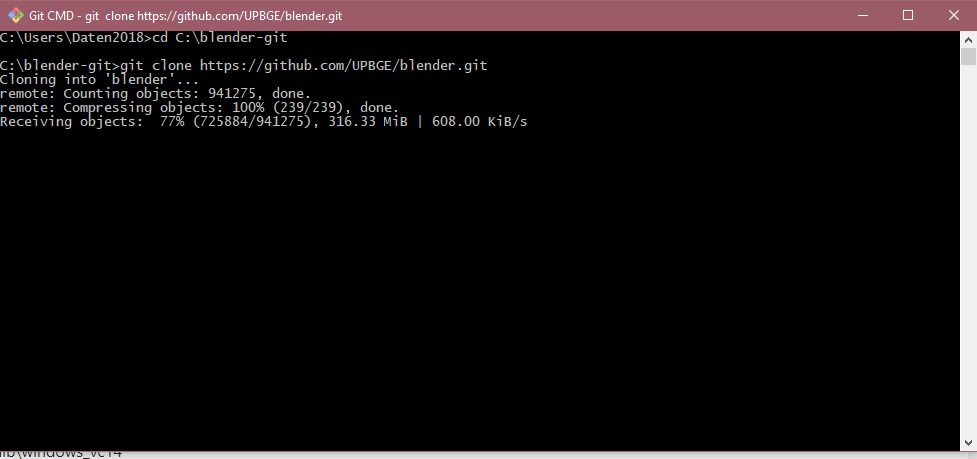
I think everything is solved! \ O /
many thanks panzergame and mainly lordloki!
I would not have been able to do this without you!
I'll close so as not to disturb ...
You guys are doing a great job with BGE. I would love to donate help, it would be interesting to patreon upbge...
Thank you see you later!
JJGamerDe
on 24 Sep 2018
Related issues
 EndSSgamesStudio
·
7Comments
EndSSgamesStudio
·
7Comments
 RomStef
·
7Comments
RomStef
·
7Comments
 cederom
·
7Comments
cederom
·
7Comments
 IzaZed
·
6Comments
EndSSgamesStudio
·
4Comments
IzaZed
·
6Comments
EndSSgamesStudio
·
4Comments