Uno: Bug: Unable to Apply Transparent ToggleButton Background in Style (ToggleButton.Resources)
Current behavior
The background of the ToggleButton is not set to transparent even though the ToggleButton, within it's Resources in XAML, defines all related resource style keys to transparent. I expect this is related to the style system re-write.

Related XAML is here: https://github.com/microsoft/microsoft-ui-xaml/blob/276611504457f340e4ce7b62b5eaca5a7cfcef32/dev/ColorPicker/ColorPicker.xaml#L348
Expected behavior
Able to set a transparent background.

How to reproduce it (as minimally and precisely as possible)
This is visible in the style of the ColorPicker 'MoreButton'. See PR #3955.
Workaround
I'm sure one exists in this case but none have been tried.
Environment
Nuget Package:
- [x] Uno.UI / Uno.UI.WebAssembly / Uno.UI.Skia
- [ ] Uno.WinUI / Uno.WinUI.WebAssembly / Uno.WinUI.Skia
- [ ] Uno.SourceGenerationTasks
- [ ] Uno.UI.RemoteControl / Uno.WinUI.RemoteControl
- [ ] Other:
Nuget Package Version(s):
Affected platform(s):
- [ ] iOS
- [x] Android -- others untested
- [ ] WebAssembly
- [ ] WebAssembly renderers for Xamarin.Forms
- [ ] macOS
- [ ] Skia
- [ ] WPF
- [ ] GTK (Linux)
- [ ] Windows
- [ ] Build tasks
- [ ] Solution Templates
IDE:
- [ ] Visual Studio 2017 (version: )
- [x] Visual Studio 2019 (version: )
- [ ] Visual Studio for Mac (version: )
- [ ] Rider Windows (version: )
- [ ] Rider macOS (version: )
- [ ] Visual Studio Code (version: )
Relevant plugins:
- [ ] Resharper (version: )
Anything else we need to know?
 robloo
All 6 comments
@davidjohnoliver Do you have any suggestions on where to start with this one? It would be good for me to learn how XAML is processed behind the scenes although I expect this issue goes beyond my current abilities with Uno.
robloo
on 11 Sep 2020
There may be multiple layers to this one, but the first problem I can see is that we're not using the right resource keys in the vanilla ToggleButton default style:
https://github.com/unoplatform/uno/blob/master/src/Uno.UI/UI/Xaml/Style/Generic/Generic.xaml#L2873
It seems to be directly using the system resources instead of ToggleButtonBackground etc.
One quick way to check if that's the (only) issue is to use the Fluent styles, which are very close (in most cases identical) in Uno to the WinUI versions. They can be enabled in the samples app with the 'FL' button in the top right:

If you enable them and navigate to your ColorPicker sample, is the ToggleButton customized correctly?
GitHub
Build Mobile, Desktop and WebAssembly apps with C# and XAML. Today. Open source and professionally supported. - unoplatform/uno
 davidjohnoliver
on 11 Sep 2020
davidjohnoliver
on 11 Sep 2020
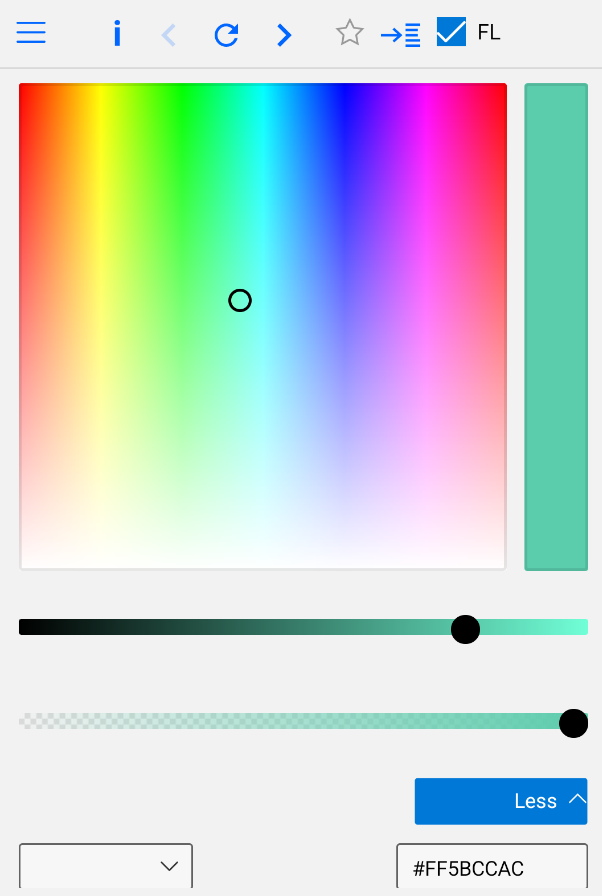
Checking the FL checkbox and then retesting added rounded corners to the ToggleButton; however, the background colors/behavior is unchanged.
The good news though is the fluent styles fixed the slider thumb issues #3998
robloo
on 11 Sep 2020
Then there's still something with the resource resolution that's not supporting this case properly.
So what should be happening is that the style setter (eg <Setter Property="Background" Value="{ThemeResource ToggleButtonBackground}" />) should be seeing the overidden resource value in the ToggleButton (to which the style is being applied), but seemingly it's not.
The Setter.ThemeResourceName is set from Xaml-generated code and then reacted to here when the style is applied.
davidjohnoliver
on 11 Sep 2020
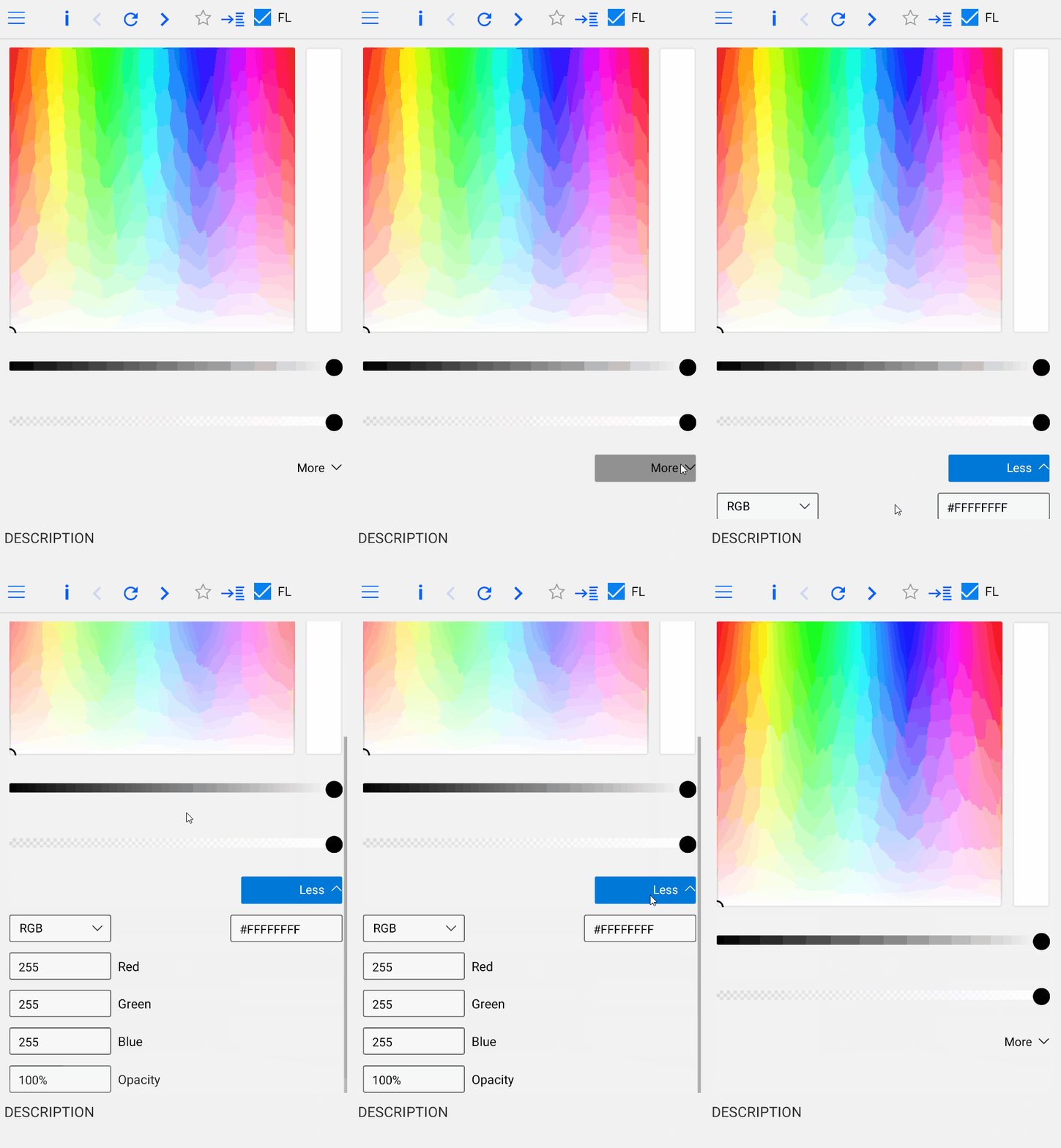
I haven't dug into this much yet and am currently focusing on other things. However, PR #4135 partially fixes this which I suspect you might already know. The style is now correct until the button is pressed and correct again when not-pressed. Remaining issue may be in the ToggleButton itself.
robloo
on 24 Sep 2020
Ahh I didn't realise that #4135 would help here but that makes sense!
The remaining problem when it's toggled may be a specific interaction of ThemeResources with visual states/animations.
davidjohnoliver
on 24 Sep 2020
Related issues
 JanabiSoft
·
4Comments
JanabiSoft
·
4Comments
 jeromelaban
·
3Comments
jeromelaban
·
3Comments
 MartinZikmund
·
3Comments
MartinZikmund
·
3Comments
 paulovila
·
3Comments
paulovila
·
3Comments
 carlh98
·
3Comments
carlh98
·
3Comments