Unitystation: Login Bug Exploit - Single User can create multiple characters on the same server with the same account
Description
Was able to make 2 or more versions of the same character(s); i.e. clones having the same role assistant.
Detailed Bug Report
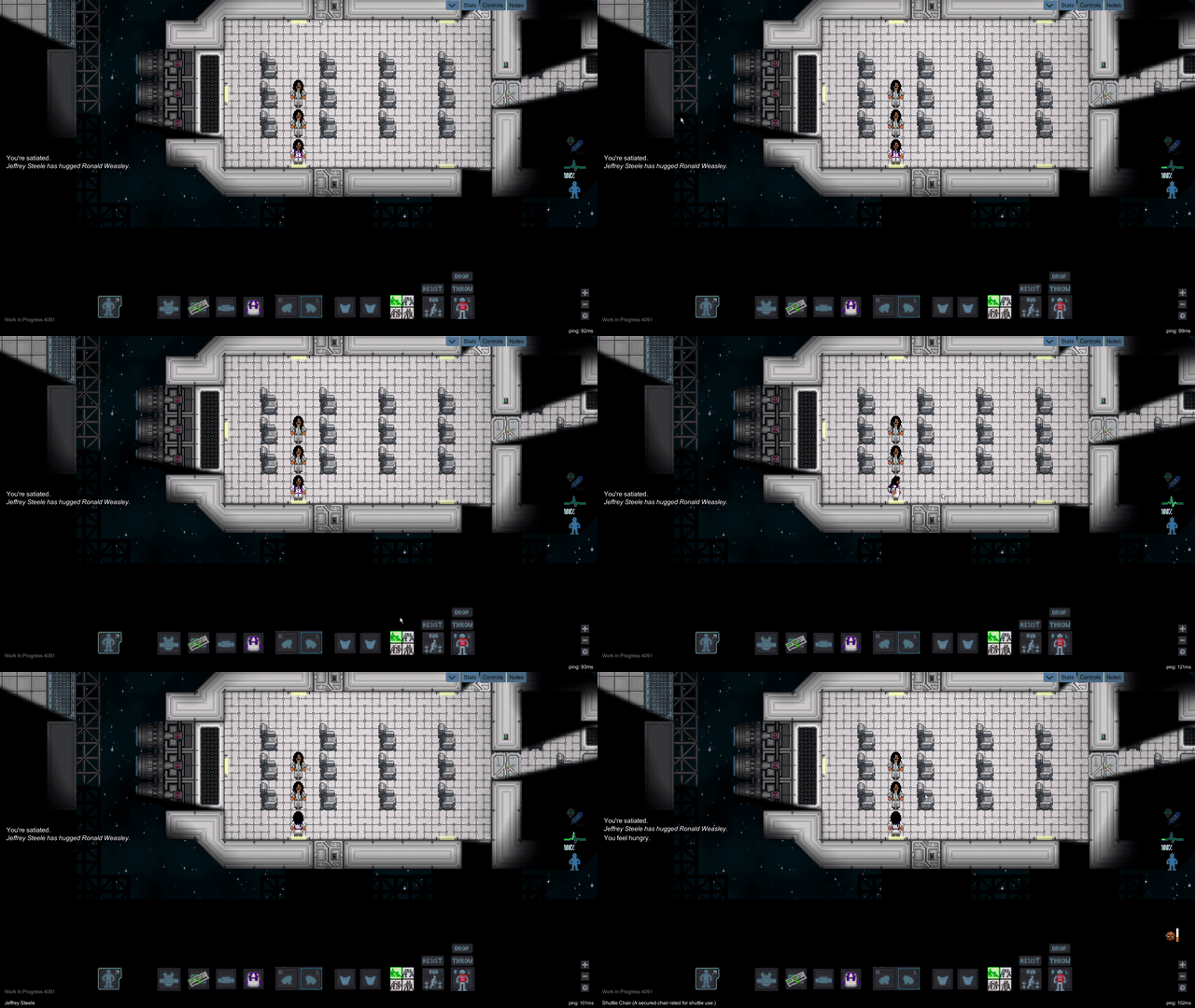
Before the game started, I accidentally started two game sessions whilst logged in the same account and thereby made 2 duplicate or clone characters.
I then tried to replicate this bizarre occurrence a third time by trying to create another character. All three of the characters have the same profession, same features and the same character name _Jeffrey Steele_. To my surprise, the characters were successfully created. However upon creating the third copy of the character that specific game window crashed leaving me with a fully working third copy but no way to control the character.
_A critical point to note is that upon trying to create a fourth and fifth iteration of the same character...my system's memory couldn't handle the load since I also had some other background processes running and those respective game copies crashed. _
This bug would be a critical issue if left unfixed as players could avoid death in a game session by just controlling their cloned characters. And or perhaps overflooding the server with clones.
The server I was running this on was Unitystation - USA MRP; build - 4091
Steps to Reproduce
Steps to reproduce the bug or behavior:
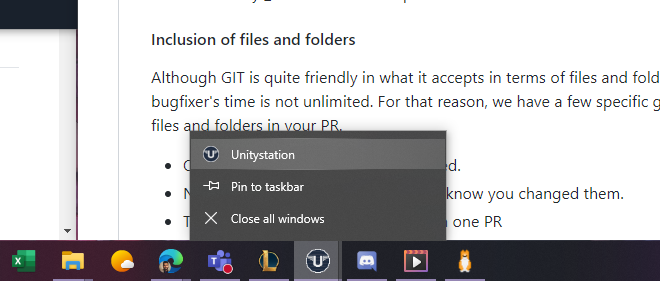
Upon starting the game, either click multiple times on _PLAY_ in the Station Hub and or drag the options on the game icon with the left button of the mouse. As such -->
Proceed through the character creation and profession selection menus for each desired copy or clone.
You should end up with all three cloned characters starting in the same loadout area if you choose the same profession that is.
UPDATE 04/25
As requested by @DooblyNoobly recreated the issue successfully on LRP Spess Adventures.
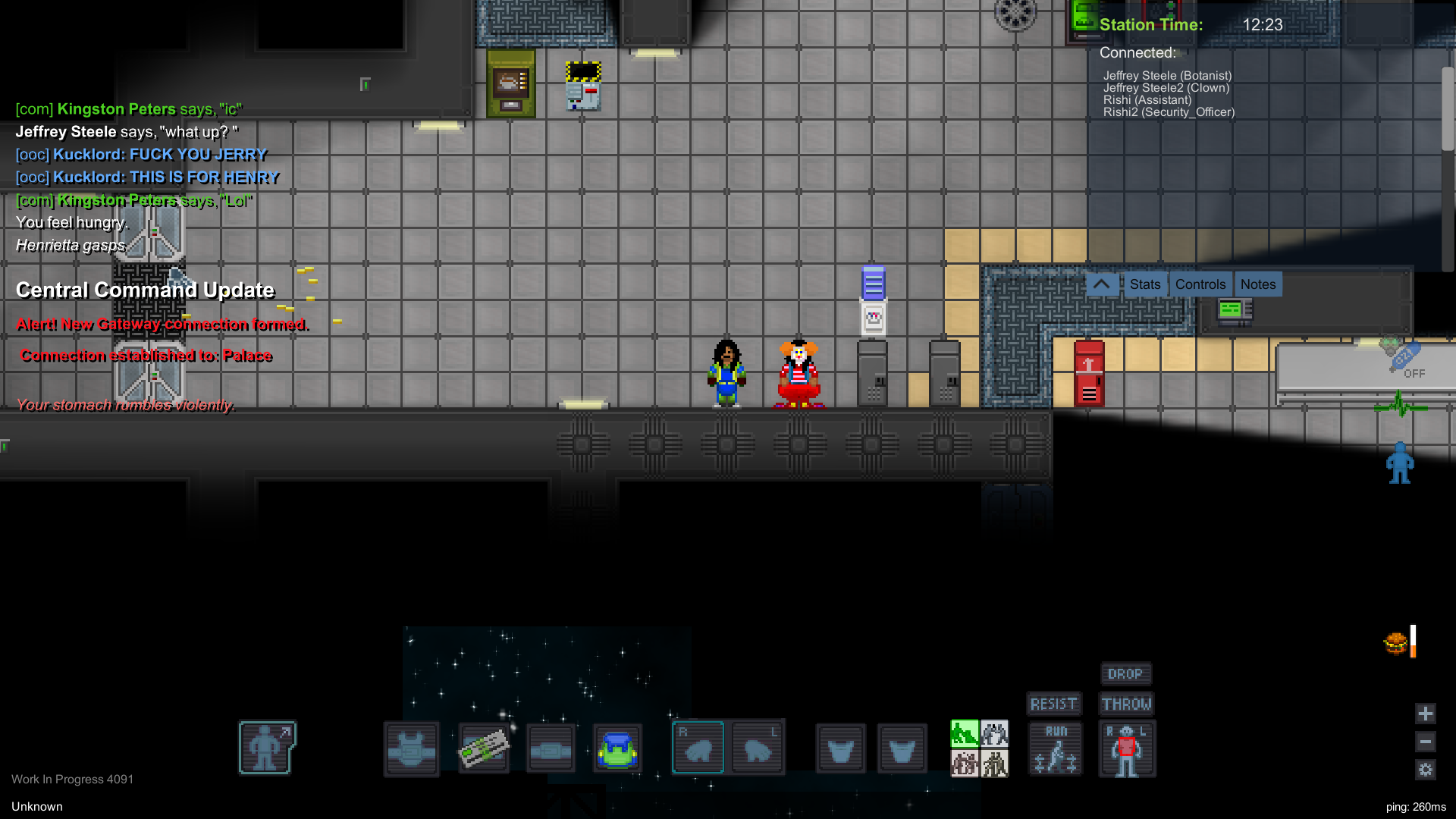
In addition to recreating this, we tried to test this issue out with the same character but using different professions. We observed the following using the given info:
-The same name _Jeffery Steele_
-The first profession selected was Botanist. Second was selected as Botanist but was assigned clown by the game or system.
Results
- I noticed that this time however the system assigned the clone with a character name of "Unknown"
- But in the chat name assigned to the clone was "Jefferey Steele2"
- Despite assigning the profession as a botanist the system assigned the clone the profession of "clown"
- I could interact with both original and clone players at the same time
- I could chat with other players at the same time.
** Additionally I tasked @rishabhyata with performing a similar test with same character and clone but different profession (Assistant & Security Officer); he successfully replicated the bugs as well. His screenshots are added in comments
 00sherwinb
All 9 comments
Can you recreate this on a server like LRP?
 DooblyNoobly
on 25 Apr 2020
DooblyNoobly
on 25 Apr 2020
Will try to do so now.
00sherwinb
on 25 Apr 2020
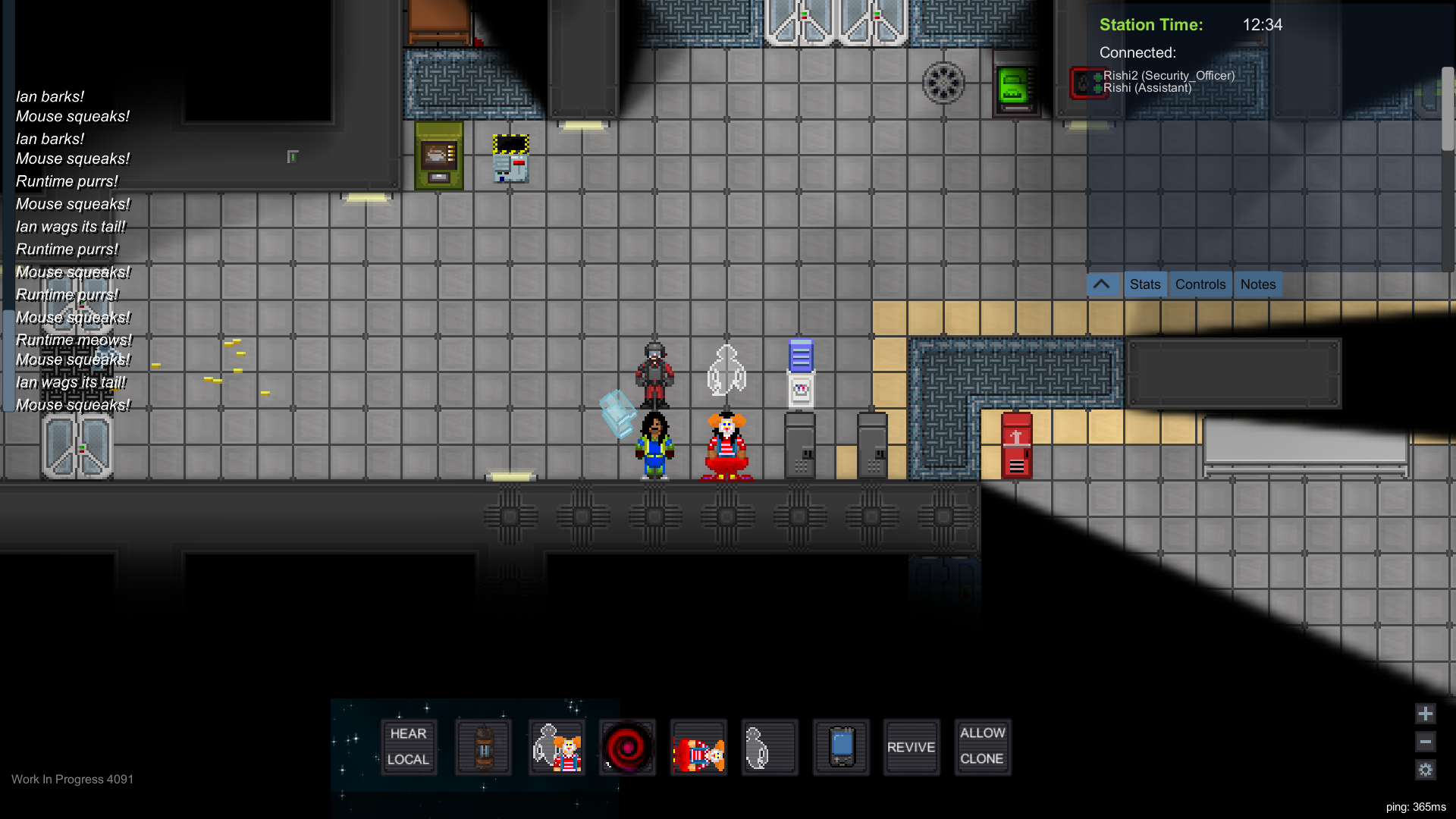
I assisted @00sherwinb test out this login exploit and I could replicate it.
Additionally, once @00sherwinb left the game server and exited I could still see his characters. I was expecting them to disappear. Here is my screenshot
 rishabhyata
on 25 Apr 2020
rishabhyata
on 25 Apr 2020
Whoever decides to fix this, please still let dev/offline mode builds login with the same account otherwise it's gonna be really annoying to test new features locally with multiple clients.
 Jibbajabbafic
on 25 Apr 2020
Jibbajabbafic
on 25 Apr 2020
I believe this is also the cause of a similar bug, where if your game crashes or your network is changed it will create a clone rather than simply placing you back into your old body.
 MajorMoonjump
on 27 Apr 2020
MajorMoonjump
on 27 Apr 2020
Do any of the servers have a method in place for confirming whether the IP address of a client is valid or not. If so, we could put in an addendum that limits the number of active clients from a valid IP address to 1. That might fix this, but again, it would be dependent on whether a confirmation request is sent from the server to the client or not.
 HeroMask
on 28 Apr 2020
HeroMask
on 28 Apr 2020
Something that might be simpler, would be to have confirmation request be based on the user's account, rather than the client's IP address.
HeroMask
on 28 Apr 2020
Just returned from testing, and it looks like the user's account-based confirmation is the way to go. I was able to recreate the bug by loading the launcher on both my desktop and a virtual machine that was also on my desktop. A virtual machine's IP address is not identical to its host machine's, which means an IP-based confirmation request could be fooled by this set up. Since I was logged on to my account on both launchers, an account-based confirmation would be able to catch this. I am not quite familiar with the language used to write the game, so I can't give any possible suggestions as to what to write, but this is my recommended approach to fixing this bug.
HeroMask
on 29 Apr 2020
This is an excellent description of the issue described in #3581. Perhaps that one could be closed in favour of this one.
 NoooneyDude
on 23 Jul 2020
NoooneyDude
on 23 Jul 2020
Related issues
 nuke-makes-games
·
6Comments
nuke-makes-games
·
6Comments
 Ornias1993
·
7Comments
Ornias1993
·
7Comments
 PerfectTangent
·
3Comments
PerfectTangent
·
3Comments
 Bod9001
·
9Comments
Bod9001
·
9Comments
 Destrolaric
·
7Comments
Destrolaric
·
7Comments