Umbraco-cms: Property ids collide with Backoffice styling
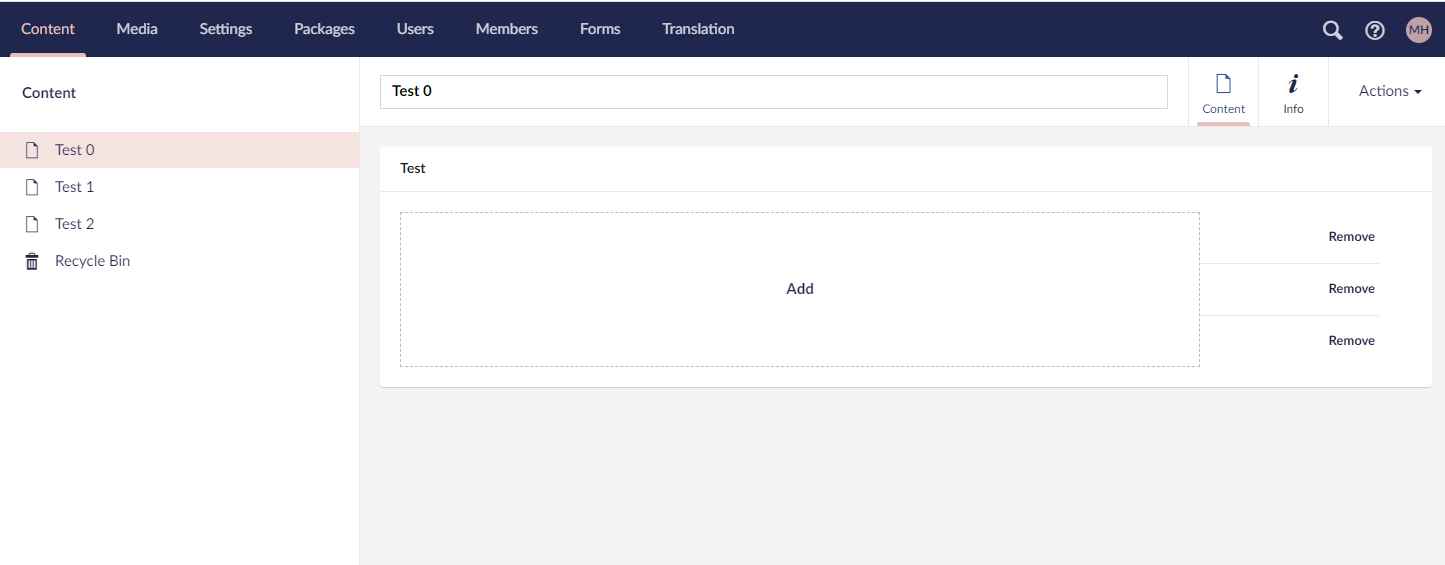
If the property id (HTML) matches styling defined in Umbraco it can cause the property editor to look really weird.

Umbraco version
I am seeing this issue on Umbraco version: Umbraco 8.8.0
Reproduction
Steps to reproduce
- Create a new document type
- Add a property aliased navigation using the tree picker
- Create a few pages with said doc type
- Go to one of the pages and add the other ones in the tree picker
- You will notice that it stretches
Expected result
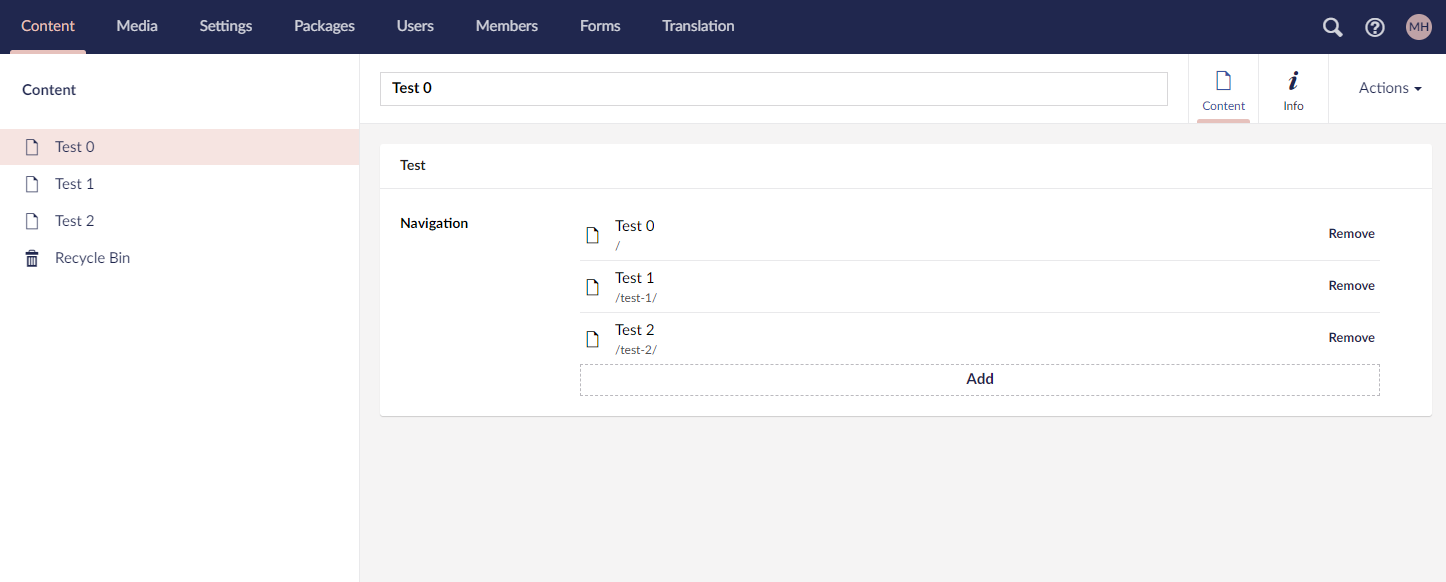
I expect the Add button to appear normal and not collide with Backoffice styling.
Actual result
Add button is all over the place due to the CSS that has been applied.
 hartviglarsen
All 4 comments
@hartviglarsen that's far from ideal... Just goes to highlight why CSS + element IDs is a bad idea 😉
I have a fix for your example, but there are other cases where CSS is referencing IDs which should be refactored #navigation is the most likely one to cause this collision, other IDs are less likely to be used as property aliases. Less likely, but not never-likely.
 nathanwoulfe
on 7 Oct 2020
nathanwoulfe
on 7 Oct 2020
What is the reasoning behind having an id on those elements anyway? Shouldn't it at least be made up of different parts like #umb-property-1131-navigation (with 1131 being the property db id), to make sure id's don't get duplicated?
 skttl
on 12 Oct 2020
skttl
on 12 Oct 2020
@skttl good point - I don't know why the id would be there, I don't think it would be used by anything internally... @nielslyngsoe any insights?
nathanwoulfe
on 16 Oct 2020
@nathanwoulfe I actually don't know, but from what I know it not being used. It's properly legacy, but never the less we need to be aware if extensions use this for injection.
We defiantly have a problem with these IDs as they are not unique, the ones that can occur multiple times should be made unique.
 nielslyngsoe
on 20 Oct 2020
nielslyngsoe
on 20 Oct 2020
Related issues
 DotpeopleApS
·
31Comments
DotpeopleApS
·
31Comments
 simonech
·
28Comments
simonech
·
28Comments
 kjac
·
28Comments
kjac
·
28Comments
 PeteDuncanson
·
31Comments
PeteDuncanson
·
31Comments
 benjaminc
·
35Comments
benjaminc
·
35Comments
Most helpful comment
@hartviglarsen that's far from ideal... Just goes to highlight why CSS + element IDs is a bad idea 😉
I have a fix for your example, but there are other cases where CSS is referencing IDs which should be refactored
#navigationis the most likely one to cause this collision, other IDs are less likely to be used as property aliases. Less likely, but not never-likely.