Umbraco-cms: v8: NuCache needs to be rebuild after uploading files to FTP
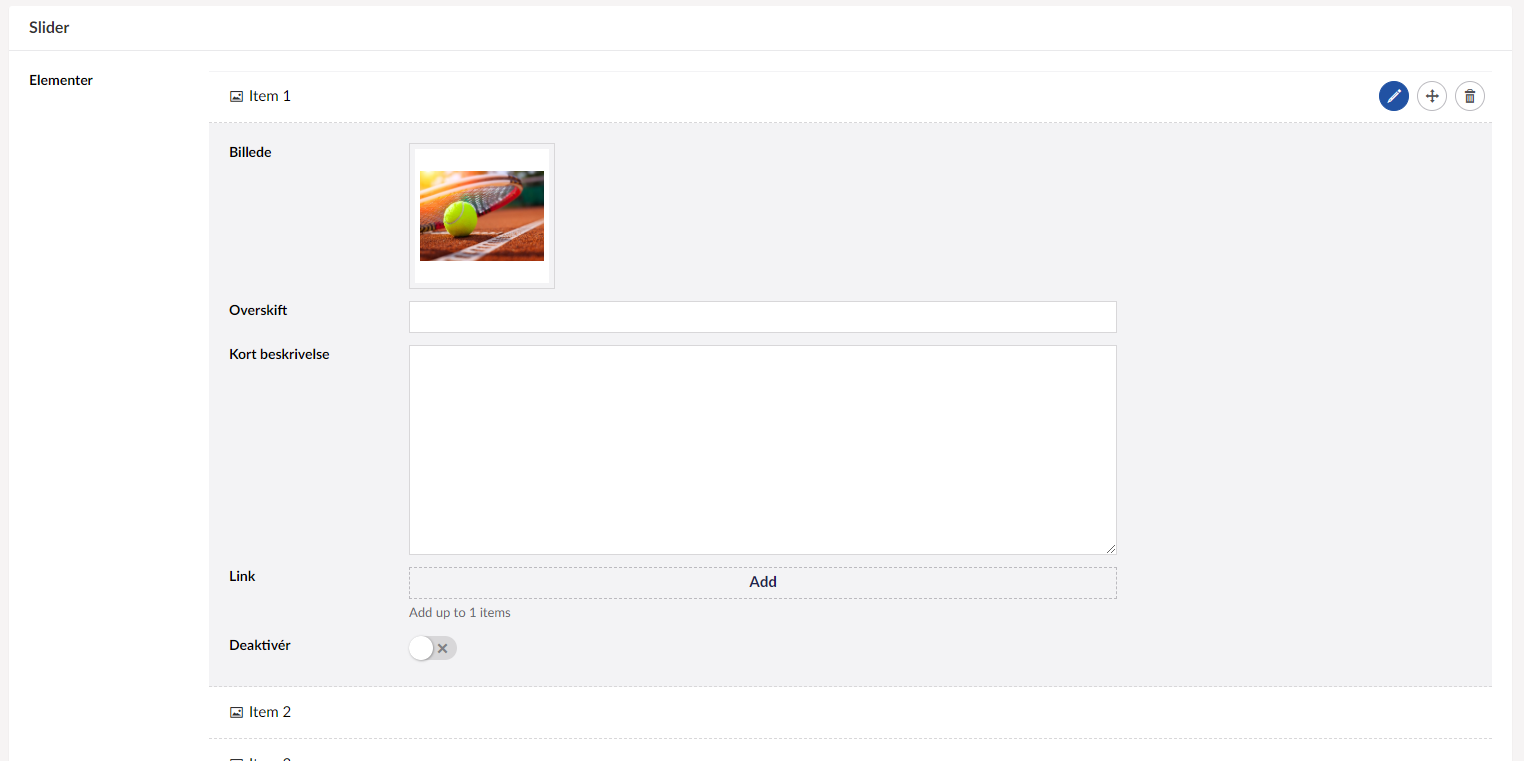
On a small project based on Umbraco version 8.0.1 on FrontPage node I have a slider (using Nested Content) which have the following properties: Image (Media Picker), Heading (textbox) and Text (textarea).
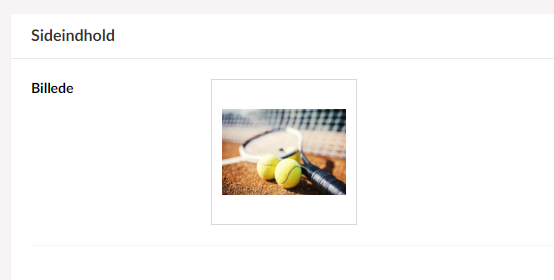
Furthermore on subpages the pages have a Top Image property (Media Picker). When I upload files, e.g. entire /Views/Partials folder these images are not shown on site, but still visible in media pickers.
In Published Status dashboard the clicking the last "reload" button seems to fix the issue:
_This lets you reload the in-memory and local file cache by entirely reloading it from the data in the cmsContentNu table, but it does not rebuild that table. This is relatively fast. Triggers the reload on all servers in an LB environment._
Maybe add a label/heading to each of these groups, e.g. "In-memory cache", "Database cache" or something similar to make it more clear.

At the moment there a four different buttons in same color.
 bjarnef
All 23 comments
If I understand correctly you'd add a header before each paragraph + button group? Makes sense.
Now I don't get the original issue - so the only thing you do is upload new views, and then these views do not render some media from media pickers, until you reload the cache? I'd like to narrow it down to understand what's going on, because I am not sure I understand how editing a view would cause that issue.
 zpqrtbnk
on 2 Apr 2019
zpqrtbnk
on 2 Apr 2019
Yes, on frontpage it has a slider configuration, which just render a default Bootstap 4 carousel inkl. caption: https://getbootstrap.com/docs/4.0/components/carousel/
On sub pages it has a top image property (media picker), which render a picture/image.
bjarnef
on 2 Apr 2019
Okay, I actually think it is more an issue, because I edit data from local and if I then saves a node on development site with a temporary url (using same db). When saving from local I guess the cache of the images somehow gets out of sync (or not rebuilt correct) even when no changes have been made to these images.
bjarnef
on 2 Apr 2019
Linking to #5016 because although I could not make sense of that issue... they may be related.
zpqrtbnk
on 3 Apr 2019
Can you elaborate on your setup, ie local vs development on same DB? Are you essentially load-balancing local and development on one unique DB? I am starting to think we do have a problem, probably with distributed cache events, but then I need to narrow it down / repro.
zpqrtbnk
on 3 Apr 2019
@zpqrtbnk the site is based on hosting at UnoEuro, where it on local is connected to the remote database on UnoEuro. I also think the issue might happen when uploading config files or assemblies.
bjarnef
on 3 Apr 2019
I think the problem is a little more complicated.
If I restart a environment all images in nested content are gone until I reload the cache.
I also have this problem with a footermenu that is defined on a composition and rendered in a partial like this:
Footer footer = new Footer(Model.Root());
IPublishedContent[] pages = footer.Children.Where(x => x.IsVisible()).ToArray();

 @foreach (IPublishedContent item in pages)
{
   <li class="@(item.IsAncestorOrSelf(item) ? "current" : null)">
      <a href="@item.Url">@item.Name</a>
   </li>
}
Both issues are gone after a reload of the cache.
 FransdeJong
on 3 Apr 2019
FransdeJong
on 3 Apr 2019
Quick win, I have cleaned up the dashboard with nice titles + reordered buttons etc.
Now on to the real issue.
zpqrtbnk
on 3 Apr 2019
Let me know if you want me to test something
FransdeJong
on 3 Apr 2019
Before reloading the cache, when images are missing, can you tell me what the dashboard says (status, at the top?)
Also... anything that can lead us to a minimum repro would help - I have just done this: create a content type with a nested content - which has items which have: a text string, a media picker picking images. I can restart the site, and my image is still there.
zpqrtbnk
on 3 Apr 2019
For your footer example... no images are involved, right? It's simply... listing children? And children are gone?
zpqrtbnk
on 3 Apr 2019
If you have an UnoEuro site or another hosting (maybe it works on Umbraco Cloud as well), then on local connect to remote database and edit content from local, I had some issues where the image sometimes was gone on remote site (same database).
- Upload a image from local and select it in a media picker on a content node + save and publish
- Upload the media file i
/mediato remote site via FTP - If the image still is visible on remote site, try to edit some other properties on same or other nodes from local or make a change in a config file and upload this via FTP.
bjarnef
on 3 Apr 2019
What I have done: run two sites, in IIS on my machine, on top of the same SqlServer database. Upload image in site 1 and pick it in a picker in a nested content item. Publish. Refresh the view on site 2 - it may not immediately show (time for the cache to update) but after 1-2 sec, the image is there. Well, not the file but the cache knows about the image.
We need to try harder at reproducing ;-)
Have you checked the logs on the remote site, to make sure Umbraco is not reporting any error?
zpqrtbnk
on 3 Apr 2019
I can't find anything specific to this in the log, but I have these (not sure if it is related to this issue).
System.ArgumentException: An item with the same key has already been added.
   at System.ThrowHelper.ThrowArgumentException(ExceptionResource resource)
   at System.Collections.Generic.Dictionary`2.Insert(TKey key, TValue value, Boolean add)
   at Umbraco.Core.Scoping.ScopeProvider.SetCallContextObject(String key, IInstanceIdentifiable value)
   at Umbraco.Core.Scoping.ScopeProvider.SetAmbient(Scope scope, ScopeContext context)
   at Umbraco.Core.Scoping.ScopeProvider.CreateScope(IsolationLevel isolationLevel, RepositoryCacheMode repositoryCacheMode, IEventDispatcher eventDispatcher, Nullable`1 scopeFileSystems, Boolean callContext, Boolean autoComplete)
   at Umbraco.Core.Services.Implement.UserService.GetUserById(Int32 id)
   at Umbraco.Core.Services.Implement.UserService.GetProfileById(Int32 id)
   at Umbraco.Core.ContentExtensions.GetCreatorProfile(IContentBase content, IUserService userService)
   at Umbraco.Examine.ContentValueSetBuilder.<GetValueSets>d__3.MoveNext()
   at System.Linq.Enumerable.WhereSelectEnumerableIterator`2.MoveNext()
   at Examine.LuceneEngine.Providers.LuceneIndex.ForceProcessQueueItems(Boolean block) in C:\projects\examine\src\Examine\LuceneEngine\Providers\LuceneIndex.cs:line 879
System.NullReferenceException: Object reference not set to an instance of an object.
   at Umbraco.Core.Scoping.Scope.<>c__DisplayClass72_0.<RobustExit>b__2()
   at Umbraco.Core.Scoping.Scope.TryFinally(Int32 index, Action[] actions)
   at Umbraco.Core.Scoping.Scope.TryFinally(Int32 index, Action[] actions)
   at Umbraco.Core.Scoping.Scope.TryFinally(Int32 index, Action[] actions)
   at Umbraco.Core.Scoping.Scope.RobustExit(Boolean completed, Boolean onException)
   at Umbraco.Core.Scoping.Scope.DisposeLastScope()
   at Umbraco.Core.Scoping.Scope.Dispose()
   at Umbraco.Core.Services.Implement.UserService.GetUserById(Int32 id)
   at Umbraco.Core.Services.Implement.UserService.GetProfileById(Int32 id)
   at Umbraco.Core.ContentExtensions.GetCreatorProfile(IContentBase content, IUserService userService)
   at Umbraco.Examine.ContentValueSetBuilder.<GetValueSets>d__3.MoveNext()
   at System.Linq.Enumerable.WhereSelectEnumerableIterator`2.MoveNext()
   at Examine.LuceneEngine.Providers.LuceneIndex.ForceProcessQueueItems(Boolean block) in C:\projects\examine\src\Examine\LuceneEngine\Providers\LuceneIndex.cs:line 879
These two exceptions are not related, I think, but are nasty. Did they happen once, or repeatably?
zpqrtbnk
on 3 Apr 2019
I just noticed these once in log file, but not sure when these happened.
bjarnef
on 3 Apr 2019
Before reloading the cache, when images are missing, can you tell me what the dashboard says (status, at the top?)
NuCache says: I'm feeling good, really. Database cache is ok. ContentStore has 1 generation, 1 snapshot and 23 entries. MediaStore has 1 generation, 1 snapshot and 20 entries.
The message is the same after reloading
For your footer example... no images are involved, right? It's simply... listing children? And children are gone?
No images just the links. As soon as I click reload it all works perfect until I force a app recycle.
Also... anything that can lead us to a minimum repro would help - I have just done this: create a content type with a nested content - which has items which have: a text string, a media picker picking images. I can restart the site, and my image is still there.
I can add you to the cloud project where the issue presents itself. As long as you don't commit breaking code it's fine ;-)
Edit: This is originally a 8.0.0 project that's updated to 8.0.1
FransdeJong
on 3 Apr 2019
ContentStore has 1 generation, 1 snapshot and 23 entries.
MediaStore has 1 generation, 1 snapshot and 20 entries.
This means that the stores are not empty. They probably _do_ contain what you want. Which might indicate a property value converter issue more than a cache issue.
Happy to discuss accessing your project - [email protected]
zpqrtbnk
on 3 Apr 2019
Hi Stephan,
I've added you to the project.
There is a small description in the email.
If you have any questions I've put my email and phonennumber in the email to.
Frans
FransdeJong
on 4 Apr 2019
Note for self: nasty scope exceptions moved to issue #5151
zpqrtbnk
on 4 Apr 2019
Update (for anyone tracking this issue) - Frans has been kind enough to let me access his site, and after a good deal of troubleshooting, I now have an idea of what may be the cause of all this. I have shared a patched Umbraco.Core.dll with Frans and I am waiting for feedback. Fingers crossed.
zpqrtbnk
on 4 Apr 2019
Feedback is positive, seems we've fixed it. Massive THANK YOU to Frans, been super precious help. Going to prepare a PR for 8.0.2 asap.
zpqrtbnk
on 4 Apr 2019
PR is #5162
Review: site should just work as usual - the problem is hard to reproduce but the fix has been confirmed.
_Note: this is an 8.0.2 fix so please merge the PR and then cherry-pick the commit into v8/8.0_
zpqrtbnk
on 4 Apr 2019
Related issues
 nul800sebastiaan
·
27Comments
nul800sebastiaan
·
27Comments
 deMD
·
55Comments
deMD
·
55Comments
 ronaldbarendse
·
26Comments
ronaldbarendse
·
26Comments
 nathanwoulfe
·
34Comments
FransdeJong
·
33Comments
nathanwoulfe
·
34Comments
FransdeJong
·
33Comments
Most helpful comment
Feedback is positive, seems we've fixed it. Massive THANK YOU to Frans, been super precious help. Going to prepare a PR for 8.0.2 asap.