Umbraco-cms: Unable to View White SVG's in Media Section on Image Node
I just installed Umbraco 7.13.0 with all the defaults.
I then updated the umbracoSettings.config to ensure SVG is recognized as an image file type. Search this page for "imageFileTypes" to find out how to do that: https://our.umbraco.com/documentation/reference/config/umbracosettings/
I then dragged an SVG image to the media section to upload it. Once it uploaded, I clicked the media item to view the details:
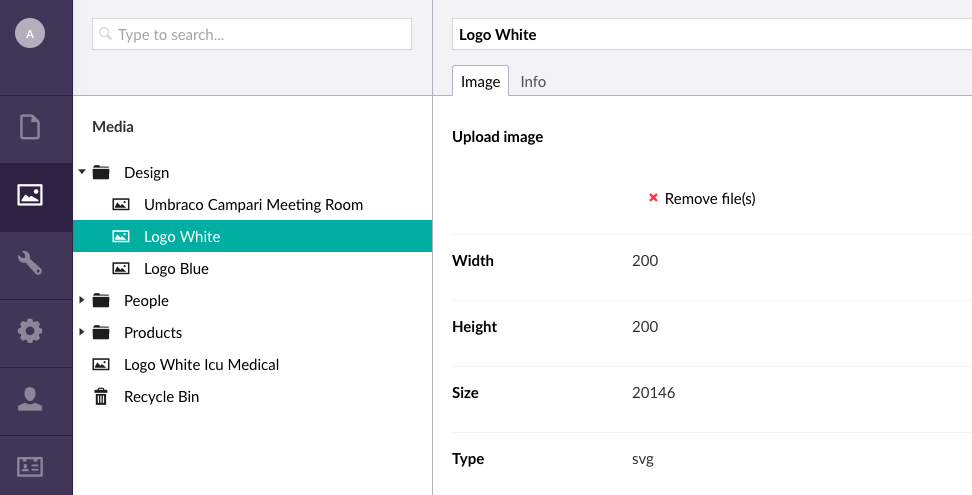
As you can see, the white SVG is not really visible. Well, it is, except that the background is also white, and white on white is just a big sea of white. Other SVG images that are not white (e.g., blue) are visible.
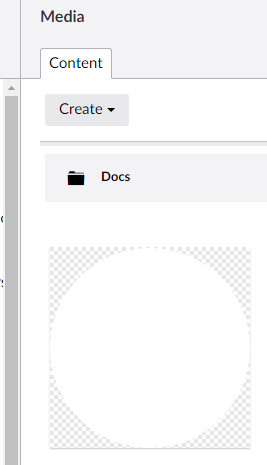
Other places in Umbraco deal with this by adding a checkerboard pattern behind the image, which gives it the necessary contrast to make it visible. For example, the media picker and the grid view in the media section seem to do this. Seems like this spot was missed, however.
 Nicholas-Westby
All 7 comments
Hi @Nicholas-Westby
Thanks for reporting this issue. Can you provide the SVG that you used so we can use it for reproducing and for testing ?
 dawoe
on 9 Jan 2019
dawoe
on 9 Jan 2019
This one should work (no that's not a blank page that opens, it's a white SVG 😉). We should have the checkered background behind it as well like we do in the list view overview, this is what it looks like in the list:
Of course when it's a completely solid white SVG I don't know what to do.
I've marked this as "Up for grabs" so that you or someone else coming along could create a pull request for it.
 nul800sebastiaan
on 9 Jan 2019
nul800sebastiaan
on 9 Jan 2019
@nul800sebastiaan My mistake, I misread your comment, so I deleted my previous comment. Thank you for finding the white SVG sample.
Nicholas-Westby
on 9 Jan 2019
Maybe also add a subtle drop-shadow to the image preview, like in the list-view? This would help for completely solid white images too.
 skttl
on 10 Jan 2019
skttl
on 10 Jan 2019
I've got a fix for this, will push later 👍
 kjac
on 12 Jan 2019
kjac
on 12 Jan 2019
PR in #4050
kjac
on 12 Jan 2019
You rock, @kjac!
Nicholas-Westby
on 13 Jan 2019
Related issues
 PeteDuncanson
·
31Comments
PeteDuncanson
·
31Comments
 NikRimington
·
61Comments
NikRimington
·
61Comments
 nathanwoulfe
·
34Comments
kjac
·
28Comments
nathanwoulfe
·
34Comments
kjac
·
28Comments
 ronaldbarendse
·
26Comments
ronaldbarendse
·
26Comments
Most helpful comment
PR in #4050