Umbraco-cms: Improve UX on the select avatar step when creating an Umbraco user from an invite
Once a person clicks the invitation link then at the end of the flow it's possible to select an avatar. Below the avatar there is a green "Get started" button and a skip link/button. It seems a bit weird since either of them will do the same thing - Namely take you to the backoffice whether you select an avatar or not :)
A screendump of the screen can be seen here
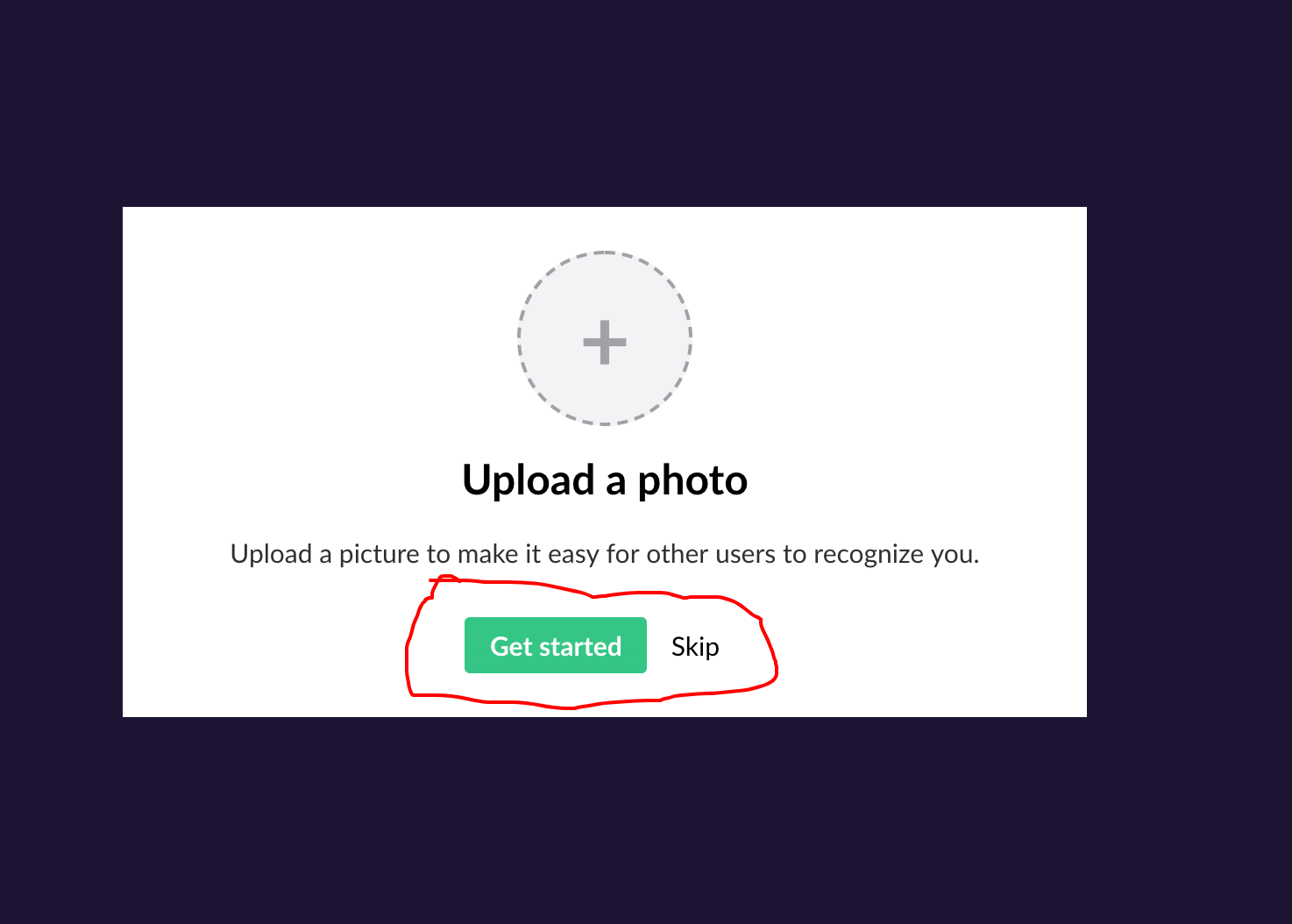
Perhaps the "Skip" link/button can be removed since selecting an avatar is not mandatory? Not sure what the better approach is here but it's imho a bit weird as it is now 😃
 BatJan
All 7 comments
Spotted the same thing @BatJan, and it was slightly more confusing for me because I think Gravatar picked up my image already, so I was being asked to upload a photo but it already had one, so I didn't see the "+" icon in the circle. Maybe the text should be updated to guide users a little more: "Click on the icon above to upload an optional picture and make it easy for other users to recognise you." with just the "Get started" button? Happy to take a look at this but think we'll need some UX guidance from HQ.
 ed-parry
on 2 Oct 2018
ed-parry
on 2 Oct 2018
Thanks for chiming in @ed-parry - Yup some text and then maybe just the "Get started" button would be nice. But I agree that some HQ input is needed for this one in order to progress - I'll be happy to give it a go as well - Whoever comes first 😃
But perhaps we should ask @nul800sebastiaan and @madsrasmussen about thoughts and directions for this?
BatJan
on 2 Oct 2018
Sounds good! All yours @BatJan :) I'm heading on holiday shortly so don't
want to assign things to me if there are others there for them. It's the
hacktoberfest coming out in me to go for everything 😅
ed-parry
on 2 Oct 2018
Perhaps:
Add a null check for the gravatar lookup. That is, if we append
?d=404at the end of the url parameter we will know for sure whether it's been setup or not.- Error (404)? Show this screen.
- Success? Immediately go to the backoffice.
I think BatJan's recommendation of just keeping "Get Started" is best. There's no reason to make any additional actions available is there?
 markadrake
on 6 Oct 2018
markadrake
on 6 Oct 2018
To me it would still be confusing: "upload an avatar - Get Started" - sounds like I can get started with uploading an avatar.
Maybe a "Done" button instead?
Would be really nice with the 404 handling Mark mentions, but sometimes you just want to set a different picture anyway, so give people the chance: "This is how you will look right now, is that okay? You can add or change this picture by clicking the circle above". Something like that.
I've marked as "Up for grabs" so that you or someone else coming along could create a pull request for it.
 nul800sebastiaan
on 14 Nov 2018
nul800sebastiaan
on 14 Nov 2018
Yup simply a "Done" button would actually be the nicest option I think.
Then maybe the avatar thingy can use the gravatar, if possible or use one of those random images like when new users sign up on Our and then the "Upload Photo" could be changed to "Change avatar?" instead?
BatJan
on 14 Nov 2018
PR in #3812
 kjac
on 2 Dec 2018
kjac
on 2 Dec 2018
Related issues
 lcichanowicz
·
28Comments
nul800sebastiaan
·
24Comments
kjac
·
28Comments
lcichanowicz
·
28Comments
nul800sebastiaan
·
24Comments
kjac
·
28Comments
 robertjf
·
136Comments
robertjf
·
136Comments
 philipdanielhayton
·
29Comments
philipdanielhayton
·
29Comments
Most helpful comment
To me it would still be confusing: "upload an avatar - Get Started" - sounds like I can get started with uploading an avatar.
Maybe a "Done" button instead?
Would be really nice with the 404 handling Mark mentions, but sometimes you just want to set a different picture anyway, so give people the chance: "This is how you will look right now, is that okay? You can add or change this picture by clicking the circle above". Something like that.
I've marked as "Up for grabs" so that you or someone else coming along could create a pull request for it.