Ulauncher: Error opening file /usr/share/ulauncher/preferences/dist/index.html: No such file or directory
Steps to reproduce
- Open Ulauncher
Current behavior
When I open Ulauncher:
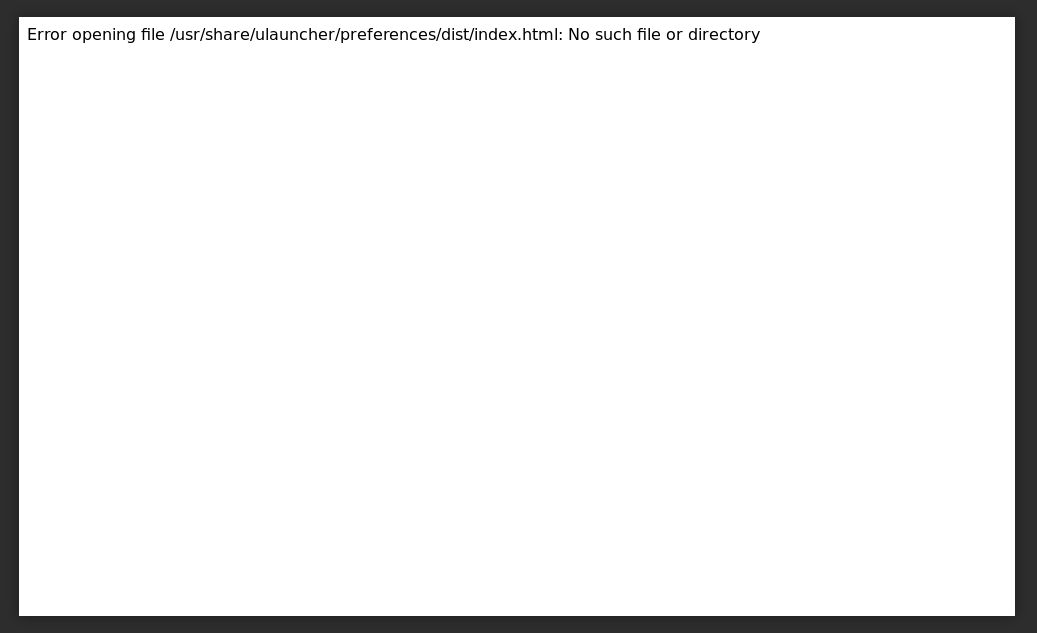
Expected behavior
Ulauncher opens.
Environment
Ulauncher version: 5.3.0-1
Linux distro: Fedora 30
kernel: 5.0.16-200.fc29.x86_64
Desktop environment: GNOME 3.32.2
Logs
https://gist.github.com/voneAbides/9683e1102f18d90e44890490d5ab809c
 voneAbides
All 38 comments
Got the same issue on Fedcora 30. It seems fixed after update to Ulauncher 5.4
 brpaz
on 13 Nov 2019
brpaz
on 13 Nov 2019
Hello. I tried to update. Then I uninstalled and installed again. Still same Issue. Then Fedora 31 came out so I upgraded hoping that it could resolve the issue. Nothing worked.
voneAbides
on 14 Nov 2019
hi @voneAbides
I've tried on Fedora 31 and preferences work fine for me.
Did you install ulauncher by downloading an RPM file from the website?
BTW, I've just updated RPM links on ulauncher.io. Now we have only one RPM build for Fedora 29, 30, and 31.
 gornostal
on 21 Dec 2019
gornostal
on 21 Dec 2019
Hello @gornostal . I reinstalled with new package from Ulauncher page, but still only blank (white) screen. Maybe definitive solution will be add Ulauncher to Flathub.
voneAbides
on 21 Dec 2019
What command did you run to install the app?
Could you describe what directories and files you see in /usr/share/ulauncher/preferences?
gornostal
on 21 Dec 2019
@gornostal In /usr/share/ulauncher/preferences I see only dist folder.
I used dnf install ulauncher.rpm. Maybe long term solution will be add Ulauncher to Flathub.
voneAbides
on 21 Dec 2019
I see only dist folder.
And I assume you don't have index.html in dist, right?
Are there any files in that directory?
gornostal
on 21 Dec 2019
I just replied about Flathub in another issue.
It's a great thing, but I'd prefer keeping RPM and DEB up-to-date. At least for now.
gornostal
on 21 Dec 2019
Ok, sorry I forget that I uninstalled Ulauncher because it does not work. So I installed again. Same issue. I see these files and folders:
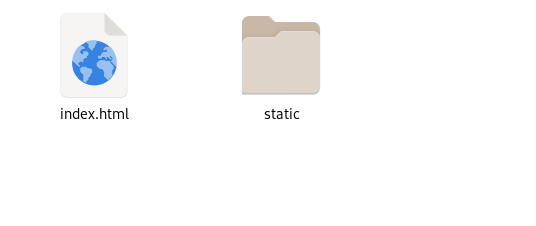
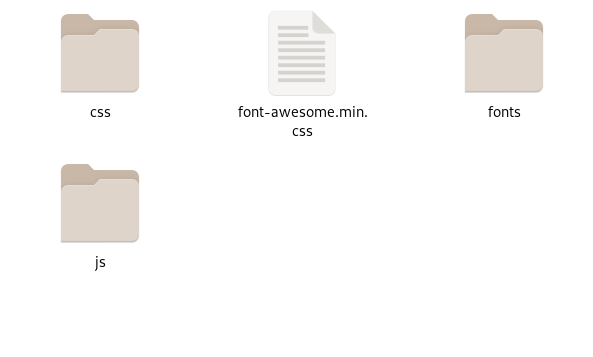
voneAbides
on 21 Dec 2019
And preferences in gnome:
voneAbides
on 21 Dec 2019
Can you try running ulauncher from command line like this?
GDK_BACKEND=x11 ulauncher --no-extensions
Do you see any errors in the output?
gornostal
on 21 Dec 2019
Error opening file /usr/share/ulauncher/preferences/dist/index.html: No such file or directory
I suppose this error is gone now since you have that index.html file, right?
gornostal
on 21 Dec 2019
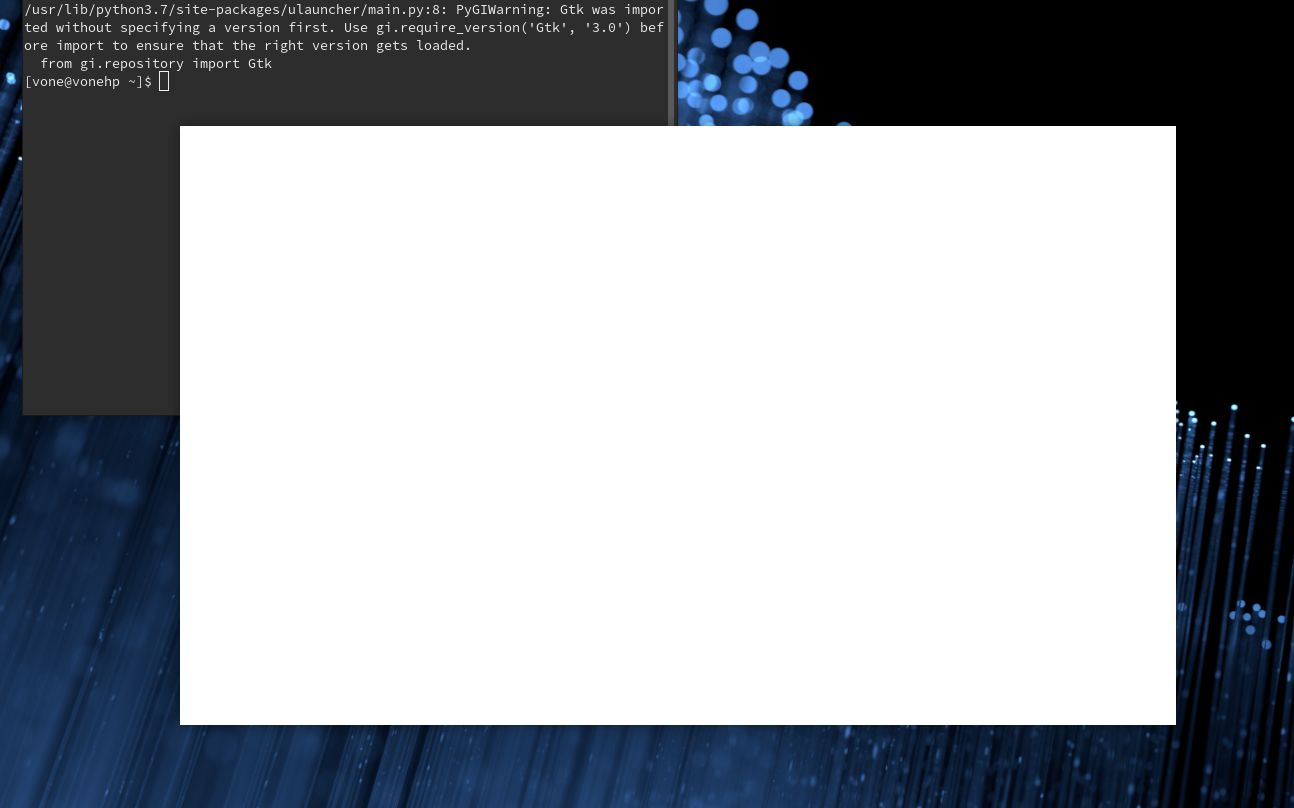
Yes, error is gone. This is output of GDK_BACKEND=x11 ulauncher --no-extensions
voneAbides
on 21 Dec 2019
I see that ulauncher was running when you ran GDK_BACKEND=x11 ulauncher --no-extensions. Try to shut down the app first
gornostal
on 21 Dec 2019
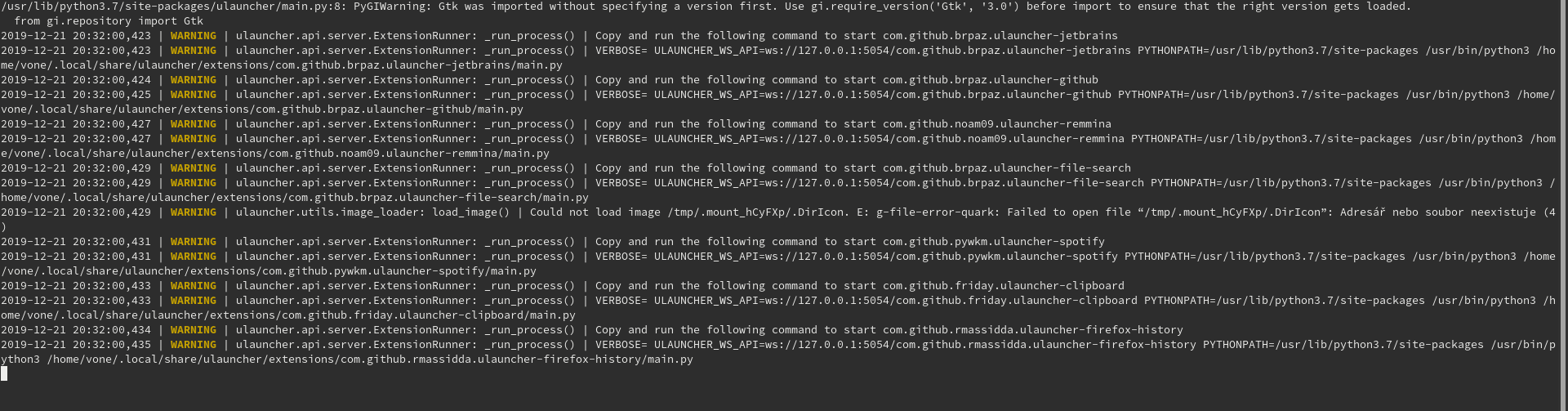
Oh, sorry for that. This is the output:
voneAbides
on 21 Dec 2019
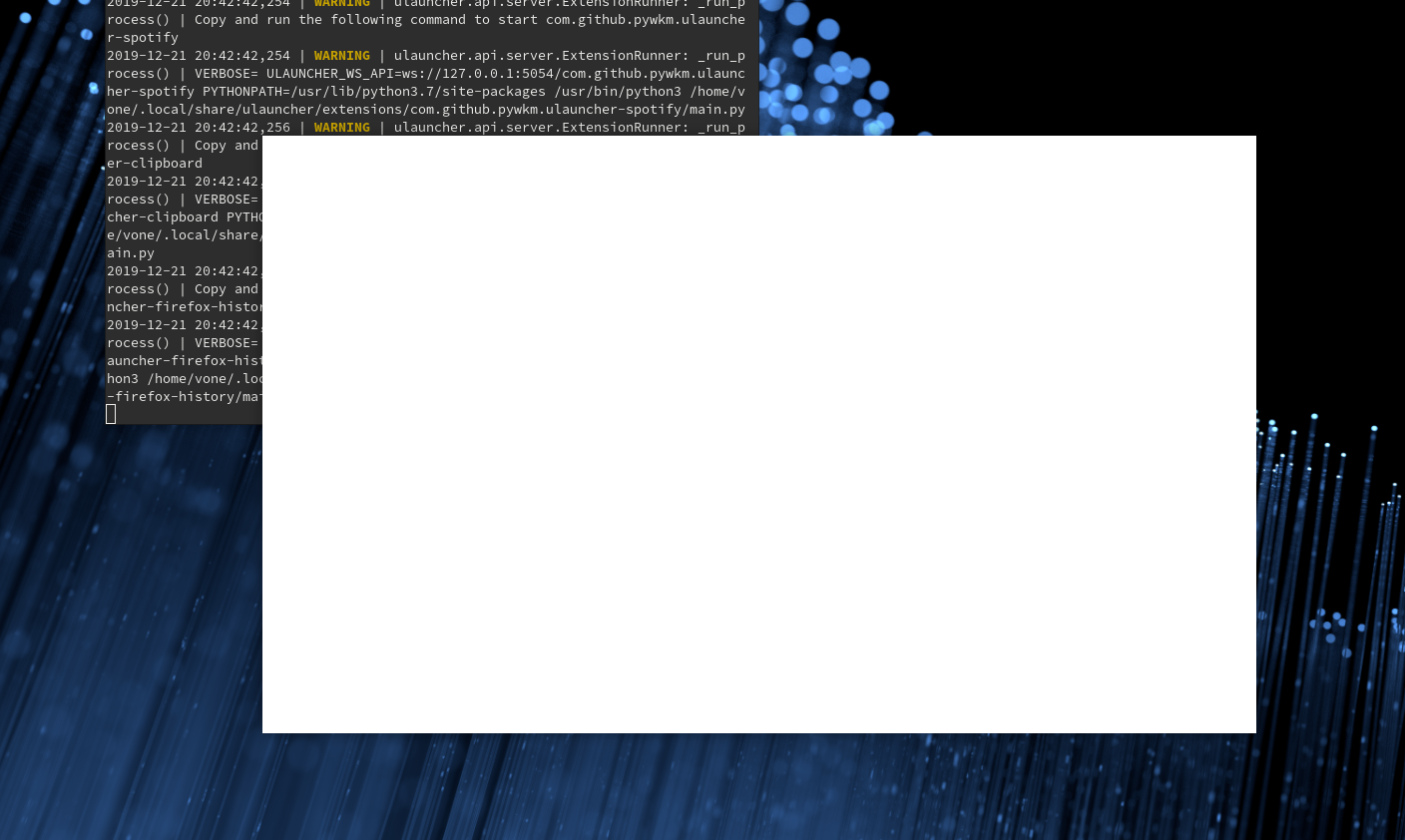
OK. that's better. And now could you open preferences while monitoring the output?
gornostal
on 21 Dec 2019
voneAbides
on 21 Dec 2019
anything unusual in the logs?
You can try one more thing:
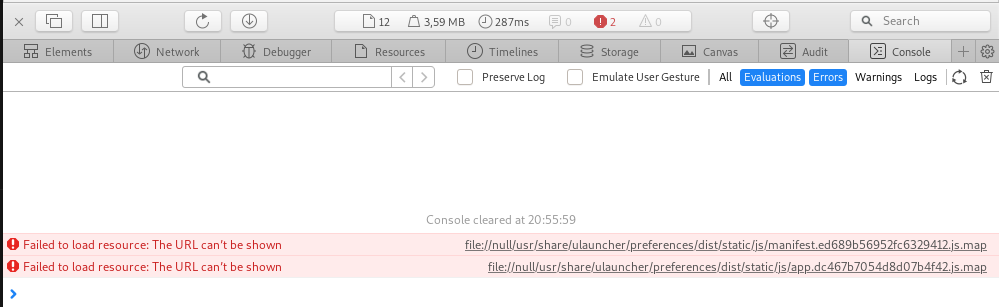
If you run ulauncher with these arguments GDK_BACKEND=x11 ulauncher --no-extensions --dev you'll be able to right click on that white window and open Webkit inspector.
Then if you refresh the preferences by hitting Ctrl+R that could show an error in the Webkit inspector console.
Basically, it looks like preferences are not working due to some issue with webkit.
gornostal
on 21 Dec 2019
voneAbides
on 21 Dec 2019

voneAbides
on 21 Dec 2019
Thanks for debugging. I need to think how that could happen...
gornostal
on 21 Dec 2019
Ok, by the way. Ulauncher is great! :D
voneAbides
on 21 Dec 2019
@voneAbides the problem is not clear. I'm pretty sure it's caused by some customization of your system. Maybe you've installed some package that affects Ulauncher or changed settings in some way.
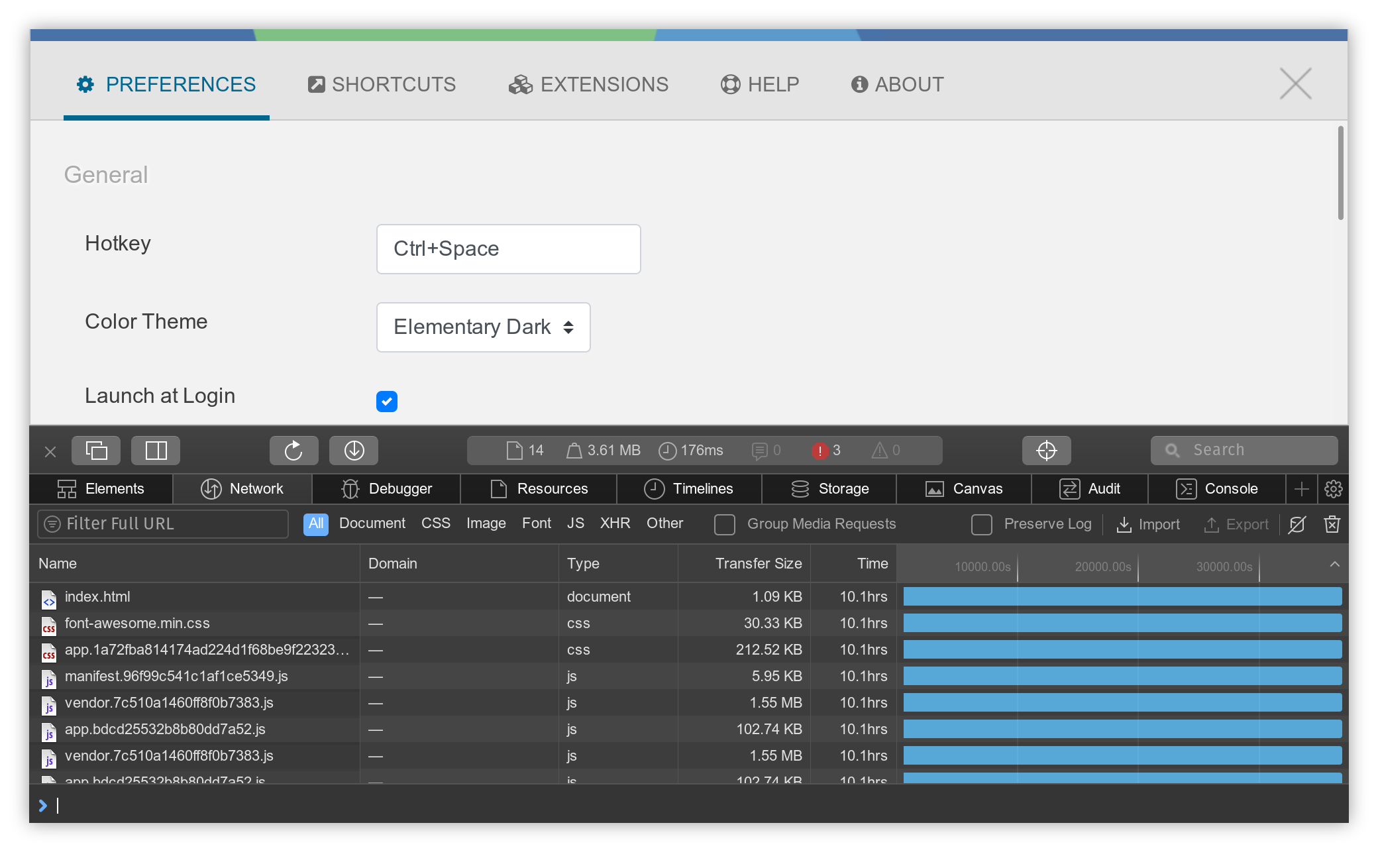
We can check one more thing in that debug console, but this time could you run select "Network" tab, hit Ctrl+R, and and take a screenshot?
For me it looks like this:
gornostal
on 22 Dec 2019
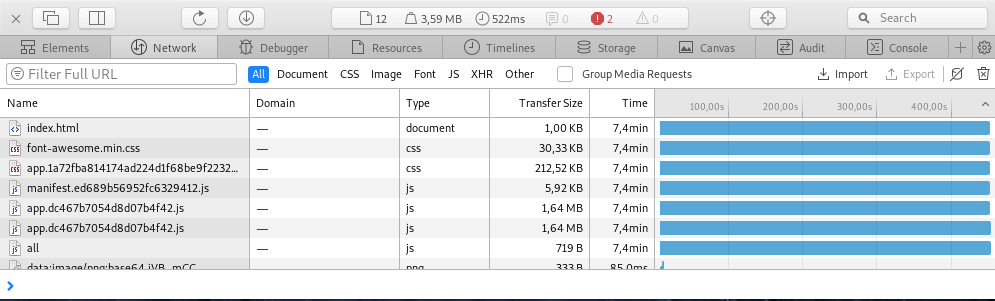
@gornostal Sorry, I was busy last days.
Network looks like this:
voneAbides
on 26 Dec 2019
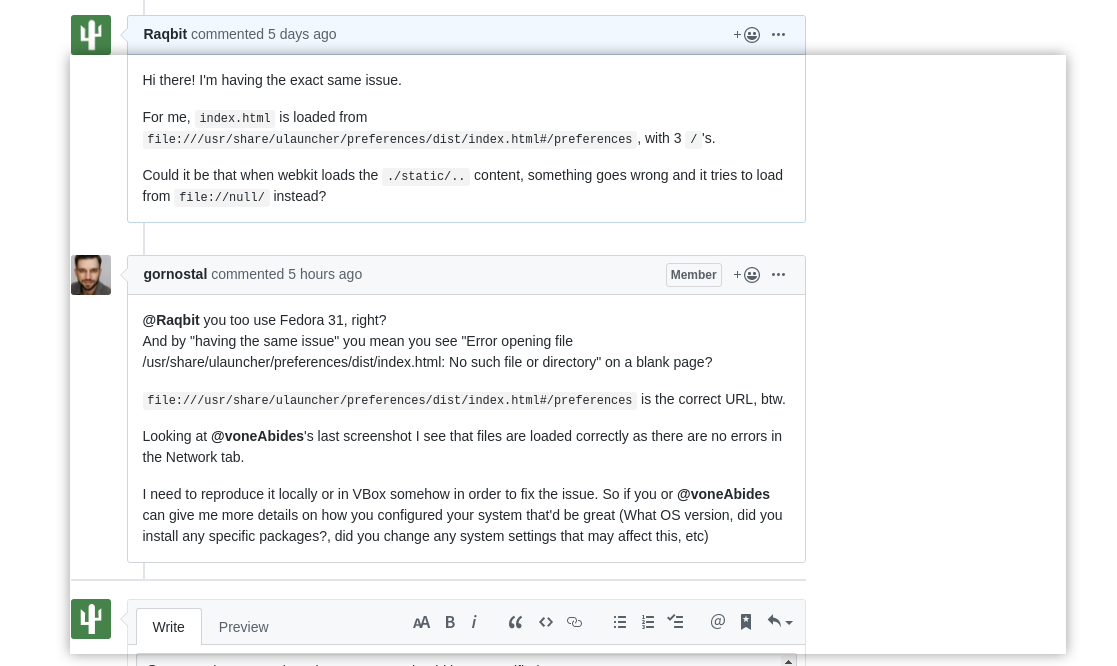
Hi there! I'm having the exact same issue.
For me, index.html is loaded from file:///usr/share/ulauncher/preferences/dist/index.html#/preferences, with 3 /'s.
Could it be that when webkit loads the ./static/.. content, something goes wrong and it tries to load from file://null/ instead?
 Raqbit
on 27 Dec 2019
Raqbit
on 27 Dec 2019
@Raqbit you too use Fedora 31, right?
And by "having the same issue" you mean you see "Error opening file /usr/share/ulauncher/preferences/dist/index.html: No such file or directory" on a blank page?
file:///usr/share/ulauncher/preferences/dist/index.html#/preferences is the correct URL, btw.
Looking at @voneAbides's last screenshot I see that files are loaded correctly as there are no errors in the Network tab.
I need to reproduce it locally or in VBox somehow in order to fix the issue. So if you or @voneAbides can give me more details on how you configured your system that'd be great (What OS version, did you install any specific packages?, did you change any system settings that may affect this, etc)
gornostal
on 1 Jan 2020
@gornostal No, I'm using Ubuntu 19.10 with default (Yaru) theme and a Wayland session, I should have specified.
When I open the preferences, I get this white window:

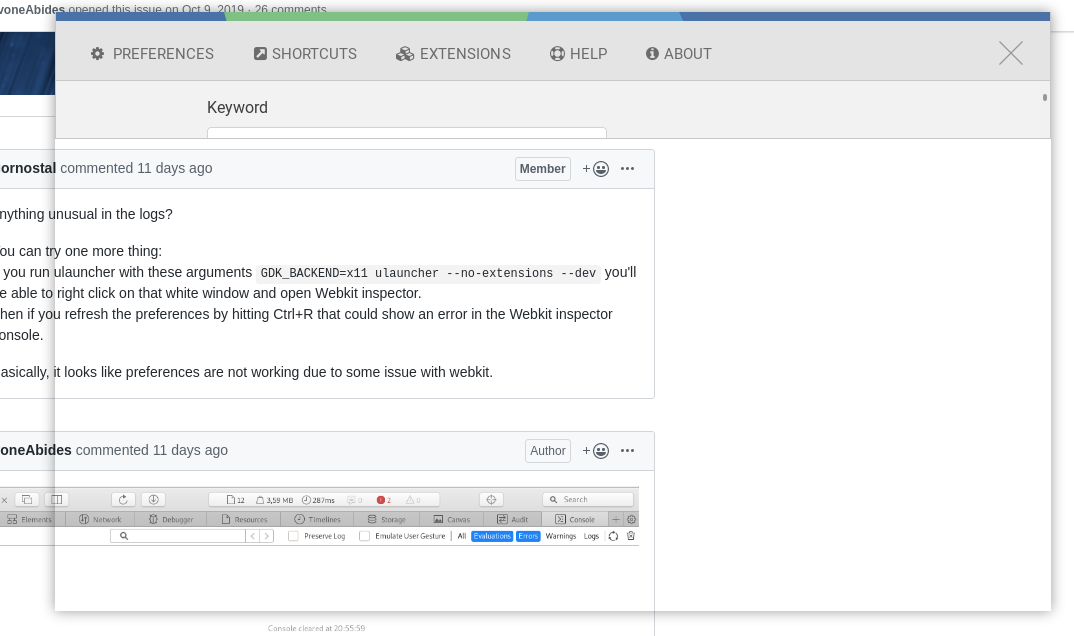
and then when I give any input it makes the window transparent:
I must also note that the window is sometimes transparent from the get-go.
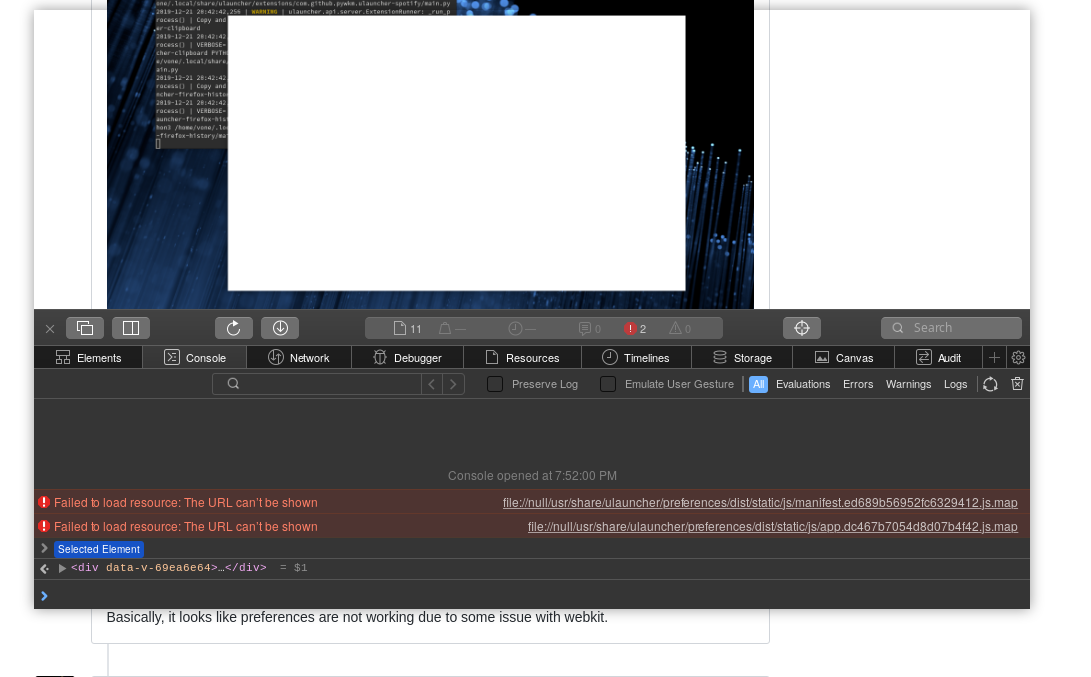
In devmode I find the following errors in the console tab:
and this is my Network tab:
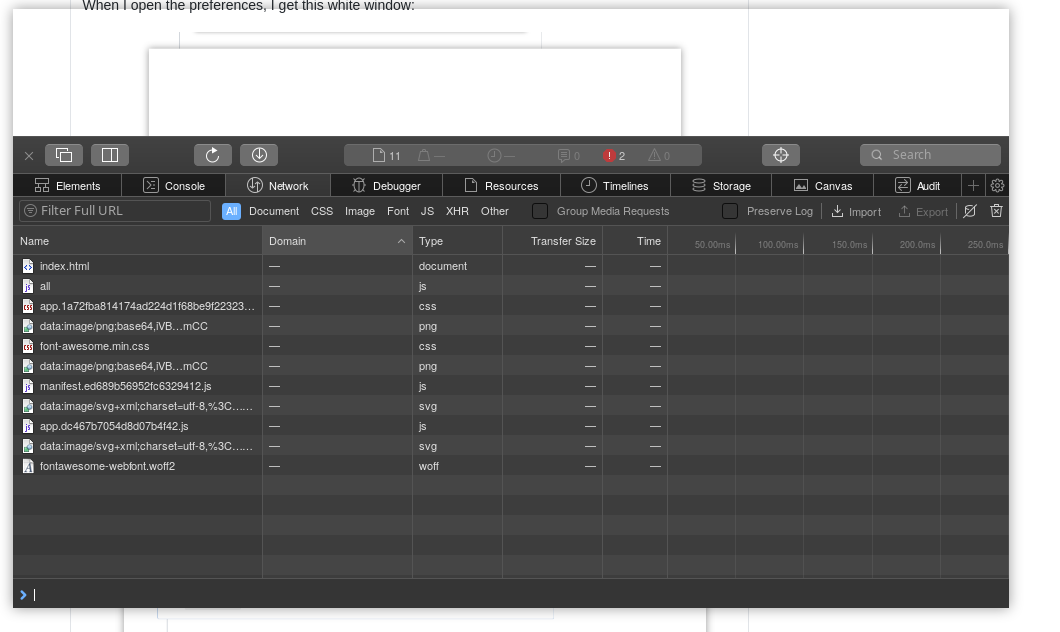
Sometimes the window will half-render, but it won't be interactive as the javascript failed.
Raqbit
on 1 Jan 2020
Thanks for the screenshots.
I don't know why that JS error occurs. I would need to reproduce it myself in order to figure out what's wrong.
The weird thing is I'm running PopOS based on Ubuntu 19.10. However I'm on Xorg.
I've tried Fedora 31 with Wayland in VBox, it works fine there.
I'll try Ubuntu 19.10 with Wayland in VBox and other distros too.
gornostal
on 1 Jan 2020
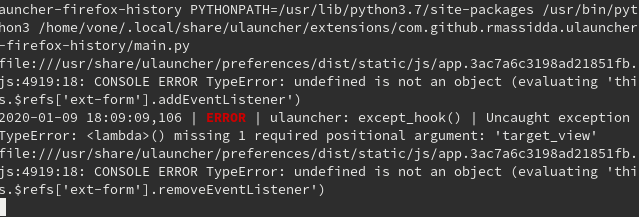
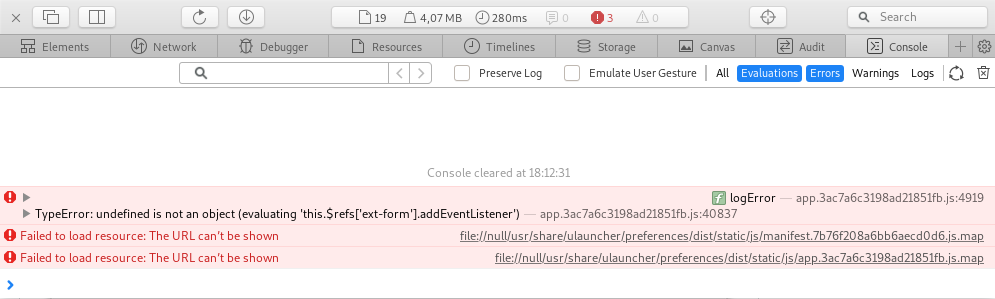
New errors:
voneAbides
on 9 Jan 2020
ah I see the actual error now
I'm going to check the code. Hopefully I'll find why it can fail on that line...
gornostal
on 9 Jan 2020
@voneAbides I don't know how to fix that particular error. I think it occurs because you may be running an old webkitgtk version. Try updating webkit2gtk3 package.
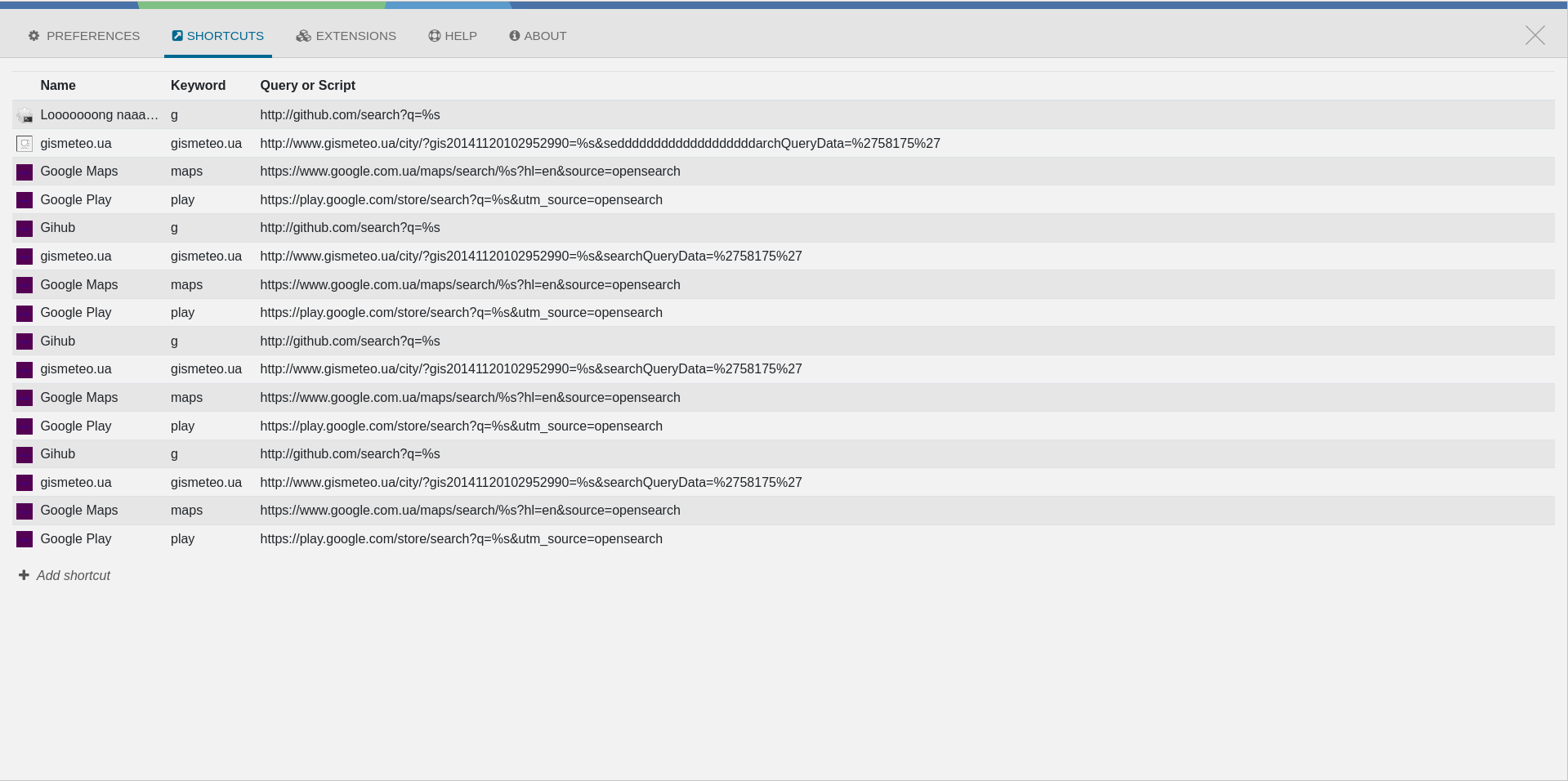
Also, could you open this URL in a browser please?
file:///usr/share/ulauncher/preferences/dist/index.html?browser=1#/extensions
It should open Preferences view with dummy content.
gornostal
on 15 Jan 2020
Ok. webkit2gtk3 version is 2.26.2. It's up to date. URL looks like this:
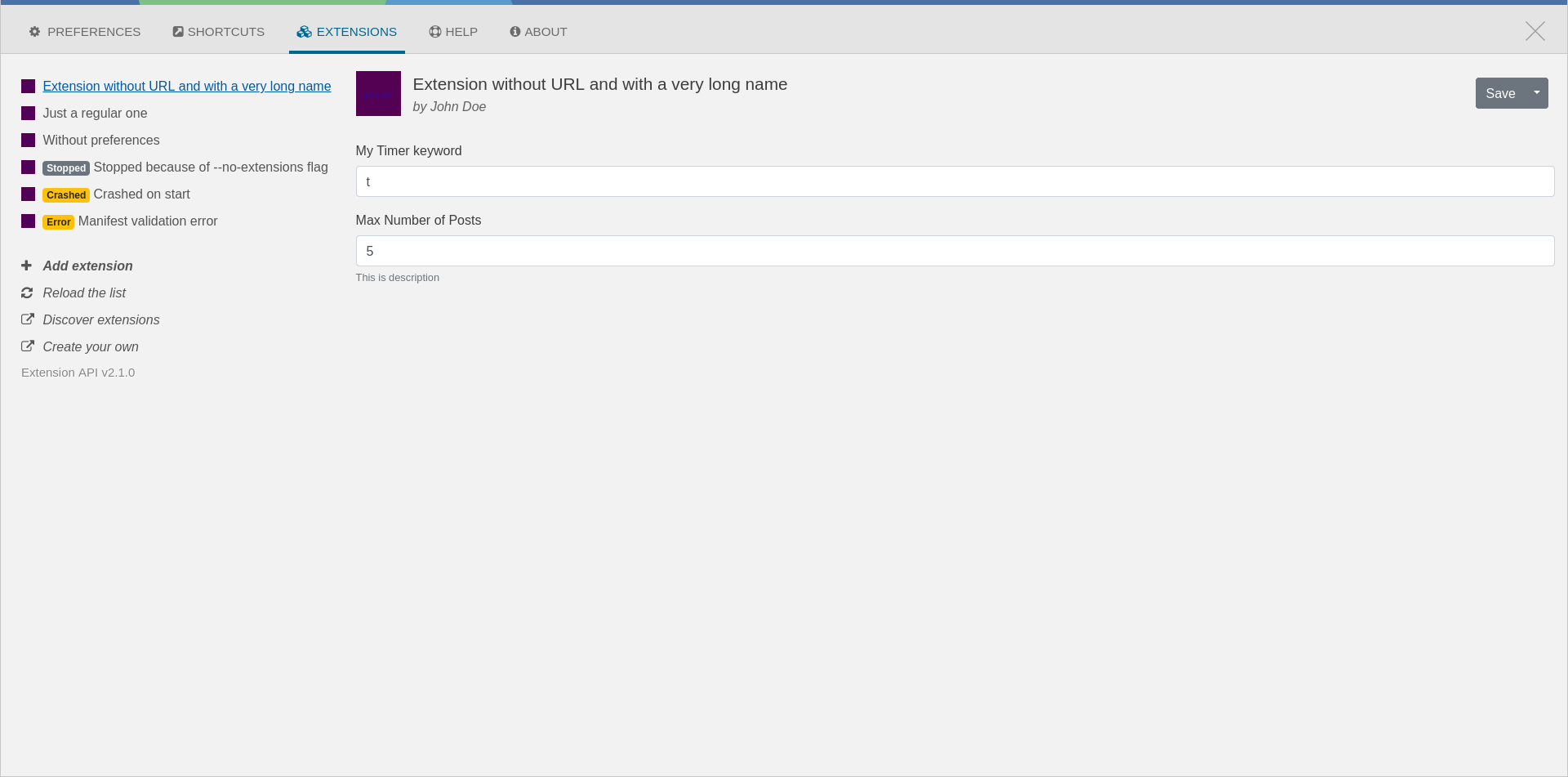
Shortcuts content is weird.
voneAbides
on 21 Jan 2020
That's what is expected. It uses dummy content when there's word "browser"
in a URL.
So this means that in Chrome it works, but in webkitgkt it doesn't. And
it's only on your machine. I haven't been able to reproduce this issue
elsewhere.
On Tue, Jan 21, 2020 at 5:00 PM voneAbides notifications@github.com wrote:
Ok. webkit2gtk3 version is 2.26.2. It's up to date. URL looks like this:
[image: Snímek z 2020-01-21 15-55-43]
https://user-images.githubusercontent.com/44479267/72815357-d1a7fe80-3c66-11ea-8449-ec506029e8bb.pngShortcuts content is weird.
[image: Snímek z 2020-01-21 15-58-51]
https://user-images.githubusercontent.com/44479267/72815491-03b96080-3c67-11ea-8ac8-a24fd9cf3654.png—
You are receiving this because you were mentioned.
Reply to this email directly, view it on GitHub
https://github.com/Ulauncher/Ulauncher/issues/447?email_source=notifications&email_token=AAJFS3YZ7E2WZH354OVZJ6TQ64EXPA5CNFSM4I7DYPX2YY3PNVWWK3TUL52HS4DFVREXG43VMVBW63LNMVXHJKTDN5WW2ZLOORPWSZGOEJQA6JY#issuecomment-576720679,
or unsubscribe
https://github.com/notifications/unsubscribe-auth/AAJFS37RGA22YASV6THP62DQ64EXPANCNFSM4I7DYPXQ
.
gornostal
on 21 Jan 2020
Ok, thank you very much. I will try to fix it.
voneAbides
on 21 Jan 2020
Fyi, I'm on webkit2gtk 2.26.3 (which is the latest version on ubuntu at the moment), issue still occurring.
Very weird issue, and because you are not able to reproduce it on your own system, maybe this is graphics driver related?
Raqbit
on 15 Feb 2020
@Raqbit I doubt it's graphics related, but if you can check whether it is, that would be great.
I have an integrated graphics card on all of my laptops.
gornostal
on 2 Mar 2020
I have this problem as well. Is it because of Wayland?
 krmax44
on 23 Mar 2020
krmax44
on 23 Mar 2020
Okay, so by removing all source maps (all lines with //# sourceMappingURL=... from dist) the error messages go away. The window stays as is, though...
krmax44
on 23 Mar 2020
Related issues
 frdrk
·
4Comments
frdrk
·
4Comments
 andersfylling
·
5Comments
andersfylling
·
5Comments
 cirala
·
3Comments
cirala
·
3Comments
 jbriales
·
6Comments
jbriales
·
6Comments
 sscarduzio
·
5Comments
sscarduzio
·
5Comments