Sometimes results are long strings, and are not legible
How can we configure the width of the search box? Where is it defined in the themes? Is there a CSS selector?
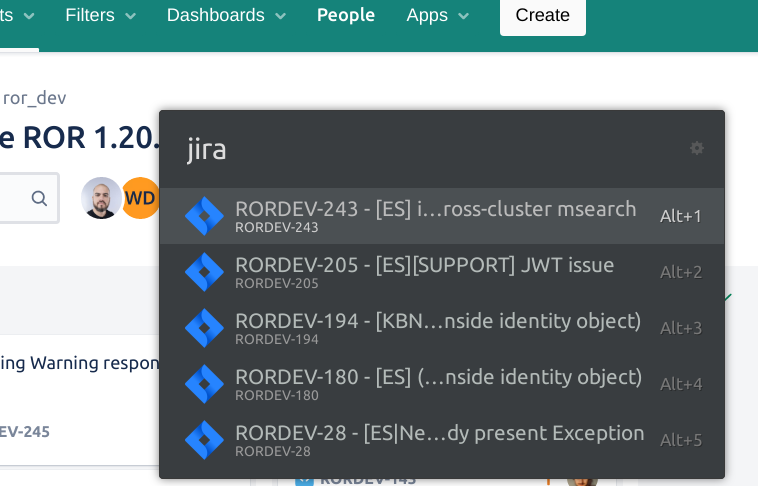
Thank you!
 sscarduzio
All 5 comments
You can find help from Ulauncher documentation to write extension.
 mahmadmujtaba
on 19 May 2020
mahmadmujtaba
on 19 May 2020
@mahmadmujtaba the page you linked to specifically says "You can only change colors in themes. Changing element sizes won’t be possible due to quirky GTK+ API.". How is this a solution to having a wider search box?
Would be great to know if someone managed to actually have a wider widget.
 bjesus
on 25 Jun 2020
bjesus
on 25 Jun 2020
Yeah me too i gave up after asking this :(
sscarduzio
on 25 Jun 2020
Seems like you can manually edit /usr/share/ulauncher/ui/UlauncherWindow.ui and change width_request from 604 to whatever you want.
bjesus
on 25 Jun 2020
Worked enlarging the result box, but the title gets shortened :facepalm:
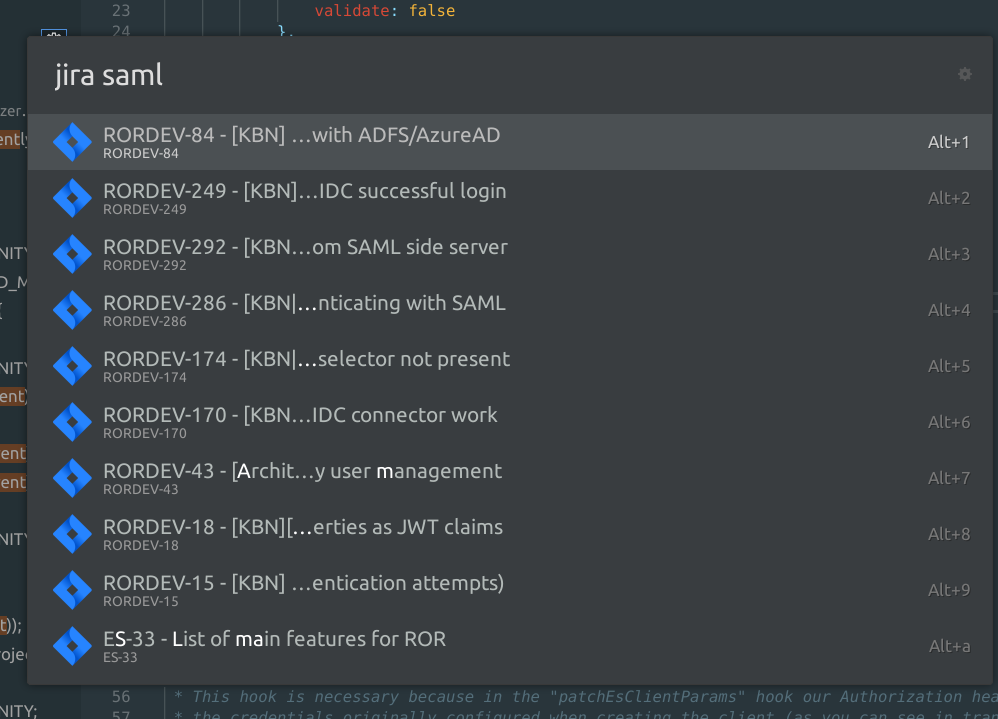
So I had to edit by hand another file:
sudo nano /usr/share/ulauncher/ui/result_item.ui
 <object class="GtkLabel" id="item-name">
                    <property name="width_request">410</property>  <--- changed his to 1000
                    <property name="visible">True</property>
...

and the description field too:
```xml
                <child>
                  <object class="GtkLabel" id="item-descr">
                    <property name="width_request">410</property> <--- set to 1000 too
                    <property name="visible">True</property>
                    <property name="can_focus">False</property>
                    <property name="ellipsize">middle</property>
So now it FINALLY looks ok
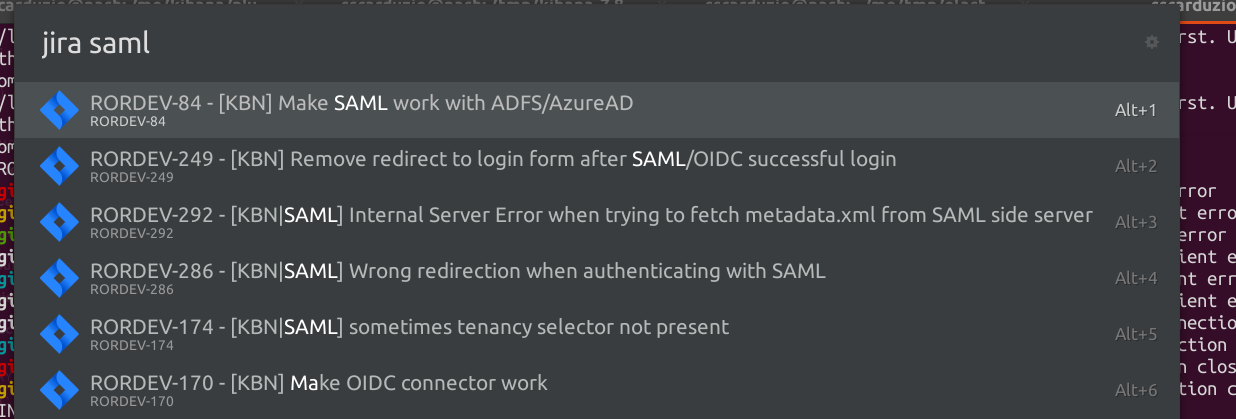
please consider making title and description expand to fill the available space, and make the search box width configurable
sscarduzio
on 9 Jul 2020
Related issues
 uncertainquark
·
5Comments
uncertainquark
·
5Comments
 jbriales
·
6Comments
jbriales
·
6Comments
 chetcuti
·
6Comments
chetcuti
·
6Comments
 uffejakobsen
·
6Comments
uffejakobsen
·
6Comments
 altla
·
5Comments
altla
·
5Comments
Most helpful comment
Seems like you can manually edit
/usr/share/ulauncher/ui/UlauncherWindow.uiand changewidth_requestfrom 604 to whatever you want.