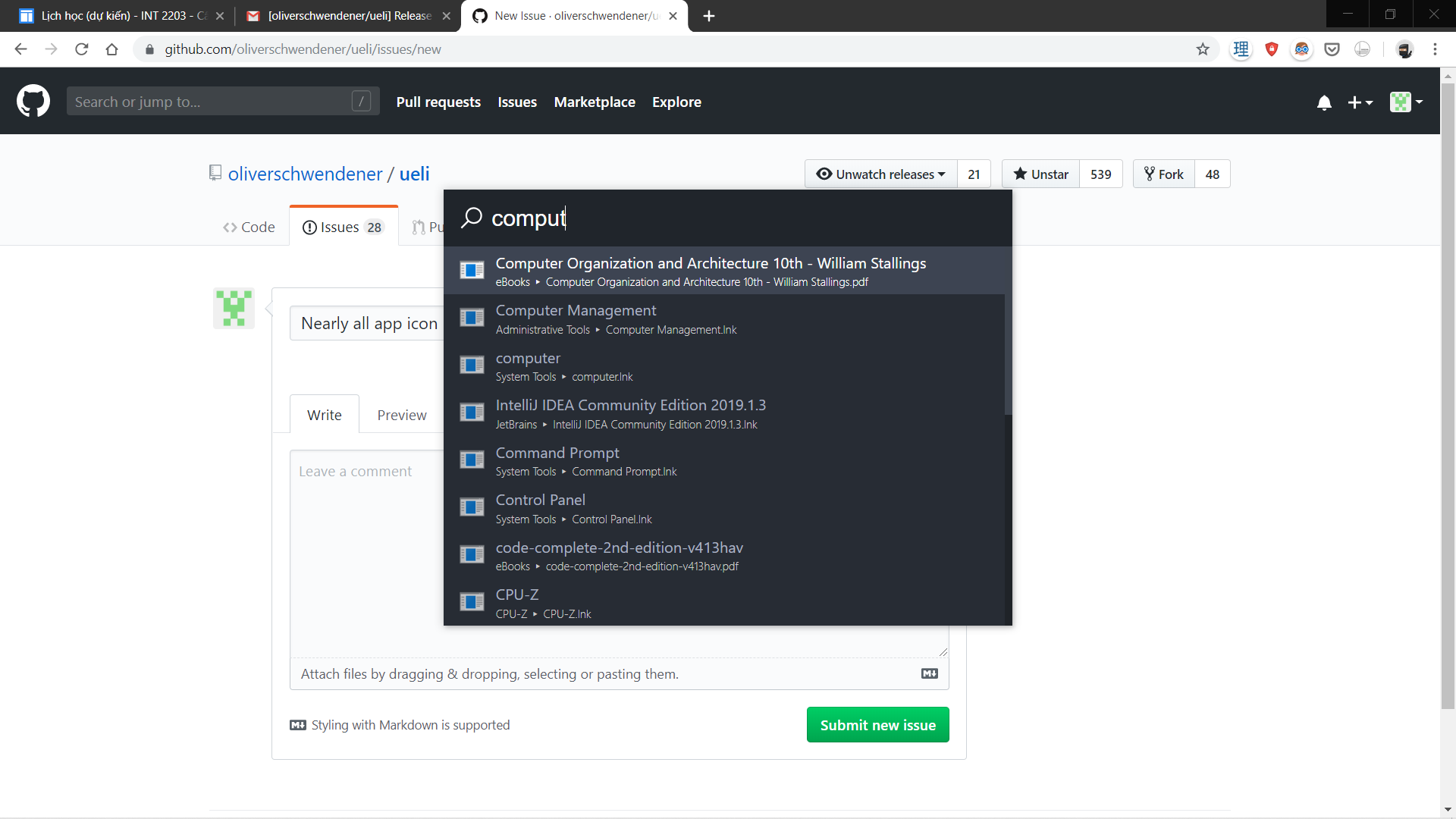
Ueli: App icon doesn't work since 8.1.2
 tuananhlai
All 32 comments
Thanks for the report! Will check this asap!
 oliverschwendener
on 3 Oct 2019
oliverschwendener
on 3 Oct 2019
Going back to 7.2.0 solves the problem. But after I update back to 8.1.3, the problem still persists. Hope this help 😔
tuananhlai
on 3 Oct 2019
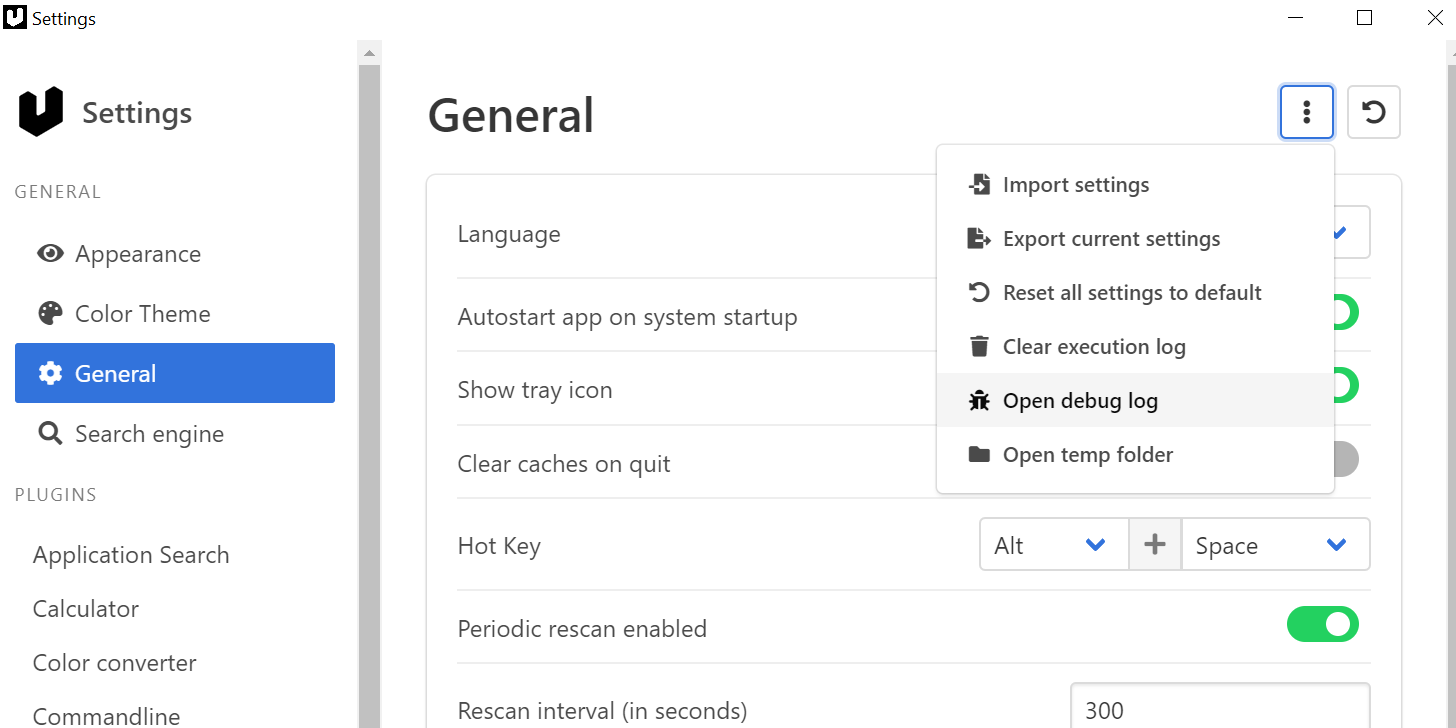
Is there something in the debug log?
This is how you open the log:
oliverschwendener
on 3 Oct 2019
I will check it and post it here when I get home.
tuananhlai
on 3 Oct 2019
debug.log
Here it is.
tuananhlai
on 3 Oct 2019
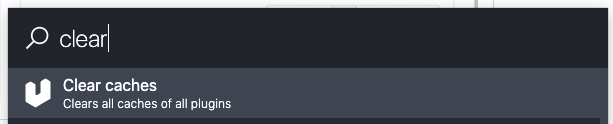
What happens if you clear all caches and then refresh the indexes?

oliverschwendener
on 3 Oct 2019
The bug is still here after I tried clearing the caches and refreshing the indexes :(
tuananhlai
on 3 Oct 2019
For me it works fine. Can you show me the settings of the application search plugin?
oliverschwendener
on 3 Oct 2019
You probably disabled the option "Use native icons"
oliverschwendener
on 3 Oct 2019
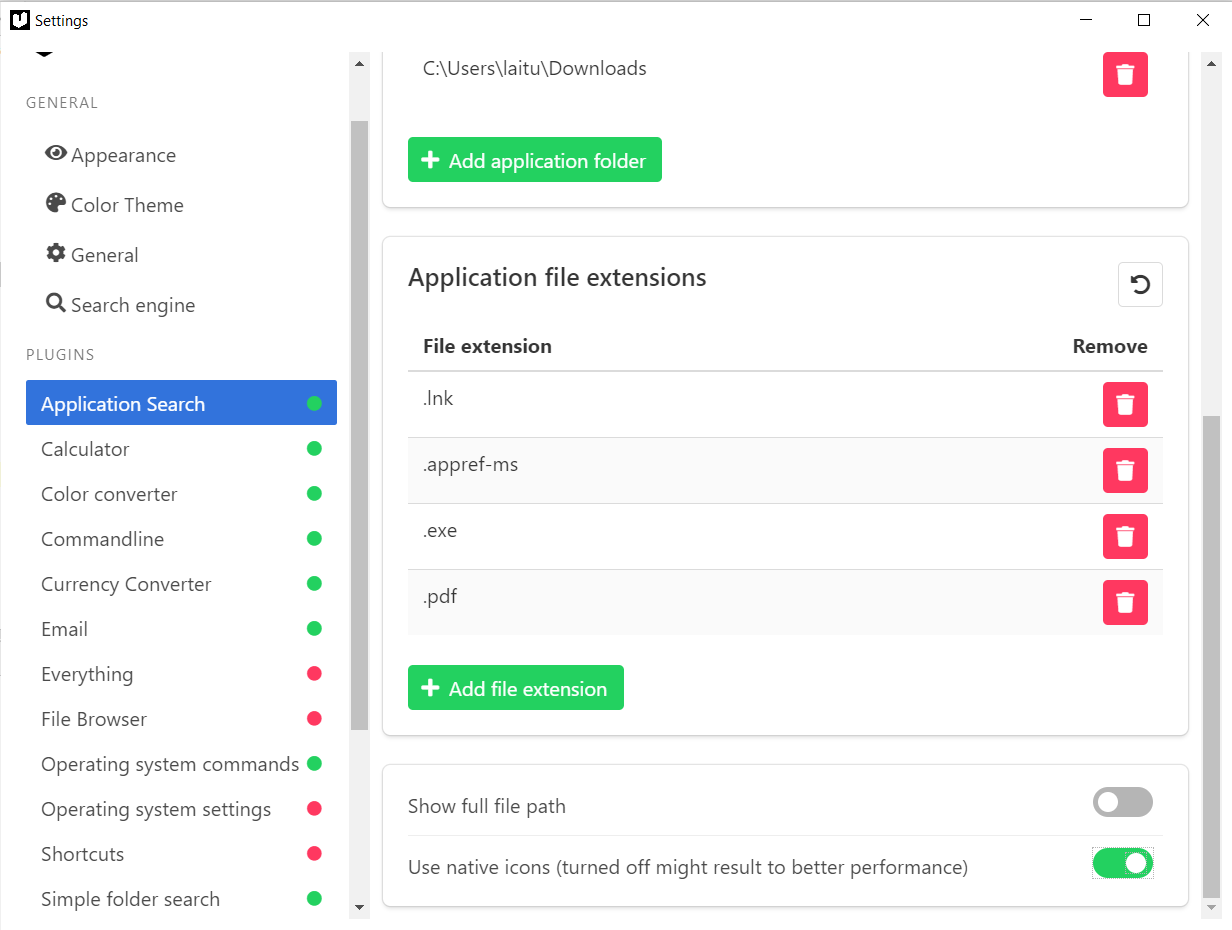
I got this error when I tried turning on "Use native icon"
{ "level": "error", "name": "PS_CMD_FAIL_ERROR", "service": "user-service", "timestamp": "2019-10-03T16:06:52.914Z" }
tuananhlai
on 3 Oct 2019
What happens if you reset the application search settings to default?
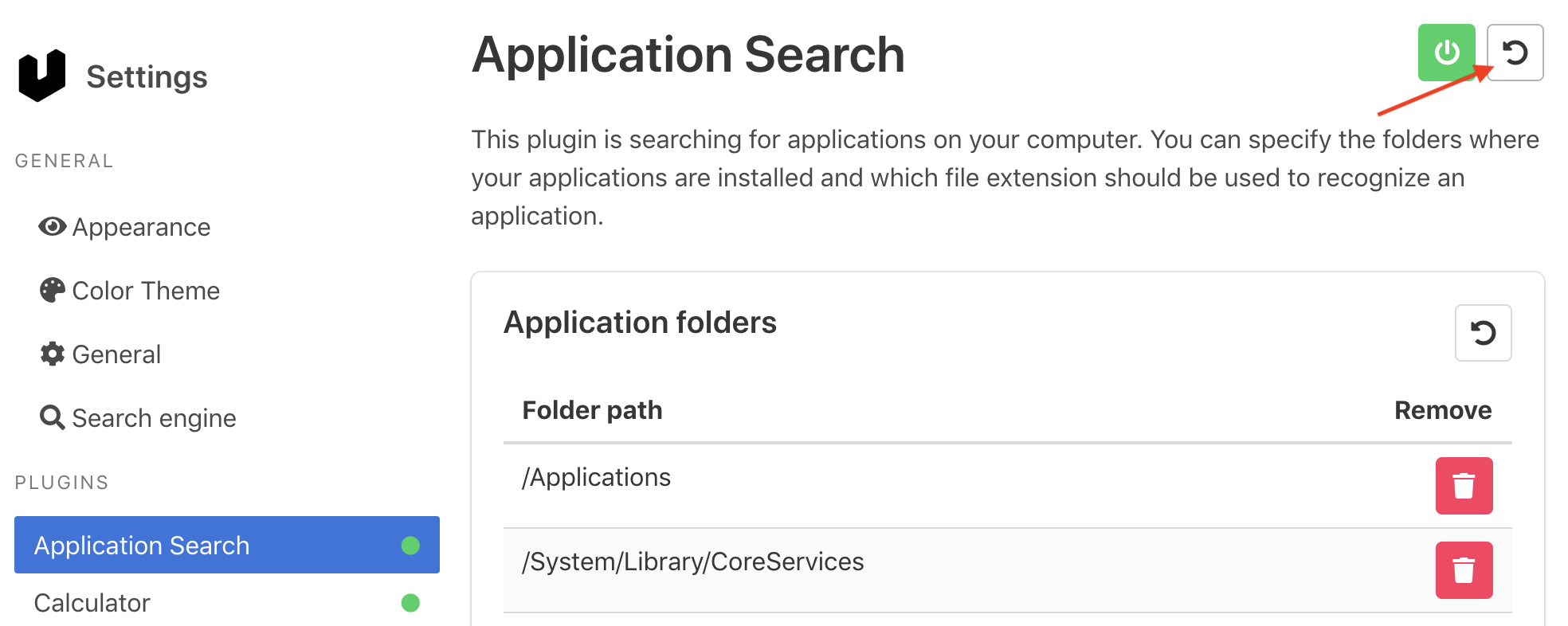
oliverschwendener
on 7 Oct 2019
And does this issue occur in 8.1.1?
oliverschwendener
on 7 Oct 2019
No, 8.1.1 is fine. I've been using it since I discovered the bug.
tuananhlai
on 8 Oct 2019
What about resetting the settings to default?
oliverschwendener
on 8 Oct 2019
Had the same issue with the same error
{ "level": "error", "name": "PS_CMD_FAIL_ERROR", "service": "user-service", "timestamp": "2019-10-08T18:33:28.240Z" }
A particular shortcut seemed to be problematic and deleting it fixed it. Recreating the same shortcut did not throw any issues.
 ghost
on 8 Oct 2019
ghost
on 8 Oct 2019
@BryantShepherd Can you check if this is also the case for you?
oliverschwendener
on 10 Oct 2019
What about resetting the settings to default?
It did fixed the issues by resetting "Application Search" to default. Thanks a lot!
tuananhlai
on 13 Oct 2019
Something is wrong with the .pdf file extensions. If I add ".pdf" in Application file extensions, this message appears: { "level": "error", "name": "PS_CMD_FAIL_ERROR", "service": "user-service", "timestamp": "2019-10-13T06:11:55.889Z" }
tuananhlai
on 13 Oct 2019
Good to know, I'll look into it!
oliverschwendener
on 13 Oct 2019
Do you know which file extactly is causing the problem? I tried adding pdf to the extensions and it worked without any problems.
oliverschwendener
on 13 Oct 2019
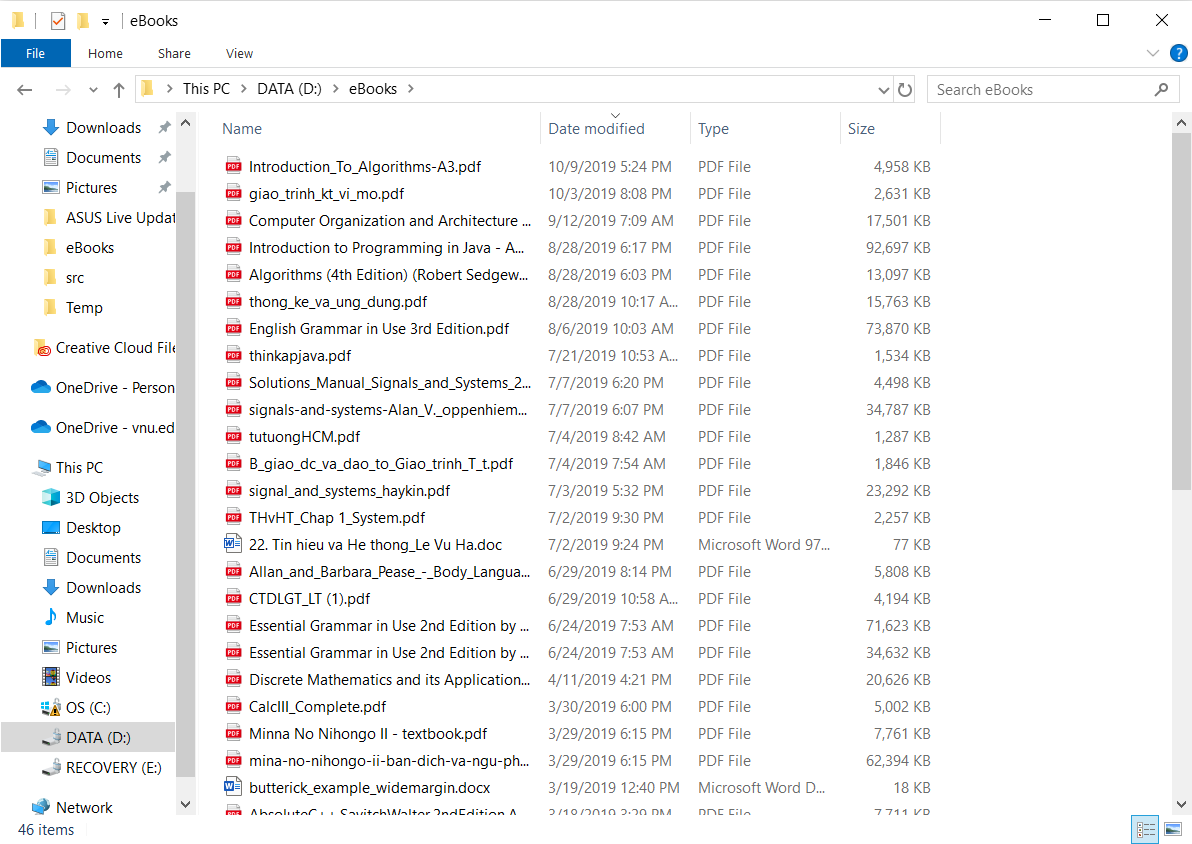
Here is my pdf folder. I could only include this or include '.pdf' extension but not both. Maybe it's just my device has a problem, because my other pc works fine.
tuananhlai
on 14 Oct 2019
Ok, then I'll close this issue now.
Just for clarification:
- Use the application search plugin only to search programs
- If you want to search specific folders use the simple folder search plugin
- If you want to search files on a global scope then use the everything plugin
oliverschwendener
on 14 Oct 2019
Can confirm that this is also an issue for me. I reproduced the issue by doing the following:
- Added a directory that contains videos.
- Added '.mkv' and '.mp4' extensions.
It is the combination of these two things that seems to cause the problems. Obviously that directory contains files of both these types.
 dolandemort
on 22 Oct 2019
dolandemort
on 22 Oct 2019
As stated in my previous comment:
- Use the application search plugin only to search programs
- If you want to search specific folders use the simple folder search plugin
- If you want to search files on a global scope then use the everything plugin
oliverschwendener
on 22 Oct 2019
Oh, I see. Unfortunately, I and many others will elect not to install Everything since it isn't open source (one of the attractions of ueli for many).
dolandemort
on 22 Oct 2019
Hmm. I got the same error when adding .lnk extension on Windows 10.
ueli 8.3.0
{"level": "error", "name": "PS_CMD_FAIL_ERROR", "service": "user-service", "timestamp": "2019-11-27T19: 31: 41.397Z"}
There are no icons :(
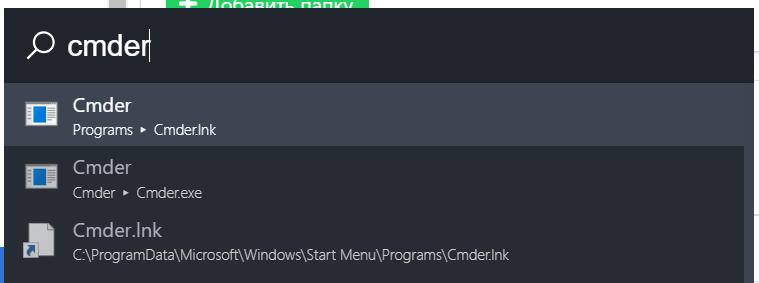
I tried all of the above. Does not work
 TheMechanical
on 27 Nov 2019
TheMechanical
on 27 Nov 2019
Can you post a screenshot of your application search settings?
oliverschwendener
on 27 Nov 2019
The problem is solved when I update to version 8.2.0. Thanks very much!
tuananhlai
on 28 Nov 2019
Can you post a screenshot of your application search settings?
Hi. Settings by default:
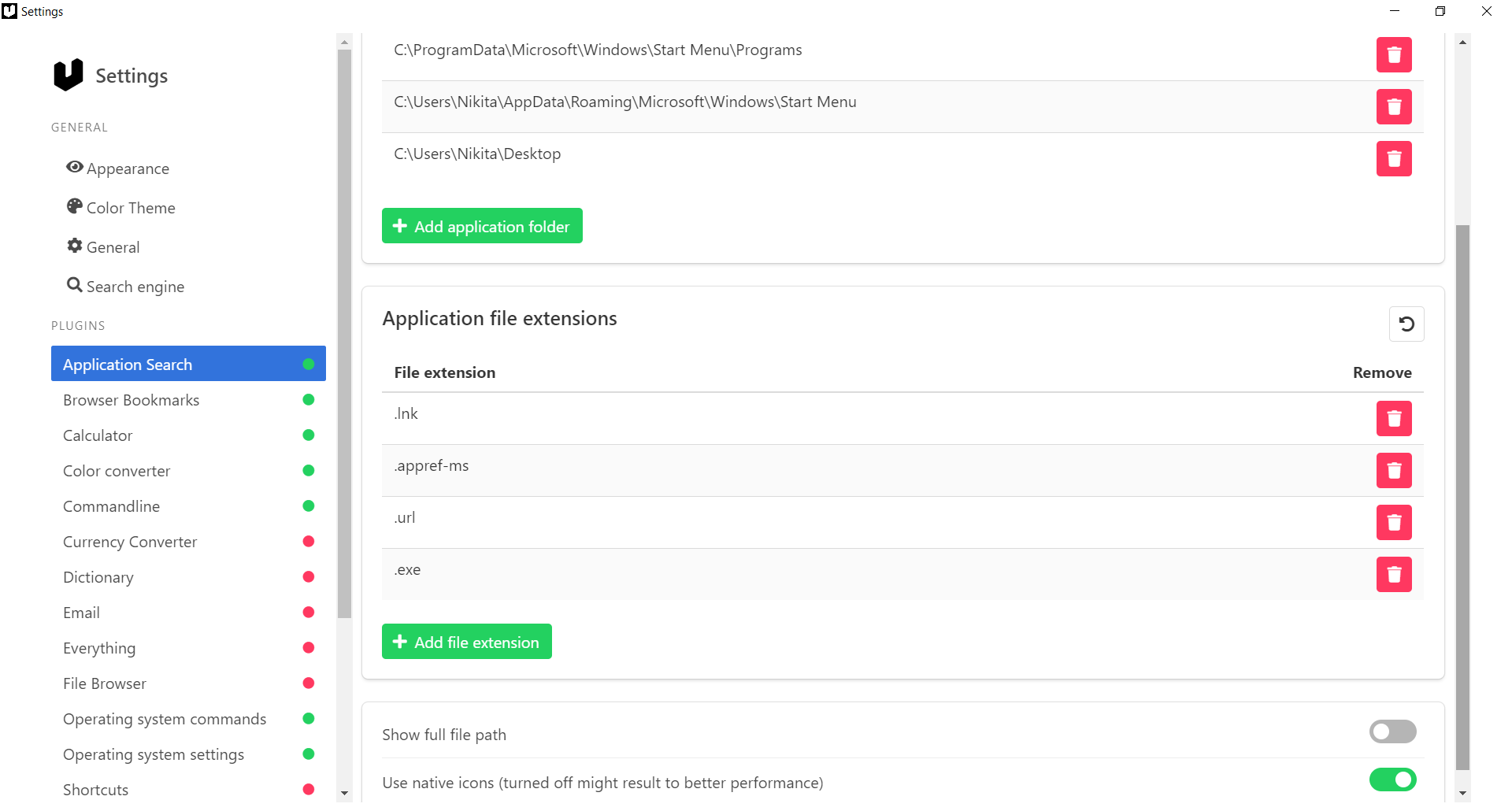
Turns the "Use native icons" setting on and off.
When the setting is on, an error occurs; when it is turned off, there is no error. But there are no application icons in both cases.
TheMechanical
on 28 Nov 2019
So, I have found a problem. And she ended up in Windows 10.
In "executeCommandWithOutput" in "application-searcher.ts" PowerShell is used and it gave Cyrillic characters in the form of question marks (like this: ????-filename).
If someone has a similar problem. For the solution, you just need to fix the encoding in PowerShell:
In path: _C:\Users{UserName}\Documents\WindowsPowerShell_
Created the file: _Microsoft.PowerShell_profile.ps1_
With this content:
$OutputEncoding = [console]::InputEncoding = [console]::OutputEncoding = New-Object System.Text.UTF8Encoding
Now the icons are displayed correctly.
TheMechanical
on 4 Dec 2019
@TheMechanical the code you provieded didn't work for me,first, because the execution policy on my machine was Restricted and secondly, your code had some errors, here is the code that worked for me
$OutputEncoding = [console]::InputEncoding = [console]::OutputEncoding = New-Object System.Text.UTF8Encoding
 amrbashir
on 22 Dec 2019
amrbashir
on 22 Dec 2019
I added a fix in the newest version. Can you guys check if it works now?
Clear caches first:

Then refresh indices:

oliverschwendener
on 4 Jan 2020
Related issues
 TobiasDev
·
4Comments
TobiasDev
·
4Comments
 LalaGhost
·
5Comments
LalaGhost
·
3Comments
LalaGhost
·
5Comments
LalaGhost
·
3Comments
 chrislachance
·
5Comments
chrislachance
·
5Comments
 gabriel-peracio
·
3Comments
gabriel-peracio
·
3Comments