Twint: [REQUEST] Save Followers with Pandas
Non-tweet objects such as followers don't seem compatible with saving to a pandas dataframe
Example:
Python 3.6.3 (default, Oct  3 2017, 21:45:48)
[GCC 7.2.0] on linux
Type "help", "copyright", "credits" or "license" for more information.
>>> import twint
>>> c = twint.Config()
>>> c.Username = 'elonmusk'
>>> c.Pandas = True
>>>
>>> # Run
... twint.run.Followers(c)
Traceback (most recent call last):
  File "<stdin>", line 2, in <module>
  File "/opt/app/vendor/twint/twint/run.py", line 125, in Followers
    run(config)
  File "/opt/app/vendor/twint/twint/run.py", line 117, in run
    get_event_loop().run_until_complete(Twint(config).main())
  File "/usr/lib/python3.6/asyncio/base_events.py", line 467, in run_until_complete
    return future.result()
  File "/opt/app/vendor/twint/twint/run.py", line 100, in main
    await self.follow()
  File "/opt/app/vendor/twint/twint/run.py", line 54, in follow
    await output.Username(username, self.config, self.conn)
  File "/opt/app/vendor/twint/twint/output.py", line 89, in Username
    _output(username, username, config)
  File "/opt/app/vendor/twint/twint/output.py", line 34, in _output
    panda.update(obj, config.Essid)
  File "/opt/app/vendor/twint/twint/storage/panda.py", line 9, in update
    day = weekday(strftime("%A", localtime(Tweet.datetime)))
AttributeError: 'str' object has no attribute 'datetime'
Suggestion:
- In panda.py update method add some logic that will determine the type of object being saved (Tweet, User, etc.) and change the dataframe accordingly.
- If the dataframe already has a tweet object and you are adding a different object, raise an error and prompt the user to clear the accumulated data.
 wardnath
All 10 comments
Thank you so much! I will add this asap
 pielco11
on 28 Jun 2018
pielco11
on 28 Jun 2018
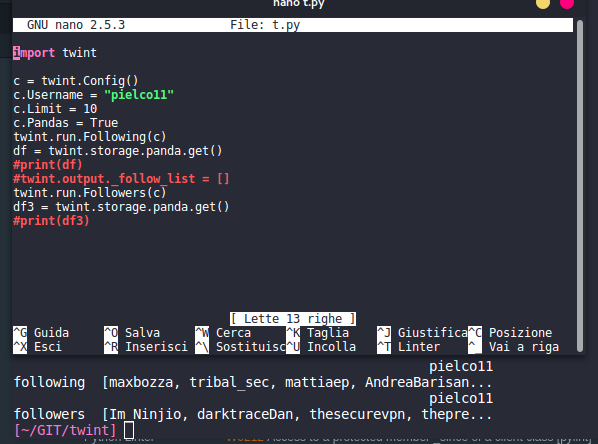
It's still in development, but I'm quite sure that this fits our needs, try with pip install --upgrade -e git+https://github.com/twintproject/twint.git@origin/dev#egg=twint or just clone dev branch and change the name of twint (e.g. mv twint twint_dev, import twint_dev ...)
Returns lists
Give it a try and let me know!
pielco11
on 1 Jul 2018
@pielco11 I just tried this with twint.run.Search(c), but with c.Pandas=True it returns:
NameError: name 'Pandas' is not defined
and with c.Pandas=False it returns an empty DataFrame...
Is this intended behavior?
 derdav3
on 24 Jul 2018
derdav3
on 24 Jul 2018
@derdav3 Can you post your entire code, please? I tried with master branch and everything is working fine for me
pielco11
on 24 Jul 2018
Actually don't know if I really need your code, please be sure that your local repository is updated!
pielco11
on 24 Jul 2018
@pielco11 Sorry I was confused - I installed the package in a notebook, then could import it, but it didn't work... only after restarting the kernel it worked as expected.. thanks for your help!
derdav3
on 25 Jul 2018
Get followers with their details and get the dataframe containing those details

Get followers without their details and get the corresponding dataframe
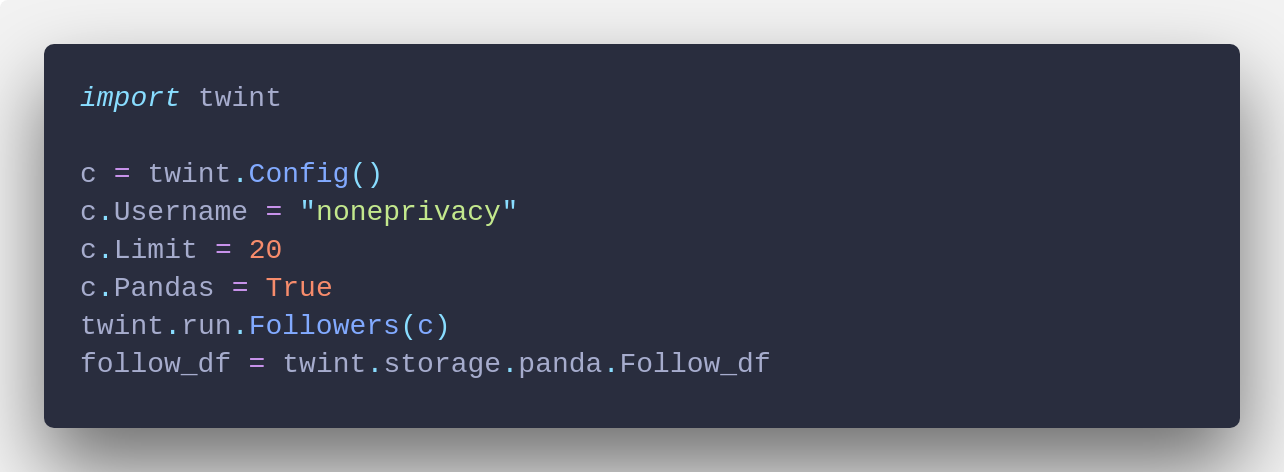
Get tweets from a user and get the corresponding dataframe
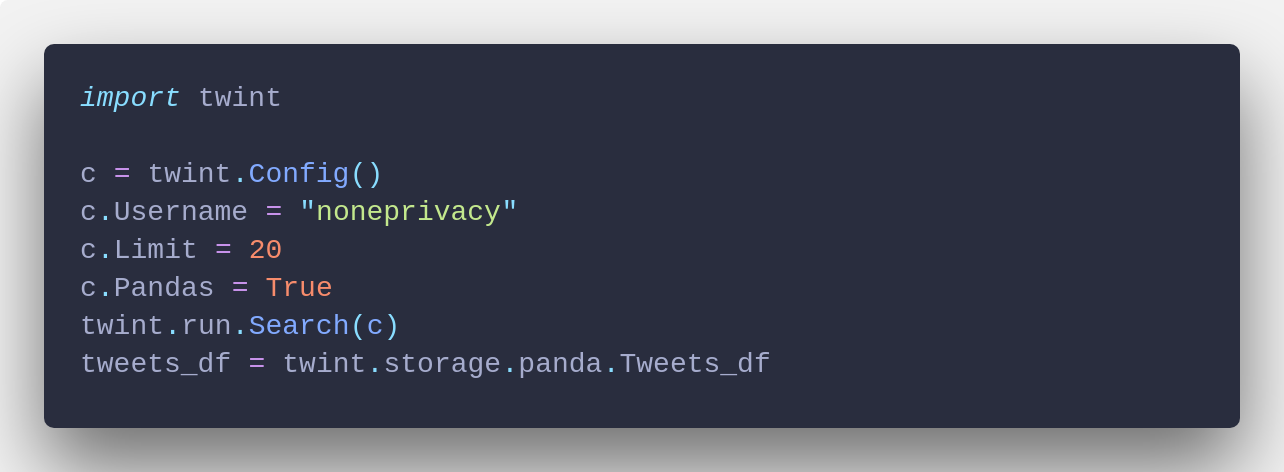
Closing this since I consider this feature as achieved, in case don't hesitate to comment
pielco11
on 23 Sep 2018
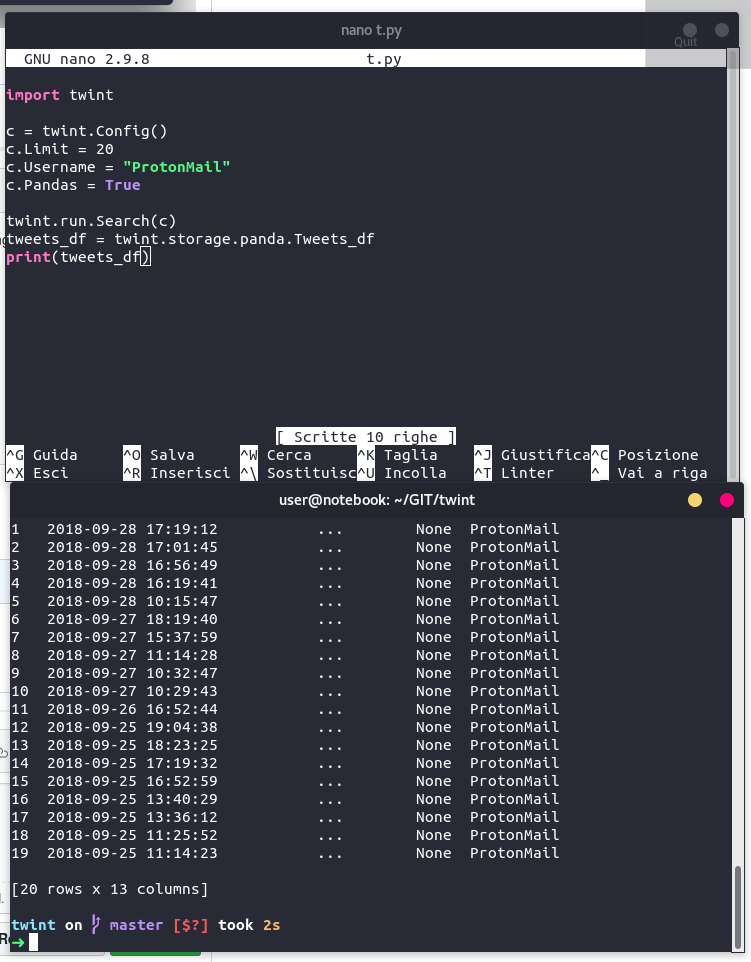
Tryed the last code for getting tweets from a user and get the corresponding dataframe. but just got an empty Dataframe. I'm using the dev branch
`
df = twint.storage.panda.Tweets_df
df
Empty DataFrame
Columns: []
Index: []
`
 mrdeds
on 29 Sep 2018
mrdeds
on 29 Sep 2018
Sorry, my bad
Fixed now in master branch
pielco11
on 29 Sep 2018
great! Thanks!
mrdeds
on 30 Sep 2018
Related issues
 Nestor75
·
3Comments
Nestor75
·
3Comments
 pushshift
·
3Comments
pushshift
·
3Comments
 PatricioAlvarado
·
4Comments
PatricioAlvarado
·
4Comments
 dmuth
·
4Comments
dmuth
·
4Comments
 adnanmig
·
3Comments
adnanmig
·
3Comments
Most helpful comment
Thank you so much! I will add this asap