Twindle: CLI github reading MD file - fetch
All 11 comments
Gave this a try. Have a first cut. Will need lots of refactors.
https://github.com/twindle-co/twindle/blob/main/docs/articles/git%20-github-related.md
test.pdf
 johnjacobkenny
on 21 Nov 2020
johnjacobkenny
on 21 Nov 2020
Looks awesome @johnjacobkenny
 proful
on 21 Nov 2020
proful
on 21 Nov 2020
I don't think I will have the time to implement it correctly, here is the main code so someone else can take inspiration.
const nodeFetch = require("node-fetch");
const marked = require("marked");

const fetch = async (url) => {
  const response = await nodeFetch(url);
  const body = await response.text();

  return body;
};

const fetchMarkdownFromGithubURL = async () => {
  const md = await fetch(
    "https://raw.githubusercontent.com/twindle-co/twindle/main/docs/articles/git%20-github-related.md"
  );
  const html = marked(md);
  return html;
};

module.exports = {
  fetchMarkdownFromGithubURL,
};
And here is a pdf from the link mentioned by Proful
ryanmcdermott.pdf
johnjacobkenny
on 21 Nov 2020
@proful @johnjacobkenny
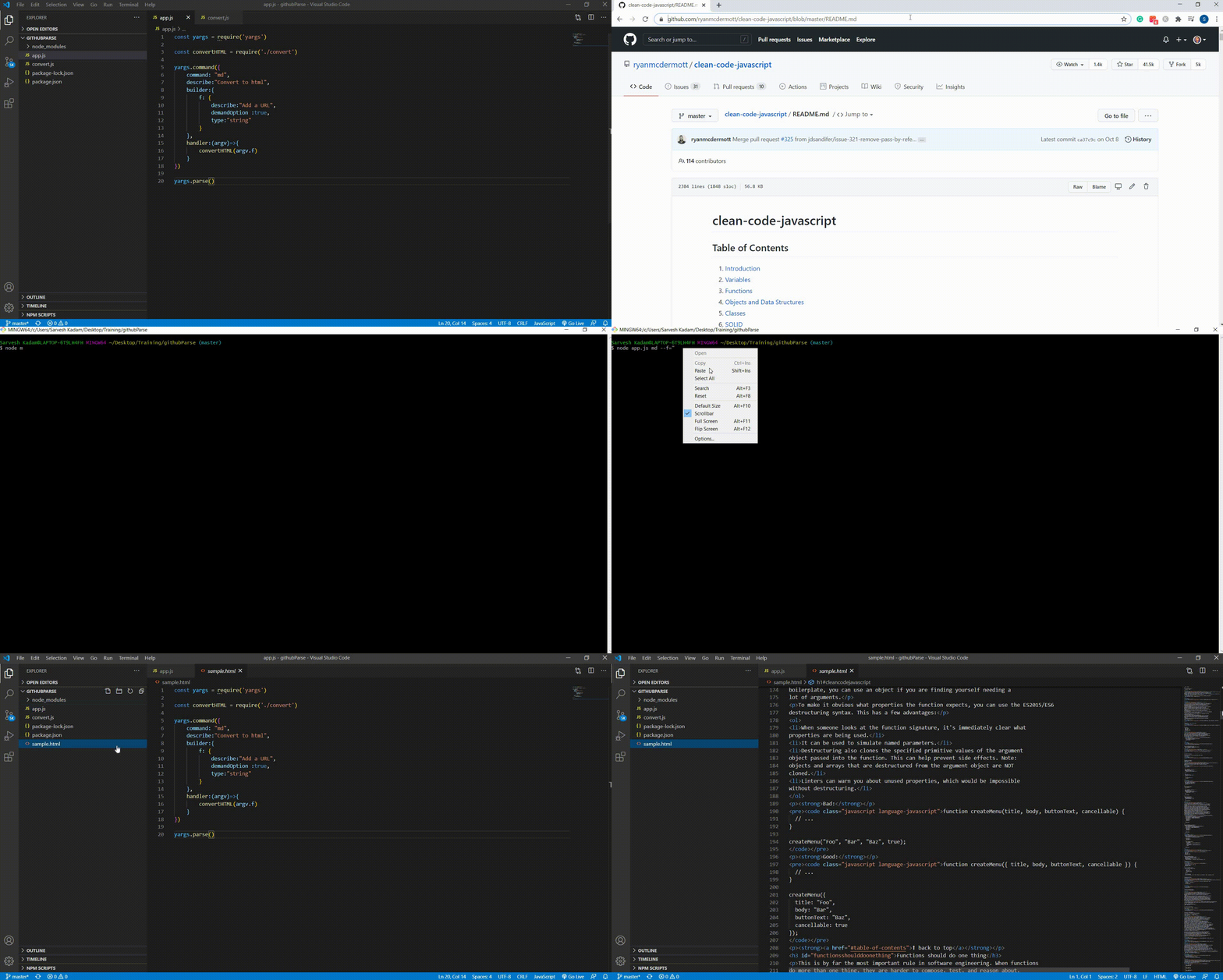
For the first stage, I've taken some baby steps towards this task by building a sample code locally.
In my root folder, I pass the below command
node app.js md --f="<GitHub URL>"
md is the custom action command we passed and --f is the custom argument which takes the GitHub URL
For example below
node app.js md --f="https://github.com/ryanmcdermott/clean-code-javascript/blob/master/README.md"
On the passing the GitHub URL it first of all parses the URL to a Raw markdown code
Then the raw markdown code is then converted to HTML format
Then this HTML is stored locally using file-system module
Please refer the below gif
Please do let me know if I am moving in the right direction.
 SarveshKadam
on 22 Nov 2020
SarveshKadam
on 22 Nov 2020
This looks awesome and you are in perfect direction.
proful
on 22 Nov 2020
@SarveshKadam Yess! :partying_face:
johnjacobkenny
on 23 Nov 2020
@proful @johnjacobkenny
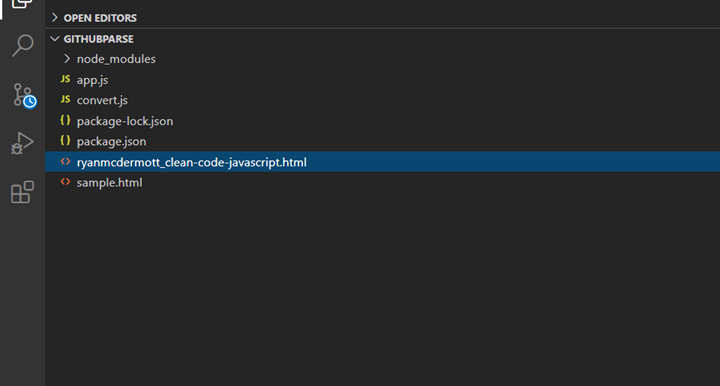
Added dynamic fileName for the generated HTML File
Naming convention for the file will be the <GitHubUsername>_<RepositoryName>.html
For example, for the below-mentioned URL
https://github.com/ryanmcdermott/clean-code-javascript/blob/master/README.md
The fileName will be ryanmcdermott_clean-code-javascript.html as shown in the image.
The next steps will be to integrate my code into our twindle codebase for which I'll create a folder under twindle-cli/src/<github folder>
Will look into it since I need to get familiar with our codebase and puppeteer itself
SarveshKadam
on 23 Nov 2020
Very good progress @SarveshKadam
proful
on 23 Nov 2020
 SarveshKadam
on 24 Nov 2020
SarveshKadam
on 24 Nov 2020
@proful
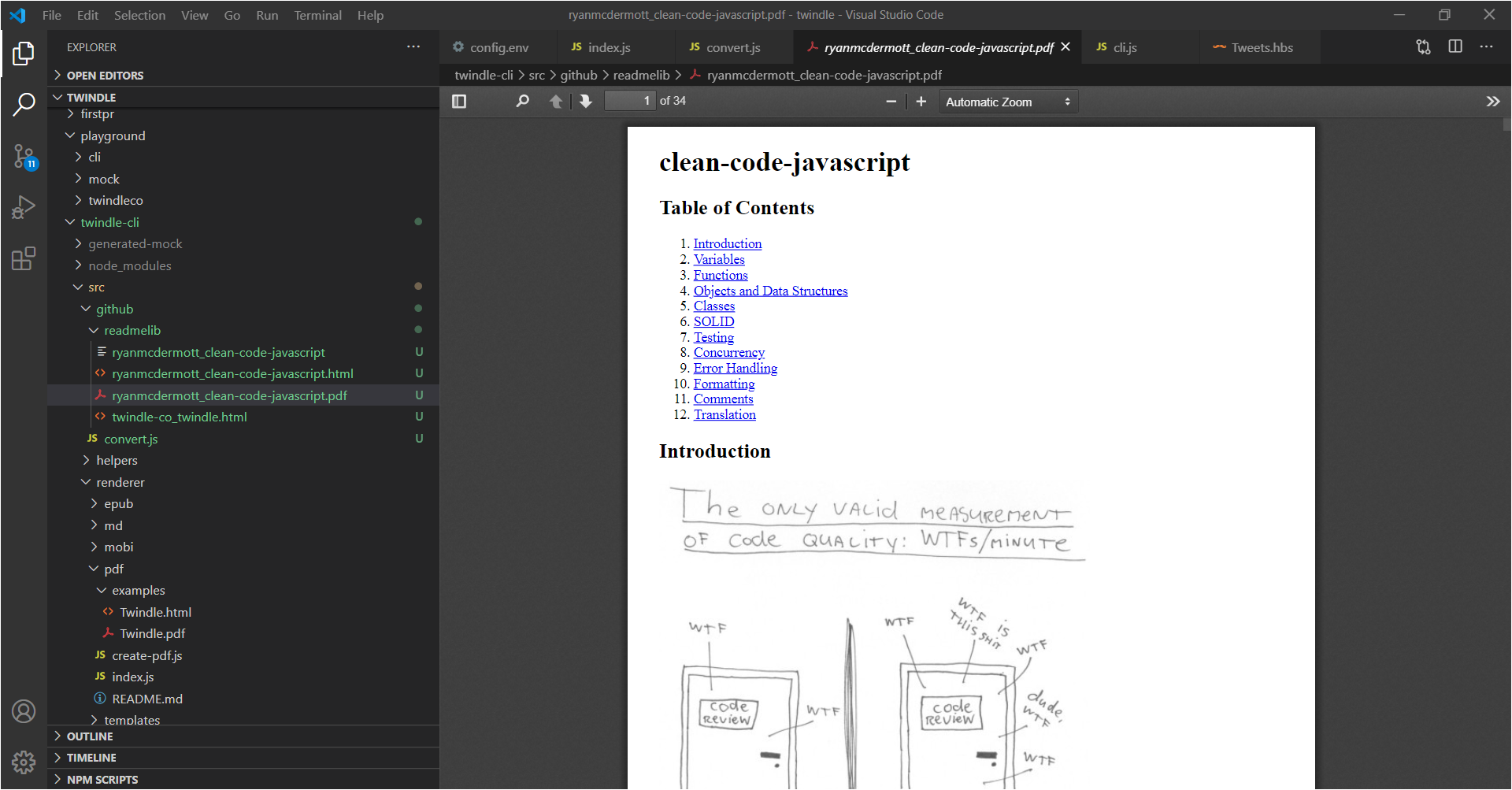
The PDF conversion functionality is working as expected, therefore have created PR.
However, in some readme files, there are full-screen size images as shown in this readme Readme URL
Such kind of full-screen images broke in PDF as shown below which we need to fix
SarveshKadam
on 24 Nov 2020
Related issues
 vasudeveloper001
·
7Comments
vasudeveloper001
·
7Comments
 Mira-Alf
·
3Comments
Mira-Alf
·
3Comments
 arthurbuhl
·
6Comments
johnjacobkenny
·
8Comments
johnjacobkenny
·
5Comments
arthurbuhl
·
6Comments
johnjacobkenny
·
8Comments
johnjacobkenny
·
5Comments
Most helpful comment
@proful @johnjacobkenny
For the first stage, I've taken some baby steps towards this task by building a sample code locally.
In my root folder, I pass the below command
node app.js md --f="<GitHub URL>"mdis the custom action command we passed and--fis the custom argument which takes the GitHub URLFor example below
node app.js md --f="https://github.com/ryanmcdermott/clean-code-javascript/blob/master/README.md"On the passing the GitHub URL it first of all parses the URL to a Raw markdown code
Then the raw markdown code is then converted to HTML format
Then this HTML is stored locally using file-system module
Please refer the below gif
Please do let me know if I am moving in the right direction.