Tuya-convert: Bneta Gu10 downlight not flashing
I'm having trouble flashing the mentioned bulb, I'm also unsure how to attain the logs so could someone please help me with that.
I'm running on Ubuntu 16.04 and have Tuya-convert setup correctly AFAIK, I'm able to connect my phone to the flash network and it says "connected". I then put the bulb into flash mode and it definitely links up to "vtrust-flash" in seconds but doesn't go any further. I can see it on the vtrust-flash network using the Fing app and am able to ping it without a problem. I then changed the IPs in the config from 10.42.42.42 to 10.42.42.22 and it does seem to communicate but connection is refused when backing up and attempting to write firmware.
Any help would be gladly appreciated.
EDIT: I see no logs in my script folder.
 HellfireZA
All 10 comments
Check for logs in your backup folder
 kueblc
on 17 May 2020
kueblc
on 17 May 2020
Check for logs in your backup folder
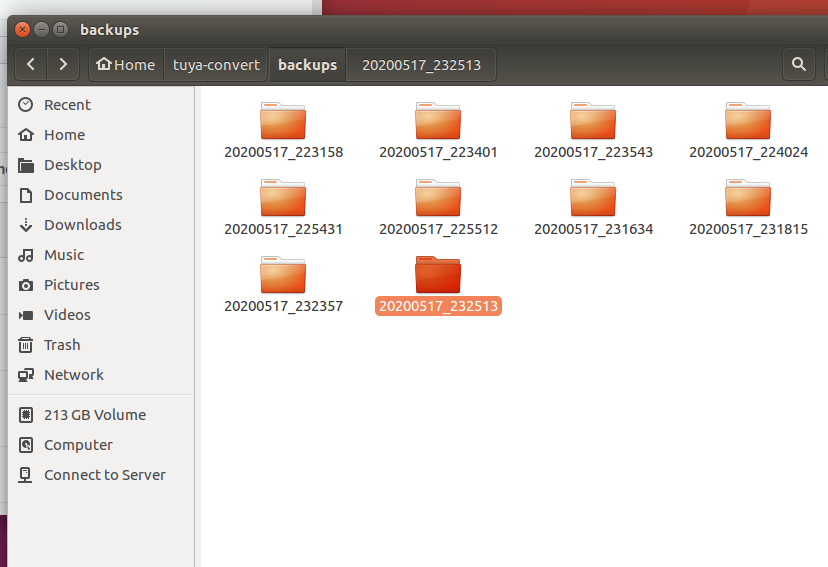
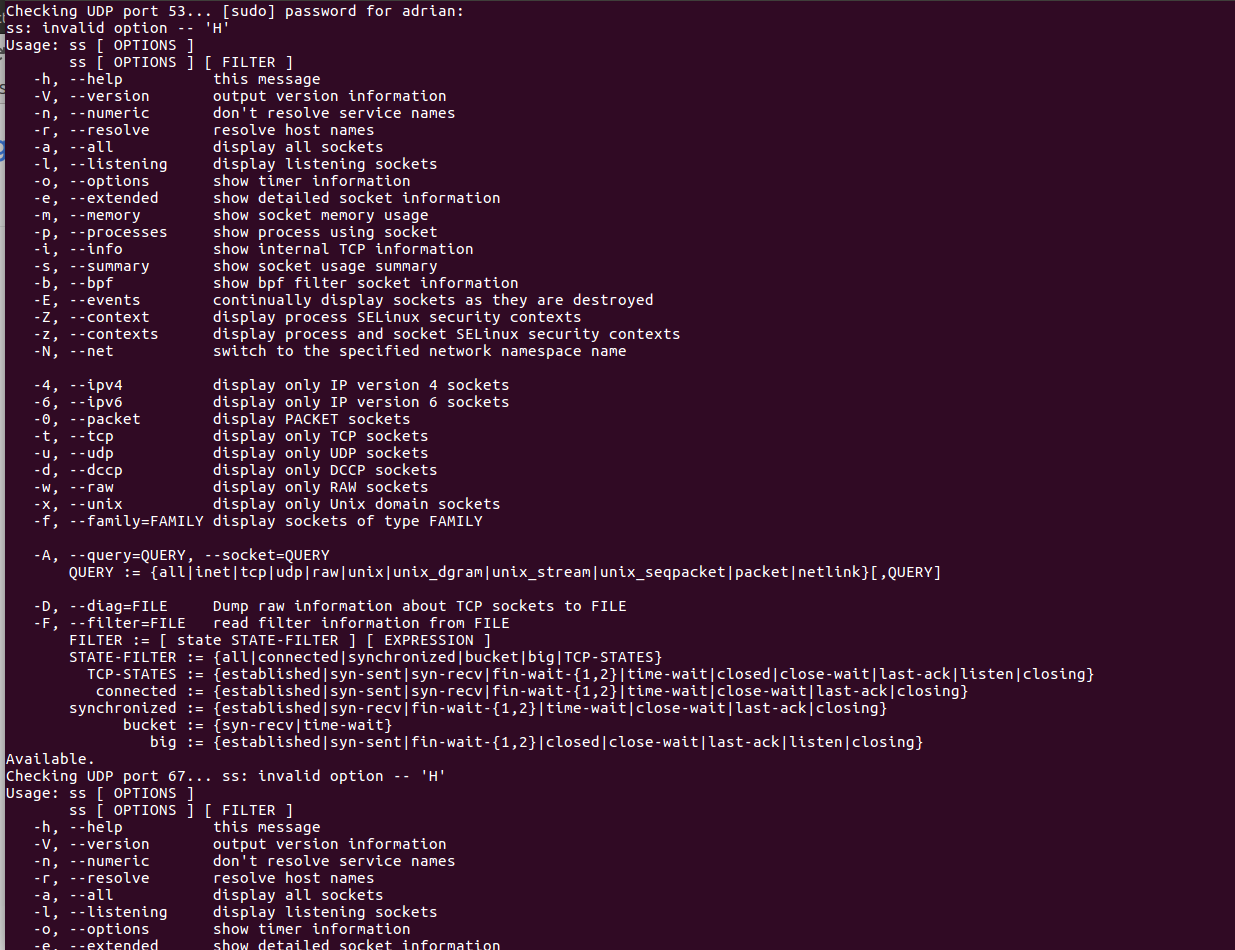
I checked my backup folder and a folder is generated it seems every time the bulb does connect to vtrust-flash, all folders are empty though. I've attached screenshots of the backup folder and then what happens the moment I run start_flash.sh
HellfireZA
on 18 May 2020
I went and bought another bulb from local vendor and same thing, connection refused but it hooks onto the vtrust-flash network perfectly.
HellfireZA
on 18 May 2020
Looks like you have an older version of ss, and so it is failing to check for occupied ports.
Check those ports manually to make sure they are available, otherwise the software may not be able to start successfully.
kueblc
on 18 May 2020
Also, do not change the IP in the scripts from 10.42.42.42. It must remain so.
kueblc
on 18 May 2020
So an update, I reinstalled Ubuntu to 18.04.4 and everything worked perfectly, I think it was the occupied ports, seemed that Python was using them. Thank you for your help and your work!
HellfireZA
on 19 May 2020
Excellent! Glad you got it working
kueblc
on 19 May 2020
Hi
I hope it's okay if I post something to this closed issue: @HellfireZA did you flash Tasmota to your BNeta GU10 device? and if so, what template did you use to control it?
 aquarat
on 29 Jul 2020
aquarat
on 29 Jul 2020
Hi @aquarat I did to over 30 bulbs now.
I did experience two different variants of the bulb though.
What you can do is use "generic" and then manually select each pin according to what Tasmota recommends for the Gu10, I found that for one variant of the bulb used: https://templates.blakadder.com/bneta_IO-WIFI60-E27P.html
and the other, the correct gu10: https://templates.blakadder.com/bneta_IO-WIFI-GU10S.html
HellfireZA
on 29 Jul 2020
Thanks for the info @HellfireZA, yes I've gone and bought 30 of them too haha, so much flashing.
aquarat
on 29 Jul 2020
Related issues
 SynAckFin
·
9Comments
SynAckFin
·
9Comments
 prankousky
·
7Comments
prankousky
·
7Comments
 Cyber1000
·
9Comments
Cyber1000
·
9Comments
 lustyffh
·
7Comments
lustyffh
·
7Comments
 waltner
·
10Comments
waltner
·
10Comments
Most helpful comment
So an update, I reinstalled Ubuntu to 18.04.4 and everything worked perfectly, I think it was the occupied ports, seemed that Python was using them. Thank you for your help and your work!